Aaron Gustafson presents eCSStender, a library that adds CSS3 features like border-radius, box-shadow, and transforms to older browsers including IE6. The open-source tool parses CSS and uses capability testing rather than browser sniffing to polyfill missing styles across versions.
Chapters
So I'm happy to be here today with Aaron Gustafson, who's a group lead at the Web Standards Project and an editor for A List Apart. And today we're going to talk about, you know, a look behind the scenes at some of what's happened in the web standards world and, you know, how things are progressing there.
Mm-hmm.
Obviously, web standards are becoming very important to all of the large companies. and certainly to Microsoft. So first, I'd like to start with just a crazy question. So, you know, people sometimes say that, you know, all of the innovation takes place in, you know, proprietary places and plugins and so on and then gets standardized into the web standards. So how do you feel about that?
Well, I mean, that has happened in certain instances, and I mean, you can certainly As you look kind of through the history of web standards, you can see that certain things like the concepts outlined in Flash, for instance, are starting to find their way into the browser via Canvas and such in a plug-in-less way. But a lot of innovation— I mean, if you go back to kind of the heyday of the browser wars, a lot of the innovation was coming from the browser vendors and got codified by the codified into the HTML spec and into future HTML specs past HTML2.
And some examples would be like—
Marquee and blink and stuff like that. Some of the things that we don't want to be really using anymore, although marquee is still in the mobile spec.
But certainly CSS.
Yeah, and then CSS started from Bert and Halcomb. Kind of coming up with that concept. IE was actually one of the first browsers to implement that, which was great. Kind of lagged for a while, but then it seemed like for CSS properties, a lot of the innovation was sort of coming out of the W3C camp because a lot of it was the brainchild of various members of the CSS Working Group as it came to form. And now we're starting to see some of the browser makers kind of stepping up and coming up with their own proprietary extensions. We've seen them obviously implement some of the experimental features of CSS3, like border-radius and stuff like that, with their own proprietary extensions, -moz, -webkit, what have you. But now the transitions spec largely came out of Apple, out of the WebKit team.
Yeah.
And that's something that's now been proposed at the W3C as part of the CSS3 spec. So we're starting to see some innovation come back out of the browser vendors again. So I think that there's kind of a balance of it coming from developers and plug-in makers and stuff like that, and coming from the W3C, and coming from browser vendors. So it's kind of at all 3 points in the process, I believe.
Cool. So we're starting to see the innovation pick up again, it looks like.
Yeah.
So you had some really interesting slides about this topic that you showed at Web Design World. Let's take a look at those and have you—
Yeah, one of the key points that I wanted to make at Web Design World is kind of if we look at the progress of HTML, we had HTML1, which had a very limited set of elements and properties, or elements and attributes. And then kind of as we went through the different browser versions, we got more and more. HTML3 was a very ambitious spec. Unfortunately, it never saw the light of day. But when it came out as HTML3.2, it had a vastly shrunk number of elements and attributes. But then it sort of kind of leveled off. But once you start spanning that over time, you see that there was this whole period of time from roughly 2000 until now that nothing has happened with the HTML spec in terms of actual finalized recommendations to be used. And if you actually track the percentage of change, you actually see some drop-offs and such over time, and then this long period of stagnation. And the story was really— very much the same in the CSS world as well, mainly because CSS 2.1 really sat there for so long from when it was conceived until it finally became a candidate recommendation. But, I mean, some of the CSS3 modules have literally, you know, were thought of in like '99. Some of the ideas, I mean, that's a really long time for something to kind of sit on the shelf.
Right.
And a lot of that had to do with internal politics within the W3C, kind of the overall model that they have for putting together these ideas and making them into a spec. The hope was that by modularizing CSS, that it would actually speed up the process. And it started to do that to some extent as browsers have started implementing some of this stuff. My main issue is that as far as CSS is concerned, developers are really left out of the picture when it comes to saying what we really want, and designers as well, saying what we really want in CSS and future versions of CSS. So we end up with things like the Advanced Layout Module, which was a proposal in CSS3 for a new way to start laying out pages as an answer to the floats and everything that we've been using in the past. which thankfully has somewhat died on the vine. But these proposals are coming out of the CSS Working Group and aren't really, apart from the invited experts to the Working Group, aren't really taking into account what designers and developers want done.
And there's no implementations for these.
There's no implementations for them and such. So this kind of was a problem to me, and there is a mechanism obviously within CSS for you to create extensions to the CSS language using the vendor prefix. And the spec is very clear, however, that only browser makers, only implementers should actually be putting in the vendor-specific extensions, but the developers shouldn't.
Yeah, and when it comes to these kinds of extensions, for people who wanted to experiment and prototype new functionality with, say, markup and JavaScript rather than CSS, can you talk a little bit about how they were able to do that during this period of time?
I mean, it was really— Writing some custom JavaScript and having it parse the CSS and such. It wasn't really a— it wasn't an easy task to do. There was a test suite, a very minimized test suite done for adaptive layout which somewhat worked, but you had to kind of tweak the properties. They weren't the actual properties that they wanted to use in CSS and such. But by and large, developers and designers were kind of kept out of the process. And to me, I look at what we had happen with markup. So HTML essentially until most recently had stopped with HTML 401.
Right.
But we knew as actual authors of web documents that we wanted more semantics out of the language. So we utilized classification, which is what the class attribute for a given element was designed for when it was originally conceived back in HTML3, I believe, was where it was. was thought of. And we used that to create microformats. And, you know, we implemented things that again were conceived in HTML3, like the idea of a person. There was actually a person element in HTML3 that got taken out in 3.2. We reimplemented that as hCard essentially.
Yeah.
I mean, it's much more granular in terms of the amount of details you can provide. But since then you've had, you know, the hCal spec and HReview and so on and so forth, HAtom. And all of these have extended the semantics without necessarily having to rely on XML-based constructs and namespacing and all of that sort of stuff.
Right. And no need to wait for the browser vendors to necessarily implement those.
Exactly. And then we had brilliant people who were building parsers for those microformats too, like Operator for Firefox. And you guys have one for IE. Yeah, we have one for IE. Which can handle mapping and stuff like that, which is really cool. So I think that sort of stuff is really great. And it's really kind of— I don't know. To me, it seems like it's feeding back. And HTML5 isn't answering a lot of the things that microformats were kind of created to address. But there are certain places where it's played off of each other. The figure microformat, for instance. There's a lot of kind of play back and forth with the figure microformat and the figure element within HTML5. But that sort of thing didn't exist for CSS, so I really saw that as an empty area that really should be explored because it's the people who are on the ground who are building websites, who are designing the next generation of websites, that are going to be— they're going to know what direction they want to push the language to go. So I wanted to kind of addressed that and through that created something called Extender, which is a JavaScript library specifically for handling CSS. This is extender.org, the website for it. As a project, it's still pretty much in its infancy, but the idea is that Extender, very much like jQuery or Prototype or what have you, is it's a library. It doesn't do anything on its own. It's not like Modernizr, for instance, which actually has some functions that it It runs and it adds classes to the document and stuff like that. It's just a library. It kind of just sits there. It parses your CSS files, but it won't do anything else if it doesn't have anything using it. But it has this sort of modular framework within which you can create extensions for CSS that you can then use to do interesting things. So we have a—
Yeah, let's take a look at this example.
Yeah. Do you want to bring up the markup first?
Yeah, let's take a look at this. So we have 3 graphics here on the screen.
Yeah, they're actually elements within a list.
Yeah. So we'll look at the—
Yeah, so the markup, if we keep scrolling down here, what you'll see is there's a list of physical items. So physical list items, and each one has a class bowling ball, rubber ball, and balloon. And inside they have the images for the bowling ball, the rubber ball, and the balloon. So at the top in the CSS, because I just did this in embedded stylesheet here, I have some basic positioning for the initial setup of these 3 elements to stagger them across the screen.
And then we have a new prefix we've never seen before.
Right. So my company is Easy Design, so I have -easy-physics-fill. So in this case, I want to fill the bowling ball with lead, I want to fill the rubber ball with rubber, and I want to fill the balloon with helium. And then using Extender, I can write an extension that will actually translate that into reality. So if you want to show the demo really quickly here, if we refresh this, what you'll see is that the rubber ball bounces, the bowling ball just falls and hits, and the balloon floats up to the top. So I mean, it's a fairly contrived example, but I don't know that this would actually be applicable in the real world that somebody's going to be developing a site.
It's a cool demo.
Yeah, I mean, it shows what you could do. And if we can hop back over to the code really quickly, all that's involved in terms of the JavaScript is we've got— we're including— if you can scroll up just slightly. All right, so one more line up. We're including Extender and then jQuery just to make it easy to find the given element. And then we have a jQuery library called Easy Physics. Yeah. Which we just wrote internally. And then what I'm doing is creating an extension. So we use Extender Register to— we first say what exactly the lookup should be for that extension. So in this case, it's looking up by property and it's looking for Easy Physics Fill. And I'm fingerprinting this, which is something I won't discuss here, but it's a way of kind of indexing each of the extensions so that they don't conflict. And then we're not doing anything with the second argument, which would tell it what properties we wanted to get back, because it'll automatically send us back the property that we're searching on. And then the third thing is our callback function, which is essentially— this is what's run every time that lookup is matched. So we're getting back the selector and the properties, and there are several other arguments that can be sent back to this function, but these are the only two we're concerned about. So first thing we do is using jQuery find the element based on the selector, and then we're running a switch on the properties that are returned, the property EasyPhysics.fill. And in the case of helium, we're doing new EasyPhysics.balloon and we're passing it the element. In the case of rubber, we're doing rubberBall on EasyPhysics, and then in the case of lead, we're doing bowlingBall, and that element's getting passed to each of those, and then those methods of the EasyPhysics library take over. So That's the extension, and it's maybe 20 lines of JavaScript when you're including the library, but it gives you a really neat effect, and all you're doing is managing the CSS.
Yeah.
So, I mean, the overall idea is to make it so that we can come up with ideas, however harebrained they may be, and actually build test cases against them or build examples of usage and how that might be good or bad, and then be able to have an open discussion that anybody can be involved in around what the best way is to achieve a particular goal. Does it make sense to have the syntax in this way, or does it make sense to have the syntax in another way? Maybe the property name isn't clear enough to some people. Maybe the property should be slightly different. So Build's kind of a testing ground for new ideas.
For prototyping.
Yeah, for prototyping new additions to the CSS lexicon, basically.
Yeah, and I mean, really the code is just incredibly simple there. This is just like writing a jQuery plugin, right?
Yeah, exactly.
So can you talk just a little bit about how you— how does your— how does Extender actually find these custom extensions and parse them out and so on?
Right. So Extender reads in your style sheets. And it pays attention to things like medium that you're applying that stylesheet for. It reads it in. It parses it out by selector and the list of properties for each of them, paying attention to the cascade and such. And then it provides a number of mechanisms for kind of accessing that information. The extensions themselves are registered with Extender. In this case, there's not a test case supplied, but in the lookup, you can supply a test case as well. And that's actually run by Extender before it chooses to run any of the extensions that are there. So it can check the test case to see if the extension is needed, essentially.
Right.
So if for some reason we were doing border radius, which that's kind of the side thing of Extender, is you can use it for patching older browsers or patching— basically standardizing implementations across browsers. So with border radius, we've got WebKit border radius, Moz border radius, O border radius, KHTML if you're supporting Conqueror, what have you. And all of those, your CSS ends up getting really crazy. And you end up with all of this forking within your CSS as you add all these different properties. And with border-radius especially, WebKit, at least currently, you can't use the border-radius shorthand. If you want to have each corner be a different thing, you'd have to write them out as border-top-left-radius.
Right.
Bottom right radius, et cetera. So that's a lot of extra code you're having to write when you should just be able to write the proposed CSS3 property and have it work. So what Extender does is it allows that to go ahead and actually work. I think the CSS for this particular demo is actually external. It's in main.css. So if you want to pull that up, you can. Oop, security warning. All right.
Oh, yeah.
So fairly compressed, but no line wraps and such. But what you'll see sort of here is we've got on the blockquote border radius 10 pixels. We've also got box shadow. There's some RGBA being used in here. We've got transform origin 50, 50. We've got rotate -15 degrees, et cetera. All these concepts that are part of CSS3 that don't have standardized implementations at all, and using extensions, you can go ahead and achieve that, and you end up with the example that you showed there.
Yeah, so there's no -webkit in here at all, which normally wouldn't work on WebKit out of the box. Right.
So what the extension in the case of border-radius is doing is actually figuring out what it is that it needs to do and then building the implementation that that browser wants.
Yeah.
So it's a fairly straightforward thing for most of the browsers that have done the vendor prefix, with the exception of WebKit, which needs the individual things if it's not everything having the same dimension or the same radius. But it figures out what it is that needs to happen, and then it embeds that that as an additional stylesheet into the document, and Extender maintains the stylesheets and keeps track of what's going into them and such to optimize the performance of the page. But it greatly simplifies the design process for users because they— or for authors because they can just come in and write border-radius and have it work.
Yeah.
Or rotation.
So that's very cool. So that's basically one set of markup that's going to work on all browsers because Extender takes care of of mapping it to any browser-specific things.
Right, one set of CSS rules.
Yeah. So which browsers does Extender work with?
Extender will actually work all the way back to IE6. The extensions themselves will vary depending on what it is that the author has done with it. So there are certain things which may never see the light of day in IE6, and then there are some that that are fairly easy to do, like rotation, for instance, and doing RGBA values and stuff like that. That's possible in IE6, so those can be back-implemented. Certain other things like border radius, unless you want to include some sort of JavaScript library for hacking border radius in there, it's probably not going to happen.
Right.
I'd argue that it's not necessary to happen because it really is just kind of an enhancement.
Yeah, totally progressive.
Even box-shadow isn't really necessary, but it can be implemented using some of the IE proprietary filters that work even back as far as IE 5.5, not that I do any testing on that. But so, I mean, it all depends on what the extender or what the extension developer wants to do.
Yes. So like for this one, for example, if I were writing my own extension, I know that for free Extender gives me the ability to add my own CSS properties. get them and do something with them, then I have to make sure that it's actually going to run on IE6 if I choose to do that. Right. Exactly. So can you talk about, you know, out of the box when I go to extender.org, put that on my site, and I start using some of these CSS3 properties like rotation and so on, you know, this should automatically allow these CSS properties to work on IE8, IE7, and IE6. IE9 will have native support for a lot of it. So can you talk about which modules I get for free out of the box if I'm using Extender?
Well, Extender itself doesn't come with any extensions. The extensions all need to be downloaded separately. They can be put into the same JavaScript file so that there's only one file download for the user. It could even be all put into the same JavaScript file if you want to. But there are currently— the modules that are in development are based on the CSS3 spec specifically. So if you go to the extensions page on the Extender website, what you'll see is that I've begun work on the borders and backgrounds, or backgrounds and borders, the color module which handles RGBA. The backgrounds and borders handles the box shadow and transform— or sorry, not transformations. Border-radius, and then selectors, the CSS3 selectors module handles pretty much most of the selectors that are available in CSS3 with the exception of things like— what is it— a general sibling selector, which I haven't found a use case for yet, but that one in particular, because it is selector-based, is reliant on a selector engine, which is up to you to choose their implementation directions in the extension documentation. But you could use Sizzle with it or any of the other selector options that are out there. And you simply tell Extender what it is that you're using, and the extension picks it up from there and does the implementation. So whatever your selector library of choice is, you could go ahead and use. If you're using Prototype, if you're using Prototype, of course, is switching to using Sizzle now. But if you're using Dojo and stuff, the way that Extender built is it's made to play well with any library, which meant a few holes to jump through on libraries that updated the native prototypes of built-in JavaScript objects and stuff like that. But it's all tweaked to make it so that it can work with any of those.
Well, that gets to the other point. You know, when you're using the— patching older browsers, you know, what do you do if, you know, say IE9 comes along and actually does implement border-radius?
Well, that's up to the extension developer to kind of be aware of that eventuality when they're developing the extension and when you're building your test cases. So, for example, the border-radius test case, the first thing you would do is to check to see if border-radius is supported. And Extender has a method for checking for property support and selector support. But you would check to see if border-radius is supported, and if it's not supported, then you check to see if one of the alternate implementations— moz-border-radius, webkit-border-radius, etc.— is supported in the current browser. And if it is, then go ahead and run the extension. But that way, the extensions essentially turn themselves off or just kind of like leave the party if they're not needed. And that way we kind of keep it a little bit more performant and make it a little bit better.
Right. So you're doing kind of capabilities testing instead of browser sniffing and just doing— Yeah.
And Extender tries to be smart about that stuff in that there are instances where you may need to, in the test case, check to see whether a property is supported, and then because the implementations are different based on the individual browser, you may need to check that, you know, isSupported, you know, isWebKit border radius the one that I'm currently needing to worry about? Extender pays attention to the results of those isSupported requests or queries and caches those so that the second time that you look it up, it automatically looks to see if it already knows the answer and gives that instead of running through the process of figuring that out again.
Yeah, so that's kind of a performance tweak. Yes.
Yeah, exactly. It tries to cache a lot of stuff. It pays attention to what extensions ran on a given page or based on your given CSS files, and it keeps track of the last updated time for those CSS files so that if it knows your CSS files haven't changed and it knows, you know, X, Y, and Z extensions ran, it knows to run those extensions again. So it kind of keeps things a little bit—
Yeah, so it doesn't need to parse the CSS on every page load. Yeah. And from the demos I've seen, it looks pretty fast even on down-level browsers.
Yeah, it's not too bad. I mean, a lot of it depends on how big your CSS file is because there is a lot of processing that needs to take place in terms of what properties are being read in. And unfortunately, most browsers, if they don't understand a property, they don't expose it via the document.stylesheets method. So Extender actually has to rely on XHR in order to obtain the raw stylesheet data, and then it parses that.
Yeah.
And then it looks for Atom ports within that so that if it needs to tree down and get more information—
Yeah, load more files.
Yeah, load more files, it can go ahead and do that. And as I said, it does pay attention to media-specific stuff as well so that you can target— if you have an extension that you just want to target to print, you can do that. Cool.
So would you say that Extender is ready to be used on production sites?
We've been using it with a few of our clients and have been really happy with the results. And I would say for the time being, a lot of the extensions are kind of still in ongoing development, mostly just to add new parts of the CSS3 modules. But to kind of keep track of when those are being updated, there's always on GitHub, at least for the ones that I'm maintaining, I'm always keeping a latest tag, which will always have the latest version so that you can make sure that you're up and running with the best capabilities and the— the most squarely tested across the board. But I mean, I've seen these even run well on an Android phone or iPhone, etc., which is great news. So it makes it a little bit easier for designers because they can write what they want once and not have to worry about remembering what the proprietary extension is.
Right, it's working on everything.
Yeah, exactly. The other one that gets me, especially on border radius— border radius is like the It's a nightmare because you've got not only the issue with WebKit with the 4 different corners, but if you needed to set an individual corner for Mozilla, they didn't actually write the property the correct way. So it's border-radius-top-left with no hyphen between them instead of border-top-left-radius. So there's all of that stuff that you have to keep in mind too if you're a designer and you don't want to use a tool like Extender. It's really a headache. And if you can just write it once and be done with it, it's a much easier thing for you to manage, and you can get on with your day.
OK, great. So for anybody out there that wants to try this, you heard him. You can use it on production sites. Test it out. Try it out.
And even think about contributing new It's an open source project and all of it's MIT licensed for the entire library and all of the extensions that I'm writing are all licensed under MIT as well. So they're completely free and available for people to use and update. If you add to them, I mean, I'd say I'd love for you to contribute back to the project because the more we can get this stuff out there for people, the easier everyone's lives are going to be. And who knows, you might be a hero to somebody because you put together an extension for them that made their life easier and then you get their undying love and thanks and perhaps a beer at South by Southwest or something like that.
Cool. Well, thank you for coming today.
Yeah, thanks a lot.
Yep.
More from Aaron






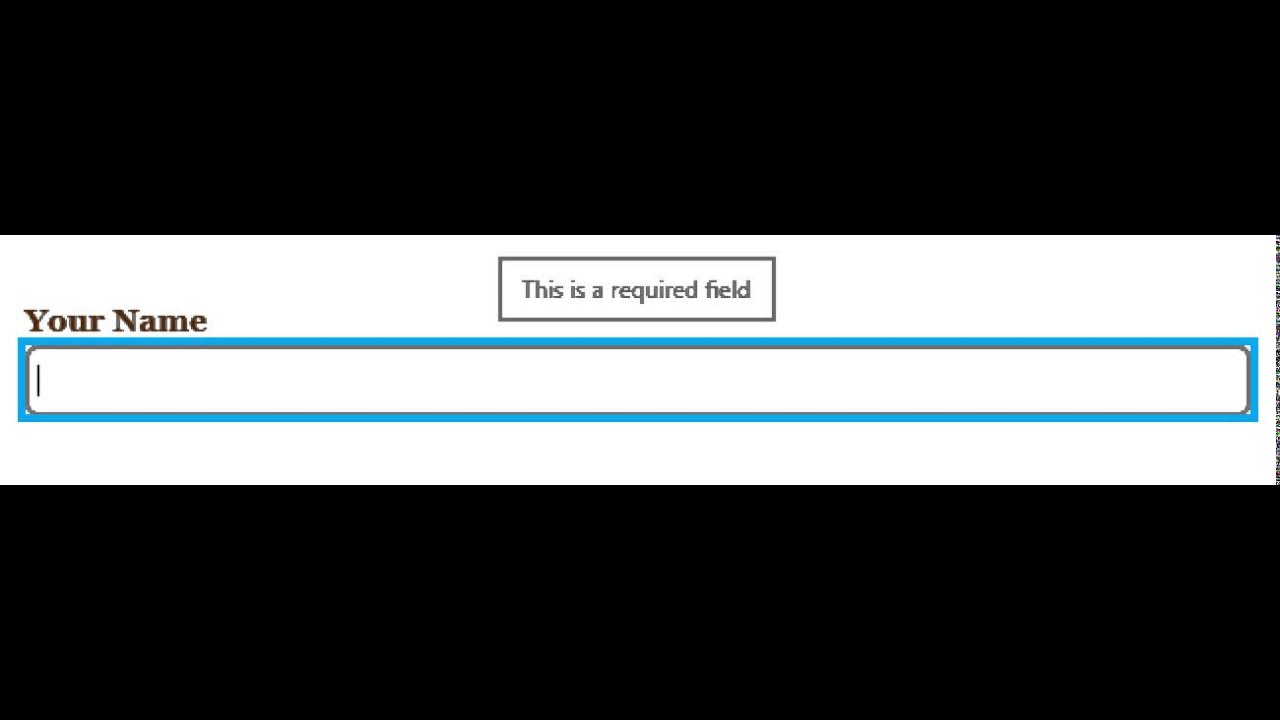
Falling in Love With Forms - Required Field (Narrator + Internet Explorer 11)