Technical Optimization for AI Search (GEO, AEO)
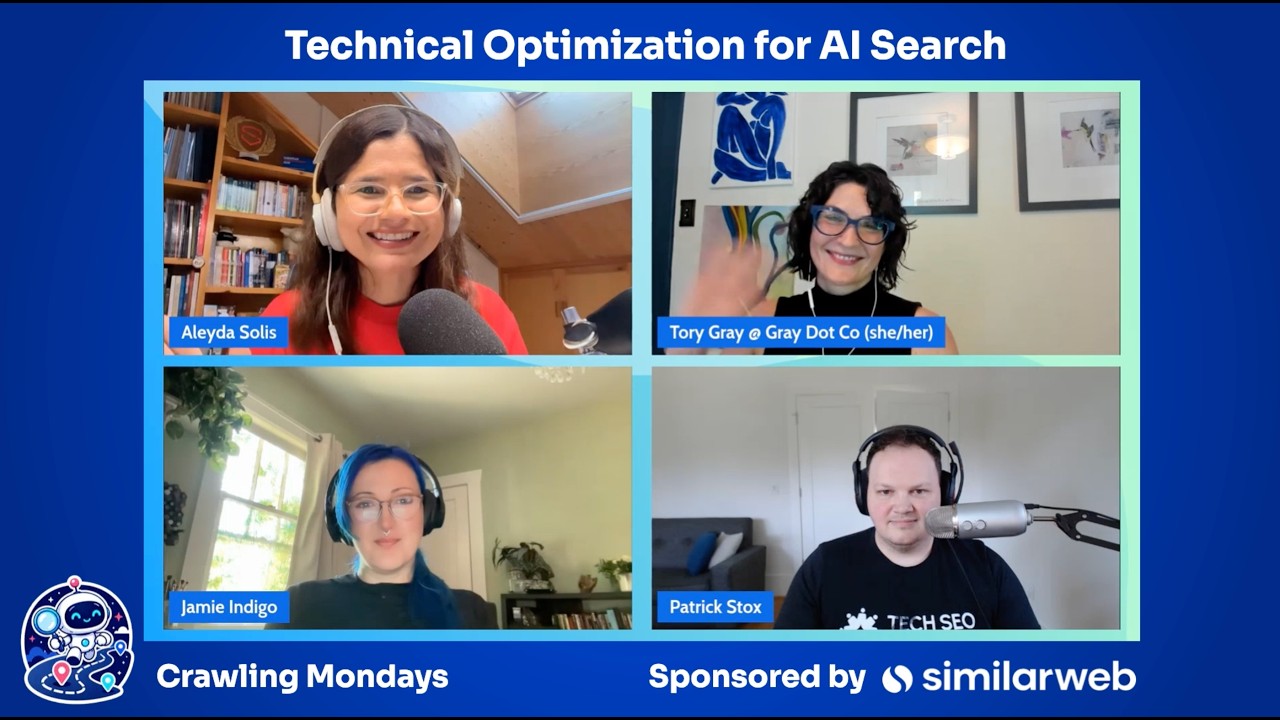
Torrey Gray, Jamie Indigo, and Patrick Stocks break down technical SEO for AI search engines. AI bots do render pages, but default crawler settings miss their behavior. Many sites accidentally block AI bots through robots.txt, WAF settings, or geographic restrictions that hide content from training datasets.
Chapters
Technical optimization for AI search. How do you optimize your crawlability, indexability, and rendering? What does change? What doesn't? What should be the actual criteria and reasonable steps that you should take in order to optimize from a technical standpoint for AI search? For this episode of the AI Search Roadmap series, I have invited very well-respected and experienced technical SEOs. Torrey Gray from gray.co, Jamie Indigo, and Patrick Stocks that have a wealth of experience in this field. And we are going to go through the dos and don'ts, top errors, the mistakes, actually useful resources and how you should prioritize it with everything else, right? Before starting with the first question, I want to thank our today's sponsor, Similarweb. Thank you very much for your sponsorship. If you haven't taken a look, they have a wealth of functionalities related with AI optimization. Go and take a look. And now we are ready to start with the first question. Tech optimization for AI platforms. What are still the top errors, mistakes, and myths still going around? Thankfully now I don't see as many of these gut reactions that I saw back in the day about let's block it all, right? Like out of fear without a proper assessment and understanding, depending on your business model as well and what makes sense strategy-wise for your brand.
I think a myth that I see very, very frequently is AI bots don't render on the whole, and that can get complex and deep. And, or it can be very, very simple. If your site is a WordPress instance and it's pretty simple, maybe your flyout navs aren't accessible and therefore your internal linking doesn't work or your pagination links. Like there can be simple changes, or if you're on a JS platform and everything's in client-side rendering, oh no, you're in a bad situation.
I have a pet peeve and I have already shared this with a few of the top SEO crawlers in the market to avoid the misunderstanding how you don't come up with a predefined configuration that actually tries to simulate as much as possible the behavior that we tend to see of the actual AI bots. I, and I know that it will never be 100% the same, depends a lot on the own configuration of the site as well. Because unfortunately, some people just continue selecting the default bot of the tool, assuming that it will crawl in the exact same way of any crawler out there. It will be great to—
Mm-hmm.
facilitate the understanding of what is the actual behavior that changes, if anything changes, depending on the stacks and configuration of the actual site, the CDNs, et cetera. Maybe they're not blocking or they're pre-rendering something to the Googlebot and they haven't managed yet to do that to the AI bots.
All these sites, they're all making the same mistakes with JavaScript is becoming more prevalent. They're not rendering this stuff, but it like depends on the bot because now you have like multiple types of AI bots. It's not just like lump them all together. Some render when they're crawling for training. Some will just go to the page, you know, agentically browse. Which, by the way, I went down a rabbit hole of that. And I think in my entire career until the last year, I never once looked at the accessibility tree of a website. But I had some stuff like getting stuck, basically, like, you know, trying to do a checkout. And I was like, why? And basically it wasn't there. It wasn't shown to this agent. So like, you want people using your stuff, You got to make sure that's there because sometimes it's going to look at the DOM or like the render or whatever. Other times it's looking at that accessibility layer, which is like this middle ground between kind of what we see and the full-on like code in the DOM. And yeah, it was just like, nope, it's not there, it doesn't know what to do next, it's done.
I love that you can see the accessibility tree now native in Google Chrome. So folks are wondering, hey, how do I make sure agentic AI can move through this page? Open up Chrome DevTools, move to that accessibility panel. You may need to opt in for the full page. That's going to be in the experimental feature flags, but it's there. I think my favorite mistake being made for technical optimization for AI search is the first step in the scientific process. Because first we have to observe and then we make a hypothesis.
Mm-hmm.
And log files are where we can see what they're actually doing. It's our source of truth. Because they don't want to give us reporting or any type of documentation. Hey, OpenAI, if you're watching this, documentation benefits both of us. Let me love you. I don't want to block your user agents, but you just keep not telling me who they are.
Speaking of log files as well, the wealth of data and the actual activity that we can monitor over there, talking with your DevOps team, getting access or requiring a little bit of access, even if just to check from time to time. Maybe you don't have it even real time because security reasons or whatever. You need to have an understanding of the patterns, of the trends, of what is accessed, what is not. Not only the pages, but the resources that are or are not, and the status that they are getting as well. Something important I would like to highlight, we thankfully more and more, we're getting more resources, first-party resources, not necessarily so much from Google yet from that regard, but Bing is stepping up.
Thank you, Bing.
Thank you very much, Bing and Microsoft. I don't know why they chose actually Clarity for this, but they are showing bot activity, AI bot activity over the Clarity interface. It's better than nothing, right? And it can be, if you don't have access to your actual log files, to see some trends and activity there.
You talked about the blocking and I'm seeing that more and more. Like people are just like looking at robots.txt because that's where everyone was doing it, but now entire systems are So like there's a thing in Cloudflare that like if you don't disable, it's gonna block a bunch of stuff.
Single checkbox.
There's a bunch of people just that still block entire countries. Well, guess what? All the crawling is not from the US anymore. There's a lot coming out of like China and stuff. And like if you're blocking those, like you're, you're not making it into a lot of these datasets.
I would love to hear the steps, criteria, any frameworks that you tend to follow to avoid missing things out, to overlook things, to validate things that you know are important in most organizations, brands, sites as well, and any resource also that you find useful when doing it. So—
Just to emphasize everyone's point, starting with measurement, starting with logs, starting with understanding what the heck are the bots doing on the site. It's not an optimization effort, but if you don't know what's happening in the first place, then you can't understand what's happening later. So all the tracking tools and the visibility tools of the world are really focused on the citation tracking and the dimensions. And I'm not saying that's not important to consider, as well as the sort of user data tracking of did it drive traffic, did it drive business value conversions. Um, but actually tracking that log file stuff on your site is, is the place to start that too many people have totally missed.
Right back to the basics. Can it be crawled? Can it be indexed? Can they see the content? Like, the steps really haven't changed. It's a few new You know, things to follow. There's agentic protocols and stuff for e-com now, but like mostly it's, it's, yeah, crawl. Is it, is it there? Is it even visible? That's still like the foundation.
It is.
I'm gonna hold your hand when I say this. It's still a bot. It's still a bot. It's not magic. In fact, it's kind of a dumb bot. We're pretty spoiled with Googlebot. It's, it's evergreen Chromium. Beautiful WRS, depending on the bot, there's not a lot of them that are actually, you know, up to that moxie and mustard. So take it a step back, go real simple, pull up Screaming Frog, disable that rendering, play around with a few things.
100%. So I love how you have highlighted that it's still just a bot and what you also highlighted before regarding let's go back to the basics. Because this is all about information retrieval as well, right? That it can crawl, index, render. And we love to complain about Google and indexability rates and so on, but the reality is that they have tons of experience in this area and a certain level of sophistication was in there that we took for granted, uh, especially with JavaScript rendering. And now literally the first thing that I do now that I think that it was pretty much forgotten into the backlog to double-check the overreliance on JavaScript for certain navigation, for FAQs, for descriptions in e-commerce, sale today, reviews that have these third-party embeds in there. And they assume, oh, does it load fast enough? It renders well.
It's—
let's double-check. It's good enough for the Googlebot to sort it out. And then also structured data is there. Like, so Yeah, like, but, but no, now it becomes even more fundamental. What I have seen happening is like this important critical validations from a crawlability standpoint. So not only for search, but also for training, the accesses are updated based on our goals as a business. This is important. And then on the other hand, that whatever effort we do at the end of the day is also tied to a broader or bigger strategy. It should be at least, right? Impact and effort. Should I try to server-side render everything? So what is actually core or important or critical for how we want to be showcased as a brand, for the answers or topics where we actually need to be in or we want to as well. So this optimization should be tied again with business impact, brand representation, visibility in a meaningful way, not generic one at the end of the day.
A rendering audit is so critical and it's not uncritical for an SEO world. And I see weird edge cases all the time, but you do a rendering audit and you consider the AI bot use case where it is oftentimes more simple. So just assume they can't render a dang thing and you're good. Unlike Google where it gets a lot complex because then you have to see what can they render where, and you'll have to also consider things like mobile user agents because maybe your mobile template tabs things and maybe that's hiding all of your product content. And if that's what Google's crawling to understand your e-commerce site, you're accidentally hiding content. So I think Just taking the steps to do that is, is really critical. And another one I'd add that's really important for us is internal linking or just URL discovery through XML sitemaps or internal linking because there's a JavaScript issue or just because your internal linking is crappy. If they can't find the URL in the first place, uh, they can't get the information from it and they're not going to share that info with the world. So missed opportunity. If I can do a plug, actually, uh, Rendering Difference Engine is a plugin that we built. It's your plugin? Yes.
I use it every single time, by the way. By the way, for quick validations to see the difference between the raw and the render.
And you can just look at the response HTML, the raw, in order to see, hey, can an AI bot see this or not? Look at your page, quick, quick view. Can they see it or not?
100%. It's interesting. Thank you for bringing that up. When you launched this tool, I remember that this was before this whole AI hype, right? It was because of its importance even in traditional search as well. Anyway, we have so many tools out there already that offer functionality that we can very well use. And why am I highlighting this? Because there's a wave of all of these new AI-oriented tools that literally do the same than the ones that we were using before, but it's just the communication and branding and the angle that how they are selling. So speaking of your Chrome extension, for example, that is super useful to understand the gap between the raw and the render. HTML, I have seen a new wave of AI content checkers that literally they do this, but it's how they have—
All they do is turn off JavaScript. Yeah, like, yeah, we already have View Rendered Source. If you want a tool that does just an excellent job at helping you view, like, it already exists. And yet Adobe came out with something that did the exact same thing. And like, my tool tries to really help you synthesize So for a non-expert that can't read the code that you're reading down the HTML, if you're not reading HTML and JavaScript, can you as an SEO understand and interpret what's showing up where? Like that's the layer we try and add.
Speaking about tools and resources, I would like to start wrapping up with a resource, tip, tool, whatever that you would like to highlight that we haven't mentioned yet. And you think that can be useful, actionable, interesting for users to try. In my case, for example, I would like to highlight, because as we mentioned before, there's plenty of technical optimization tools out there that can be already leveraged. And unfortunately, 90-something percent of all of the AI-oriented tools are pretty much trackers and not much else, right? But Jan Willem Bobbing, by the way, a fellow SEO, technical SEO specialist, he created glippy.dev. He actually created not only also a free Chrome extension that can be used also to complement very well the one, uh, from Tori. He checks all the configurations that also are good configurations to check for traditional search technical SEO as well. However, he does a really good job communicating and formatting and explaining each of the configurations to explain the why behind them to your clients. And he also has an MCP.
I think Patrick has the most exciting list.
You mean the stuff I built? Yeah, there's some pretty interesting and novel stuff on patricksdocks.com. I wasn't going to mention it because it's like silently launched. I need to like go test all that better. But you'll see stuff there that like no one else has. Like I've spent quite a bit of time like thinking about what the future of tools need to be to actually test all this stuff properly. And you mentioned it earlier, Aleyda, like you're right. Like no one tests the way they should test the things they do. A lot of times it's complicated, expensive. I don't care. Like I still need the answer to that. I need something to go click the faceted navigation and see, did it load extra stuff in the DOM or like that FAQ section? Click it. Is the content there or not? I don't know unless it gets clicked. And so like stuff like that, I don't know. It's fun. There's, I think over 100 free tools there.
Want to highlight patrickstock.com/tools.
I'll add some tools. So for rendering, what I use is obviously Rendering Difference Engine. I also really love Sitebulb. It's got a response versus render report that is a really intuitive and helpful. And the one I'll mention outside of that is don't sleep on the AI Assistant in DevTools. When you right-click and inspect your page and you see the normal console and all the data there, there is a special feature you can checkbox enable called AI Assistant and it will let you essentially chatbot query things about what you see in the code. As frankly a non-developer, you can click a line of code and be like, what the heck is this? What is this doing? Whether it's wacky, badly written code and you just need help reverse engineering what they thought they were doing badly, or it's well done and you're a non-dev and you just don't know what the heck it is or what to call it, to help you have a really constructive conversation with the dev team about, hey, I think this is doing this, this is— but the implication is this, and here's what we need to do. Just improving your relationships with dev and improving that line of communication, I think that that's a super useful tool.
All right, so when it comes to these AI crawlers, we really have only 2 methods of controlling them. One is robust TXT and second is WAF. With our robust TXT, each one of them needs now unique instructions depending on what its capabilities are, what your goal is from that platform. It can be a lot to make sure your robust TXT is written effectively. I had a great privilege working with Dave Smart to make a robust TXT checker tool, and that's now available as an MCP. So if you're hopping in and learning to love all of the AI, Grab that. Maybe it can help you figure out your precedent orders and when statements are wildcard in the wrong spot, because we only have 2 levers. It pays to be able to use that one very effectively.
Love it. 100%. Speaking about tools and resources, all of the resources from Dave as well. He's brilliant and he is very generous as well with the free tools that he creates.
Absolutely.
So thank you. Thank you all very much for Sharing the wealth of tips and good advice as well that hopefully the audience can follow and learn from. I really appreciate it. As you can see, Tory, Patrick, Jamie, they have tons of experience. Please follow them. They're very active in social media, in LinkedIn, their newsletters in the case of Jamie as well. They have their tools. So go and follow them and don't miss out. And if you haven't yet subscribed to the channel, please Do it. There are more episodes coming, so you don't want to miss out. Thank you again, and until the next edition, bye-bye.
More from Aleyda

How to Communicate and Sell AI Search Optimization (GEO, AEO, LLMO) to Decision Makers


AI Search Optimization (GEO, AEO): What is it, Common Errors & How to Optimize AI for Success


OpenAI has introduced shopping research in ChatGPT - #SEOFOMO TL;DR December 1st, 2025

OpenAI announces Instant Checkout and the Agentic Commerce Protocol - #SEOFOMO TL;DR Oct 6, 2025

Google's August 2025 Spam Update Finished Rolling Out - #SEOFOMO TL;DR September 29, 2025
Google will Need to Share Data with Competitors - #SEOFOMO TL;DR September 8, 2025