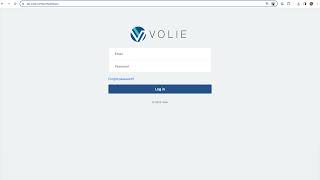
This is a YouTube video titled "Chapter 1 Logging In with Quiz" created in July 2024, providing a detailed instructional guide on how to log into the Volley platform, including steps for accepting an invitation email, setting a password, navigating the interface, and logging out. The content is a single-speaker tutorial without multiple participants or conversational elements.
When you're created as a user in Volley, you're going to receive an email with the subject line of invitation instructions from noreplyalli.com this is going to prompt you to accept an invitation so you can get logged into Volleyball. From here, you'll click the blue Accept Invitation link in the body of the email and this will open up Volley in Chrome. You'll then be prompted to set a password. Remember to choose a secure password and keep it in a safe place as you'll need it each day to log into Bali. From this sign on page, you'll log in. Log with your username and password. Be sure to bookmark the login page. That way you can easily access this page when you need to log in each day. As a reminder, your username is your email address where we sent the invitation instructions and you'll use the password you set when you accepted the invitation. Once you're signed in, you'll be brought to the queue selection screen. This is going to be your landing page in Volley. If you happen to select Home on the upper left hand side and are taken to this page, you can always come back by clicking Communication center on the left hand side. Once you're done for the day, click your name on the upper right hand corner and select Logout. This will log you out of Volley. You'll want to make sure you do this at the end of each day. Sam.