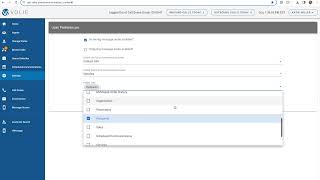
This is a YouTube video titled "Chapter 7 Settings with Quiz" created in August 2025. The content is an instructional presentation explaining how users can customize display options in the Communications center settings, including prioritizing views and hiding tabs, followed by a knowledge quiz on the material.
In the Settings section of the Communications center, located on the left hand side under Scheduled Communications, users can customize display options based on their BDC's usage of volley and their own personal preferences. The default view on the left side of the call screen is the customer's contact information. However, you can choose to prioritize seeing either Prospects Info or Dis positions first. The middle section, referred to as the Tab section, defaults to display customer vehicles. However, you can opt to set another default tab such as Communication History, Appointment History, or Previous Service History. Choosing a preferred view doesn't restrict access to the other information, it simply determines the information displayed first. You can you can still toggle into other areas. Additionally, you can hide tabs or pieces of information you aren't going to utilize. For example, sales focused users can hide the Prospects tab if it's not applicable for service calls. After configuring the preferences you prefer, you can save them by clicking the green Save Preferences button on the right hand side and then return to the Communication Center. Now let's test your knowledge with a few questions about the settings and the items we discussed.