This is a YouTube video titled "Chapter 8 Call Logs with Quiz" created in August 2025. It contains an instructional presentation by a single speaker named Sam, explaining how to use the Call Log section in a Communication Center, detailing inbound and outbound call records, their attributes, and search functionalities, followed by quiz questions to test understanding.
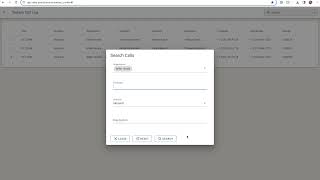
Welcome to the Call Log section in the Communication Center. Here you'll find detailed records of your inbound and outbound calls for the day, conveniently located at the top of your screen. You'll also see a count of how many outbound calls you've made that day and how many inbound calls you've answered. Lets start with the Inbound Call Log. By clicking into this log, you'll access key information such as the time you answered the call, the direction, inbound or outbound, the organization, and the associated campaign if applicable, as volley matches customers who call in to their currently enrolled campaign. You'll additionally see the disposition of that call, incoming and outgoing numbers associated with that call, and the duration of the call. You also have the ability to search for specific calls. You can filter results based on the organization, campaign, call direction and or disposition. To exit the inbound call log, simply click the X next to today's Call log. Now we'll explore the Outbound Call log. Similar to the inbound log, it displays key information about your outbound calls for the day, customers, dispositions, duration, etc. The search functionality is also available here for your convenience. Here's a few questions to test your understanding of the information located in the call logs. Sam.