Sam walks through how to categorize call outcomes in the Volley system using disposition options like Do Not Call and Appointment Scheduled. You'll learn how to enter details that properly document each customer interaction.
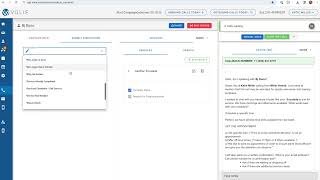
Next, we're going to go over dispositions. Every communication in Volley, whether it is a phone call, email, or text message, will require a disposition before completing that customer record. As you can see, I'm circling over the Submit Disposition tab. A disposition is the outcome of that communication with the customer. Using this drop down, you'll see a complete list of outcomes. We have worked with your manager to compile this list based on the outcomes of calls that you make and receive. Some of these may be a click of the button. For instance, if the customer has serviced elsewhere or perhaps they no longer live in the area, you could choose no longer Owns. It's important to choose the disposition that best fits the call. As we do use these disposition outcomes, for instance no longer in area or serviced elsewhere, to affect customers being enrolled in future campaigns. DNC means Do Not Call and is to be used when the customer asks not to be called. They are still eligible to call inbound if your store routes inbound calls through Volley. However, it's important to note that once this disposition is chosen, this customer is no longer eligible for outbound calls, so it should be used only in circumstances when the customer requests not to be contacted. There are other disposition options such as scheduling a callback or scheduling an appointment. The disposition may ask you to enter in additional information. So for example, if you choose Appointment Scheduled, we're going to ask you to enter in the date and time of the appointment. If your team utilizes appointment types to differentiate whether it's a sales or service appointment, you can choose your appointment type here with every disposition. We do have a notes area for any special instructions that would be important for your team to know about this disposition, whether it's the outcome of a call or appointment details Once you finish with your communication and choose your disposition, you can hit Save and Stop or Save and Dial next to move on and be available for your next inbound or outbound call. Sam.