This is a YouTube video titled "Chapter 9 Communication Center Making OB Call with quiz" containing instructional content from July 1, 2024, explaining how to initiate outbound calls using a communication center interface, including options for call disposition and managing call flow efficiently. The content is a monologue or tutorial without multiple speakers or conversational elements.
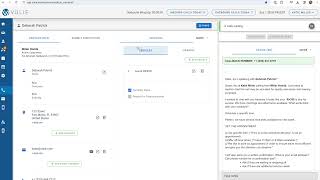
To initiate an outbound call, select the green Start Next Dial button. If the customer has more than one phone number on their profile, you can choose the drop down arrow next to the Start Next Dial to choose all phone calls require a disposition or or an outcome of the call. You'll move over to submit disposition and choose the disposition that best fits the outcome of the call as well as any notes you'd like to make. You then have two options. You can choose Save and Stop or Save and Dial Next. Save and Stop will bring up the next customer on your screen and give you a little breathing room so you can choose when to initiate the dialogue. This will allow you to check any history, review past call notes, etc. The save and Dial Next button will bring up the next customer on the list and immediately start dialing them. Save and Dial Next will help you get through calls more efficiently, but if you want a bit of time to review the customer's information before initiating the call, you can choose Save and Stop and then it will bring you your next customer to contact SA.