Thursday Training 10AM Session
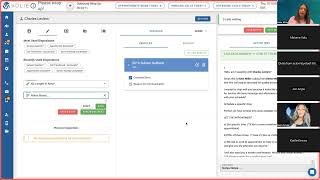
Katie walks through how Volley routes inbound calls to agents, matches caller numbers to customer profiles, and handles transfers. You'll see live demos of three call scenarios, learn agent statuses and routing logic, and get homework to practice 5-10 inbound calls in the sandbox.
So I'll go ahead and record that for them. Okay. So I'm going to share my screen. I will assume that y' all can see it unless someone tells me otherwise. So we're going to talk today all about inbound calls. So we're going to talk about the various ways that an inbound call can come into Volley and how you can answer those. We're going to talk about how Voli looks at your availability to decide if we serve you a call. We're going to revisit transfers again. I know we talked about that quite a bit on Tuesday, but that's a common question from agents, especially when you get launched. So I want to be sure and look at transfers a couple more times. Right. We're also going to be talking about some different functionality once the call comes into Volley. If you need to adjust the customer or adjust the dealership the call came into, you can do that. So we'll talk about that further. And then, you know, of course, any questions that you guys have during our session today. So. So I'm going to go ahead and log into our training sandbox as we've been doing the last couple of days, and then I'm going to go to my call screen here. So I'm going to bounce back in, into a couple other modes here in a moment. But you'll notice I'm just going to practice an outbound call as an example. Oh, sorry about that. Actually, just going to look at our active script here. Okay, so we're going to look at our active script. So if you noticed in your training sandbox, in this green, green area here, there was is a callback number. When you were doing your practice outbound calls in Volley, you noticed those calls coming from a phone number, Right? And they would have all come from the same phone number because that's the, the sandbox number we've provisioned for your team to use. Okay. That is the same number you will call into when you're practicing these inbound calls. So again, whatever phone number, we have a phone number provisioned in the sandbox just for you to practice. You know, it's. It's not customer facing, it's not going to be customer facing. Right. So you'll use that number to call into Volley to, into your sandbox to practice inbound calls. You can also find that number in one of your scripts. There is a callback number here with that number listed. Your phone number is going to be different than mine. So you can, you know, you can look at this to see where it's located. But your phone number will be different because we provision a new sandbox number or a unique number for all of your different sandboxes. So just to, you know, keep that in mind when you're practicing. So that's how you, that's the phone number you will use when you call into Volley. Okay, so we're going to talk about a couple of. There's really three primary ways that inbound calls come into Valley. So we're going to look at those this morning. The thing for you to, to kind of know, you know, overall, right, is Bali is designed for you to help one customer at a time. So while you are currently on a call with another customer, while you are in that period of time, if you remember on Tuesday when we had finished our outbound call, so we were choosing our disposition, making our notes and before we chose save and stopped, know to end that call and go to the next one. We are unable to help another customer either to make another outbound call or to take an inbound call if it's coming in. Okay. So that's just something to keep in mind. What Volley will do is look at your status. So if you notice up here at the top to the, you know, kind of the left hand side here, there's some verbiage and a timer right here, that is your status. So every page you're on in Volley has a status associated with it. Volley will look at that status when a call comes in from a customer and Volley will say, is this agent in a place where they could take the customer's call? Either they haven't started dialing out on their call yet or maybe they're just getting, they're just finishing up their call. They're in that wrap up period and they're going to be ready soon. Volley is going to look and see who's available. And let's just say there's four agents that are, that are available. Volley is going to try and reach in kind of a round robin style each, each person just to see who's available to take that customer's call. So that's how the decision is made in terms of how those calls come into Volley. Right. Again we look at who is in a status where either they are available now to help a customer or they will be soon. Right. Maybe they're just finishing the call that they're on. So I'm going to, I'm going to demonstrate, I'm going to do an outbound call just so I can show you what it Would one of the options for when an inbound call comes in. So again, I'm going to put in my number because I'm going to do a practice call here. There we go. I'm just going to go ahead and call myself as an example. All right. All right, so let's assume we had our conversation with our customer. Okay? We've had our conversation with our customer and we are doing our disposition. Maybe this customer called for a st. We were calling this customer. Maybe they told us that they no longer live in the area. Okay? So we're going to head, go ahead and choose our disposition, make any notes we need to make, etc. Etc. Okay, so inbound calls again will be fed to you when, when you, if you are available and when those come in. So those could either be customers calling you back from some of these outbound calls you're making. It could also be someone who calls into the main number of the store and gets routed into Bali. Right, so. So it can come in a couple of different ways. I'm going to call in to my sandbox here in just a minute. What I want you to notice over here on the top right where it says calls waiting, that is going to light up with how many calls are waiting. The hand phone icon on the left that we clicked on to go to the call screen, that's going to have a red dot next to it with how many of her calls are waiting. You're also going to hear a beep in your headset. Okay. You may or may not hear the beep when you're on the zoom, but you will hear a beep in your headset letting you know that a call is coming in. Okay, so I'm just going to demonstrate what that looks like. So that's one of the three ways that you will, One of the three primary ways you will answer inbound calls is after you're finished with your, with your current call, right? You've, you've just talked to this customer. Whether it was an outbound or an inbound call, you've just talked to this customer. You're getting ready to finalize your phone call and be ready for either the next inbound or the next outbound volley will prioritize an inbound call. So if an inbound call is waiting, when we're in this process, when we're just getting ready to disposition, wrap up and finalize our call volley, instead of serving you, the next outbound volley is going to prioritize that inbound call and serve that to you. So I'm going to go ahead and call in here. And again you'll see calls waiting, calls waiting, and you'll hear a beep in your headset. You may or may not hear that on the zoom call. See, there's a call coming in. Call coming in. When that happens, it does not matter which one of these buttons you push, save and stop or save and dial next, if there's a call waiting, we're going to get served. This call, it says new incoming call. And just like a cell phone, you're going to press the green phone button to accept the call. Training sandbox with me so far. And again, I'm going to show you multiple times, multiple different kinds of calls. Okay, so this is not the only time, but conceptually, does anyone have any questions on where we're at so far? So again, Volley will prioritize an inbound call. So when we were done with that outbound, instead of bringing us the next outbound, Volley said, oh, there's an inbound call. Volley sees you're in a status where you're going to be ready really soon to take that customer's call. When I click either save and stop or save and dial next. And it doesn't matter, Volley's going to serve me that call with me so far. Okay, so you've noticed, I'm sure, that this screen looks different than the screen we were just on. Erin has a great question. If there are multiple people in the queue, will that call you are presented roll to another person if you don't answer it? Um, yes. Yes, it will. So, and we'll talk more tomorrow about, you know, some best practices and, and later on in our session today as well, about how you let Volley know if you're unavailable, if you stepped away from your desk. But yes, Volley will try and, and serve it to you. So let's just say we were in that, that wrap up period. We were in that waiting period and there was a call waiting and one of our team members finished their wrap up before we did and they. And they might have been served that call. Right. So if you have another team member who's available, they're going to get that call. Great question. So you'll notice this looks different than the outbound screen that we were on. Right. So I'll walk you through why that is. Okay. What we are looking to do, either again, if a customer calls back into Volley from those outbound campaigns that you've done, those outbound calls, or they call in the main store number. Right. Either or we are looking at the caller ID for that customer. We are looking at that customer's phone number. And what we are trying to do, as many times as we can, is make what we call a perfect match between that phone number and one customer. Okay. So we're looking in our system and we're saying, oh, that phone number only belongs to Melanie. I'm going to bring up Melanie's profile on the call, and it will look exactly the same as the outbound. We'll have the customers panel here on the left, and all of their middle tab section information. Right. Their vehicle, their communication history. Right. All of that will be included. So we're going to try to make that perfect match as often as we possibly can. But there are instances where Volley is going to look at that phone number and say, I'm not sure who this customer is. I can't be certain or fairly certain who this customer is. Okay, so then we are going to have to choose the customer to associate the call to with me so far. Any questions there? Okay, so you're going to have some options here. So if you notice on the left, I can scroll and I get customers who. Who could be an option based on that phone number. Okay. Now, I have a lot here because my phone number is on a lot of these practice records. You are not going to have this many options to pick from. Right. But you may have a few. So let's just say, for example, I call in. Let's say my. My cell phone number is on my profile and it's on my husband's. Volley is going to bring up both of those profiles here, and it's going to ask you to choose. Are you talking to Katie or are you speaking to her husband? Right. Because Volley's not sure that phone number belongs to more than one person in the database. So you just check the green check mark next to their name and say, yep, this is the person I'm having that conversation with. And we'll. We'll do that in just a moment here. Let's say, though, that you either. You either don't get any suggestions or the one. One or two that you get is incorrect. Right. You can either search for the customer or create a new record for them. So when we talk about searching for a customer, let's say we didn't get any recommendations. Right. The phone call came in. Volley looked at that number. We couldn't match it to a customer in your database, and there was no suggestions. Then we're engaging with that. With that person who's calling Right. Maybe we're saying things like, you know, have we had the pleasure of serving you in the past? Have you been a customer of ours previously? Maybe the person says, oh, yeah, I, I service with you guys regularly, but this is my brand new phone number, or I'm calling from my desk at work, or I'm calling from my, my husband's phone number. Right. And Bali just didn't have that number in the database. You can search by any information for that customer. So maybe you ask them, you know, what, what phone number do we probably have on file for you? Or you know, can I ask with whom am I speaking? And you can look them up by their name. Right. So you might have to search again if maybe that person's calling on a different phone number that we don't have associated with a profile. So Volley's not going to know who it is. Right. Another option is to create a record. So I would say this happens most often if someone is maybe calling your dealership and they haven't serviced with you before, maybe they're new to the area or maybe they've, they've lived in the area, they've just never serviced with you and your team. So, you know, again, you're having that conversation. They indicate they've never called before. You can click Create. All we need is a first and a last name. Volley will fill in that phone number that they're calling from. So we'll fill in that phone number and then you just go to the bottom and hit Create. I would not, if you happen to need to do this, I would not spend your time putting in all of this other information. As I mentioned, on Monday, you know, we get those data feeds from your dms, right. So if that customer who calls in happens to book an appointment, for instance, we're going to get that data from your DMS and we're going to be able to match it and say, oh, right, this goes with Sue Smith's profile and we can put that info on her profile. So all you need to do to, to finalize that call to keep going is just their first and last name and then the phone number will automatically fill in there. So just to recap the instances where the calls are going to come into Volley, we're going to hope that it's a perfect match. Right. That is, that is optimal that we have one phone number that perfectly matches to one customer. You might get options. Right. Volley might not know that number might be on two or three people's profile and you're going to have to tell us who it is. You can search for the person or you can create them. Okay, questions there, Aaron, great question. If you're trying to search the vin, does it need to be the entire vin? Yes, great question. So I would say most of the time when, if you're looking, if you're in this search area, again with my example. Oh, yeah, we've serviced before. This is just my new number. I typically find looking them up by a phone number that we, you know, asking them, is there a another number we probably have for you? Looking it up that way is probably the fastest. The fastest and easiest I would say. Great question though. So again, I'm going to practice. We're going to practice these inbound calls today quite a few more times. Right. But just to let you know, you know, you need to choose a customer's profile in order to go to the next step in order to be able to disposition it and finalize your call. So if a customer isn't automatically presented to you, you need to enroll a customer or search or create a customer to have for that call. Because volley needs to know, you know, this is John and this is the call with John, right? In order to finalize and move on, the important thing to know is in this entire time, you're still on the phone with the customer. So you do need to choose a profile in order to keep going. But the customer doesn't have to wait on hold for you to do that. So you're still talking to them, you're still having the conversation. You just need to choose a profile in order to be able to move on. So I'm just going to pick. I'm going to scroll here a little bit and I'm going to say Claire. Okay, so I've visited with the customer. I know it's Claire. I click this green check mark next to her name that says enroll customer. And when I do that, you'll notice it looks just like the outbound call we were just on. So we've got Claire's information here and all of her particular information here in the middle, right. We've got her vehicles, we've got any of her communication history, right, We've got all of her particular information, her service history, her sales history, et cetera, et cetera. And from here, it's just like every other call, right? It's just like your outbounds. You're going to have your conversation with your customer. You're going to finish it, you're going to disposition it and then be ready for your next Call. Right. Questions there. Okay. I wanted to show you guys because we mentioned it the other day. I think we talked about this maybe on Monday and Tuesday, the communication history. So this is what you will see. For each customer, we're going to keep track of any calls they've had in Voli as well as any emails or text messages that have gone in and out of Volley. So you can see when you look here, this, the, the number is the number of calls. Right. So it'll just keep adding 5, 6, 7, etc. The first line here where it says training sandbox, that's the campaign. So is it, you know, is it a. Our decline services? Is it. Was it a call that came into our inbound line? You know, what was it? You have on the, on the right hand side here you have the direction. Is it inbound or outbound? And on what date did it happen? Right here you have general question. Right. Which is the disposition that we picked for that call. And you'll notice there's a. And it might be pretty tiny for you. It's tiny on my screen. It's a little piece of paper with a pencil that lets you know that that is a call where one of your teammates left a note. You can expand into any of these. Click that arrow to, to expand it and it's going to give you information like the date and time of that call, how long the call was, who did they talk to, what disposition was used. If your teammate made notes, you know, hopefully you're, you're making notes on your calls. Those notes will appear here for you. Right. So you can look at that particular information if you want to, if you want to see, you know, maybe what, what someone else on your team talked to the customer about. And Aaron. Yes. The call history shows the, the, the user who, who interacted on those calls. The agent. Yep. So anyway, now we have all of Claire's information. We have all of her information here reflected for us, and we're ready to disposition it and we're ready to be, to move on and be ready for our next call. Okay. So again, I'm going to go ahead and disposition. Let's say we ended our call and let's say Claire had called in for a status check on her, her vehicle. With the dispositions you've probably noticed, as I've done this week, you can either scroll and find the one you want or you can start to type it in and volley will, you know, populate it for you based on what you're typing in. So it's you know, as you go, whatever way you find fastest. Right. And then again, I'm going to do my save and stop. When I'm done with my inbound call, once I hit save and stop, if there's another inbound call that's coming in, it's going to feed me that inbound call. If there isn't an inbound call waiting, I hit save and stop and then volley brings me up my next outbound. So I'm going to show you a couple different ways the inbound calls can come in. Are we good so far? On, on, on the inbound calls? Okay, so that's one way the calls will come in. Right. You'll be making your outbound calls, and then in between your outbound calls, when a call comes in, you know, you'll be, you'll be fed that call if you're available. Right. If you're the next person available. Right. So that's one way the inbound calls can come in. Let's say we have this outbound customer pulled up on our screen. You haven't yet initiated the dial for this particular customer. Maybe it just came up on your screen and you were doing your, you know, your few checks just to be ready to hit that call button and make the call to that customer. And an inbound call comes in before you've started dialing out. Once you've dialed out to a customer, once you've initiated a call, you're not available to either make another outbound or take an inbound until you finish that call. You're on finish that call with the customer, disposition it save and stop or save and dial next. Right. But let's say you've got this call pulled up on your screen and you know you're. And an inbound call comes in. You can answer that call from here. You just need to tell Volley that you're available. So I'll demonstrate how that works. But if you notice, there's an icon of a, of a head here on the left, and if you hover over it, it says change status. We'll talk about the other statuses towards the end of our time today. But this is how you let Volley know. If, if there's a call coming in that you are available, that you can in fact take it. We ask you to indicate that you're available because just having this customer pulled up on your screen doesn't mean you're in a place where you can take the call. Right. Ideally, you should let Voli know if you walked away from your desk and we'll talk about that towards the end of our time today. Right. But let's say you, you forgot, which is going to happen, especially at the beginning. Right. As you're getting used to it. Volley's not automatically going to serve that customer's call to you because, yes, you are in a status that Volley says you're available, you can take the call, but we need you to indicate that, yes, I'm in a place where I can do that. Volley's never going to feed a customer call to you as an agent and have the customer just waiting there. Volley's never going to do that. You're going to either have to hit the green button to accept the call or tell us that you're available because again, we're not going to serve a customer's call to you if you're not in a space where you can take it. Okay, so that's kind of the, that, that's the reasoning behind it there. So I'm going to use my phone to call in again to demonstrate here. But as a reminder, let's just say we, we just finished our last call. We have Carlos pulled up. Maybe we're doing some, you know, an initial look at Carlos and then another call, another inbound call comes in. So I'm gonna get, I'm going to call in here and again, you're going to see the call waiting, you're going to see the call waiting on the handset icon and they're, you're going to hear a ping in your ear. Okay, so I need to tell volley, I'm available. I'm going to go and change my status and say, yep, I'm available. I can take that call. And it's the exact same screen that pops up. And I'm going to need to tell Volley, yep, I'm ready. I'm going to accept that call from that customer. And from here it's the very same box and from here it's the very same thing. Right. Same process. We, we might get a perfect match for a customer. You will, many, many times. But we may have to pick a customer or we may have to create a customer. Right. So just to recap, that's the second way that the calls will, the inbound calls will come in the first way again in between your outbounds. If you're just finishing up your wrap up and there's a call coming in whenever you hit save and stop or save and dial next, Volley is going to prioritize giving you that inbound call before the outbound call your second way. Again, you have this call pulled up in front of you. You haven't yet initiated the dial out. You haven't yet, you know, clicked. Click the call button to call this customer. And a call rings in. You can tell Volley, yep, I'm available. I'll take that customer's call. And you go to the icon of the person there and make yourself available. What you'll notice is right now I can't click on that icon because I'm on a call and VALI says you, you know, you can't say you're unavailable, you can't say you're at lunch or at break because you're on a call with a customer. Right. So that's why I'm not able to access it. So from here it's the very same process as before. Right. I'm going to just show you what it looks like to create just so that you know what that looks like. Let's say this is a person who is brand new to the area and they need to come in for service. Okay. Let's just say their name is Bob Jones. If I could spell, that would be great. Perfect. I'm going to scroll down again. Volley is going to populate the phone number they're calling from. I'm going to scroll down and I'm going to choose Create. And now I have that record for Bob. Okay. And now I can have my conversation with Bob. Right. And from here again, exactly the same. Right. I can have my conversation. We're going to end our call. Let's just say he had a question about our hours, you know, whatever it may be. Right. I choose save and stop and then I get the next call questions there. Okay, so Aaron has a question. Is there the capability to be not available for another call in queue while you're currently on a call to make sure that break schedules are adhered to? Yes, yes, absolutely. So I will show you that now there's a third way calls come in, but I will actually show that to you guys now. Good question, Aaron. Yes, you will want to get in the habit of letting Volley know that you are not available when you step away from your desk. So I'm just going to go back out to the main screen right here to our Q selection screen and. Or you can get to it from that call screen you were on as long as you hadn't, you know, as long as you hadn't dialed out or you weren't on wrap up. Right. So you notice when I changed my status to available, there Were other statuses, right? Break, lunch, meeting you, you pick the one that's most applicable. They all do the same thing. They all function the same exact way. So when I choose it, let's say I'm going to lunch. I walk away from my desk, I'm going to lunch. This screen pops up with a timer. This tells Bali, Katie's not at her desk. She's not at a place she can take a customer's call. So maybe now, instead of four team members, Volley is going to say, oh, there's three team members working, and I'm going to try and reach the customer and try and reach agents with that customer call when it comes in. Right. You will just want to get in the habit of placing yourself unavailable when you walk away from your desk. It's a muscle memory thing. It's just practice doing it. Right. It is really common when, when you first get started to forget. And that's okay. If you forget, if you walk away from your desk, you're going to go to break and you forget to tell volley you're on break. Volley may serve you a call. Voli may say, oh, I see that Aaron is available. Okay. If volley tries to serve you a call and you don't answer, you will get put into this status automatically. But instead of saying lunch or break or whatnot, it will say, pause, P A U S E. Okay? And then volley will. You'll need to resume. You'll need to get out of that pause status in order to be available to make or receive the next call. Okay? So volley will, you know, Volley will put you in that status because we say, oh, looks like you forgot to tell us you weren't available. So we're going to put you in that status until you come back to your desk. Right. I believe it's about 13 or 14 seconds. That volley will try to reach you in that time. You know, maybe it pings to other agents, and maybe another agent is able to grab the call, and then it's all well and good, but if volley tried to reach you, you know, multiple times and you didn't, you didn't answer, Volley will put you in that pause status. And that's just your visual. That's just your reminder, you know, hey, I need to. To make sure that I say that I'm unavailable when I walk away from my desk. And again, it's just a habit. It's just a muscle memory thing. You guys will get good at doing it. You know, I would say, you know, best practices. I mean, if you're going to, if you're going to literally turn for 20 seconds and ask someone a question, but you've still got your headset on and you can still hear a call when it comes in, you might not need to put yourself unavailable. Right. But I would just use the benchmark. If you're physically going to get up from your desk and, and go to the restroom, talk to your manager, go to a meeting, get a drink of water, whatever it may be. If you're physically walking away from your desk, change your status and then when you're done, you just hit resume and then you're back and you can come back and do whatever you need to do. Questions there. Okay, great question. So the third way that inbound calls come into Valley and this might pertain more, this is going to pertain more to you if and when you are someone who, who is an opener, right. You're there right away in the morning. Right. So again, to recap, if you are in between your outbound or your other inbound calls and a call comes in, Volley will serve you that call when, when you do that save and stop or save and dial next. Right. You could also make yourself available. You have a call pulled up on your screen, but you haven't yet dialed out. You can tell Volley you're available. Right? The third way you may encounter again, you should only encounter this again if you're someone who's an opener. If you're there right away in the morning, if. And, and I say that because every state and, and you know, Bali has set up with your state mind. So this is not something that you need to keep track of. Every state has rules for when outbound calls can start going to customers. Most, most all states, it's either 8 or 9pm or a.m. excuse me, 8 or 8am or 9am it just depends on the state. Until that point, you are unable to initiate outbound calls to customers. So your only option is to answer inbound calls when they come in. Right. Volley is not going to serve you those outbound calls in between answering the inbounds because you know you can't yet, right. That it's not eligible for dialing hours yet. So if you're an opener, you're probably going to be on this screen here in your queue selection waiting for those calls to come in until you can start making outbounds. Right. So again, I'm just going to show you, I'm going to call in on my phone, I'm going to show you what that looks like so you can either make yourself available or if I'm in this phone screen, I like to just click the call screen button here. So I'll show you that what that looks like. It's up to you, but I'm going to go ahead again. There's a call. Going to be a call coming in. I'm also going to hear it in my headset and I can just click on call screen. See, there's a number here and I can hear it as well. And I get served that call and it's the same process as before. I accept that customer's call or, you know, and I might have to, I might have to choose a profile for that customer. Right. I might have to choose to indicate that, you know, this call is for a particular customer. Right. So I want to go ahead. I'm just going to say, let me just scroll a little bit. Let me pick somebody else. Let's just say it's Kim. I'm going to check the box next to Kim's name and then I'm. I'm done with my call. I'm done with my call. Right. Any questions there? Good question. Aaron, if a call were to drop or we need to call a customer back, is there a way to call the customer back without saving the disposition? Yes. And well, there you, you need to do a disposition, but you can call a customer back for sure. We're actually going to talk about that tomorrow. That's a feature called manual mode where you can dial any number you'd like. Aaron and team asking the questions. You bet. Where you can dial any number you'd like to call a customer back. We are gonna go through that tomorrow for sure. You do need to disposition each call. So let's say to your questions, let's just say that a customer call did drop. You could choose, you know, disconnected or hang up is one of your dispositions. Right. And maybe you could put in your notes that the call dropped. Right. You do need to choose a disposition for every call in order to move on. But yes, there is a way to call that customer back and we're going to go through that tomorrow. So yes, there is a way. Questions there. Okay, I want. Just looking at my, at my clock here, we've got a few minutes. So I wanted to demonstrate a couple of transfers again just because I know, again, that's something that we tend to get questions on quite a bit. So I'm going to go ahead and. Oops. I'm going to go ahead and put in my number here again so that I can Initiate an outbound call and show you guys the transfer process again. So we're going to go ahead and do that. Just as a refresher from what we talked about yesterday. Answer this customer's call. Here we go. Perfect. We are on with our customer. And then let's say that we needed to transfer them. Right. So as a reminder, we're going to go under this more drop down here. We're going to go to contacts. That's our directory of people that we that we transfer to. Right. We're going to go to contacts. I'm going to find the person I want to transfer to. I can scroll, I can search. Whatever I find is easiest. I'm going to initiate a warm transfer to that to that person. When I do that, I click warm transfer again. This window pops up with the number. You don't have to do anything with it. That's just the number volley is going to try and reach. When I click transfer, the customer is going to get put on hold. We're going to get a secondary call window that pops up. Right. So we're going to transfer that customer foreign. I'm just going to accept it. So we don't keep hearing the music. But our options are again, we can click the red cancel transfer, go back to the customer. Right. Maybe this person didn't answer, maybe the advisor didn't answer, or maybe they said they couldn't take the call. We can go back to the customer, take a message, etc. Right. In that case, we would pick an unsuccessful transfer disposition. Right. Because we tried to transfer and it was unsuccessful. Right. You can click this orange button to break in and speak with the customer. Maybe you need to check in with them while you're holding. Maybe you need to ask them a question. You know, rather than ending the transfer and going back and initiating it again, you can speak with the customer. When you click bridge call, all three of you are now on the line. Right? All three of you are on the line. And then it's your handoff process. So I'm going to go ahead and bridge the call and I'm going to say, hi, Carlos, I've got advisor Katie on the line. She'll take it from here. Thanks so much for calling. I can end the call on my side. The customer and the advisor are still having their conversation. They're still talking. So now I can choose my disposition. I was able to successfully transfer that call to the advisor. I can make any notes that I want to make. I click my save and stop. And now I get Fed my next call and my next call. Does anybody have any questions on transfers and we can look at them again tomorrow as well when we finish? Yep. Sa, go ahead. Aaron also had a question. Does the history include who it is transferred to in. In the. In the agent view here? No. It will. Unless it's in the notes. In the manager view, yes. In the manager's view, yes. Great question. Okay, so sa's question, and I hope I'm saying your name correctly, when we warm transfer and the person doesn't pick up, it immediately puts us back with the customer. Even if you muted yourself, is there a way around that? So I would say, I guess, is your question that to. If you know from going. Instead of going back to the customer, you know, is it, you know, ending the call at that point? If I'm understanding your question correctly, there isn't. If you go back to the customer, if you cancel the transfer, that ends. That ends the. That ends the. The hold on the. On the customer side. She indicates I may need more time to find another advisor instead of returning to the call. Great question. Let me think about that. I understand what you're saying, right? You might be trying to reach somebody else. In that case, what you can. What you can do is when you. When you cancel the transfer and go back, you know, up in your call ribbon up here on the top right, there is a mute button. You can mute yourself while you are initiating, you know, another transfer. You can do that if you would like. If you're trying to reach another advisor. That is an option. Good question. But I understand your use case, right? You might be trying to reach advisor Bob. You. He doesn't answer. So then you cancel the transfer and look up advisor Tom and you're trying to transfer to him too. At, at this point, what I would do is, you know, mute yourself to, you know, to the customer so that you can then initiate that transfer again. That might also be an option, you know, something to mention to your manager. They might want to have maybe a ring group set up for the advisors. So if you don't reach a customer, or maybe you go to a. Maybe if you don't reach the customer, you go to a ring group where potentially anybody could help who would answer. So that might be something that your manager wants you to do. Great question. Great questions, everybody. Anything else before we end today? There's a couple more things I wanted to chat about, but everyone's had great questions, so I will save those for our final session tomorrow. Your homework for your time today. Your homework from this session, practice the inbounds. And remember to practice the inbounds, there's going to be a callback number in your sandbox. Yours is different than mine, so. So use yours. Right. You won't be able to practice because we won't be answering. In this training environment, you'll need to use your own. You'll want to use maybe your cell phone or your manager or a team member you're practicing with. They can call into that number. It's the same number that would be on your phone's caller ID when you call out. Right. So they can call back that number. And I would practice the multiple ways that inbound calls can come in. Again, if everybody can do between 5 and 10, that'll give you great practice. Right. But make sure you practice those inbound calls and those various ways that they come in, and that will help you be better prepared as well. Yes, sailor. Great. Yeah, you can. Go ahead. You can type it. Yep. Sometimes when I cancel the transfer and the advisor didn't pick up, I will return to the phone call and the customer is, is speaking. The customer was told they were on hold, but it makes me wonder what they're hearing. That's a great question, Taylor. I wonder if, because if you, if you cancel the transfer, you know, instead of hearing I, I, instead of hearing, the customer will hear hold music when they're in that point. So if you cancel the transfer, they're not hearing hold music anymore. So that's probably why they, they think someone is on the line because they, they are, they are no longer hearing hold music. So when they're holding, it's not, it's not quiet or empty. There is music. And so when you choose cancel transfer, that does end that hold music. So that's perhaps what they're hearing. I'm going to write down your questions or excellent questions. I'm going to visit with your account manager as well, just to see again, there might be a good use case for having a ring group. So to your point, you might. You don't have to look for an available, an available advisor. You know, maybe you want to try an advisor one time and then beyond that, you try a ring group just to try and reach who you. Who you can. But I'll visit with your account manager and they can visit with your manager. Great questions. Perfect. Everybody. Well, that is going to end our time today. So again, there was a couple things I wanted to, to visit about, but, but you all had fabulous questions, so that's wonderful. So pick up those things. Tomorrow on our final session, we're going to talk about manual mode. We're also going to do a look at texting in Volley, so we're going to look there, as well as a a reminder of of transfers. We're going to talk about something called alerts in the dispositions that I mentioned back on Monday. But we're going to talk through that a little bit more and wrap up our time together for your final training session. So your homework between now and then, as you did earlier in the week with your outbounds practice, your inbounds practice, those different ways that inbound calls can come in. And I will see you all tomorrow morning. Again, last call if you haven't put your info in the chat before you hop today. And I will see you guys tomorrow. Take care and have a great day.
More from Wendy

Fixed Ops Roundtable: The TCPA Compliance Panel ft. Scott Davis and Josh Stevens





