004: Using Align Enables Your Team to Run Efficiently
Andy Bailey, head of Petra Coach and Align Today, explains how Align software makes Rockefeller Habits visible across organizations. The platform uses daily huddles and weekly meetings to track priorities versus tasks, includes employee feedback tools like ENPS, and is adding UI improvements and multi-language support.
Chapters
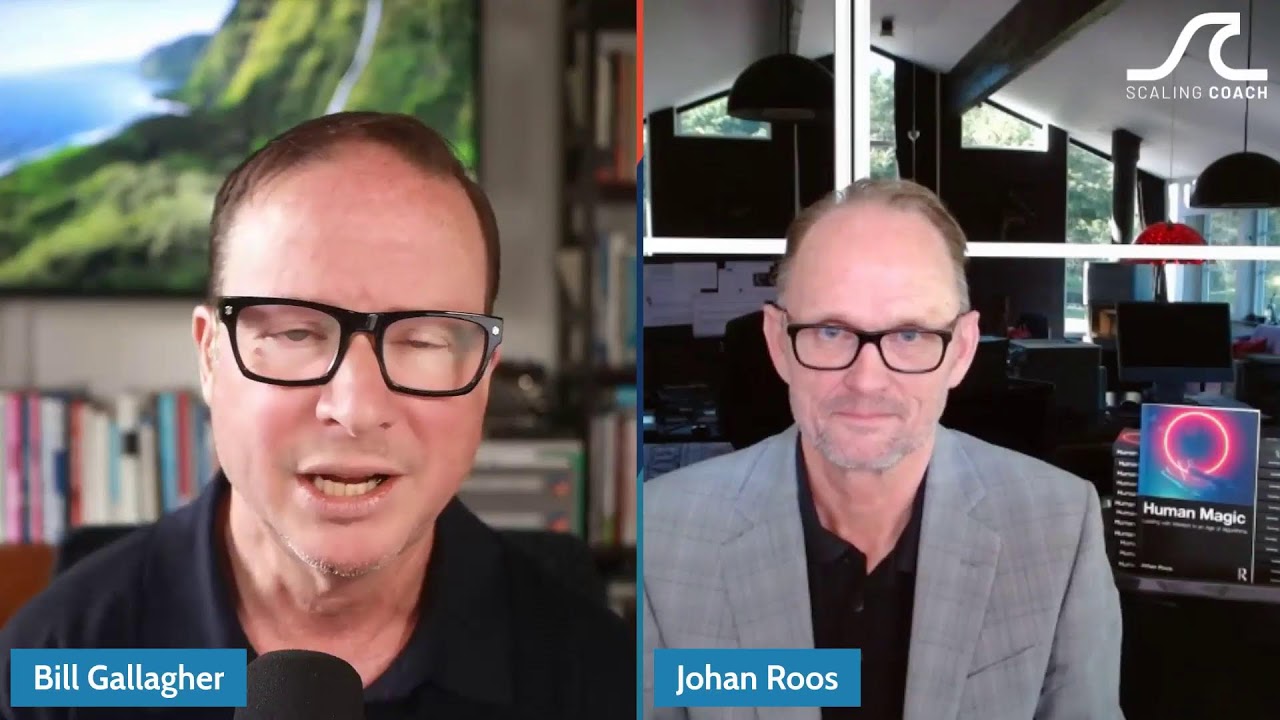
Hey, we're talking today to Andy Bailey. Andy Bailey is the head of Petra Coach and Align Today Software. He's a longtime gazelle's coach, a member of our leadership here and an experienced entrepreneur. I've known him from all that and EO and we're going to be talking today in deep about Align Today and the difference that makes, how it came to be and everything like that. Welcome. Welcome to the show, Andy.
Thanks, man. I appreciate you having me. That's a big introduction. I'll do my very best to live up to it.
Oh, you'll do fine. I've seen you talk a few times. You're not short for something to say. All right, so let's get right into it. Align Today is a software tool that we use with every client that we can get onto it and recommend it highly. And even those that struggle with it, we keep them on to figure out what that barrier is. It's often a business thing and get back in. So let's go to that moment where you, where it was first conceived. What was the crisis that had you put this thing together?
So as you know from implementing the habits and, or pretty much any kind of an operating system, there's like these disparate parts and pieces that rely on each other to work, but they're usually not very visible or not very accessible. And inside of the Rockefeller habits, it has to do with, back in the day, it was a lot of different pieces of paper, a lot of different exercises, lived in a lot of different places. So we were working with a, an organization that was global and implementing the habits across that organization. And I had flown to India to work with the team in India implementing over there for about a week. And on the flight back, which is, you know, seems like forever on an airplane.
It's a long flight back.
It is a long flight back. And I was sitting with a CEO and he, he was, he's a software development company, his organization. Software development company.
Yes.
And he asked me the question, he said, andy, I got 200, 250 people in my organization. How do I know if their priorities rocks align with the priorities and rocks of the organization?
Yes.
You know, three to five company ones and what's the alignment of those? And my answer to them was a really crappy one. I'm like, well, we can go pull 250 pieces of paper together and see what we get, or we can create an Excel spreadsheet and see what that might look like, or we can do our very best to manage it. But to Give you a snapshot or a dashboard view and that is just really, really arduous.
Yep.
And through this 14 hours of flight we kind of talk through what a partnership would look like and how could we get something built to be able to manage all this information. And what grew out of that was alantoday.com and what we generally refer to as align.
Yes. Awesome. So you're on an airplane trying to grapple with the problem of multinational software company that's growing and you see this thing and that's the inception. What was it like with them? Can you give us a picture of like how many operations and how many people and what you were, how long were you working with them before?
We still work with them today actually. They're one of our longer tenured companies that we work with and they were global at the time. Still are, actually are in different, more countries today than they were before. Yeah, but you know, those guys probably had at the time six or seven different locations from Canada to California to the Northeast to the Southeast. And then India was their big offshore operation. Today they've opened locations in Ireland and locations in Australia in addition to multi locations in North America. So pulling all of that information into one place is what the software tool does. And we usually bring those guys together from a global perspective into one location twice a year from just a planning perspective. So we do get them together physically, but they get together every day inside of a software tool. As you know, as you do this with your own groups of people as well.
Yeah, yeah, well we have. So we're principally on the west coast with, in Hawaii and we try to be as close to home as possible just to make life easy. But we go up and down California and, and within the region. But we do have people who come in from all over and there are people who sometimes are there live and sometimes contribute remotely. But we've got people in Australia, New Zealand, Mumbai, the uk, Austria. I'm just trying to think of some of the places we have people live now within local client companies then that are reached out to all these other places. And that's a great emphasis as well. We had one client last year who didn't work out and couldn't adopt the thing because they just couldn't get their heads around aligning the priorities. Were like, well it's right here in the align tool. And they were averse to using anything else but that was their stumbling block was just narrowing and aligning the priorities, getting them to cascade and to see the relationships and to track the progress.
On and I think it's as important and hopefully you kind of agree with this too. It's as important that leadership understand what's happening in an organization all the way to the front line. Right. And what the alignment looks like. It's as important that the person on the front lines understands what they do every day and how that aligns to what the organization wants to achieve. Because I think there's a mismatch between, you know, what leadership says is important and what those folks do every single day and how they fit into the puzzle.
Absolutely. You want people to all see the importance of each of their roles, that they could see that everything's hanging on something that they've got as what feels like a small piece and it helps.
Them ultimately make the right decision in the moment. They just get into the grind of the day to day. We know this because we've done this exact same work to grind at the day to day. And they're faced with a decision that they need to make. And if that decision that they need to make can fall back on a bigger picture, bigger vision of the organization and what the organization needs to achieve, then ultimately they make a better decision.
So let me share with you how we've used it and are using it here now, how that's evolved and why don't you give me feedback and I think that'll be instructive for the listeners as well. So we start with this. In this sort of in the pre engagement phase or the onboarding phase of a new client, we collect whatever they've got existing, their existing business plans and strategies and things like that. And anything that they deem is still relevant we load into the one page tools in Align. So we get them and then we set up all their key users that are going to be part of. Usually it's the senior leadership team that is in the first wave of users within the platform. And so we load their basics in, we do that then in our first session with a client we try to fill in some of the prioritized blanks that are missing. We've got one coming up in Seattle this weekend that we're going to go through and there's some pieces they've already gotten and the pieces that will fit in and then we train them on using it, having then loaded all the basic things of their one page strategic plan plus the current priorities for the current course quarter. And then I used to get them focused on the daily huddle. But while a daily huddle I think is really critical in terms of Align use. Now I have them focused on the weekly meeting or bi weekly if they're going to do it every either one week or two weeks. I say have your people prepare by updating priorities before they walk into the meeting. Then have a review, an accountability review in the meeting of how all the priorities are doing. Start with the top ones and then move into individual ones and then see what the next actions are and let people plan the week ahead. You can have somebody listening for key issues or challenges within the overall fulfillment of priorities and then do some open work on maybe one or two of those at the tail end. And that's kind of what your weekly meeting looks like in broad strokes. And I've shifted from that weekly one that doesn't have the same connection to the one page plan to this daily now to the weekly emphasis and trying to get them to adopt that first. And for me it's both as a former CEO and I saw many a time when companies would go create great off sites and then their actions in between the annual or semiannual meeting were just kind of random, not necessarily connected to what they said. Like they'd work hard, some, some work to the bone, but they wouldn't necessarily be on the right things at the right time.
That's correct. I was just at a healthcare, Farmland Healthcare company here in town that we were designing their, their daily huddles and designing their weeklies and they've been doing some weeklies and doing some dailies, you know, one on ones and stuff like that. The biggest thing that came out of it was and just backing up a bit. One of the things, I think the two meetings that are really, really important, one is being the weekly as you stated, the other is the daily. And those two, getting those two inside of an organization in whichever order they come, I think is, you know, whatever works is going to work. Both of those become highly important. But shining the emphasis on when you're choosing daily activities into the daily huddle, you pick a top priority for the day. The software aligning that top priority back to the quarterly priorities.
Yes.
Physically looking every day at what are those three to five things that I said were important and choosing a small action in the day to inch closer to the end zone at the end of the 13 weeks.
Yes.
And your comment about we, you know, we create priorities as an organization, as individuals, every quarter and then hell, we get back together and a quarter later and look at them again as opposed to looking.
Jeez, I don't know. Let me see.
Yeah, yeah, but look at them every day and just take small action steps towards it as opposed to, you know, big chunks of time that we have to put in to play catch up. Yeah, so much easier to do it that way. And the tool lends itself well to helping people do that.
Yeah. Because you've got something to look at that highlights them really clearly. I've got my company dashboard, I've got my personal dashboard, and this is not the necessarily operational dashboard. Each business may have other kinds of things that are relevant to them, but you've got the business dashboard and I've got some critical numbers in there. I've got my KPIs, my personal numbers, I've got my personal priorities. I can see the overall company one as a manager, I can look at any other team member and see how they're doing or I can run reports in various ways and see how are we doing on things. I think the other thing that I really like, we just began implementation with the European division of a company, European, Africa and so on, Middle east. And they went right to it versus the legacy stuff that we had in the domestic operation. And, and right away it first not only naming a priority and relating the priorities, but adding an owner to every priority and a metric. So I always tell people to default to 100% but like, so what's the measure of the activity? Are you going to make 10 calls? What is it?
Yeah, that's exactly right. And because you're using a tool like this, you can't cheat. Like you can't circumvent something on paper or in Excel. You can put whatever the hell you want in there. Right. But you have to, if you're using it for tasks, you have to pick a due date. It won't let you save it without a due date. It won't let you put a priority and without picking an actual KPI with the definition around it. Yeah, so that's another kind of driver. And an owner like this and an owner. Yeah, I mean you have to put somebody's name on it or you can save it.
Somebody's going to own it.
Yeah, that's right. Good point.
Yeah. We're going to come back around to your original client study in a, in a little bit that you develop the software for. But what do you see are the key stumbling blocks and the critical steps to success in implementing ALIGN today?
You actually touched on one just now, especially the people that have been doing it with paper or been doing it already in some form or fashion. The adoption rate of the software in an organization that's kind of been doing it a different way. To make that change to something new is difficult. However, starting from scratch and implementing the Rockefeller habits, using the software from the beginning is totally natural. So that's one of the big hurdles. The other is people will say it's another tool. It's something else that I have to go to.
I've heard that.
Sure you have. And the way that we explain the use of the tool itself from a coach's perspective, it's a mandatory tool because we coach using the tool as well as. As do you. We say, look, this is the tool to manage your priorities. It manages your meeting rhythms and manages your priorities. You may use Basecamp to manage projects in your organization. You're going to use QuickBooks to do your financials. You've got other tools, but this is for managing your actual priorities. The things that you're going to get done in organization, it's more of a tool for that where everything else is the day to day activity of the organization. When we separated in terms of that, they go, okay, I get it.
Yeah, we've got quite a few clients who are using tools like Basecamp, Asana, even Old Project as their key deliverable client. Deliverable kinds of things that they work on, on operational things. And we have to underscore this is the business project planning tool. And you could go recreate all this if you wanted to in Asana, but why? To manage. So.
So I think everybody relates to. To kind of the old adage of working in your business and working on your business.
Yeah.
So align would be the. Yeah, Align is kind of the work on your business tool software where the other things are work in your business software.
What do you think's the most underappreciated part of Align? The thing, the secret thing that you wish everyone would get. Is there something like that?
There's a couple of new things that are out that are really taken off that you know, are underutilized at this point. I think it's just the knowledge, the employee net promoter score and the suggestion, the virtual suggestion piece, we can talk a little bit about that.
Okay, great.
But the one that comes to mind when you ask that specific question is the pure task management tool.
Right.
So the use of tasks aligned to an actual priority and the general use of tasks and task management. We, most of our organizations, when we start coaching with them, you know, they really use email as their task management tool. I need somebody to do something, I send them an email. Yeah, well that's a terrible way to Manage tasks. And we have a task management tool to allow you to create a task with a due date, put instructions in it, assign it to someone, sign it to a team or multiple people, and even manage the redistribution of it, completion of it, or changes through trigger notifications as well as dashboards.
Got it.
And that does not get used as often as we would like. And it's incredibly powerful.
Yeah, I can get that. And I think for some it's getting them to straighten out in their head, what's the difference between priorities and tasks and so on. And we try to emphasize you're going to have a few priorities. And that's the point. They're priorities, they're prioritized over other things. So we want few of them, but it may take many steps along the way. And you can load those into the task manager to get there on that.
That's correct. And even tie the performance of that so that the KPI becomes the actual tasks. And as you check the tasks off, it shows progress on your priority.
Those are milestones.
Yeah, yeah, exactly. So it eliminates the step of updating a priority.
Oh, got it. Yeah. That's not one that I'm using. Nice.
When you create a priority build, you select Task driven.
Yeah.
And then as you load tasks for it, it will automatically change your KPI metric based on the number of tasks. And as you check them off, it changes the KPI and updates it automatically.
No, that's powerful. That is powerful. We can introduce that this weekend when we bring the new client up on it.
Sweet.
So then talk about the ENPs and the feedback box. How are you using that? Are those at odds with each other or are they complementary? Or is it an either or kind of thing?
So it's kind of complementary. So two things. And if you look at the Rockefeller Abbott's checklist, it's feedback from your team members. And how do you manage that feedback? What's the feedback loop look like? So one way to measure employee morale, if you will, is using a Net Promoter Score methodology to do it. So, yes, we put in the software Employee Net Promoter Score, enps, as we call it on the dashboard. So single survey goes out on a scheduled basis. It can be monthly, it can be quarterly. You set it up one time and it automatically appears in the inbox on the date that you said to send it. To answer one question, how likely would you be, would you be to refer someone to work here? 0 to 10? And then they put a comment, why don't you give us a 3? Why don't you give us an 8, why don't you give us a 10, whatever the comment may be.
Right.
And then you assign what we call a, you know, a czar, somebody to gather the suggestions or the information. And it will display your score on your dashboard. So month over month or quarter over quarter, you can monitor and manage your progress, you know, as your score, employee morale or NPS score in this case, going up or going down over the course of time. And then that feedback of why people gave you low scores or high scores, this person is assigned. Or people that are assigned to kind of manage that information as it comes in.
Right.
So they receive that in a report. Our suggestion is always, look, when you get that information, you just take it to your leadership weekly and have a discussion about it and then give them feedback. So it comes in anonymously. And if I'm the person that's managing it or my team is managing it, then I can respond inside of the tool. So if Bill said, hey, we need three ply toilet paper called single ply, cutting it anymore, I can, I can always respond back directly to Bill Double without bringing it up. Yeah, exactly. I can just say, hey, you know, we put that order in with Amazon, it'll be here every Friday, and it automatically deliver, thanks for letting us know. And that just goes back to that individual's dashboard. So he can see it or she can see it.
So then entire interaction that incident, follow up gets, stays right in the tool. I can interact with it right there. I don't have to create a second layer of something. That's pretty cool.
Yeah. And then the suggestion box is essentially the same thing, same type of going back and forth, but it's a real time, you know, report.
Yeah.
Anytime an organization goes, you know, I have a suggestion I need to make. Instead of writing on their card, dropping in a box in the break room, they just click suggestion and it goes directly to whoever's managing that. And then the same feedback can happen both ways and the same reporting happens. Really, really powerful tool.
Yeah. The one thing I like to caution people on with the suggestion box is don't be that company with the overstuffed suggestion box where people start putting in some valid, thoughtful, heartfelt ideas. And then as time goes by, they drop F bombs in the suggestion box. And. But you'd never know it because you've never emptied the thing and you've certainly never answered anything they suggested. And they know that that is the purest sign that you don't actually care what they have to say because you're never interested in emptying it and totally agree.
Being able to do it virtually. And one of the things we'll do is assign multiple people to it.
Right.
So if, you know, if you and I owned it together, if you're not responding to people, I'm seeing the exact same thing. So we work on it as a team.
Yeah. You compare them but it gets that.
That feedback, you know, back to the person who made the suggestion becomes very easy. As opposed to collecting a bunch of piece of paper, you know, having a meeting and you know, trying to figure out who said what.
Right.
I don't even know who said it. I have no way to know who said it. I can just respond to it and they know what my response is.
Awesome. Anything new that you want to let people know that's in the works or anything, Anything you want to preview, coming up with the line and not that there's not enough there.
Yeah, yeah. We're always iterating and putting new things into the software to make it easier to use. We are going through a code rewrite right now and for a couple of reasons. It allows us to iterate faster in the future.
Nice.
Then we've got a new design coming out. So UI UX design and usability.
Nice.
It also will allow us to do. And this is kind of the big reveal is multi language.
Oh yeah.
And really? Yeah, really fast to be able to create the software in another language as opposed to just English.
Oh, perfect. I think that's fabulous. So why don't we go back to your original story. How has that company grown? What difference did the software make for.
Them over time those guys have doubled in size like in the last three years. Which is kind of typical of the coaching. As long as the business model is a good business model, implementing the habits. That's a pretty reasonable expectation is that most organizations can reach that doubling in size over that three year period of time.
Sure.
And the visibility from these guys are really dispersed around the, around the world. So being able to be really connected to what's happening in their organization and react quickly to, you know, challenges as well as, you know, Good stuff.
Yeah.
It just made a world of difference. They're closer, they're tighter. They used to be we would go into planning sessions and you probably see this with some of the clients that you work with too. They don't talk in between quarterly planning sessions. So they need to get in a room and they got to catch up on everything.
Yes.
By having the software and having this communication rhythm, you know, now we can actually get in a room and talk about real things as opposed to what's happened in the last 90 days. They already know all of that.
Yeah. It seems like without it, a lot of the conversation is transactional, event driven, and there's no large context and deep relationship connection. They. But with the software, they. They're always kind of connected back to themselves as a team and their progress on their quarterly and annual for that matter, it's really fabulous. All right, well, I. We're about out of time for this show today, but is there any other thing that you wanted to get across or let people know?
Just, you know, everything's got a trial period on it, so somebody can come in and test it out. We've got, you know, solid team that does demos, and you've worked with Danny and those guys, so you understand how that is on your side and. Yeah, you know, webinars and training. So I think most of the time when people get started in a piece of software, it's like, what the hell do I do with this?
Yes.
You know, we are here to help with that side of it as well. And in the coaching organization, you know, Bill's included in that. And, you know, a lot of the coaches are using the software, and those guys are pretty fluent in being able to teach you how to use it as a tool. But just putting it to work for an organization does make a really big difference. I appreciate you. Allow me to share that, Bill.
I'm so glad to have it. I'm glad to use the software myself. I know it made a difference even when I was having a huddle of one, when I was just myself getting started as a coach, that I used the software and I had my daily huddle and I said, what am I up to today and what am I working on? What's my most important thing? And then every week I checked in and I said, great. How am I doing on my goals and what do I need to think about doing in the week ahead? And, I mean, you know, if you're having me, meaning if you have a company of one or a company of two or a company of a thousand, you can leverage the software to get you focused, working on the most important things and tracking on your goals, making the whole process painless and straightforward. So thanks so much for spending the time. Look forward to seeing you soon. We'll see you at the next summit. And until then, thanks. Thanks, Andy Bailey.
Thank you, brother.
Sam.