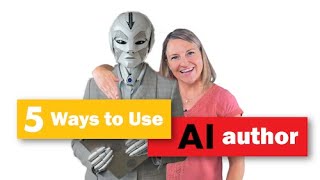
YouTube video by Julie Broad (founder of Book Launchers) describing five practical AI uses for authors: (1) voice cloning (using 11 Labs) to create pickups and potentially full audiobooks; (2) Canva’s AI "Magic" features for images and auto-generated presentations; (3) ChatGPT for content brainstorming, analogies, outlines, titles, and SEO-aware copy (with AIPRM and Prompt Perfect plugins); (4) video apps (Spark, Clipscribe) to create and repurpose social media video content; plus practical tips and caution about ethical concerns and not letting AI write entire books.
Grammarly and ProWritingAid are just two AI tools that most authors have been using for a while. But I've been taking it a bit further this year to get really deep into the AI uses for myself and for our services at Book Launchers. I've done a few things that might surprise you. So if you're curious or afraid of AI, but you are always interested in saving money or making books faster and easier, well, this video is for you.
Hey there. This is Julie the Book broad's AI bot. Julie is the founder of Book Launchers, and I'm her cloned voice that she's using to do some voiceover work on training videos and for audiobook pickups. Someday very soon, she will likely begin recording entire audiobooks or video content with me. But first, I still need a little more humanization. Now, if you think this is cool or you think it's creepy, go ahead and give this video a thumbs up for Julie.
So yes, as my fabulous bot was saying, I am in fact Julie the Book Broad, founder of Book Launchers and I have cloned my voice and we're cloning our authors voices to make it so they don't have to do their own audiobook pickups. A pickup is when you have to go back into the studio to record a word or a phrase that you might have missed, mispronounced, or just didn't deliver the way the rest of your material was delivered. We're now successfully doing this with projects to save our authors time and money, and I foresee a future not so far away where the voice clone is strong enough to record an entire audiobook. And what a day of celebration that will be. Now, this will not eliminate the need for an audiobook editor or producer completely. There will still be editing done to produce it to a professional level, but it is going to save time and money. And it will definitely save you a lot of energy if you're narrating it yourself. Because you'll probably spend 12 to 20 hours narrating the book. If you aren't narrating it would help you save thousands of dollars paying a professional narrator. So. So high five to the bots. Okay, I get that it's freaky. And yeah, there are ways unscrupulous people will use this. And there are ways unscrupulous people will turn just about anything good into something scary and dangerous. It happens, and it sucks when it happens. But I choose not to live in fear. And plus, my voice is already everywhere, so if someone wants to clone me, they can. So voice Cloning is the first way I'm using AI as an author right now, and I'm using 11 labs to do it. Next up is Canva. O M G is Canva coming up with AI tools that are so, so cool right now? Canva is incredible for social media, imagery, presentations, book promotional tools, and so much more. We use Canva every day and now that they have a bunch of magic AI tools, they call them magic, like this one. They magically generate a presentation from just a few words. All you have to do is type in an idea and a topic and they'll give you a first draft of your entire presentation. So let's say you wanted to make a presentation on the first chap of your book, or you wanted to turn your book into a workshop, give it some of the content, and it's going to generate a first draft. If you haven't tried their text to image feature here, I highly recommend it. It's like midjourney, but less intimidating to use. And if you don't know what midjourney is, well, that's okay because you have Canva and it's much more intuitive. So if you want a social media post with a specific image, just go here and type in a description and see what happens. Thank you, Canva. Now, truth be told, I'm not personally using this all that much, but my team is. And I would be if I didn't have my extraordinary team to help make my workload less massive. The third way I'm using AI every darn day is to get ideas for content. I use Chat GPT darn near daily as I write content for these videos, articles, newsletter articles, newsletter content, presentation blurbs, and so much more. My favorite thing is to give it something I've written and ask for analogies or stories that will spice it up. You have to watch the video I have coming where I talk about the war the Australians had with the emus. I never would have found that without chatty, my friend. I also wanted to spice up an older version of a video I did on taking your podcast and turning it into a book. My original video was from 2018 and the content was largely accurate, but I explain things differently now. So I wanted to redo the video but make it fun. So I ran it through ChatGPT and asked it for an analogy and it gave me a cooking analogy. It might have taken it a little far or I might have, but it was sure a lot of fun. Are you using ChatGPT or Chatty as we call it? What do you use it for let's chat about it in the comments below. And when you comment on the day a video is released, you get entered to win some of our sweet swag like the NoboringBooks mug, our oh so soft journal. We have T shirts, we sometimes have hats, lots of cool stuff. But sticking with ChatGPT for the fourth way I'm using AI, I can tell you that I'm also using it to write articles and brainstorm titles for articles, the subject lines for newsletters, as well as some of our client book titles. And I'm asking it to use SEO principles and keywords in those brainstorms. Our writing team is also finding it really valuable for book outlining, and our marketing team is finding it to be pretty darn good helping craft a first draft of an author bio. And sometimes it makes good suggestions for speaker topics, immediate interview questions. Sometimes they're really not good though. So these are things we do daily as authors or people supporting authors. It really helps you get started with a first draft. Now here's a big tip for you because I do find this plugin right here to be really helpful. This is a plugin that you can connect to ChatGPT in Chrome only and it is called AIPRM and it makes all the difference in your prompt engineering because it has a bunch of prompts that are there, some that you can see the full paragraph. Like if you are using midjourney and you need a prompt for making an image, it will help you with that. Some of the prompts you don't get to see, but it can make things so much better. Especially if you have ChatGPT4 plus these prompts. It can give you a ton of really great starting points. So check out all the options you can use as an author here. Now don't get all excited thinking this is going to write your book for you. Remember, if ChatGPT can write your book, it's not good enough. The very thing that makes your book great is the fact that you have emotions, opinions and experiences that shape your world. And if ChatGPT is writing it, it's regurgitating stuff that's already out there. And if you want to be seen as a thought leader or someone who has interesting things to say, well, you don't want ChatGPT writing your book, but it can give you title ideas, it can help you get over writer's block, it can get you a first draft of a chapter, and it can give you a ton of social media content. And there's also prompt perfect that will help you tremendously in your ability to speak robot and get the human results you need. Finally, the fifth way that I'm really using AI is to create some video content for social media. And the truth is that I mostly use a video editor and I don't spend that much time on my phone creating content for social media. But when I do, there are two apps that I think are fantastic and I wanted you to know about them. Especially if you're an author that isn't creating social content because editing is a pain or you don't know what to do, you don't know how to get the captions on there and you don't want to spend forever making a video. My favorite for on the fly creation is the Spark app. You pull out the app, take pictures, shoot video, edit it, add text and music all right there within the app. It takes a beat to get familiar with the editing in the circle, but then you get great content fast. And then one more cool app that I would be using all the time if I didn't love the work my editors were already doing in this regard. But if you shoot long form video like this one, then there's some great apps like clipscribe that you can use to chop it up into short social content almost automatically, add captions automatically, and a lot more. So go to clipscribe.com to use more, to find more, to learn more. Are you using AI? Well, I'm sure you are and just don't know it, but let me know what apps or AI tips you have in the comments below. And when you comment the day a video is released, you get entered to win some of our sweet noboringbookswag. And then you move one step closer to being a YouTube bestie with the likes of Alan West, Efren Delgado, Rachel Robertson, Scully's House of Thrillers, Mike Cook and other fabulous folks who like comment and share these videos. Now after watching this, you might be wondering what content you can use AI to create. Well, this video on content marketing ideas for authors will be perfect and if you're in the mood to watch the latest and greatest from the channel, that video is right here. Either way, I'm waiting so please click on over and comment when you get there.