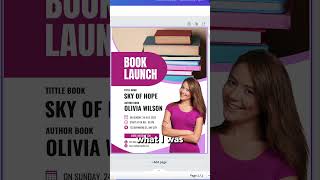
A short YouTube demo by Julie Broad showing how to use Canva (tool #4) to create promotional materials for authors. She demonstrates selecting a flyer template, generating/adding images (e.g., a toy horse and books), customizing text and colors, and mentions Canva's 'Print with Canva' ordering feature, noting she hasn't used the print service herself and asking viewers for experiences.
Chapters
All right, cool. Tool number four, Canva. I mean, I know you're probably going. I already knew about Canva. Let me show you how easily you can make a poster, just as an example. So right here I'm going to choose flyer. Then I tell it, okay, I need it for an author book signing and I grab one that I like, but I can play with the colors and the images and all of those things. And I want to show you the image creation piece in particular. So let's say I want something with a toy horse and books. I can ask it to create that image for me. Well, it's not exactly what I was looking for, but I like it. I think it'll look good on this poster. Now I can drop this in and keep on going. I can put my image here, change the text here, and within 10 minutes I've got something that's really good looking. No designer needed. You can keep refining it from there or regenerating. Now they also have a print with Canva feature, which is super cool. So now you can order your poster right here. I thought the prices seemed reasonable too, but I haven't actually used the print feature. Have you? If you have, tell me about it in the comments below because I am curious.