Amazon Keywords and Other Amazon Publishing Updates
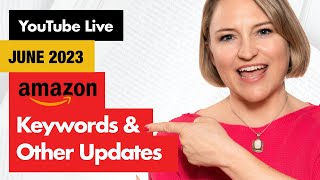
Julie Broad (YouTube livestream, June 5, 2024) discusses recent Amazon changes and practical publishing advice: Amazon is testing showing sales data beside book pages (not visible to the speaker), Amazon Ads now allow campaigns that point to an Author Central 'All Books' page, and KDP still uses seven keyword boxes (each ~50 characters) which can be filled with phrases (avoid duplicating title/subtitle). She recommends changing keyword fields slowly (one at a time), notes Amazon may override selected categories (now limited to three visible categories from prior up-to-10), and advises checking Amazon ad campaigns weekly rather than daily. She also ran a viewer prize draw and announced an upcoming deep dive on distribution options on June 22, 10am PT.
Questions this video answers
June 5, 2024
Seven keyword boxes
About 50 characters per box
Three categories (previously authors could be in up to 10 via manual requests)
Chapters
Hello. Happy June. I had to rush home because the Internet at my office is out, so sorry. We've got the funky, the funky background going on. Yeah. So today's session is all about keywords, but it's been a bit of a week, so I don't have as much prepared for you as I would have liked. So if you have questions about Amazon keywords or anything Amazon related, you can go ahead and post it. I'm also flying solo today because Angela's on vacation this week. So let's dive in as to a couple of updates on keywords and then like I said, if you've got questions, go ahead. So Amazon's made a few changes lately, one I'm not seeing, so I can't show it to you, but they have been testing the inside of the Amazon page. I've heard this on, I believe Dale Roberts podcast talked about it as well as the self publishing Sell More book show. And, and basically what they're doing is they're putting some sales data in beside the book, which you may or may not like. If your book is not selling, you are not going to be a fan of this feature. But they're testing it. I guess it's kind of like if you've ever bought a course or something else and you've seen down in the bottom left hand corner, you know, Julie Broad from Las Vegas just purchased this, know something like that. I guess it's just additional proof. So again, I'm not seeing it. I checked on my mobile and different browsers with Amazon and I'm not seeing this feature. So I don't know if you're seeing it. Hey Kevin. Kevin's in the house. Welcome. So I'm not seeing it, but it is being tested, which means they never roll it out to everybody at the same time because it may or may not stick around. If they think it helps conversions, then they're going to keep it. Which, like I said, some authors are not a fan of. They feel like it's their, their personal data is being shown. But the news flash for that is this is not your data, it's Amazon's. They can do whatever the heck they want with it. If they want to show everybody that Your book sold 500 copies in the last five years, they can. And one of the things they did say is that this is not necessarily reflective of the, you know, it won't reflect what your dashboard says. So while it may have like an indicator of sales, it's not necessarily what you'll see in your KDP Sales Dashboard. So it's an interesting change. Like I said, I don't have, I don't have it to show you. I brought, I was trying to find it so I could actually indicate it for you to see. But yeah, so that's one of the things Amazon's been working on lately. The other thing I wanted to mention is, you know, Dave Chesson put out a really, really great video recently on Amazon Keywords and I wanted to just really quickly show you because. Because he's talking about the seven boxes that your K that's inside of your KDP Dashboard. And so, and so they can show. You can show inside of that. You can have a variety of different keywords. And I think he did a fantastic breakdown and normally Angela would drop the link on the right hand side, but what I'll have to do is after we're done, I'll drop it in the description for you to check out because he did a really, really great job of breaking down the keywords and how you should, you know, really from a micro and macro level, how you should bunch them up in those seven keyword boxes. So let me just pop into KDP Dashboard here and show you in case you're not familiar because some of these things are a little abstract until you actually see them in action. And Bill, welcome. Kj, Brian and Efren, welcome. So while I'm bringing this up, like I said, if you have questions, let me know it. A couple things kind of threw a wrench in my plans today. So I don't have as much prepped for you as I had planned. Part of the reason why I'm at home is the Internet went out at my office and so that's part of why I am not there. Okay, so let's see. And then, you know, some personal stuff's happened today too. So. Okay, so you can see that. So let me just. So. Oh actually while I'm here, the other thing I wanted to mention. Sorry, I'm talking about two things at once. This is all Amazon changes. So it's all relevant. But since this screen is what's up here. So Amazon just rolled out some new features for Amazon ads and one of the things they are allowing you to do now is send is to run ads direct to your all books page so you can Inside of Author central. This is all, this page is set up inside of Author Central. So this is, you know, when you go to my book page. So let's just say I clicked on. Well, let's just go to self promote and Succeed or self publish and succeed. So you click on this. So you're inside of this particular page. If you want to see the author information, you can always click on the hyperlink which says by the author name. This takes you into the Amazon Author Central page. This is my author page. So this is what the author page looks like. Those are the four books that I have written. And then all books is a page you can now promote to. So. So I may or may not do this. It's an interesting thing that you can, you could test. I haven't tested it because it just rolled out, but you can now send ads to this particular page. If you have a series or all of your books are in the same sort of genre or category, this is a really cool potential feature. You can also, I believe, run the ads direct to your author page. I don't know as though that would be as beneficial as running them all to your All Books page, but I thought that was kind of cool. Okay, so the other thing I wanted to just quickly show you and I'm just going to make sure you're seeing it. Yes, you are. So inside of your KDP Dashboard, if you ever hear people talking about the seven keyword boxes. So this I just pulled in my, my new brand do, because I don't care if I mess with it. I've talked about, this is my kind of my, my dummy account. This book doesn't sell a whole lot of copies and so I just use it to play around with things. So this is the KDP Dashboard. So all of your books that are selling on Kindle and you know, potentially Amazon.com are probably loaded up in here. So this is the Kindle ebook that I'm messing around with inside of here. So you can see the title here. So we scroll all the way down, you've got your book description and then the keywords. When people talk about the keyword boxes, these are the seven keyword boxes. Now, I haven't edited these keyword. Well, I've messed with them in videos like demonstrations like this. But as far as doing what Dave Cheston talks about, I haven't done that for this particular book. I've talked about this a lot before, is that I fully plan on taking some content from this book and producing a book next year that is going to be all about author branding. So you're going to see the content in this book all over again in the future. So I haven't messed with this too much. But these are the keyword boxes and so some of the things. There's 50 characters, and I think it was 50 characters in each box. And so you can put one phrase in here or you can put multiple words. So three quick tips for these boxes. One is if your book is out already, don't go messing with changing all of them. You want to change one at a time. Unless your book hasn't sold a copy in months, then go ahead, wreak havoc with it. But if your book is selling, don't change everything all at once. Change one thing and then 30 days later, change another thing and slowly make changes. But a couple really important things to note is that the category selection inside of KDP and your book on Amazon is only partly related to the categories you actually select. Amazon will override them. And some of what will impact your category selection comes from the keywords there. So if there's a particular category that you really want your book to be in that you know is a great fit, that's going to be a good seller. In that category. You, you can choose keywords that will help Amazon put you in that right category. So that can be one of the keyword boxes. The other thing is that you, you know, the combination of a phrase that goes in there is going to be, you know, used in multiple phrases. So if I said Blue House Construction was a keyword that I put inside of there, then Amazon is going to say Blue House loop, construction, house construction. Like it's going to make all the combinations so you don't have to put exact phrases in there. And repeating words doesn't benefit you. So that isn't new. Some of the other things I just talked about are new. And that's really all the content I have for you today on Amazon and some of the changes. So if you have questions, definitely post them in. I'm going to pop on over and do the ads or not the ads, the name draw. Like I said earlier at the beginning, we will be sorry. So you can tell it's been a day. Just, just lots going on. As life, as life tends to hit you with things, I'm going to be doing the random name draw. So every Tuesday, every Friday, when a new video comes out, you get entered to win. There will not be new videos in July. We always take a break in July. So there'll be no new content. There won't be live streams in July and we don't do deep dives in July or August. Our next deep dive is going to be all about distribution options. So if the whole world of aggregate publishing and IngramSpark and KDP and publish drive and draft two digital and ACX and all those things. If that has your head spinning. Our deep dive that is happening. I believe it's on June 20th. I will look it up in a moment. Is going to be the exact thing for you to tune into. It will also be a distribution Ask me anything with our production manager, Alyssa. She and Angela will be hosting that one for you. So. So that will be a really, really great session for that. So every Tuesday, Friday, when a new video comes out, you'll get entered to win. And so I'm just going to pop on over. I've got your names. If you have commented on the last four videos and commenting on this replay today will also get you entered to win. All right, where is. There it is. Wheel of Names. Here we go. All right, so everybody's in here. So we're just going to hit this and let the Wheel of Names choose a name. Maybe did it choose. There we go. Like, where to go. I had to scroll down. MD Jones 7, congratulations and thank you for commenting on the day a video was released. And you can email Angela. She's on holiday this week, but she will get back to you next week. And so you'll email her@teamoklaunchers.com and and let her know if you would like our hashtag no boring books mug, our oh so soft journal or a copy of Self Promote and succeed or Self publish and Succeed. Those are the four prizes. Please remove that name and draw again. Oh, book launchers. Okay. Okay. And beeline. Bill, I think you're in the house today, so congratulations. If there's anything you want that you don't have the latest of, please go ahead and let us know. Otherwise, you are welcome to gift it to someone else here. But if there is something that you want, email Angela@teambooklaunchers.com and let her know what it is. And of course, include your mailing address because we don't tend to save those things fast. And Bulbous is in the house, as is Danny D. And Susan. Welcome. Let Fear Bounce. So great to have all of you here. All right, thanks, Linda. I appreciate it. Okay, so I'm gonna do the draw. And so Bill says, have it all. I have it all. Bill says, all right, so do you want me to gift it? I'll gift it to somebody who's here. Bill. I'll go ahead and add in the name. The Stream Yard Name picker. So if you haven't commented yet, now is your chance to get your name in on this one. And if you guys don't. Don't have questions for me, this will be a short and sweet one today. All right, so let me just go ahead and bring up my. Whoops. Hold on. Wait a minute. I've only got my Amazon thing open. Let me switch over there and make sure it is open to the Streamyard giveaway, because that's what we need is the Streamyard giveaway tool. I'm just giving you guys more time to comment so that you get entered. That's all I'm doing. It's. I did that for you. Okay. Stream yard giveaway tool allow. Oh, it didn't work. Okay, hold on. Present. Share screen. Okay. Okay, now here we go. So you guys should be seeing this. There's 12 of you that have commented so far. So let's see who our first prize winner is. It'll probably be Bill, because that's just the way it goes sometimes. Oh, Susan, congratulations. Congratulations. Okay, so like I said, you just need to email Angela@teamoklaunchers.com and let her know your mailing address. And then, of course, your choice of prizes. So self publish and succeed. Self promote and succeed. Our no Boring Books mug or our oh so Soft journal. And I'm going to draw again while we're here. We'll see who it is. And, Renee, congratulations. Same drill for you. And then I'm going to draw one more because Bill gifted his winnings to someone else, and all of you have the same instructions. So emailing angela@teambook launchers.com and she'll get back to you next week. Like I said, she's away in Texas visiting family. And Linda, hello and welcome. See, it pays to show up. Pays to be here. All right, so you guys are our fabulous winners. Okay? And so I got a couple questions here. So KJ said, am I mistaken? I thought Amazon decreased the 7 keywords to 3 keywords. No. So this is the keyword boxes. There are still seven keyword boxes, and you can put more than one keyword in there. So that's what I was showing you was that, you know, they're basically 50 characters. I will go ahead and bring that back up again. Maybe, maybe, maybe. Must be in here. So it's going to be on the same screen, so hopefully it lets me switch over. Okay, so that was inside of here. Okay, so what I was showing you was there's seven keyword boxes here, and you can put multiple keywords in one book in one box. So you can choose a phrase and really the width and Four are not. There's no value in adding those because you're not going to rank for those particular words. So something like personal brand building, you know, techniques to attract business, those are all things that you can do. And what the video from Dave Chesson that he put out, I think last week that I thought was so good was he actually broke out, like a strategy of how to use a couple of these for the category that you want to rank in, a couple of these for the micro keywords that you want to go in. And so we broke that down into a really smart kind of approach as to how to make the most out of these seven keyword boxes that you have inside of that KDP Dashboard. Yes. And Bill. Bill clarified they reduced to three categories, which they did that quite a while ago. You used to be able to submit. You could only ever choose three categories. Yeah, thanks, Bill. That. That's probably exactly where he's kind of mixing it up, is that you used to be able to only choose three. So that's always the same. But you used to be able to manually write them and get added into up to 10 categories, and it is now only three categories. And part of what I was talking about there was the fact that you can. Just because you've selected a category doesn't mean Amazon will put you there. It will override your categories. And part of what it will use to override your categories are these keyword boxes. So if you want to influence the category you're in, you want to be smart about how you use those keyword boxes, it will also use book description and other information in order to determine the categories, just to prevent. You know, I believe they're doing this to prevent the people who would play the category game just to get a bestseller. So it's. I think it's for the better for all of us if they are essentially even scanning your book and helping you choose categories based on that. However, there are categories that are going to be better for your book to perform than others. So that's why you may want to still influence what category your book gets placed into. I'll put the link in Efren after. I can't. I need Angela here for that. There's too many. Too many screens. But I will put it in the description afterwards so that everybody can get that video link for. For Dave Cheston's video. And Susan said, I always have trouble not putting in one of the words that's already in the title already. And that brings up a really good point, which is, you don't need to. Or you shouldn't really duplicate the words that are in your title subtitle. Your title subtitle are the strongest keywords. Those are going to have the highest weighting on what keywords your book is going to show up for. And so if you have, in my case, brand. Right. Like I said, I have never. It's been years since I've played with the keywords in those keyword boxes. I basically just use that book as a demo book. But. But brand is in the title of that book, right? The title is the new brand you. And so putting brand in any of those keyword boxes is redundant because. Because that is already in the title subtitle. And so you really want to focus on other keywords. This is great for locational information which may not fit into your title subtitle. So if you have a book that has, you know, a certain location emphasis, that would be a great place to put it. Even a little bit of reader identification information can go in there depending on your book and, you know, a few details around that. Okay, let me just see. Bill says if you have 10 categories and then change book description or other book details, they reduce the categories automatically. Yes, Correct. So if you are already in 10 categories and you want to stay there, then don't make any changes to your book because as soon as you do, it's going to be dropped down to three. Thank you, Bill. Okay, I saw another question here somewhere. Okay, great. So this was Plessner Digital plus. Oh, plus Nerd Digital. Okay, I read that as plus Nerd Digital first. So plus Nerd Digital. I started an ad campaign. Can you touch on how often I should check the results? Yes. Okay. So generally speaking, one of the biggest mistakes I think people make with Amazon on Amazon ads is they tinker too much and they go in there every single day. And what I would say is you should be in there weekly, but you don't want to make too many changes. So you do want to almost like think of it as a dial and just tweak a little and tweak a little and tweak a little. And so you can, you know, remove the words that are, you know, perhaps that came up that you did, that aren't really a good fit, depending on how you've generated your keywords for this. And I believe Shane on our team, who runs all the ads for all of our clients, I believe, and this is another video I'll have to try to find. Um, he did. He either did a deep dive, which won't necessarily be on the channel, but I think he did a live when I was away one week and he talked about these ad strategies as well. So I'll try to find it and if I do find it, I'll post it in the description afterwards as well. But he talked about this too. And one of the things he's had to learn kind of in the years managing all the ads is not to tinker too much. So I would say if you plan to check it weekly and if you're spending more than an hour a week on your ads, you're probably spending too much time tinkering and creating, creating different campaigns and just slowly modifying each of them to perform a little better. So dropping the things that aren't working and even potentially increasing the bids on the things that are. Okay. I think that was the only other question I saw up there. Oh, and Day and Bill, thank you for playing the role of Angela today. He went and grabbed the video link for me. So thank you, Bill. I appreciate you so much. And then Susan says ukulele is in my picture book title. I have four titles now and I'm releasing the fifth this week. And it's hard not to use that word again. And I have a memoir and several other books in other genres, too. Yeah. And Susan, that's the other thing is when you share your own personal page, like if you do try that, those, I believe it's called brand ads that Amazon is now rolled out and you were to run those ads to your, your Amazon author central page with all books because you have so many different books. I, I would be surprised if that ad is going to perform for you again. I think that ad will perform best for people who have more focused book interests like all children's books or books in a series. I have a feeling that that ad type will perform really well for them. And Mitch, thank you, Mitch. That is much easier than me trying to figure out what your handle is on the fly. All right, friends. Oh, quick follow up. Should I create a Facebook ad? Do you find them successful? Me personally, I have in my view, I've donated, you know, probably more than $10,000 to Facebook with minimal results. And it does depend on your book. I know fiction authors find it cheaper to get. You know, they find Facebook ads can perform. They can run ads to the first in a series and make the series perform form. Overall, I haven't seen a ton of success for nonfiction authors to generate sales from a Facebook ad. What you could what might work for you for your funnel is to create a really, really awesome lead magnet or even give your book away for free on a Facebook ad. But then you need to have the back end that's going to justify it. So whether that's a coaching program, consulting, some sort of a product or service, and there, you know, that lead goes into your funnel and can generate a positive ROI that way. You know, I just haven't seen a lot of nonfiction books sell well off of a Facebook ad and certainly not be profitable that way. I know some people do really well with that free plus shipping funnel, but again, they're not making money on the book, they're making money on the back end of it. So it depends. I've tried, I haven't tried the free press shipping because for me it's not genuine. Right, because you're charging 7.99 or 9.99. Like I'm, I'm actually getting the print cost of my book recovered, plus the cost of media mail. So it's not really free plus shipping. It's like at cost. Buy my book at cost. That is what it is. But that's not as sexy sounding as free plus shipping. And so, but I haven't found a lot of success with that. And Facebook even. We run ads to my book self publish and succeed and sell it direct. And Google does much better. Google and YouTube do much better for us than Facebook. So. So I think everybody's a little different. The answer when it comes to marketing is always test it. Efren had a question. Are Amazon ads more effective to broad audiences? Ha ha ha. My last name's Broad, in case you guys are getting that versus specific. Sometimes I feel I'm paying for a click for a reader who would have bought anyways. Yes. I mean you probably, you could be paying for a click to a reader who would have bought anyways for sure. And the answer is always test it. Because every book is going to be a little different. As far as broad versus specific. I like specific better than broad personally. But that doesn't mean it's always going to be the thing that performs better. I do just. I just find specific tends to be a, you know, a lower cost per click and a more likely conversion. But it's not always. Some of our clients books are doing quite well on, you know, the, the, the wider reach instead of broad. All right, friends, thank you for joining me today. I hope to see you back here in two weeks. Oh, and I was going to give you the precise date for that next deep dive training, which is going to be all on distribution options. And let's see here it is happening. Oh, is that the right day? No, that is not the right day. I don't have it in my calendar, but I thought it was happening on the 22nd of June. Oh yes, there it is. It is June 22nd at 10am Pacific Standard Time. If you aren't already on our launch letter, that's where you need to be in order to get the registration link. You can get the launch letter by going to book launchers.com newsletter. But that's happening at 10am Pacific Standard Time on June 22nd. Otherwise, we'll be back here in two weeks and I promise to have some amazing content all planned and prepped for you because life isn't going to throw me a bunch of curve balls all on the same Tuesday in two weeks. I know it. It'll be a much, a much stronger day for me. And Internet will also be working. I'm calling it now. All right, friends, thanks so much for joining in and I hope to see you back here in two weeks by.
More from Julie








Should You Skip Amazon When You Publish Your Book? #digitalmarketing #amazonauthor

