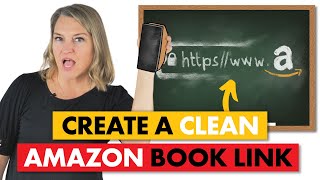
A short YouTube tutorial by Julie Broad explaining why standard Amazon product URLs expose identifying data and how authors can produce 'clean' Amazon links to protect privacy and reduce review removals. She recommends universal book links (Books to Read) and shows how to create a clean Amazon link using the book’s ASIN (or ISBN-derived identifier) from the Product Details section.
Chapters
Every Amazon link you send could be full of data that is hurting you as an author. If you're finding your reviews are constantly getting blocked or removed, or you're just wary of Amazon knowing all the things, well then this video on cleaning up your Amazon links is for you. Hey there. I'm Julie the Book Broad, founder of a full service self publishing services company, Book Launchers. I'm also the author of four books, two that you should definitely check out. Self Publish and Succeed and Self Promote and Succeed. And when you do, an Amazon review would be the absolute greatest gift you could ever give me and other people that really should be reading these books to help them write and publish and promote a nonfiction book. So thank you for taking a minute to do that. Now, of course that is something you will need to say all the time as an author. Please review my book. Please help it find the readers that will need it the most. But often when people are sharing the link to their book, they just go to Amazon, search for the book and send the link. When you do that, the link contains identifying details which allows Amazon to know all kinds of things about you and the person you're sending the link to. So now Amazon knows more about who you're connected to in real life. Also shopping preferences and how that crosses with the person you send the link to. It's just a whole lot of data. And let's face it, they already know more about you than most of your friends just because they know your buying habits. But let's make it a little easier for you to keep the reviews that you need so badly by cleaning up your link. If you don't know what I'm talking about, let's just take a look. As I search for my book, Self Publish and Succeed, you look at this and you see all, all the data in this URL. You do not want to send this off to someone to buy or review your book. You're sending a whole lot of data that when they click on it, you're now connected to that person. My preferred way to send the URL to people is through a universal book link. Go to Books to Read, which is a free to use and fast to set up site to get a universal book link. So here's what that looks like. This is my universal book link. So that's my favorite way. But if somebody specifically asks for you to send the Amazon link, here's how you can clean it up. You can't just delete the back half of the link. You've probably tried that and realized that it creates an error. So to get a clean link to Amazon, you have to go down into the Product details section of your book's product page and find the ASIN for print books with an ISBN that begins with a 978 and the ASIN is the same thing as the ISBN 10 for ebooks and for print books the ISBN is one that begins with 979 and Amazon assigns an ASIN when the book is listed for sale or for pre order. So in the case of self publish and succeed, you can see the number right here and you can see what happens when you post it after Amazon.com dp the number that you found on the product page and voila. That is a clean Amazon link. As my 6 year old son would say, easy peasy Mac and cheesy, right? Keep your links clean and you'll save a few reviews from being removed or blocked and slow the flow of of data. Now if you also want to make sure you're protecting your book with good backup practices, well this video is for you as well. And if you want something else, YouTube thinks that this is the one you must see. Both are great after you hit like subscribe and then comment down below. I'm waiting for you.