Quick and Easy Way to Make Great Reader Magnets for Author Platform Growth
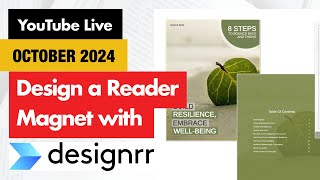
Julie Broad shows how to turn a book chapter into a reader magnet using AI tools like ChatGPT, Claude, and Designer. A reader magnet is a free item that gets people to sign up for your email list, and it works better when it's genuinely useful, not just a free chapter. She walks through creating a 5-10 page workbook, generating images, and setting up email delivery with ConvertKit.
Questions this video answers
"A reader magnet is something that you will offer in order to get people to sign up to your email list."
"Master nonverbal communication to boost your influence."
Angela@teambooklaunchers.com
Chapters
Hello and happy Tuesday. Let me just kick this off by saying, if you don't like AI, you will not like today's session because I'm going to be doing a lot with AI to help you create a reader magnet. Now, what is a reader magnet? A reader magnet is something that you will offer in order to get people to sign up to your email list. What we do not want to do is say, hey, download my free chapter. Hey, sign up for this free chapter. Or hey, get on my newsletter. What we want to do is create massive value so that somebody will feel like they absolutely have to get on your email email list and stay up to date. You can still use a free chapter, which is what we were going to do as an example today. But I'm going to show you how to take that free chapter and turn it into something that, that will be a really, really high value lead magnet. So if you're here, do say hello and dive right into the comments. As always, Angela's here supporting me. She's in the background so I can pull her to the foreground at any moment when she's unsuspecting. I'm kidding. I'll give you at least five seconds notice before I do that. Angela. You guys can't see her. I can see her. She's laughing. But yes, as I said when we kicked off, if you hate AI, you will not like today because I am going to be using AI tools to create this reader magnet. What we are not going to get into today is how to then set that up and basically how do you get people to download it, all that stuff. But what I will tell you is that ConvertKit now named Kit is our recommended tool for that. And Angela, that's actually a link I didn't give you. Um, we have a new link for it. You can go to book launchers.com forward/kit. That's our affiliate link. But we love ConvertKit for authors because it was started by an author, because the tools that were available just weren't good enough for creators and creatives building their platforms and their lists. So. All right, without any further delay here, I'm just looking at who we've got here. I don't know how to say your name. Lygia Ligia. I'm not sure how to say that, but hello and welcome. And it says you are only here for a few minutes, but it's great to have you here while you are here. All right. And I did have a few people leave, so apparently there are a few people who hate AI which is a. Okay. All right, so let me share my screen and I am going to just get right into the tool that we will be using today. And apologies, it looks like I've got a whole bunch of things open that are not what I want. So one second while I close a few things and I'm. And I'm glad. I'm glad you love AI that's great. Hold on, let's see. Your browser has blocked your screen. This happened to me last time too. So one second, let me close this out. Oh, weird. All right, this is also where I need interlude music. Something to keep you guys entertained while I allow will I get things sorted. So it will share my screen. Okay, so it should work now. Let me just stop the blocking and let's see. All right, this should take me to. I don't want that particular page, but it's the right tab, so there. Hopefully you are all seeing that. Yes, you are perfect. Okay, so what I did is I have Designer open. And so if you think about, let's. Let's create a reader magnet for our book. And so rather than saying, hey, here's a free chapter, think about the value that your free chapter gives. And so the example just giving. I was going to ask for examples here. So somebody has a chapter in their book that they'd like to give away. If you want to share what that chapter is about or the chapter title and a sentence, I can start to help you brainstorm how I would turn it into a reader magnet. But what I did in the meantime, so that I wasn't just sitting here waiting for people to type things in, I took a chapter from my book, the new brand you'd. Because many of you know I'm going to rework it into a book for author branding next year. And the chapter was how to make your words meaningless. The converse of that, obviously, is how to make a great impression and sell books and build your brand and all of those kinds of things. Right? So kind of if you take how to make your words meaningless and then take the, you know, in this case, what is this chapter about and what could I turn it into as far as a reader magnet would be. So that's how I would approach it. And so this particular chapter goes into, you know, things like body language and, you know, it talks about kind of what you say and how you say it. And so, you know, if you're not sure. So here's my. Again, I told you, if you don't like AI, this is not going to be the session for you. But what I like to do is if I'm stuck and I don't know how to pull, put on my copywriter hat and go, okay, what's the value of this? I would go into something like Claude or ChatGPT and I would say, okay, here's, here's my chapter title. Or even I would post a bit of content into ChatGPT or Cloud and I would say if I was calling, if I was making a reader magnet or a lead magnet out of this, what would you call it? And just see what comes up. And so I don't have that screen open. I was going to show you what that looks like. But you know, it's very simple. You just basically give a prompt. If I was, you know, or put on. This is how I would do it. Put on your copywriter hat and think about what, and think about lead magnet titles for this, for this copy that I'm dropping in here and then just see what it brings up as far as titles. And you'll start with something and you may not use any of it, but it's going to be an easier way for some people to then go, okay, oh, boom. That's what it is. So when I did this for the how to make your words meaningless, I'm just pulling up the chat chatgpt thing, it said, it gave me ideas, lead magnet titles for this, I gotta find the right one and suggest more. So I'm just asking it for a few more because it is telling me from stories to sales, how to keep your audience hooked and engaged from the power of presence. Master Non verbal communication to boost your influence. So let's go with that. We're going to call our lead magnet today, Master nonverbal communication to boost your influence. So this is my lead magnet that I want to now design inside of Designer. And so this is an. Angela can drop the link for you here in the chat. It's our book Launchers affiliate as well. I think it's only 29 a year. So you can imagine how we're not getting, we're not, we're not getting rich off referring you to this, but I always like to share the affiliate for those that want to support us. But also because if you ever have issues, we can collectively go back to some of these companies and go, hey, you know, this is an issue that keeps coming up and it gives us a little bit of clout when we can say, hey, look, we helped you, we helped you sell 20 copies of your software. Okay, so inside of Designer, I would go. They have lots of options now Word Genie is their AI writer. And honestly so far I hate it because you give it a topic and it will write. See, it says this tool will generate your ebook, title, outline and description, the first paragraph, each chapter based on your niche. Then the AI will finish generating your ebook. So why I hate it is if I said I'm just going to copy and paste this non verbal communication thing and carry on and it's going to generate and you can choose the sub niches in here and it generates a 50 page ebook. I mean it's kind of impressive but at the same time it reads like it was written by AI. You can't shorten it. Like and a reader magnet really shouldn't be 50 pages, it should be a workbook. It should be, you know, five to 10 pages of value so that somebody can read it, get a quick hit and then go, I need more from this person. And they want to buy your book, they want to learn more about your coaching or take your courses or those kind of things. So if you have a Google Doc, you could use that. You could create PDFs or flipbooks. Start from scratch. I think if you've seen my one video I did on my five favorite AI tools, which Angela, if you can find that YouTube video and put it in the comments as well. But importing from a blog or a URL is a great way to work to create this too. Today I'm going to start from scratch and I'm just going to drop it in here. And the reason I like the start from scratch version is, you know, if you've written an article or you're pulling from a chapter in your book, this is where you would drop it. And so I've got my chapter all queued up here. So I'm just going to copy and paste from my chapter. And here we go. So I'm copying and pasting it here. You could of course edit this further. And so perhaps after you've put all this in. So this is my chapter on. Oh, and I just saw a little page number thing. We don't want that in there. So if you. Oops, oh dear, my screen just went blank. So if you have anything in there that shouldn't be like this is a page number that copied over for some reason, I don't know why and I'll scroll through. So you don't want formatting things like that in there just because it will mess up your PDF when it generates. There's a few other little formatting things in here. I'm not going to worry too much about it because this doesn't have to be perfect for the demo today. But let's just say this is my chapter but I want to add something to it. So you know, maybe you're thinking this is talking about non verbal communication, but I want some more recent research because in my case this book came out in 2016. So it's getting old now. It's getting a little long in the tooth as they might say. So my one of the tools that I love for quick research is perplexity. So I can ask it a question like can you give me some five examples of non verbal communication that will showcase confidence and professionalism. There we go. See it even suggested I was like I need a word. So it's going to tell me professionalism. Perfect. And so then it pulls up sources. So this is why I really like perplexity. It's perplexity AI. So it'll give you five examples of non verbal communication and then underneath or not underneath up here it shows you the sources so you can see where they got this. So now I've got, and it puts them in here. So you've got all of those. So now if I wanted to add this to my, my article or my, my lead magnet, I could copy and paste this and then work that content in to my lead magnet here. So just if you're feeling like you need a little bit of extra research or a little bit of extra content, I love perplexity for that. So now I'm gonna choose a template and I'm going to come and talk to you guys in a second and we're going to draw names. So if you haven't said hello yet, definitely say hello. And I'm just going to go business here, save that. And it's going to give me templates. Their templates are hit or miss, so it's nice to have templates to work from. But some of them, you know, there's lots. Sorry, I'm just scrolling through fast to show you how many different kinds of templates they have for this creation. And you can again, not something I would recommend you do, but you can print right to a Kindle a Kindle file so you can print right into something that will go onto Kindle from this. I believe you have to be in their higher tier service for it. So just looking at all of these choices, right, there's so many choices I want they have one that's called plain vanilla. I don't, didn't See it when I was scrolling. That's the one I want just for the example today. So I'm going to choose this template. You can preview it in PDF if you want. You can view it in the web. I'm just going to go ahead and use this template. And so while that is generating, because it does take a minute to generate, let's just see what you guys are talking about over here. And Kevin is in the house. Hello, Kevin. All right. And Darla's here. Great to see you, Darla. All right. Just also seeing if anybody had any titles or chapter ideas here to see in. Let's see, launch my book about grief. Will all these links be available after the presentation? Yes. What we do is Angela kindly collects them all and she sends them to me and I put them in the description below right after we are done. So they will absolutely be there. All right. There's only three people who've said hello so far. So if you are watching the replay, you can still get entered to win, which we're going to do right now. Every Tuesday and Friday a new video comes out. And when you comment the day a video is released, you get entered to win some of our hashtag NoBoringBooksSwag. So we have our oh so soft journal which is super soft. And you can write all your brilliant ideas in this journal. You also can be entered to win our noboringbooks, mug and copies of Self Publish and Succeed or Self Promote and Succeed. So I'm going to go ahead and I am going to share my screen again and enter and everybody who has put their name in in the last month actually because Shane and Angela did our live a couple weeks ago when I was away and they did not have the list of names because I didn't give it to them and so they were unable to draw the prize. So I'm going to make sure we make up for that today. So this is the ebook. We'll come back to that in a second. Here's our random name picker with all of our names from the last month that are in the prize draw. So let's go ahead and grab our first winner. All right, so thank you, the Escapist, for commenting the day a video was released. What you need to do to claim your prize is email Angela at Team. Let her know your mailing address and which prize you would like. If you are outside of the United States, then you will be choosing from the journal or one of my two books, Self Promote and Succeed or Self Publish and Succeed. The mug is not an option outside of the United States, but let her know which prize you would like. And while I'm here, I'm going to go ahead and draw a second name so that this is done. And maybe we'll draw a third name just because Angela and Shane didn't do one. All right, Scully. Pop. I don't know if Scully's here today, but Scully usually tunes in and catches all the videos. So, Scully, and you may have actually just won recently again, but you're on a winning streak, and that is okay. So teamoklaunchers.com let her know which prize you would like, and let's do one more, and we'll call it a day for these prizes. And then it's just up to you folks that are here live to comment. And we'll do our participation prizes shortly. Okay? And our final winner for commenting on the videos, Stella. Yay, Stella. I don't know if I saw Stella say hi today, but Stella is always around. So, Stella, let us know what prize you would like and email Angela your mailing address and your prize choice. All right, thank you, everybody. Now, designer, this is what it produced. So plain vanilla. You obviously would change that. I don't know why it does this to me. It should be putting the title here. That would make more sense to me. But anyways, it does what it does so you can edit. See how it's just like a word document. Editing this down. Anyways, I don't like what you're doing. Here we go. Master to boost. Now I gotta change the color of that. That needs to be white. Did it change? Nope. Right now it's got my text. Oh, now the text is white. There it is. When you know it, it didn't show up. It was underneath. That's why. All right, so you can see it's not done, done, done. There's things to do. And you might want to put. Put my name down there. You might want to put an image on here. So now you can go in and you can see. You can embed video. You can put a QR code, you can have call to actions CTAs. Or you could put a media object inside of there. So see, it says you can simply drag this element over to your project. So there we go. Oh, it won't let me do it on the COVID So here we go. Media object. So it put that in there. But let's say I wanted to make a. Put a picture in there. Now I can swap it out. It says make this a placeholder image. So I Know I need to put something in. I don't really want that in there right now. Get out. Okay. I don't want that in there either. Okay, so you can see. And then I put text in there too. Thank you for that. Okay, so then you can start formatting. So this is not. And I picked a really. I picked a plain vanilla template. But you can see how it's created this. And if you pick a fancier one, it puts images in and it does more headings and things like that. But it also took URLs from inside of my. My chapter template and put it there. And so you can scroll through and just make this your own. So you can see it's got layout choices here. So you can. You can turn it into two columns. You can do images. You can even pull from a template or change the template. And you can see here it's got epub. So if I wanted to turn this into something to go straight onto Kindle from here, I could. So let's say I want to change the template. I like though. This is too boring. Right? So now you can look at these other templates and see. And see what is here. So let's just see what do we want? Let's go with this one. Okay, now I can view in. So that's what it will look like. That's the preview in PDF format. And so you can progress in here. And you could switch templates if you wanted to. So you're not happy with this. So it makes it so easy. And then what I would recommend everybody do is on your very last page, you put some information about your book. You could even put links to buy your book. Here you can put about you, your website, another call to action. Maybe you have a course course. So you can put that here at the back and then you can publish it and go from there. So it's a really, really simple tool with so many options, images. So one question that came up when I was showing this before is images. And so you can. It has a database of images. So it's suggested images over here. So I could immediately. It says influence. I do not know why it has a Lego picture, but if I wanted to, I could use this little Lego minifigure picture. I could put that in there. Or let's say I didn't. I want a different image. So I could go back here and I could. It's given me suggested images, but I could also search for other images and put them in there and use those images. The other thing you can do. And I think, yes, I will stop sharing and switch over. So one of the other things you can do is you can produce your own images and you can do that. Let's go over here again. For ebooks, you. You can't do what I'm about to show you for your book per se, because there's some copyright potential issues, but for creating it for a free ebook, because you're not. It's not for sale, you can do this. And where is it? Here we are. So inside of ChatGPT, you can. Let's go create a new. Okay. So you can ask ChatGPT for an image. So let's say I wanted a picture of a confident woman talking to a group of people. She's a professional and is well dressed. Just making stuff up here. And I want this picture because we're talking about body language and influencing and things like that. So it'll produce. Just by asking ChatGPT for this, it will produce an image. If you are more sophisticated, you can do this in mid journey. Midjourney gives you a lot more image options, but midjourney requires you to have discord, and it's a lot more complicated. So this is great. You could say, okay, that's good, but I want her to be facing the people and I don't want them sitting down. So you could, you could then revise it from there, or you can say, okay, that's good, but I want her to be older. Show me an older woman with glasses and those kind of things. But now you can download this image and you can go back into your file that you've created the designer file and upload it and, you know, build out your file that way. Inside of designer, you can also embed videos and do so much more. For me, I'm still sending most of my materials over to our graphics designer because I start fiddling with it and it just, it takes me a lot of time to fiddle with it. But for people who want to create their own lead magnet or reader magnet, and they've got the content and they can do this efficiently, I think it's a great, a great, great option for you. Again, I wouldn't use their Word genie. I don't think it's very good at this point. But creating quick PDFs or even epubs from this, if you've got a very simple file, I think this is a fantastic tool for a quick solution. All right, let's see. Susan, I was thinking of magnets related to my work in progress. Thought about making handouts of some of the information from the book that can be shared. But I feel like I need more than what's. Just what's in the book. Yeah, and that's where I was saying you can even pull from other resources and do things. I don't know if you were here, Susan, but I was showing perplexity. So let's say I have a presentation coming up next week, and I don't, and my book's not ready, but I want to a, collect email addresses and, and B, even get feedback on some of this content. But I want to make sure this is a really good value add resource. And so one of the things that you can do is you can take your chapter or your section and again, what you want to do is make sure that it's a value add type thing. So again, when I, when we started, I was talking about the examples of, you know, I had put it into ChatGPT and I had said, you know what? Put on your copywriter hat and think about lead magnet titles for this section of material. And it gave me a list of reader magnet material here. One second. Let me open that up for you. Because I didn't show this when I was doing it before because I had my designer screen open already. So here's some of the lead magnet titles that it had given me, you know, from this. And I could say, okay, okay, these are great, but what would be the most valuable to an audience of physiotherapists who wanted to write a book? I'm just making. I probably spelled that wrong. Okay, so then we'll see what it says. From clinic to bestseller. How to write a book that elevates your physiotherapy. Okay, now it's gone. Now it's gone on a to. I mean, so I have to go back to it and say, okay, Oops. Okay, we'll see what it give if it can do this. Here we go. There we go. Okay, so beyond words, how body language can enhance your storytelling in a physiotherapy book. Right. So I was forcing it to kind of go take an angle. But then what I could do is I could now go, okay, I don't have enough content for this particular audience. And then what I was saying you can do is take this section, you can put a little piece at the bottom that says, yeah, I'm looking for your feedback. But the big thing is you want people to find value in it to begin with, so give it to them there. And then you can go into a tool like Perplexity and go, okay, now I need five resources of what would matter for physiotherapists or how can I find out more information about physiotherapists who want to write a book or. My example's kind of taken a turn. If you guys have a specific example, I have a few minutes. We could dive into it. Yeah. And so Susan says, my Chatty Kathy from ChatGPT is a great brainstorming partner. Exactly. I just like it because I don't have to sit there for a while and be and have a blank thought. I can usually take it and go, okay, that's not bad. And it gives me somewhere to start. You know, for me, it's that blank page. The blank page thing takes me a long time to get over sometimes. And just by going straight into ChatGPT and brainstorming, I get somewhere to start with. And then I. The tool that I showed you before was perplexity. If I need resources or sources or more ideas on something, I'll go into perplexity and get a lot more information. And I'm prepping a talk for Author Nation, which is here in Las Vegas in November. And I know some of you are going to be there and in. As I was prepping the talk on the weekend, I was thinking, I wonder if there's any other ideas for. My talk is essentially about using free books, so giving away books to grow your business and your brand. And I was trying to think mentally comparing a free ebook versus a 99 cent giveaway. And I thought, you know, I'm probably missing something. And so I went into perplexity and I asked it and, and it gave me so much information. I'm going to see if I can actually even just show you this, if it'll allow me to share my history. Hold on. And show you. Because it was great for my, my brain. Again, I didn't, I didn't really use what it gave me, but I went over it and I checked the sources and I was like, oh, wow, that's something I hadn't thought about. Let me see. Trying to see if my history is here. Maybe it's in here. Might have been. No, that wasn't it. Values. No. Oh, maybe. Is it this. Issues with Amazon ads. Sorry, I'm just checking keywords. Oh, that wasn't it. Ah, here we go. Here it is. So this was my question to it. What are the pros and cons of doing a 99cent ebook sale versus a free ebook giveaway to grow a brand and a Business. And I just love. So first of all, it gave me all of the sources that it got from that. So I can also go through these and say, okay, I trust this source more than that source. You know, not that I don't necessarily trust somebody's blog, but I'm more likely to trust, you know, if Kindle printer is up here. I saw that up above. But then it broke it down really great. It was like, 90 cent ebook sale. Here's your pros and cons. Here's your free ebook sale, pros and cons. And then it says considerations and recommendations. So for me, this was great because I went through it and I went, oh, I didn't think of that. And I was able to go back into my presentation and add that particular piece to make sure that I wasn't missing something. So, you know, that's one of the reasons why I love Perplexity for. For those kind of things. All right, we are going to do a draw for those of you participating. I should have done it while I had the screen shared. So if you haven't said hello yet, now is your chance. And then we've got time for Q and A. So I know Angela's got them all queued up and ready to go there. So I will do the draw for those of you participating and saying hello. So far. Where did I go? I've lost my screen. What did I do with it? Sorry, I messed myself up when I. Is that it? When I opened up Perplexity, I messed up my screen. So I have to go back and fix this. Is that it? No, that is not it. What are the issues? So that's what I'm looking for. Okay, apologies. I messed myself up. Flipsnack is a fun and interactive PDF maker to play with. Yes, that is also another good one. And. Oh, hello. Hi, Jan. Oh, now we got people more saying hello. So it's good. I'm doing you guys a favor by struggling. By struggling over here with my. That's not it. Oops. Okay, sometimes, sometimes, sometimes. Okay, let's just close out that and this and go to my giveaway tool. That should make this easier. Okay. There I gave you guys lots of time to say hello so you can get entered to win. And now my browser got blocked again. Oh, the fun. Oh, the fun. Angela, I might need you to do the Streamyard share the giveaway tool because it's now I've managed to block myself out. So just streamyard.com forward/giveaway, and then draw from today's and Then you'll have. You can just share your screen, I think so that we can do that. And while you help me with that piece, I will answer questions if I can find where you guys are hiding. Now I've lost you guys. There you are. Hello. Okay, so Angela's doing that. Do you have. Do you have a question for me to do while you bring up the giveaway tool? All right, so with designer, do they do the layout design? So if you're asking for full book stuff, no, they do not. They will do ebook stuff. Again, I personally would not use it to publish an ebook to Amazon, but we have very, very high quality standards at Book Launchers. And every book is custom designed. So if you are a fiction writer and your book is very simple, I would probably consider using a tool like Atticus or, you know, there's Vellum. Those kind of tools will allow you to do a simple layout design designer or will produce an ebook and you can upload it to, you know, for Kindle. But I don't love it for a lot of reasons, especially as you get into longer, longer designs and it does not do print books. So it would only be for an ebook. But simple ones I guess you could do at that point and, and take it from. Next question. Or if you've managed to get the screen, you can't get it to work either. Oh, she just said, okay, you guys can't see her. Only I can see her. In the meantime, Denise got here. Oh, she brought herself on. There we are, Angela. There we go.
I couldn't figure out how to put. I forgot how to put myself on screen. So I was like trying to talk to you and it was not working.
That was the last question.
But let me, let me share screen, screen. Or at least the last question that I've seen, unless a couple came in. So the first prize was actually, I don't know how to get it to share screen. This is the first time I've had it present.
Go Present. In the bottom corner. In the bottom, your screen.
Okay, perfect. It's easiest with two monitors. I'll say. Okay, so the first giveaway was actually me. So we're going to draw again because I can't win. So can you see this, Julie?
Yes, we can see it.
Okay, perfect.
Go. Drum roll. And Susan, congratulations. So you know the drill, I believe. But email Angela. You might as well leave that screen open. We'll do two. We'll. We'll do both right now. So email angelaeamooklaunchers.com and let her Know if you want the mug the journal or self promote and succeed or self publish and succeed. And we'll do our final draw as well for the day. So thank you for being here, Susan. Always great to have you. And we'll see who our second winner is and then if anybody has questions. Oh, Denise, congratulations. Yay. So, Denise, same thing. Email Angela@teamoklaunchers.com with your mailing address because she doesn't know where to mail it if you don't give her that and your choice of prize and she'll get that out to you on her next post office visit. Which, you know, might be. It might be after the hurricanes. Yeah, it might be after the hurricanes because she is not in the path, but she is in Florida. So her adventure to the post office yesterday took, I don't know, four times as long as it normally does. So we'll just tell her to stay home for now. Benny's here from Texas. Yay. So if anybody has questions, I. A couple more minutes for questions. Otherwise a couple things. So while I'm giving you guys a chance to do questions, there's Angela just saying goodbye. So while she or, well, you guys come up with any questions you might have, I want to tell you about a new community that we have started. If anybody has heard of school, we're moving our author business accelerator onto school, which is a paid. Which is a paid group for people who have books that are out and they want to monetize their book. You know, you can always email us about the Author business accelerator. But I also created a free community and it is bare bones right now. We are just building it out. But I wanted you to be the first that I invited into this and I will show you really quick while Angela will. Oh, no, it won't let me. It still won't let me share. It's completely blocked. Come on. I don't know why it is blocked. Can you bring up the school link on your screen, Angela? Sorry, it's. I don't know what I did, but I managed to completely block myself from being able to share anything.
Are you talking about the school?
Yeah, yeah. That you shared. I want to show on the screen and just tell people really quick what we're creating. And while it's. You guys are welcome to use that link to join today. Again, it's free. It's going to have. It has a calendar already set up so you can see. So if you go into our calendar. It has yet. Thank you. So it has. And I'm going to Put our lives, our Tuesday lives that will be there. It will have the link to Streamyard or not to Streamyard, to YouTube in the Tuesdays that we have our lives. It has our next deep dive. You can see that in there on October 19th. It, it cooperates to your time zone. So for Angela, she's in Eastern Standard Time, so it's showing 1pm for me, it's 10am Pacific Standard Time. So you'll be able to click onto these things. So it will show our events that we have going on. And then, and then so what we're going to be doing is I'm also going to start building out the classroom portion. So if you click on the classroom and so what we'll be doing is we I have a course here that I'm just going to upload and give everybody for free and then we're going to take you on our no boring books journey to write a book. And again, it'll be kind of like we've done with our deep dives in the past. You can join in live for that month's training and then future recordings will be available as a full basically course inside of this over time. And then you can purchase the course to have unlimited access and get some additional resources and tools that will go with it. But there's also the Community tab, so you can post, you can say hello, you can ask questions and we'll be like I said, there's not a lot here yet, but you are welcome to join in and start posting and commenting, supporting each other. And it's just another way that we wanted to kind of extend what we do with our lives and give everybody a chance to interact with each other and give you a few more resources. And I love the calendar so that you all know when we're going to be live so it's easier for you to participate. So there you go. And it doesn't look like any other questions came in. So I think with that we will wrap it up. It looks like Susan says for those that have Canva Pro, you might want to explore some of the interactive PDFs and flipbooks and that, yes, that is another good tool. What I like about Canva, they also have the AI image stuff built right in. It's not great, but it is. You can type in what you want for an image and it will design it. And I'm sure that's just going to get better and better as well. So Canva Pro can be great. Canva's raising their prices. I think it's starting to get pretty pricey for people who are casual users of it. But it's, it's a better all in one tool if you are doing a lot of design elements things. So, yeah, thank you for that. All right, everybody, so we'll be back here in two weeks. And in the meantime, make sure you've got the deep dive, which is part two from last month of our author branding session that we were doing. So we'll be finishing up all of the stuff that we did not get to finish last month when we did the deep dive that's happening on October 19th at 10:00am Pacific Standard Time. All right, thanks, everybody. Have a fantastic week, and thanks for your help. Angela.
More from Julie








Should You Skip Amazon When You Publish Your Book? #digitalmarketing #amazonauthor

