Building an Amazon Alexa Skill in a Day
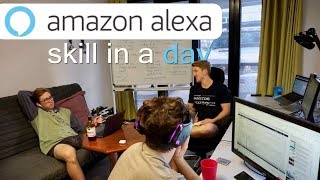
Three friends build and publish a fitness Alexa skill called 4 Minute Workout in one day. They set up intents, utterances, and Lambda backend, test voice interactions in the developer console, and submit it to the store. The skill targets young adults wanting quick equipment-free workouts with 30-second work and rest timers.
Chapters
Alright, it's Saturday, 25th of August, 2018, and we wanted a challenge, right? Us three. What's the challenge, Josh? Publish an Alexa skill in a day. In a day. So we want to get— our goal is to have an Alexa skill from scratch. How much experience you have building Alexa skills? How about you, Xan?
I've got absolutely zero.
Zero experience, right, building Alexa skills. But we figured out, why not just set ourselves a challenge to get one on the store by midnight? Alright, so that's our goal. We want to click publish on our skill by midnight tonight. The time is 12:55 PM, so we've got about 12 hours, give or take. We've broken it down into 3 stages. We want stage 1, which is all about planning, right? We want to ask ourselves, who's the end user? Because ultimately we want to design it around the end user so they get the best experience possible. We can have a great idea in our head, but if it doesn't function well with the end user, then it's not so much of a great idea. What does the end user want? All, remember, it's all about who they are, what they want. That's what we're designing for. And what is the theme of the skill? So we do want to design it around the end user, but to give us some guidelines, we want to have a theme for ourselves. And that's where it comes into stage 2, which is build and test, of course, right? You can't have a skill in the store unless you build it. So today will be a lot of We've done a lot of this in our head. Today will be a lot of building it, testing it, seeing if it works so we can get to that published goal. Now the theme for our skill is gonna be around fitness, 'cause that's what we enjoy, right? We love working out, we love health, we love technology. So we wanna mash the two together, make an Alexa skill themed around fitness. And who's our end user? Well, we've defined it really, really basically. We've created a profile of people like us, so young or, people maybe a little bit older in the age bracket, probably around 20 to 35, around that age group, who want to work out in their room quickly with minimal equipment. So that's what we do. If we don't go to gym, we work out right in this room. So we'd like— we're essentially building the skill for ourselves, something to run us through a workout in the room quick and what we can do together with zero equipment, just the body weight. And then stage 3 is of course publish. That's the end goal for today, is clicking that publish button by about midnight tonight. Or if we have to go to early hours in the morning, we will. No worries. Promote. So publish your skill, promote. How are people going to know that our skill's out there? That'll probably be some, some sort of Facebook advertisement, Instagram advertising, our various own social media platforms, but that'll be something we look at after publishing. And then of course, PPI: publish, promote, iterate. Iterate The first version of the skill will likely change. So no matter what we build, it's always gonna keep coming back to who is the end user, what do they want? So we need to keep asking ourselves that question, even once we've got it on the store. Get some feedback, get some analytics, how are people using our skill, what do they want from it? So that's gonna be the final stage. Publish, promote, iterate. Let's do it. So we're going to spend the first hour, which is that Stage 1, which is defining— well, actually, sorry, the first hour we're going to go get ourselves familiarized with the Alexa Developer Console. We've done most of Stage 1 in our heads, so now it's about familiarizing ourselves with the Alexa Skills Kit Developer Console and some YouTube videos on how to actually get a skill done. Alexa, 1-hour timer.
1 hour starting now.
Time is done. What have we been going over?
How to make an Alexa skill, really.
What's the YouTube series? We found a YouTube series which is actually amazing, so it's, it's just Build Alexa Skills from Scratch. By what? Yep, so, so what? There's two parts, two main parts to an Alexa skill, right? It's the front end, and what's the back end? AWS. They use all their native stuff. Yeah, and what's, what's the function called? It's Lambda, isn't it? Yeah, Lambda. So what we figured out is that there's this main concept to building. What they recommended starting with is an ideal script. Did you guys see the script part? Like start with the script?
Oh yeah, of like what to say and how it responds.
Yeah, what is, what is the script? What's an ideal script? It's like what, what your skill wants to, wants to be. Yeah, yeah. So an ideal script would be what does, what's an ideal use case? So once, if you were to build it, what, what will the user go through? So we, I started out by listing what ideally I'd want our our skill to look like. So this is it. Mine is simple: Alexa, start a 4-minute workout. And then Alexa would say these things. And now ours is going to keep going off all day, so we might have to turn that off until we're finished. And then it would start, say, start— starting a 4-minute workout, your first exercise is this, countdown, and then keep going for 4 minutes. So our next step is, now that we know a little bit more about the front, the front end of what Alexa skills are, which is actually, it's actually really, really quite innovative what they've done. You come into the Alexa development console and you start out here by building a skill with an invocation name. So how would your skill get triggered? How does Alexa know to start up your skill? Intents, samples, and slots. So intents are something like what a user wants your skill to do. So, for example, one of our intents would be to start the workout. And then there's a part of intents called utterances. Do you know what an utterance is?
Something someone would say to trigger the intent?
Correct, yes. So, an intent might have several different utterances. So, there's several different ways. So, say you had a guitar playing skill and you're like, "Play me an E," or "Play me a G," or "Play me a note." So, ideally, you'd have several different versions of utterances per intent, and you'll figure them out by doing testing and whatnot. And then slots are parts of utterances which will regularly occur. So, say, back to your guitar playing skill, say you wanted it to play a G or an A or an E, all those letters would be notes. So, you could just sub it in, create a slot for a note. So our next step is figuring out how we want our skill to play out. We're trying to keep it as simple as possible, right? So building the easiest version of it first and then launching that and then testing it to see, see what we can add to it.
Yeah, so if I say play an E, then it'll play an E, whereas I don't know what to do for a workout.
What do I put in?
All right, so we've made some progress. Check out this. Let's test it out. So if we go into here, we can let Alexa, the website, use our microphone, the developer console that is. Start 4 Minute Workout. It's gonna synthesize our test. We've turned Alexa off over here, by the way.
Welcome to 4 Minute Workout. Ready to start?
Then we reply, yes.
Okay, your first exercise is push-ups. Let's go.
And that's about as far as it goes for now, but the next stage is implementing different exercises and time slots. We want it to go for 4 minutes total, ideally something like do the exercise for 30 seconds and then it says to break, and then it'll say another exercise name. Josh, any, uh, any progress on the break timer? Well, the break timer only goes for 10 seconds, so we have to find out a different extend it, extend the break timer. Yeah, how about you? How's Prague?
Pretty good, I'm just trying to figure it out. It's been a while since I've coded, but the boys helped me along very well.
How are the guides?
Very, uh, useful. I had a little bit of a confusion before, I think I clicked the wrong skill set, but, uh, luckily Daniel was here to help me fix that.
We're a team, man, let's do it! All right, we're gonna make some progress on this, add some exercises, add some rest timers, and then our workout for this evening— we said we're not going to gym unless we, we do it through our own skill. So that's the goal, and I really like working out, so I gotta— we gotta get this skill on the road. On the— on the road.
Welcome to 4 Minute Workout.
Ready to start? Okay, your first exercise is plank. Let's go!
What? Choose just one of these exercises at random.
Okay, your first exercise is squats. Let's go.
Put a break after she says squats instead of— so it's not let's go to the user experience is a bit faster. Put like break 2 seconds or 1 second so it's just— it's not like squats, let's go.
Okay, your first exercise is push-ups. Let's go.
Is it a push-up? Let's go. That's natural. Are you cheering because we've almost got our skill on the store?
I definitely am.
Good, because check it out, look, we're filling out the English US store preview we gotta do a title, we called it 4 Minute Workout, a little sentence description, yada, yada, yada. We've got some logos here as well. Check those out, nice and simple, which we've built on Canva. There we go. So if you see this on the store, it might change, but that should be hopefully on the Alexa store at some point by the time you watch this video. We've also updated our Lambda function. So it's gonna run through some instructions here. We've kept it nice and simple. I think it's time to test it. Who's ready for a workout?
I definitely am.
4 Minute Workout, let's do it. Let's see. I've been trying to get it on the actual Alexa device, but there's been some compatibility issues with the beta, so we're just going to run it through the Alexa Developer Console portal.
Welcome to 4 Minute Workout. 30 seconds of exercise, then 30 seconds rest. Repeat 4 times. Ready to start? Okay, your first exercise is lunges for 30 seconds.
Jesus Christ.
Ready, set, go!
All right boys, 30 seconds of lunges, let's do this!
Alternating legs, you know the drill.
20 seconds remaining.
Oh, only 20 seconds, are you kidding? Gotta rest it up, get limbered up. All right, that's it, jump's coming off. What's the second exercise? Actually, what am I doing? Let's just move it here. It tells you how much rest you've got left, how much time you've got left per exercise.
10 seconds of rest remaining.
We need to put some sound in here for the rest time.
Okay, your second exercise is squat jumps.
Squat jumps, Jesus.
Set, go.
Oh, holy Jesus.
All right, 30 seconds rest. Sucking in. 2 exercises down.
Okay, your third exercise is sit-ups.
Oh, sit-ups, the holy grail. Missing out on time.
Is it 10 seconds yet?
Oh, thank God. Oh, last exercise, fourth one.
Yep, call it.
What do we got? Star jumps.
Did you say star jumps?
No, I know, he'll tell us. Dude, imagine 30 seconds of push-ups, bro. Do a walk.
Okay, your fourth exercise is sit-ups.
Sit-ups again, come on. So I'm gonna be shredded AF after this. Alexa, in Alexa we trust. Who needs an app, KingPro, when you've got Alexa? I didn't realize how painful on the lumbar, uh, sit-ups are.
If you haven't—
10 more seconds.
Stop. 30 seconds rest.
30 seconds rest.
Josh, you don't get me.
Breathe them in. You get me? Tell me. 4, 4 exercises. How we feeling?
Yeah, geez, that was tough.
Nice and easy. We could probably put some sounds in between each of the exercises to make it a bit more interesting.
I'd love to start every morning like that. That simply, yeah, just asking it to do it.
10 seconds. Yeah, what you can do, we've got 10 seconds rest and then there's a little—
Have a nice day.
Hey, have a nice day.
Thank you Alexa.
Imagine starting your day like that. You get up, Alexa, start a morning workout. It goes through that. And eventually we want to be able to iterate so you can choose the duration and choose the rest time. Say you wanted to do a bit hardcore and do 20 seconds on, 10 seconds off. But for now, that's it. We're going to click publish and see if it makes it onto the store. But that is how you build an Alexa skill in a day. And now we're up to publish. We're going to do that in a second. Promote will be next. We've got to work that out somehow. As soon as, as soon as publish is done, we can figure out how to, how to promote it properly because we want to— if it doesn't get published, then we have to fix it and then promote it. And then of course iterate, iterate from ourselves. We can test it, keep working out. And of course, if you have any feedback or if users have any feedback, we'll implement that in. So how's it feel, boys?
Yeah, good.
Alexa, Alexa developers. It better get published. That's my aim.
How can I help?
You can help us by getting fitter. As soon as our skill's on the store. Peace out.
Thank you.
More from Daniel

Small Language Models (SLMs) Are the Future: Fine-Tuning AI That Runs on Your iPhone

Introducing Sunny - A MedGemma-Powered Skin Health Tracking App (Kaggle Competition Entry)


Benchmarking: NVIDIA DGX Spark & NVIDIA RTX 4090 | Part 4 - Comparing the results

Benchmarking: NVIDIA DGX Spark & NVIDIA RTX 4090 | Part 3 - Running LLMs on the RTX 4090

Benchmarking: NVIDIA DGX Spark & NVIDIA RTX 4090 | Part 2 - Formalizing the tests

Benchmarking: NVIDIA DGX Spark & NVIDIA RTX 4090 | Part 1 - Creating a series of tests


Local Multimodal RAG on the NVIDIA DGX Spark | Part 4 - Publishing our demo to Hugging Face


Local Multimodal RAG on the NVIDIA DGX Spark | Part 3 - Putting it all together