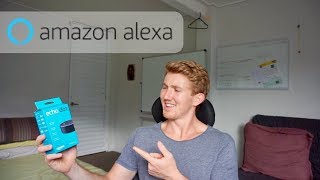
Daniel Bourke builds his first Alexa skill, a Nutrition Facts database, using the Alexa Skills Kit and AWS Lambda. He walks through the setup, shows the JSON code behind it, and shares resources from Amazon and Codecademy for learning voice interfaces.
Chapters
We are on to a brand new section of the AI Nanodegree, Voice User Interfaces. Before I show you what I've been getting into, I haven't heard back yet from the internship that I'm involved in, or supposed to be involved in this week, so I'm not entirely sure what's happening next. I did send an email earlier today reaching out to ask and let them know my availability, and I think that's a tip, that's this episode's tip, is don't be afraid to follow up. So if you meet with someone who's, especially someone who wants to help you, or someone you think you can help. Just because they haven't reached out to you doesn't mean that you can re— you don't have to, or you, you aren't allowed to reach back to them. Follow up with someone to show that you care about the relationship that you're for— forming. A few typos in that message, but that's the tip. Follow up. Now, voice user interfaces. So I've been going through this classroom on Udacity AI Nanodegree. Did the welcome, did the Overview, applications, Alexa skill, conversations with AI with Alexa, VUI best practices. And what's a VUI? Well, a VUI is a voice user interface. What exactly is a voice user interface? Well, have you ever used Siri or Google or Alexa for that matter? It's the interaction you have with that smart speaker. So it's not just replying back in a robotic voice. It's natural language. And that's the epitome of what a voice user interface is. So if I was interacting with a speaker, it's exactly as if I was talking to you or talking to someone else. That's the pinnacle of voice user interfaces. I'm up to the lab, which is essentially building an Alexa skill. Now this is the workflow here. We have the Echo device, and then we have the speech recognition, natural language processing, text-to-speech, all through Amazon Alexa, and then it goes into a Lambda function, which is essentially a bunch of computing power on the cloud, just think of it like that. And then it goes to the Alexa Skill Kit, and then it goes to the Alexa app, or it goes to the speaker. So this is a two-way arrow here, and these are all two-way arrows actually, and you can go back and forth. So I'm really keen to try that out. Oh, and one more thing, I've got a message from my mentor. Let me just show you what this looks like, exactly what this looks like. I told her that I passed the capstone project. That's awesome, congratulations, all the best for VUI. Thank you so much, Ayushi. Shout out to Ayushi. She's awesome. And I've got something to show you. It's a UE Megaboom 2. Not that one. Oh, what's up future Dan? Show them the smart one. Yeah, you're right. Let's show them the real one. Time to play with Alexa. Do you have these things in the future? Oh yeah, you wait and see. It is— oh, I can't even explain it to you. Imagine that thing and it's just everywhere. Get on the bus, there. Get to a hotel, there. Go to a friend's house, there's my voice. Your voice everywhere. That thing's just the beginning. Now that's cool. Let's get it open. Some cool packaging, I like the blue. What's it say? Designed around your voice, add voice control to your Bluetooth speakers, far-field voice recognition, voice control for your smart home. Cool box. Here we go. It's so small. It's like the size of— hey, hold on, I know what they're doing here. They're just making a mini version of the UE Boom. So that's it, and I think we have power cable and power brick. Apparently I just have to plug it in and say Alexa. Let's try it. We're about to awaken the beast. Good timing, my dogs are barking. You should be alive. I should probably turn it on at the wall. Alexa, come alive. Thank you. Please wait as your operating system is initiated. Alexa, live. I don't know, am I supposed to do something? Alexa, are you alive? Hello, I'm here. I probably need to connect it to Wi-Fi.
Wi-Fi isn't set up on your Echo Dot. For help, go to your Alexa app.
Be right back. I've got the Alexa app. Time to sign in. We're in. Welcome to Alexa. Thank you, thank you, thank you. We have an Echo Dot, English, connect to Wi-Fi.
You've connected to Echo Dot. Go ahead and finish the setup in your Alexa app.
We're ready to go. Alexa, tell me a joke.
Ever heard of the band 999 Megabytes? Probably not. They've never made it to a gig.
Haha, you got me. Alexa, what's the weather like?
In Sandgate, it's 27 degrees Celsius with intermittent clouds. Tonight you can look for lots of clouds with showers with a low of 21 degrees.
Thanks, Alexa. That's really cool. It's like a version of Siri, but the fact that it's always on and I don't have to say the word "hey" in front of it, I mean, it's only 3 letters, but the fact that I don't have to say it, it's just, it's even more accessible. But I'm more excited than, rather than using it, than to build some stuff on it. So that's, that's the project for the classes I'm doing on the AI Nanodegree. So that's what we're going to get into, and as soon as I'm done, I'll show you what it's like. P.S., if you want to build your own Alexa skill, I'll put a little guide in the description that they— Amazon themselves have published. It's on GitHub. Check it out. There's a link in the description for that. Alrighty, so we've made some progress on the Alexa Skills Lab. I've officially got my first skill on the Skill Store. We've got Nutrition Facts, Mr. D Berg Studios, but it's still in beta mode. You can see that little Dev US sign on the the bottom left of my skill there. It's still really basic. And now this is the AWS Lambda platform, which is essentially how your skill runs. So you've got the skills kit here, and then you've got nutrition facts, which is the knowledge, and then you've got the server logs here. But how does this work? Well, essentially it's just some JSON code here, which is JavaScript, and I'm creating a little database of nutrition facts. So there's one for you. A gram of protein has 4 calories in it, and you can fill this up, and the idea is to be able to ask Alexa to reiterate some of these facts directly from this database in natural speech, which is amazing. This is the Alexa simulator in the Alexa developer portal. Let's try it out. Open nutrition facts. There's one I tried earlier.
Here's your fact. A gram of alcohol has 7 calories in it.
Oh yeah! But then we try it on the real thing. Alexa, open Nutrition Facts.
Sorry, something went wrong.
So I haven't fully got that connection down pat yet, but I've been going through another tutorial aside from the GitHub one I linked before. This one's on Codecademy, so I'll link it in the description as well. I'm finding it another great way to learn how to make Alexa skills, and check this one out. Alexa, open Codecademy.
Welcome to Codecademy.
So that's just a really entry-level skill just to get your feet wet, just to try it out, and I'm having so much fun playing around with this new interface. I mean, Voice is such a baby platform, and you guys know how much I love nutrition. I mean, that's one of my missions, right, to use AI to help the world move more and eat better. And so if I can start by making a simple little nutrition fact app on the Alexa Skills Store, Well, that's a foot in the door, right? That's a step in the right direction. My next goal is to fix up my skill, to make it actually usable. As I put the finishing touches on this video, I'm reading through all the comments from Learning Intelligence 27 where I told you guys about the internship, and it's blowing me away. I'm truly, truly inspired by all of you guys. Siddharth, Yash, Shaikh, Ajan, Empiricist. All of you, I know I'm missing some comments out because there's so many. I'm just absolutely blown away by your support. Thank you so much. I think it's time we wrap this video up. Should we use Alexa to help out? Alexa, what's my catchphrase?
Sorry, I'm not sure about that.
You know what it is. Keep learning. We'll see you next week.