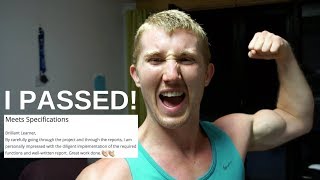
In this vlog, Daniel Bourke walks viewers through his final steps in completing Project 3 of Udacity's Artificial Intelligence Nanodegree—a planning program for air‑cargo logistics built with a Planning Domain Definition Language (PDDL). He reviews algorithm performance (breadth‑first, depth‑first, A), documents his debugging workflow (note‑taking on planning‑graph code, Trello board tracking, terminal tests), and shares productivity hacks (brain.fm focus music, command‑shortcut tips). He highlights the rapid Udacity reviewer feedback loop, resubmits after minor fixes, celebrates passing the project, and outlines his next learning agenda (probability, Bayesian networks, hidden Markov models, deep learning) while planning to practice Python on HackerRank. The episode blends technical reflection, personal productivity methods, and community engagement.
Chapters
What's going on, learners? Welcome to Learning Intelligence Episode 9, a vlog series documenting my journey through my self-created artificial intelligence Nanodegree. In this episode, I'm working through Project 3 of the DASCI artificial intelligence Nanodegree, which is creating a project domain dependent language planner or planning program of some sort using artificial intelligence to plan the most efficient way for airports to manage their cargo. Truth be told, it is a relatively simple problem. There's only a few airports and only a few pieces of cargo, but I think that the fundamental principles in terms of how to organize and how to build one of these planners is valuable. And it can be— the benefits of it is using these type of languages, or pro— PDDL, I believe it's called, Project— no, Planning Domain Dependent Language— is that it can be scaled up to airports of greater size and lots of different cargo sources and whatnot. So people like, uh, or big logistics company like Toll and other shipping companies— I can't really think of the top of my head— will be able to use algorithms like this to effectively plan their delivery routes, their transporting routes, so that they can save on time and get their packages to you and I quicker. They can save on fuel. So many things. This is what happens when you try to complete every task on the project at once. I've got a Google Sheets document here tracking the performance of some of my algorithms we've talked about in previous episodes. So breadth-first search, depth-first graph search, a few others. There'll be more on that soon. Got some tests running here in terminal. I think this one's gonna— this one's gonna time out. It's trying to solve an air cargo problem using the breadth-first tree search algorithm. And look at this one, a simple problem had 5,960 nodes, whereas With another algorithm, it only had 170. So this breadth-first tree search, that's no good for the problem I'm trying to solve. I think so far A* search algorithm is the best one. Oh, that was technical. Then we go into here, all these different tabs open with different, different help sections on the Udacity. Oh, I probably shouldn't have closed that one. Little tip that I learned, Command+Shift+T brings back a tab that you closed. We got more coding windows up here. I'm still having trouble going from one Python program to another. I'll show you. So if we go up here, I'm having trouble understanding where is it, here. So from importing, say if we import another function class or something like that into this, essentially object-oriented programming, I'm having trouble understanding the origins of that function and then how to use it in the current window that I'm in. And my brain is overloaded at the moment, so I've outsourced my task, or the next task I have to do, to this bad boy. I like using a notebook for some technical difficult, technically difficult stuff. I can't even talk right now. So these are the things that I've done today. I like to put big green ticks next to the tasks that I've done. And there's what we're gonna be doing tomorrow. We've got plenty of, plenty of functions to implement as we work towards submitting project 3 of the Udacity Artificial Intelligence Nanodegree. If you want some intense focus sessions, check out this, brain.fm. I'll put it in the description, but essentially it's music curated to develop extreme focus, relaxation, and sleep. I haven't tried these two 'cause they're the paid version, but I just did this one, the focus, for a 2-hour-long session, and I got an incredible amount of work done. And it's time for me to take a break now, but I just wanted just quickly run you through what I'm doing. Because I didn't really understand a lot of the, the classes and functions in myplanninggraph.py, or this file here, I went through each and every class, each and every function, and wrote down a whole bunch of notes how I can understand them. Check this out, there's about 6, 7 pages here. Essentially went through everything— parameters, symbol, instance, instances created, more classes. I went through it all, but now I've got a deeper understanding of, of the program as solve and what the goals are, the program itself, sorry, and what the goals are of each function. And so rather than just diving in and me trying to code the functions and sort of not knowing what the background is, I now have an overall concept of what the background is and I'm starting to implement the functions more and more easily. Note to self, do that for future reference. If you don't understand something, spend the first, I just spent 2 hours planning on what to do. It's like if you're gonna cut down a tree, spend the first couple of hours sharpening the axe. It'll make it a lot easier. Check it out, boys and girls, Project 3 officially submitted and waiting for marking. So if we go here, look what we can do. We'll move this project into the done column. Still got a few more things to do, but if you want to find this, uh, Trello board, I made it public, so it'll be in the description. So it's project 3 done, or at least my first submission is up there. I'm confident this one will pass. I went through the rubric, which I should have done at the start, and made sure that my project ticked off all the boxes that was required there. But of course, you'll see as soon as I get the marks back how I did, if I need to resubmit it or whatnot, and the feedback I get from my reviewer. I'm going to celebrate with a workout, and I'll come back soon. And Udacity reviewers are real really quick, so we'll see how we go. Check this out. I want to take some time to highlight Udacity support team and the Udacity reviewers. So I submitted my project at 1:55 PM and it was reviewed by 3:15 PM, just over an hour, an hour and 15 minutes or thereabouts. So I went to gym and came back and the project was done. I didn't pass, I have to do some changes, but that's all good. I've implemented that already. It was only a few minor changes, but just over an hour. And look at this, look at the amount of feedback I got given. Got a whole paragraph answering my questions here, feedback on each and every single criteria and then comments on my code all within an hour. So that took me probably close to 15 to 20 hours to implement the whole project. And they, the reviewers, must be absolute wizards. They were able to go through my entire thing, pick out where I was wrong, compliment me on where I'd done well, and get it back to me in just over an hour. So I'm gonna resubmit the corrected version that I did. I'm confident this time it will definitely pass 'cause I implemented their feedback to the best of my ability. And then I'm gonna go watch Mr. Robot. Do you watch it? It's like my favorite show. Put a comment below if you watch Mr. Robot. Robot. Woo-hoo-hoo-hoo! Check it out. We officially passed Project 3 and look at this amazing review again. Brilliant learner, great work, well done. And then some amazing more recommendations to go and learn more. I'm pretty sweaty. I just went for a run and came home and checked the email to say that I'd passed my project. So I'm stoked. I've got a few things to do. I think that's gonna be, it's gonna be wrap up for this video. That's enough coding for the week. Oh, actually I lied. I'm gonna get in and do some challenges on HackerRank. If you haven't heard of HackerRank, by the way, I'll show you quickly. So it's this website where you can practice different coding challenges. I'm gonna do the 30 Days of Code Introduction to Python. To get some more, more practice in Python. I think the more practice, the better. As long as you're, like if you're learning a new language, the more you could speak it, the better you'll get at it. So I'm gonna do the daily challenge on HackerRank. It shouldn't take too long 'cause I'm still in the intro challenges. And then I've got some planning to do for my next week of classes, next week of learning in the artificial intelligence nanodegree. I've got a class on probability, Bayes nets, inference in Bayes nets, hidden Markov models, and then the final project of term 1 before we move on to some deep learning and applications. But that's it for this— I'm still puffing from the workout, still got beads of sweat dripping down me. But that's it for this week of Learning Intelligence. Thank you so much for tuning in. If you want to see anything in a future video, post a comment below. I've got sweat in my eyes. Otherwise, keep learning and we'll catch you next week.