The Best Open-source OCR model | AI & ML Monthly
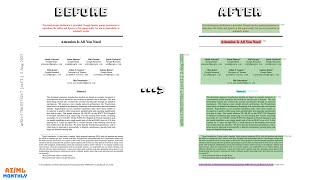
Daniel Bourke reviews open-source OCR models and their capabilities. The video compares different options available to developers and explains what makes one model stand out for optical character recognition tasks.
Chapters
Ladies and gentlemen, welcome to Machine Learning Monthly for July 2025. I'm Daniel Bourke, machine learning engineer. This is a video walkthrough of a text-based newsletter I send out once a month covering the latest and greatest in machine learning, but not always the latest. So if you want to read it, feel free. The link's below. You can sign up for free. Otherwise, there'll be plenty of timestamps. And of course, it's been a big month, so let's get into it. July 2025. Already on the other half of the year. Let's start out with my work. So the ZTM object detection project is an end-to-end object detection project with Hugging Face Transformers. And so I've finished all the text of this tutorial. In this project, we'll go— if you ever want to build an object detection model, a custom one, we're going to customize RTDataV2, which is a highly performant real-time object detection model available under the Apache 2.0 license. So we'll start with the dataset of our own custom dataset. I've created this from strac— from scratch, and we're going to build Trashify. Then we'll customize our model and then we'll deploy it to a demo that other people can try. So if we have a look at where our demo is, this is the Trashify Demo V4, and it's V4 because I've been through a few iterations of this. And like all good cooking shows, I've got an example here. I just went for a walk, picked up a piece of trash. The goal of Trashify is to detect the bin, detect the trash, and detect a hand or a trash picking item. And then if someone gets all 3 of those, they get +1 point. So the idea here is you could imagine a mobile app running this model and then incentivizing people to clean up their local area. So if you're looking to build that type of workflow or that type of object detection model, of course this could be any objects that you want. I've just decided to make it a fun project. All the text and code is open source at this website, learnhuggingface.com. But the video course I've finished recording, and I've got— if we have a look at this— 64 videos in total where we step through every single line of code here. So stay tuned. They'll be on the ZTM website shortly. That's where the video course is going to go. But check that out. That's what I've been working on lately. Leave a comment below if you'd like to see any other projects here on the learnhuggingface.com website. And let's now jump into From the Internet. So, my favorite AI use case for AI is writing logs by Vicky Boykis. So Vicky Boykis is one of my favorite writers in the AI and machine learning space, just always high-quality information. And this one I didn't even know about. I've never personally used PyCharm, but it's an IDE that you can use to write Python, Python, of course. And they have a feature in there which is single line code completion. And what she finds is very helpful is to use, use it for logs. So personally, I use a lot of print statements because most of my code is done in notebooks before I move it to a script. But I haven't used logs that much. And after reading this blog post, I think I might start to use logger a bit more rather than just print statements. Anyway, the PyCharm model is instead of like a Copilot model, which creates multiple lines and functions of code, it just focuses on one specific task and that's complete a single line of code. And I, I like that because sometimes I find with LLMs, of course, most of the LLMs are better coders than me, but they are often too verbose. More code in my case has never been the problem. It's been specific code targeted to what exactly I'm working on. And they're pretty good at that. But I find myself when I use them too much, my first of all, my code skills atrophy very quickly in like a week or so. So the next time, if I don't use them the next week, well, then I'm kind of— I get that hang up. I like type something and I'm waiting for the code completion to happen. So two things I really like about this is it focuses on just a single line of code. Based on, I think it's 384 characters of context. And it works locally. So you don't have any API calls to a model. So it's very fast. It runs on your machine. And that, of course, keeps privacy because I don't know if you've ever seen on Google Colab, which is, I use that a lot. If you use Gemini there, the terms and conditions are basically like, hey, we're gonna read all of your code and use that for our training data, which is fine if you're just working on throwaway projects. But if you wanna do anything significant, it's kind of a mental burden where you think about, oh, do I want this going to Google or OpenAI's database or wherever, Claude Code or something like that? So I really like these takeaways here. So the model, for it to run locally, it has to run small enough. I have a real big bias towards small local models. I just, I love them. I build them. I build them for Nutrify. The model has to be small enough to bundle with the IDE for desktop memory footprints. So already coming in at around 1GB for the macOS binary. So the app is already 1GB. Uh, but this, that's 99% of current LLMs. So even if you have, say, a 1.7 billion parameter model, I believe that's still over the 1 gigabyte limit, right? Qwen 1.7B, or maybe Qwen 3. I think that was a size. There we go. How big is this model? There we go, 3.4 gigabytes. So 1.7B is even small in the LLM world. But if you want something to ship with an app, that's— you got to make an idea or you got to make a trade-off there of what, how big you want. The model has to be smart enough to interpolate lines of code from its small context window. We'll look at the context window in a second. The local requirements, so it operates directly on your hardware, means that inference engines such as VLM— I love VLLM, I've used that before, I use that on my deep learning PC over there. However, that has a dedicated RTX 4090 GPU, whereas a lot of laptops don't have that. SGLM or Ray, which implement KVK optimization— like, pay attention— it has to be a model that's fast enough to produce its first token and all subsequent tokens extremely quickly. So yeah, first token is really important. Time to first token. We'll see later on in FastVLM that they optimized for time to first token because if If you speed up to the first result, well, then it feels like a good, a good quick model. Finally, it has to be optimized for Python specifically since this model is only available in PyCharm. So if we look at this 384-character context window, they even published a paper. So I'm not going to dive through the full paper, but Vicky Boykis has a great breakdown of what's in here. But it's very interesting read. They provide a lot of— these are my favorite kinds of paper, actually. Is that someone has built or taken research and built it into a product. So if we go here, I like this. This is what we just read through. So the model and its execution engine— can we see that? The model and its execution engine must be local-based, i.e., operate fully on the user's machine without sending anything over the internet. Solution's memory footprint must be feasible and take a reasonable part of the IDE's memory footprint. The solution must be fast, i.e., it must feel seamless to the developer while typing. I like that, fast is good. The feature must be properly integrated into the existing code completion user usage pipeline for developers. So if we go down here, these are the contributions. We provide an in-depth exploration of the implementation of full line code completion for PyCharm Pro and Dataspell. We share details of offline and online evaluation setups as well as the derived experimental results, which show significant benefits of using full line code completion. We list a specific, uh, set of specific problems we encountered while implementing full code completion and our solutions for them. We believe that this information can serve bridging academia and industry. Yeah, that's, that's my favorite takeaways from a lot of these papers— bridging academia and industry, providing researchers with the knowledge of what happens when complex research-based solutions are integrated into real products. So The link to the paper is there in the blog post, but here's the main crux of it. The model is trained in PyTorch. So they started with GPT-style architecture, transformer with 100 million parameters. So even one of the smaller Qwen models, it's got 17 less parameters, 17x less parameters. And then I believe they later changed to Llama 2 because it has a lot more support for the architecture. So this is sort of the, the, I guess, the hardware lottery, right? Is that you can have a good architecture, but if it doesn't marry with the hardware— so Llama CCP is a great framework to run Llama-type models, and so that helps speed up the architecture. And they created a training dataset. They started with 45 gigabytes of Python code, and there's some processing steps that they went through in the, in the paper. A neat trick. Yeah, here we go. For tokenizing Python, so using a byte pair encoding style tokenizer optimized for character pairs rather than bytes. Since code is made up of smaller snippets and idioms than natural language text, which is indentation sensitive, by converting spaces and tabs to start-end tokens. So this is in Python, if you have 2 spaces or 4, 4 spaces, that can be annoying to tokenizers. To remove tokenizers that might be different only because they have different whitespacing. And so their final vocabulary was 16,384. And they do another very cool step in training, which is to remove imports because they find that developers usually add inputs in after writing the actual code. I did that a lot too. How many times have you been coding in a notebook or a script and then you run it and then it's like, hey, this library is not available. It's like, if you know it's not available, can you just import it yourself? And then they train on 8 NVIDIA A100 GPUs. So there's a lot more here. But of course there's some— that's just the training, right? But then you've got to prepare it to deploy it. So you've got to— they quantize it from FP32 to INT8, which compress the model from 400 megabytes to 100 megabytes. I'm working on a project right now which is doing something very similar. Our model starts in FP32 and we turn it into Float16. So not quite INT8, but Float16. So we get about half the memory saving. This is getting 4x the memory saving. And then if we scroll down here, I really love this takeaway. This is my favorite. So in LLM land, there's both a place for large generalist models. So when you're like Claude or GPT-4 or Gemini or something like that, you kind of need to cram everything into one big model. And of course you've got the compute and the parameter space to do that. But if you're building, you're in product land and small product land, you— there is still a lot of space for small models. And while much of the rest of the world writes about the former, I'm excited to also find applications built with the latter. So with a small model, you get the benefit of controlling basically the whole thing end to end. So you can build really cool workflows like in Nutrify. We have the food/not food model, which just gives a live preview of whether food's detected or not. Very small thing, but it makes— to me, it makes it feel more user-friendly. So great blog post there and great, uh, paper there from JetBrains. And yeah, summary from Vicki Boykis. Go and check out, subscribe to her newsletter and check out her blog. There is some excellent writing there on the world of AI and data. Now let's jump right into the next one. We have Cloudflare helps creators block AI from scraping their sites. So this is a collection of 4 different articles. I won't read through all of them, but what it's essentially saying is the way AI models are trained at the moment is they basically scrape the entire internet. So there's a database called Common Crawl, which is, uh, an open source repository of the entire web. So there we go, 250 billion pages spanning 18 years, free and open corpus, cited in over 10,000 research papers, 3 to 5 billion new pages added to every, every month, which is crazy amounts of data. But what the big thing with GPT-4 was, was they basically worked out scaling and that they could train on the entire internet. Now, if you have a website like I do, MrDeBurke.com, you might not necessarily— there's my beautiful dog Seven, may she rest in peace— you might not necessarily want your data in an AI training model. You might. That's okay. But what Cloudflare are doing with Declare Your AI Independence is Cloudflare are kind of like the shield on the internet, or they, they provide a lot of internet-level services. You might have gone to a website and had a Cloudflare-powered CAPTCHA. This is who's crawling your website, and there's pay-per-crawl. So they've introduced a number of different features here that if your website, you don't want it necessarily to be read by a bot So if we scroll down here, have a look at all the bots that are crawling your website. GPT Bot, that's, that's just reading every website. Claude Bot, that's for Anthropic. Meta Bot, Amazon Bot, ByteDance Bot, Apple Bot. If you don't want all of these reading your website, you can update robots.txt file to say, hey, something like disallow disallow certain things, but a lot of crawlers can basically ignore that. And so Cloudflare are implementing features that you can go, hey, here's my domain. If you see, uh, some web traffic to my website that looks like one of these bots that you usually see, stop them instead of letting them just read all of my information and put it into their training data. On the other hand, if you just want your website to be indexed in an LLM so that someone can just go, hey GPT, who's Daniel Bourke and what does he write about, they can scrape all your website. So I think that's really cool. It might be a little bit too late in the sense that everything from prior to now before these features came out is now scooped up in a large LLM database somewhere and probably just keeps getting used. But it's a step in the right direction and also enables you to— the pay-per-crawl is interesting to me. So if you're writing good stuff or you're putting good information on the internet, one of the ways you could probably get paid for it in the future is to go, hey, if you're an AI bot, you want to read my website, you have to pay $0.10 per article or something like that. So something to think about for a monetization way in the future. Not guaranteed for now. Of course, it's still all new, but really cool to see that implementing at an internet scale from Cloudflare. Up next, we have Google DeepMind embedding the entire Earth. So global scale satellite embeddings. That's what Google DeepMind's AlphaEarth Foundation models does. So I love how DeepMind every so often basically just release an alpha something and it turns out to just add AI to biology, gaming, now satellite imagery, and just improves, improves it out of just out of scale. Now we're at a global scale of embeddings. So the new AI model integrates petabytes of Earth observation data to generate a unified data representation that revolutionized global revolutionizes global math mapping and monitoring. So if we look down to the data pipeline, how Alpha Earth works. So Alpha Earth Foundation provides a powerful new lens for understanding our planet by solving two major challenges: data overload and inconsistent information. First, it combines volumes of information from dozens of different public sources—optical satellite images, radar, 3D laser mapping, climate simulations, and more. It weaves all this information together— sorry, I just zoomed in and just screwed myself up— to analyze the world's land and coastal waters in sharp 10 by 10 meter squares, allowing it to track changes over time with remarkable precision. Second, it makes this data practical to use. The system's key innovation is its ability to create a highly compact summary for each square. These summaries require 16 times less storage space than those produced by other AI systems that we tested. And dramatically reduces the cost of planetary-scale analysis. This breakthrough enables scientists to do something that was impossible until now: create detailed, consistent maps of our world on demand. Whether they are monitoring crop health, tracking deforestation, or observing new construction, they no longer have to rely on a single satellite passing overhead. They now have a new kind of foundation for geospatial data. So I remember when I was working on a satellite project, uh, in a previous ML role, and it was for the council, and they essentially wanted to inspect different pools around an area. And then there was another one that wanted to track shipments. So if someone had bought in, I don't know, 10 shipping containers or something like that, they wanted to know whether the— this is at the port, right? They wanted to know whether the ports had knowledge of these shipments coming in. So the ports were segmented into, say, 10 lots. I forget the actual number. And then they kind of had a database with like, okay, we're expecting shipment X to arrive at Port 3 at this time. And then if there were too many shipping containers going in and out, then they would flag that and go, hey, what's going on here? Have we got someone importing stuff they shouldn't be, or are our shipments not on time, etc., etc.? And that was That was quite an effort. Now, not quite directly related, but we've got Alpha Earth Foundations embedding all kinds of geospatial data, which is really cool from a— I've been interested in, I've never actually done it, but I was like interested in like, could we scale the Earth for different crop farming potential places? So if we needed more farming locations and now this is like a database where you can search embeddings of that So you can not only track it over time, but you can find the type of area that you're looking for. So if we scroll down, we have the global embedding field. So what it does is each embedding has 64 components which map coordinates to a 64-dimensional sphere. You can now create custom maps with the satellite embedding dataset. So that dataset is also public. On developers.google.com/earthengine, you can download that. So if we have a look here, the description: the Google Satellite Embedding Dataset is a global analysis-ready collection of learned geospatial embeddings. Each 10-meter pixel in this dataset is a 64-dimensional representation or an embedding vector. So an embedding vector is— it encodes information into a learnable representation that encodes temporal trajectories of surface conditions at and around that pixel as measured by various Earth observation instruments and datasets over a single calendar year. Unlike conventional spectral inputs and indices where bands correspond to physical measurements, embeddings are feature vectors. So yeah, that's— instead of just being a direct lookup, it's a feature vector that summarizes relationships across multi-source, multimodal observations in a less directly interpretable but more powerful way. So if we go to the blog post that Google posted, this is on Medium, but it's a Google Earth blog. I've linked all these things here. So we've got the Google DeepMind release and we've got the Google Earth blog and then we've got the, the dataset itself, which is here in the blog post. There's some takeaways here of what you can use this for. So what can you do with the satellite embedding dataset? To get you inspired, here are a few things we're excited about. Similarity search. You can pick a point anywhere on Earth, say in a specific type of farmland or forest. Yeah, there we go. Say if you knew what a good piece of farmland looks like, you can then upload that as an image and instantly find and map all other locations with similar surface and environmental conditions anywhere in the world. So that is really cool. Change detection. Now this is another great one. So if you're looking for where— if you had a question, right, you're a researcher, it's like where on Earth has been the most deforestation. So that's like a change over time. Last year there was a forest, this year there's no forest. So change detection— by comparing the embedding vectors for the same pixel from different years, you can easily spot changes and track processes like urban sprawl, wildfire impacts and recovery, and fluctuating reservoir water levels. That's a great one, actually. I live in Brisbane, Australia, and I grew up and we had a lot of droughts here. So that would be interesting to monitor. How did the reservoir water levels change from a satellite perspective over time? Automatic clustering. Without any pre-existing labels, you can use clustering algorithms to automatically group pixels into distinct categories. This spatio-temporal segmentation can reveal hidden patterns in the landscape, differentiate— differentiating various types of forest soils or urban development. Smarter classification. You can create accurate maps with far less training data. For example, instead of needing tens of thousands of labeled points to map crop types with more conventional inputs, you might only need a few hundred per class, saving time and compute. So this is transfer learning. If you have a global embedding already, to me that reads it similar to if you're building an image classification model and you, rather than training it from scratch, you train it, you transfer learn from a model that's already pre-trained on ImageNet. So now you have not ImageNet, you have basically EarthNet. So really cool release there from Google DeepMind. Up next, we have Apple with a blog post discussing how they built FastVLM. Now I mentioned this in ML Monthly last, or May, FastVLM. There we go. So they have an example app and a research paper which has already been out on GitHub. So FastVLM, TL;DR, is a model that is VLM that runs on device, which is what I'm really interested in. I love this. I would love to build one of these myself. So that's a longer-term project for me. But there's a paper there. But now they have a great blog post, which is very readable, but it essentially talks about what they worked on. They wanted to be— because it's fast VLM, we spoke about this before— of making it fast is when you start to increase the vision resolution. So the problem here is if you ask a question with an image, which is what a VLM does. If you have a low resolution image model, obviously there's not much pixels to deal with. So even if we tried to do this ourselves, what does the street sign mention? If we try to look at this image, well, I kind of know that it says do not enter because it's a red sign and I'm biased because I've already read the blog post. But then if we put the high resolution model, we can read that it's still It's not 100% legible, but it's much more legible than the small one, right? However, the problem is when you increase resolution, the time or the latency goes up quite substantially. So this is number of pixels. And if we look here, that's milliseconds in terms of how long the vision encoding takes because a VLM, how's it work? Encode the image, encode the text, marry them together in a layer, and then produce the output in a decoder. So what they did was they created FastVit-HD. And so what it does is it improves the vision encoding speed compared to other models that are typically used in VLM systems. So SigLIP is one of the most common models. I use that almost every day in my work. So SigLIP, if we have to get to the same score, it takes about twice the time. Actually, if we look here, 160 milliseconds. So they're only 4x less time for 1 point less. But then to get higher, so this is FastVit, but I believe they made it even quicker again. So this is FastVit compared to Vit-L. FastVit's also a good model that's available on— that's a vision encoder. FastVit, that's available on Apple, Apple GitHub. They created FastVit-HD because they found FastVit was good for basically normal quality images. But of course, as we saw before, we want high quality images in our model. So then if we go to FastVit-HD and Optimal Vision Encoder, we find that FastVit-HD performs better and just as fast as FastVit non-HD. There we go. FastVit-HD has the optimal Pareto curve. And so this is a great, uh, technical blog post that just basically walks through how FastVit-HD works. So we've got the vision encoder there, it goes in, it has multiple embedding stages, uh, has a pooling layer, concatenation layer. And this is the structure of a VLM, right? If we zoom out, image in, vision encode into some sort of embedding, MLP to transfer the vision embeddings into the large language model space, question tokenizer that feeds into large language model. It combines the vision tokens and the text tokens and then produces an answer. And if we compare it to other different similar systems that have the goal of speed, FastVLM performs the best at all levels of visual tokens. So yeah, and then of course the demo app, that's probably my favorite part, is you can try this on your actual iPhone and see if we zoom in here. This is what they tried to optimize. The time to first token, TTFT, because what's an important thing if you're building an app on device? You want it to be fast. And so I like this here that they've got the loading screen. I think this has been a bit sped up in this demo, but I've tried the app on my phone. It of course doesn't work as well as something like a GPT app, but it certainly is a lot faster. And you got to remember that this is just running purely on your device. It's not sending data to the cloud and running on a massive GPU up there. So really cool technical blog post. If you want to learn more about smaller VLM type models that can run on device, please go and check that out. Up next we have Google's SensorLM, which is trained on 60 million hours of sensor data. So SensorLM is a sens— sensor language foundation model. Oh, I got a typo here. But 60 million hours of multimodal sensor data across 103,000 individuals. So this is where we're getting into the scale of— or health data is really starting to meet scaling laws here. So what they did is they took a bunch of Pixel Watches from— where was it— 103,000 individuals. And they took all of the health data. I believe they, of course, scrubbed it from identifiable stuff. So it's just raw numbers on a page. So they got heart rate, temperature, steps, EDA, and probably a bunch more. And then if we have a look at the multimodal sensor data, it's kind of all over the place, right? But this is where— well, to my eye it is— but this is where large-scale foundation models really thrive. They create text generation from that. So say, for example, your heart rate was up during a workout, that would be text-based information there. Or say your body temperature increased, same thing, during or in the morning or something like that. And so what they did was they trained a foundation model on that using two different types of training. So the pre-training was a sensor encoder, the text encoder, cross-attention, and a contrastive loss to make SenseLM. And now we have different capabilities. So we can do zero-shot sensor understanding. So given this sensor data, what is it most likely related to? Similar to CLIP, how it's contrastive language image pre-training. Except this time we're contrastively training sensor information with text information instead of an image with text. And then we can do sensor-level or sensor-text alignment and retrieval, few-shot learning and task-specific fine-tuning, and then sensor-caption generation. So given this sensor data, write a caption about what the person was doing. So there we go, contrastive learning. So the model The sensorLM architecture builds and unifies prominent multimodal pre-training strategies such as contrastive learning and generative pre-training. Contrastive learning: the model learns to match a segment of sensor data with its corresponding text description from a set of options. This teaches it to discriminate between different activities and states, e.g., distinguishing a light swim from a strength workout. Generative pre-training: the model learns to generate text captions directly from the sensor data. This equips it with the ability to produce rich, context-aware descriptions from understanding the high-dimensional sensor signals. So that's really cool. But then we go into the results, and if we compare it to two generalist models, Gemma 3.27B and Gemini 2.0 Flash, which are incredible models in their own right, but not necessarily trained directly on sensor data, and SensorLM basically wipes the floor with these two models. And I mean, Gemini 2.0 Flash is one of Google's flagship models. It's probably 2.5 Flash now. But this— they basically get random scores. So they're 50%, 50%, 50%, whereas SensorLM just does really well on classifying activities, environment context. Is it cardio or strength workout? Not quite the best result there, but that's— I mean, that's pretty hard to tell if you're just looking at raw sensor data, just heart rate going up or something like that. Locomotion versus stationary. Fine-grained gym cardio. That's pretty interesting. Gym cardio. I'm not sure entirely what that means. Like, are you on the treadmill versus are you running outside? And then, well, actually, there could be light data information from the watch there. That's interesting. Or GPS, of course. And then outdoor sports. So in zero-shot human activity recognition, SensorLM demonstrates strong zero-shot capabilities across tasks while baseline LLMs perform near random. Yeah, see, there you go. Near random. So basically guessing at 50%. Captioning performance. If we see here, sensorLM again beating out generalist models. And if we have one example, we have the input wearable sensor data here. So this is raw information. I mean, if I looked at that, I'd be like, I'm not sure what's going on here. But the ground truth was outdoor bike was detected between minutes 8:86 and 8:90. An outdoor bike event was detected between minutes 8:73 and 8:78. A sleep event was detected between minutes 14:36 and 14:40. So maybe that's a good day. Go for a morning bike ride, have an afternoon nap. And this is Gemini 2.0 Flash. Observe, observe periods of walk, gets the minutes wrong, as well as from minutes 6:90 to 7:10, and again from 9:40 to 9:70, sleep detected. Okay, it got close to the sleep. But then if we have SenseLM, outdoor bike was detected between 8:73 and 8:78, so not quite the exact right minutes, but in the ballpark, certainly a lot closer than Gemini. Walk was detected between— okay, so this, it said we've got the outdoor bike and walk mixed up, but the minutes are closer again. And then sleep was basically bang on there. So SenseLM, not perfect, but better than Gemini 2.0 Flash. And of course, they experimented with scaling laws on compute, data size, and model size. And the data all adhere to the scaling, scaling laws in the sense that more compute, more data, more model size generally leads to better results. So really cool research in the world of sensor data. I'm taking all of that information and creating a sensor LM foundation model. Up next, we have Daniel's Open Source AI of the Month. And to kick things off, we have the beloved Mistral AI releasing Voqstral, which is two public models for speech recognition, translation, and understanding. So if we go to the Voqstral website, we've got some Pareto curve results here. Beats out Gemini 2.5 Flash, Gemini 4.0 Mini Transcribe, and Whisper Large V3 in terms of price and word error rate. So lower is better here on the word error rate. So this is probably one of the best models that's available right now, Voqstral Small. And Voqstral Mini is, is nothing to bawk about as well. Voqstral Mini Transcribe. But the beautiful thing is, is that they're both available on Hugging Face. So the goal of this model is voice transcription, not only transcription but understanding. So we released the Voqstral models to accelerate this future. The state-of-the-art— excuse me— these state-of-the-art speech understanding models are available in two sizes: a 24 billion parameter variant, so that's quite a large model for production scales, and a 3 billion parameter variant. That's something you can definitely run on a lot of local devices. Both are under the Apache 2.0 license and available in the API. The API routes transcription queries to a transcription— transcribe optimized version of Voqstral Mini for Voxtral Mini Transcribe that delivers unparalleled cost and latency efficiency. For a comprehensive understanding of the research and development behind Voxtral, please refer to the paper. So if we go to the paper, we won't read through the whole thing, but the highlights— I like this with the modeling. So if we look, Voxtral is based on the transformer architecture consisting of 3 components: an audio encoder to process speech inputs, an adapter layer to downsample audio embeddings, and a language decoder to reason and generate text outputs. The overall architecture is depicted in this figure here. So if we have an audio wave here, we break that up, we encode that with an audio encoder into a representation. The audio adapter, I'm assuming, is something like an MLP, and that compresses it into the language decoder space. And then we merge that, of course, with a text embedder, and the language decoder produces some sort of output. So the audio encoder processes, uh, processes the speech input, attending to 30-second chunks of audio independently. The audio embeddings are concatenated at the output and downsampled by a factor of 4x. So the thing with audio embeddings is I found that they're quite a lot— audio has a lot more information per second than just text because of hertz and whatnot. So this downsampling is probably to compress the information. The multimodal LLM decoder autoregressively— so autoregressively means just predict the next text token based on the previous ones— conditioned, conditioned on the audio and text inputs. So really cool. And then if we go up to the summary here, the abstract, sorry, we present Voqstral Mini and Voqstral Small, two multimodal audio chat models. Voqstral is trained to comprehend both spoken audio and text documents. Achieving state-of-the-art performance across a diverse range of audio benchmarks while preserving strong text capabilities. Voqstl-Small outperforms a number of closed-source models while being small enough to run locally. A 32K context window— so that's quite big, so 32K context window, that's, that's a lot of pages— enables the model to handle audio files up to 40 minutes in duration. That's a long audio conversation, not quite a full podcast, but you could break it up. We also contribute 3 benchmarks for evaluating speech understanding models on knowledge and trivia. Both Voqstr models are released under the Apache 2.0 license. So if we go to Hugging Face, we can see the 3B and the 24B versions there. Oh, give it a little one a like. Key features: so the model importantly retains the— because it's, because it's combined with an audio encoder as well as an LLM, it retains the LLM component. So whereas previous transcription models might be just straight audio in, text out, this model can still use the language model to say, ask questions or transcribe it in a different way or translate it or something like that with prompting. So key features. So Voxstraw builds on Ministraw 3. So this is— we'll just read the 3B one and I'll let you read the 24B one. Dedicated transcription mode, so Voqstral can operate in a pure speech mode to maximize performance. By default, Voqstral automatically predicts the source audio language and transcribes the text accordingly. Long format with a 32K context window. Voqstral handles up to 30 to 40 minutes— or sorry, 30 minutes for transcription, 40 minutes for understanding. Built-in Q&A and summarization supports asking questions directly through audio, analyze audio, and generate structured summaries without the need for separate ASR language models. Natively multilingual, automatic language detection and state-of-the-art performance in the world's most widely used languages. Function calling straight from voice. That's really cool. Retains text understanding capabilities of its language model. So really cool here. If we look at the ASR word error rate on a bunch of different languages, it achieves basically state-of-the-art or on par with the best models there. And then it still retains the text understanding. So Mistral Small 3.1 here. Is text only. So Voxel Small is the version of— but this one has audio as well— is within 1 point of Voxel Small 3.1 on all of these different benchmarks here. So let's try it out. Let's go to see if we got a demo here. Voxstrawled. Okay. Let's record some audio. What can we record? Let's go here. Hello, my name is Daniel Bourke and I am here testing out the Voqstral transcription demo. So the way I understand it is Voqstral is an audio encoder that marries up an LLM from Mistral and it combines the audio and text inputs to create a language model decoder to produce outputs from a voice input so it can transcribe, it can do Q&A, it can do summarization. And we're here today going through Machine Learning Monthly for July 2025. And I am very impressed with how far audio automatic speech transcription models have come. So I was kind of making that up on the fly, but let's see. Oh no, hopefully that didn't delete. Let's see how it goes. Who remembers what I said? And again, I think this is using the 4 small one. There we go. Hello, my name is Daniel Bourke and I am here testing out the Voxtrol transcription demo. So the way I understand it is Voxtrol is an audio encoder that marries up an LLM from Mistral and it combines the audio and text inputs to create a language model decoder to produce outputs from a voice input. So it can transcribe, it can do Q&A, it can do summarization. And we're here today going through Machine Learning Monthly for July 2025. And I'm very impressed with how far audio or automatic streets— wow, that is cool. So it's, as you see, a live demo. That's a great model. Now, I believe there's one last thing to go through here we got coming up. So they have in the future. So of course, these are already great models to begin with, but they want to improve their models with speaker segmentation, audio markups such as age and emotion. World-level timestamps and non-speech audio recognition. So that's, that's cool. That's really cool. So incredible release from Mistral. If you need something that's really good at ASR, go check it out. Up next, we have LNAI, which they introduced Flex-OLMO, a collaborative LLM training paradigm. And I'm not going to lie, I read through this and I'm still getting my head around it, but I think it sounds like a cool setup. I don't know how well it would work in practice just because the whole premise is like if you're getting— so let me just explain. Flex-OLMO is a mixture of experts model which say the big thing in, in machine learning and LLM world is if you have private data, you probably want to keep that data private, right? So the goal of Flex-OLMO, as I understand it for now, is you have a public model and then you can train multiple experts. So one on science, one on health, and one on banking, for example. But all of those data silos can remain private. And then you can take just the weights and fuse those into Flex Olmo. And so that way, if someone or an entity wanted to contribute their data but still keep it private. So you want to say, for example, you're a science company or a health company or a banking company, finance company. You're like, hey, I want to do some common good. I want to train a large language model to be able to understand health better. But I want to keep all of the data private. I just want to share the knowledge. And then Flex-OLMO is designed to take all of these experts in different fields and combine them into a mixture of experts model. And then basically the overall model Flex-OLMO is better than the sum of its parts. So if we go to experiments, so if we look at here, Flex-OLMO selects best individual expert model. So Flex-OLMO basically outperforms the individual expert model when it's combined. So when all the experts are combined, it tends to do better. And so that's really cool. So if you're interested in how potentially that future language models at a global scale could work, you could imagine like each country could potentially create its own open source language model, but the data remains private. And then we combine that into one universal flex-OLMO model that everyone can use. So really cool research out of AI2. Up next, we have Franka, which is a collection of open data, open model, and open training. First— yeah, here we go— first fully open source vision foundation model, including data, code and pre-trained weights. So Franka matches or surpasses the performance of leading proprietary models such as DynoV2, CLIP, and SigLIPv2, but it is built on a fully transparent training pipeline leveraging publicly available datasets like ImageNet-21K and LAION-600MIL. Franka advances the state-of-the-art self-supervised learning in vision. So DynoV2, CLIP, and SigLIPv2 are incredible open-source vision foundation models. However, all of the, the data and the training code for these models, they're only open source pre-trained weights. So as I said, yeah, the data and the code is not open sourced, which again is up to the researcher's choice. But Franka, which I find really interesting, is that they used ImageNet 21K and Line-600MIL, which is a lot smaller than, say, models like CLIP or SigLIP v2. I believe SigLIP v2 is, is more on WebVTT dataset, which is about 10 billion images. And these are a lot smaller datasets than that. So they have a few key contributions, which is nested matrioshka— hopefully I'm saying that right— matrioshka clustering, a parameter-efficient multi-head clustering projector that refines feature representations. Into increasingly fine-grained clusters without increasing model size. This approach improves performance while reducing memory overhead for downstream applications. So this embedding technique or clustering has been proven to work quite well in the text world, so it's cool to see it coming to the image space. RASA, which is Relative Absolute Spatial Attention, a novel position, a disentanglement strategy that explicitly removes positional bias from des— Dense Representations: Enhancing Semantic Encoding. And Cyclic Mask: A Simple Masking Strategy with Circular Shifts that Overcomes Spatial Imbalance in Masking Augmentation. So all of their models here, we can go, uh, the zero-shot realm performs quite well here on ImageNet KNN. And all the, the links here, they're currently available via PyTorch Hub. And I believe looking at the issues previously that they are coming to Hugging Face or potentially coming to Hugging Face. And if we go to the PDF, if we look, here's how they, they train it. So Franka is data is only filter the not safe for work WordNet concept matching balancing academic datasets. And then we go into there. So this is the dataset they use, low level of curation. But if we look at something like Dyno V2, which uses LVD-142M, that's quite a fair bit of curation. So this is what really impresses me, is they were able to get incredible results with not as much curation as, say, a Dino V2 model. Now, if we scroll down to look at the output of the embeddings, what they look like, the feature representations. So Dino V2 is strictly image-based. Oh yeah, here's the cyclic base mask. So masking strategies used in mask image modeling. So this is random masking. So what you do with masking is a data augmentation technique to basically train your model to identify features even though a lot of the image is corrupted. There are different types of ways of masks. You can randomly mask certain pixels, you can block out a group of pixels within a certain region, and you can— again, inverse kind of looks like the same as blocking to me. But then we have the cyclic mask, which is what they use, which I'm— I understand is instead of randomly blocking out things, you're keeping the spatial adherence while also blocking out some things. So this spatially, the model is learning that this spatially should remain. Now, I don't know 100% if that's true, but that's how I'm interpreting it from reading, reading through the paper here. And so if you move that, that cross around, the model still understands the spatial understanding of it, whereas random, you kind of lose a lot of the spatial coherence here if you're just blocking out squares at random. So our cyclic mask directly shifts the visible region across spatial axes, preventing the model from being biased towards specific spatial locations. Yeah, so it might over-identify something here, whereas this, we're teaching that, hey, they're all related together, they should be those this dog head is all one part, not the ear is not separate from the head. So then if we look at the outputs, where's the PCA outputs? Yeah, this is what I found really interesting. So if we had the original image, this is DinoV2's output. We can see almost no highlighting there. The chicken, it gets a few highlights. The bird, it doesn't get very many highlights. And then the cart, But then we have Dino V2, which was an upgrade to Dino V2, which was Transformers with registers. Oh wait, the feature map's over there, up in the top left. So whereas Franka, if we jump forward to that, has quite, quite the heat map on the most significant feature in an image, or the most significant features, if I may. So Dino V2, Dino, Franka. And this to me is like spelling that the features that Franka is learning, it's really paying attention to the what, what a human would probably judge as the most important feature. Of course, you might want to go, oh, this is a great photo of a jungle gym there. Well, this is a great photo of sand in the background. But for me, I pay much attention to the what the, what the most dominant subject is there. So really cool release. Open data, open model, open training code. So if you want to look more there in how to train a world-class vision model on strictly open source data, go and check out the Franka repository. Up next, we have Hugging Face releasing SmallLM 3, SmallLM 3 3B. That was a little bit hard to say. But if we look at here, the Pareto curve, we've got SmallLM 3 3B coming up really good, right in between, probably where it should be actually, is Qwen 3 1.7B and Qwen 3 4B. It's filling in the gap there at a nice great size of 3B parameters. So if we look at how big is that, We have probably about 6GB in whatever precision it's uploaded here. Could probably get a bit better once you quantize it. But my favorite part is the blog post. Of course, it's a very high-performance model for its size, but this blog post is outstanding and it's got a great blueprint here. Look at that. If we jump in, I've got a keynote ready for this. That's how, that's how keen I was on this. The SmallLM 3 Blueprint. So sometimes you read a paper and it's like, well, I can probably reverse engineer this. It's going to take me a while. But this is— they've released as much as they could. Model anatomy, group query attention. There's a pre-training recipe. Here's how much data we use for the 3 phases. Evaluation, long context training. We started at base for 4K, then we upgraded to 32K, then we went to 64K, then we went right up to 128K. Here's a quick overview of all the different things. Distributed training, so it used 48 nodes of H100s, so 80GB, or 48 nodes of 8x H100 for 24 days. That's a lot of GPUs. Post-training, uh, model usage, and then if you want to use Transformers CLI, VLLM, MLXLM. Holy smokes, one of my favorite takeaways here was the data ablations and synthetic data generation. So synthetic self-finding tuning, uh, self-fine-tuning data, that's FSFT. For dual reasoning mode to work reliably, it was necessary to— so the model is capable of reasoning on, reasoning off. So you can have a flag that goes think or no think. So that will allow the model to use thinking tokens. So it'll go, hey, here's what I'm trying to do. Yeah, yeah, yeah. And that's been proven to help or potentially help a model. So for dual reasoning mode to work, reliably, it was necessary to generate synthetic data for datasets which had no reasoning data and create a reasoning-stripped version of reasoning datasets. There's a lot of reasoning there. So what they did was they create prompt and response VLM server for Quen332B, and then they took the reasoning from that model, and then that was the reasoning data. And then they had prompt reasoning response, and then they stripped, removed the reasoning, and they had prompt a new response. So really cool way of taking a big model and creating synthetic data and then training a smaller, smaller model to reproduce what that big model would do. Quite like what we saw in the previous Machine Learning Monthly where they— another research group used QuEN-3-32B to generate synthetic data for their small model and then they created synthetic preference data. So for the preference data, they created a reinforcement learning algorithm, APO, that they— for the dataset, sorry, they put the same prompt into two models. So the Qwen3 32B, again, quite a performant model, big model. And they put the same prompt into a smaller model and then they chose the big model's response most often. So that was their preference data. So it's like, hey, always choose this, this big model. And that's kind of assuming that the big model is going to output a better result, which most of the case is probably correct, right? But that just shows how you can make a lot of data at scale. So that was one of my favorite takeaways. But go and check it out. I could have zoomed into the bigger spot over here. SmallLM. If you need a SmallLM-1 to use as a model, but if you want a great read-through of basically how it came to be, which is— this reads to me as like it's, it's not quite a technical paper, but it is an incredible cooking recipe for creating a small, highly performant LM. So hopefully they bring out the same sort of thing for SmallVLM3. But anyway, we'll of course cover that in a future Machine Learning Monthly if we do. If you need a small LM, small language model, go and check out SmallLM3. Up next, we have MedGemma going multimodal. So there was a previous version recently of Google's— Gemma is Google's open source version of Gemini, and there's 3 variants. I think it's 4B or no, 5 variants: 1B, 4B, 12B, 27B. And the previous version— that's of now, maybe different in the future— was MedJAMmer, but it was text only. But now they've upgraded it to be images and text. So to do this, they have medical imaging and there is a whole bunch of different records here. So radiology, dermatology, digital pathology, ophtalmology, which is eyes. It's a hard word for me to say. Then we've got some health records and medical text. They of course feed the text into the text-based language models. And then for the images, they have a medical-based SigLIT version, and they're actually open sourcing both of these. So they have MedGemma model, which is 27B and 4B, and they have MedSigLIT, which is really a SigLIT model that's focused on medical imaging. But I I believe that the SigLIP also retains its previous knowledge on just any type of images. So that's really cool. But now MedGemma is vision and language based. So this creates some really cool use cases. So here's the cost per million dollar tokens. MedGemma is at the Pareto curve here, not quite as good as DeepSeq R1. In terms of sheer performance. But of course, this is, I think Deepseeker 1 is about 600 billion parameters. So that's about 30 or 20 less parameters. So it costs much less. And then if we go this, so MedGemma now creates some really cool use cases. So, hey, take this all with a grain of salt, right? It's, it is a language model. It's not a doctor. It has been trained on medical information. But of course, if you use these models, just use your common sense in the sense that, um, if it says something that to do some sort of treatment and you're confused, maybe talk to a doctor. But really cool to see that these are open source models. So, you are an expert radiologist, please succinctly describe the findings for the above chest X-ray. You can get some information back there from Medjema. Now, is this the ground truth? So the chest X-ray, let's compare. We'll go through these two. The chest X-ray shows a large left human— humo— pneumothorax with a chest tube in place. There is also a possible nodule in the right upper lobe. The mediastinum is midline. The heart size is normal. There is no evidence of pulmonary edema. So, forgive my pronunciation of medical words. But then we have the radiologist impression: moderately large left hydropneumothorax. Humorax, predominantly air-containing, with incompletely expanded left lung. So that's it at the left, large left. Um, if persistent, consider ex vacuo humorax, trapped lung condition. Multiple right lung nodules, highly suspicious for metastasis. Okay, they said something here about the right, the right upper lobe, possible nodule in the right upper lobe. So Again, I'm not a radiologist or a doctor, so based purely on text, it's kind of similar. I would say the radiologist impression sounds a little bit different though. Now if we go on to the skin photo here, what do you think is the most likely condition in this image? Keep your answer brief. So based on this image, the most likely condition is a basal cell carcinoma, BCC. The presence of a pearly or waxy bump with visible blood vessels is a classic sign. What the next steps would you suggest? Keep your answer brief. Consult a dermatologist for a definitive diagnosis and treatment plan. So that's, that's a great recommendation. That's what a language model should do. And then dermatologist suggests suspicion of BCC. Wow. Okay. Basal cell carcinoma, BCC. And then this final one, we'll do one more for good luck. Describe this image and provide the most likely condition. Keep your answer brief. So I really don't know what I'd be looking at in this image. And the image shows a high-grade invasive carcinoma with significant cellular atypia, prominent nuclear— nucleoli, and increased mitotic activity. This indicates a malignant tumor with aggressive growth. Most likely diagnosis: high-grade invasive carcinoma. The specific type would require further information about the tissue organ. Invasive ductal carcinoma, breast cancer. Holy smokes. As well. So again, with my completely, uh, lack of medical opinion, I would say it's, it's fairly close. But of course, I like that it's got here, consult a dermatologist for definitive diagnosis and a treatment plan. And then we have MedSigLIP, which is if you just want the vision encoder, not the language model. A specialized image encoder for healthcare. So MedSigLIP was adapted from SigLIP via tuning with diverse medical image data including chest X-rays, histopathology patches, dermatology patches, and fundus images. So fundus images are, I believe, the back of the eye. Yes, it is. And histopathology, which I think is, yeah, those purple images that we saw before. So that is the microscopic examination of tissue. Okay, histopathology. Allowing the model to learn nuanced features specific to these modalities. Importantly, we took care to ensure that MedSigLIP retains strong performance on natural images on which the original SigLIP model was trained, maintaining its versatility. So MegSigLIP is ideal for traditional image classification, build performant models to classify medical images, zero-shot image classification, classify images without specific training examples by comparing image embeddings to the embeddings of textual class labels, So really powerful use case for SigLIP in general. And now this has come to the medical field. Semantic image retrieval: find visual or semantically similar, similar images from large medical image databases. So if we go back to the article, we have MedSigLIP and MedGEMMA 4B and MedGEMMA 27B. They are both available on Hugging Face. So big shout out to Google for open sourcing those models. If you want to go use them and check out how they go in the medical field. There's also some really great demos if you want to check those out too. Up next, we have upgrades to RoboFlow's RF-DETA. So this was, I believe, again in May 2025 or potentially an earlier ML Monthly where RF-DETA released, or RoboFlow released RF-DETA, which is a SOTA, state-of-the-art real-time object detection model, which I really like because if you've ever dived into object detection, which I have been doing a lot, with, um, my recent project, object detection model. Um, I always found it confusing that YOLO is— you, if you get into object detection, you'll find YOLO algorithms, but if you get into the license of those models, um, it can be quite prohibitive with what you want to work with. So if we go to— this is learnml.io, my blog post as well, another one of my blogs— Apache 2.0 or MIT license object detection models. I've collected 3 well-performing models that I've tried here. RFDetta, they've released the upgrade to that. So previously it was already best in class and now they've made it even better. So there's 3 different models, nano, small, and medium, and they've pushed it to— I don't believe they have the previous results here, but if we look at this Pareto curve, we got nano model performing at 66, 67% or 67MAP50. And then if we compare that to say YOLO 11, so the biggest YOLO model is performing about the same level as the smallest RF-DETA model. And then if we go to the biggest RF-DETA model, which is the medium version for now, I believe that, yeah, the large and the extra large models are on the way. They're still in training, but that is performing at the moment is the state of the art for real time on MS COCO. So if you need a really good and fast object detection model, go and check out the RF-Detta GitHub repo. The models are available open source. There's code here for inference, there's code here for predicting, and there's also code and examples for training a model in their documentation. And if you want more open source object detection models, I'll keep this page updated. But this is just on learnml.io and Apache object detection models. Um, as you can see, RFDET is already there. We use RTDET because that's available in Hugging Face in this project here, which is Real-Time Detection Transformer. So great release there from the RoboFlow team. Thank you for that. Oh, and I almost forgot, there is a RoboFlow Computer Vision leaderboard, which if you're finding it hard, which I do, to keep track of which model is doing the best in terms of the COCO benchmark, now we've got this. So if we sort by parameters, maybe we sort by parameters. There we go. Oh, is this working? Yeah. Okay. So the biggest model here, RF-DETA-L. So I don't know if that's out yet. Might not be. But then we go down here. That's incredible performance. It's the best performing model there. If we scroll through here, I'm looking for a model at about 30 million parameters so I can see which is the best performing here. Now again, this is only on the COCO benchmark. So of course, if you have custom datasets, always test out these kind of models on your custom datasets, because what I've found is that a model's benchmark performance on academic benchmarks such as COCO, COCO, doesn't always reflect to real-world datasets. So always have the experimenter hat on in trying different models. So there we go. RTDataV2 medium. It's about 50%, um, map on COCO dataset. So not quite the RFDataBase model outperforms it. So maybe that would be an extension to, um, our object detection project would be to try out RFDataBase instead of RTDataV2. So speaking of object detection models, we now have MM— OpenMM Lab MM grounding DINO large-all is available on Hugging Face, or actually all of them are available on Hugging Face. So Grounding Dino, we have a collection here which is a zero-shot object detection model. But the Grounding Dino models were previously available on the, on Hugging Face, but the MM version, so the MM Lab models that slightly outperform all of the original Grounding Dino models. So do we have GitHub? No GitHub there. Collections. They have a great MM grounding Dino. They have a great graphic on Hugging Face. Sorry, on their GitHub. So if we go here, MM grounding Dino, there we go. Okay, so there's the original grounding Dino results and the MM grounding Dino outperforms all of those on most of the benchmarks there with the red line outperforming the yellow line. But then if we go to LLMDET, which is a demo that I created, not, not my model, but I created the demo. So if we go here, I believe the LLMDET model, which is available on Hugging Face as well. There we go. There's a demo, outperforms MM grounding Deno. So go and check out if you need a zero-shot object detection model, which I'll just show you how that works. So if we upload say an image of food, we can— I'm just too zoomed in here now, aren't I? I've imported some class names here and it's detected those items based on the class names here that I've inputted as text, which is really cool, really powerful if you're trying to label a dataset at scale. So this is using LLMDET that's available on Hugging Face as well. There's the large model. So you can try that out. But if you want to try out a different model, the MM grounding Deno models are now also available on Hugging Face, and they work in a similar way. So what you could probably do is take these models and take the LLMDET models, which seem to be the best performing, and then you could run inference on both those models, and then you could maybe make your boxes an output of the combined versions of the MM grounding DINO boxes and the LLM depth boxes so that you get kind of two models inferring on your image rather than just one. So really cool release there from the MM grounding DINO team and the people who, um, contributed that to Hugging Face for the zero-shot object detection field. Now speaking of open-source vision encoders, Meta has upgraded their Perception Encoder models. So these are already incredibly performing models in, um, the world of vision encoding as well as language encoding. So there's a Perception Encoder, which is kind of like a CLIP model or a SigLIP model, and they started off with 3 large variants, but now there's even smaller variants. So there's the Tiny model and the Small model. And then if we come down to the spatial models, They started off with a really large spatial model which actually got the state-of-the-art results on the COCO detection as a, as a backbone. But now we have tiny versions. So if you're looking at doing any kind of spatial encoding, which is what object detection is in a nutshell, there is the smaller variants that you can use as a vision backbone that have been distilled from the giant model. So go and check those out if you need vision encoders of any scale. If you need zero-shot object detection, you've got the large models there. Personally, if you're going to want to label some data at scale, I would use the biggest model you can. If you want to train a smaller model that you can deploy to device, maybe look at the Backbones that they have there, and the smaller variants may be better to run on a phone or something like that rather than the quite large models. So for data labeling, tend to use the biggest model you can. For deployment, you take the backbone and train a smaller model to perform the task you're after. So really cool upgrade to this Perception Encoders library, perception models from Meta. And oh yeah, all of those are available here and they— you can use them through the Perception Encoders or Perception Models library repository or the OpenCLIP library. So a bunch of OpenCLIP just hit 3.0, which includes a few different models. There's SigLIP version 2, and there, yeah, there you go, there's a Perception Encoder Core BigG, which I believe, yes, slightly outperforms the SigLIP model. SigLIP v2, best model. So you can compare those two. Personally, I've found that SigLIP 2 performs better on my sort of data, but of course, maybe that'll be different for your sort of data. Up next, we have a cool paper from Apple. This is one of my favorite ones, which was And I mean, all of them are favorite ones. This is Daniel's Open Source AI of the Month, but this is using another resource where a resource doesn't exist. And I like that a lot. So overcoming vocabulary constraints with pixel-level fallback. So this is a paper that essentially took an English-only LLM and used pixel-level tokens instead of actual tokens to expand its vocabulary. So if you say, hey, translate this text to English, but the LLM doesn't have the tokens for that text, in this case Hindi text, what it did was it fell back to a pixel-level network. So a vision encoder and encoded the text into vision tokens which fed to the LLM rather than expanding the tokenizer. So Does that make sense? So it's like, hey, this is English-only LLM. The tokenizer is, say, capped at a certain level of, let's say, 20,000 tokens. Then if you feed it text it's never seen before, it'll go, hmm, I've never seen these tokens before. I'm going to use a vision model to just look at the tokens and then breaks that down into separate token components, encodes that into embedding space, and then feeds it to the LLM. To translate it. So that was really cool. And if we go here, let's just read what it does. This is the abstract. Subword tokenization requires balancing computational efficiency and vocabulary coverage, which often leads to suboptimal performance on languages and scripts not prioritized during training. We propose to augment pre-trained language models with a vocabulary-free encoder that generates input embeddings from text renders as pixels So that's the main component there. We propose to augment pre-trained language models with a vocabulary-free encoder that generates input embeddings from text rendered as pixels. Now it gets even more interesting. Through experiments on English-centric bench language models, we demonstrate that our approach substantially improves machine translation performance and facilitates effective cross-lingual transfer outperforming tokenizer-based methods. So outperforms the pixel level, outperforms the tokenizer-based level. That's, that's incredible. Furthermore, we find that pixel-based representations outperform byte-level approaches and standard vocabulary expansion. So even at byte level, so the bytes that this information takes up and the, uh, let's just expand the vocabulary, pixel-based representations outperform that. Our approach enhances the multilingual capabilities of monolingual language models without extensive retraining and reduces decoding latency via input compression. So that not only do you get— you have an English-only model, which is a lot of the models, a lot more of them are multilingual now, but you can expand English-only models with image-level tokenization. Bit of a mouthful, but I find that is a really cool data augmentation technique for large language models. So if we look at the, the architecture, Figure 1, illustration of our proposed NLP pipeline for Hindi to English machine translation. The decoder-only language model is instructed, encodes the source text using the fallback network, and autoregressively generates an English translation left. Inside the fallback network, the text is segmented into a list of words rendering into image patches containing character bigrams and projected into patch embeddings. The encoder outputs single vector word representations mapped as input embeddings to the language model. So text in, pixel fallback if we don't have tokens, and then we translate. And then if we— the pixel fallback inside this network is we, we segregate or segment the input into token-based or character bigrams and then encode that in a visual. So do we have Vision Transformer? There we go. Our feedback network is based on an encoder architecture that extends the Vision Transformer to text rendered as images similar to pixels. So they use a Vision Transformer for the fallback network. And then if we go look at the results briefly, here we go. So ChRF++ scores for XX to English translation for fine-tuning for one epoch. So on a number of small language models. So to go from Hindi to English, Pixels achieves the best results, even better than increasing the vocab and bytes. Russian to English, same results. Pixels gets the best results. And Thai to English, Pixels gets the best results, even better over bytes and vocab. And bytes was not too far behind, but Pixels gets the best results. I'm really impressed by that. So if we go down, there's more results here. And again, it's a similar case for a lot of different things is that Pixels tends to get the best results in a couple of cases where the base model gets the best results. But then we have cross-transfer results, task efficiency and whatnot. But that's really impressive of a way to augment an LLM based on one language. And then there was one more thing. This is BERT models. And so they tried it on BERT and they compared it to BERT-Base. And so, as you can see, BERT-Base gets okay scores on all of these, but it really, it really falls down on languages that it wasn't trained on. But then if you look at Multilingual BERT, it really steps its game up across the board. But if we look at BERT plus pixels, so BERT-Base just with a pixel network, we get results that aren't quite exactly level with a BERT trained directly on multilingual data. But we get quite a significant jump by just adding in the pixels. So that's really cool to me of like expanding one existing model to more data based on pixel-level data rather than pure tokenization data. So really cool work here from the Apple Machine Learning Research team. If you want to learn more about augmenting existing LLMs with a potentially new source of data, and that is pixel-level data. I mean, it works for VLMs, right? Why can't we do it for pure text-based? So go and check out that paper, Overcome— Overcoming Vocabulary Constraints with Pixel-Level Fallback. Up next, we have some outstanding open-source or open-weight models from Zed.ai or Zed.ai. We have GLM 4.5 and GLM 4.5 Air. There's a technical blog post and a demo. And finally, we also have a smaller model, which is GLM 4.1v 9B Thinking, which is on par with models much bigger than, than its— well, it's 9 billion parameters and it's on par with models like Qwen VL 772B and GPT-4o. So let's start from the top. GLM 4.5 is a model that's basically— it's 355 billion parameters. So you will need quite substantial hardware to run. 13, 32 billion active parameters. So it's a mixture of experts model and it's basically in between O3 and Claude 4 Synet in terms of performance. So right up there with the best and best of the best of the open and closed models, and that's across multiple different benchmarks. And then they have an Air version of it, which is a smaller version. I like the naming there of Air. and it has a 106 parameter total billion— sorry, 106 billion total parameters with 12 billion active parameters. And so this one falls slightly lower than, of course, the larger one, but still right up there above Claude 4 CNet and Gemini 2.5 Pro. So these open source models are with MIT licenses. So these are probably the best open source models on the market right now. So really cool release from Z.AI. There's a blog post here which goes through all of their steps of how their results and whatnot, how they train the model. Really cool technical blog post there. There's a demo here with the API if you want to try it out. And then finally, there's another even smaller model, which is a 9B or 10B parameter model, which is— this is text only, these two models, GLM 4.5, whereas GLMv 4.1 is a thinking model. For vision and language. So it's a VLM. And if we look at the performance here on an older version of GPT-4o, it's almost exceeding it on every, every benchmark there. And then if we look at Qwen 2.5 VL-7B, I've used that model quite significantly. It's, it's outperforming it on every benchmark there. And then if we look at Qwen 2.5 VL-72B, it's on par or better than that model too. And it has close to 7 to 8x more parameters. So really powerful model, and I've tried it out on a few of my usual use cases that I use Qwen 2.57B, and it performs— it's hard to evaluate directly. I don't have any direct benchmarks, but the vibe is there. You must trust the vibe. So really cool releases there from Zed.ai. We now have close to between the Qwen team, between, uh, Z.AI and Deepseek, we now have, I would say, 3, 4, maybe 5 companies, Chinese companies that are releasing GPT-4 or better models. And they tend to be in the open source domain. So really cool releases from Chinese companies. And speaking of that, we have Qwen3 models getting substantial upgrades. So Qwen3 models are their flagship models for now. They have a coding model now too. So Coder-480B, that's a large model. And then they have Qwen3 Coder-30B, which are— these are mixture of experts models as well, active. So the A stands for active parameters. So you will have to load 480 billion parameters into memory, but during inference they will only have 35 billion parameters active. So if we go to Qwen3, there's been some significant upgrades here to the flagship model here. And which, if we go to the Instruct one, if we read in here, what do we have? So significant improvements in general capabilities including instruction following, logical reasoning, text comprehension, mathematics, science, coding, and tool usage. Substantial gains in long-tail knowledge across multiple languages. Markedly better alignment with user preferences and subjective open-ended tasks. And enhanced capabilities in 256K long context understanding. So if we compare it to— is it the previous one that they had out there? Yeah. So just leaps and bounds above their previous version. They must have found a really good training and data recipe. Kimmich K2, which was a model we saw in the last Machine Learning Monthly, which was 1 trillion parameters. And it's just— Qwen 3 235B has really skyrocketed there. And then if we go Claude Opus 4, it's above that even on a lot of different benchmarks here. So if you need another, you basically got the pick of the market right now. If you need a really good performing open source model, it's available on many different inference providers as well. So this provides one unified interface to query the model. If we go here, check out those really great. And then of course those updates exceed or those extend to their smaller model as well. So the— that's a 235B. The 30B model gets the same level of updates there too. So not quite as good as performance as the, the flagship model, the higher level model, but really looks at Gemini 2.5 Flash. So it's about on par with Gemini 2.5 Flash, the smaller version. So that is a really cool release. And even OpenAI GPT-4o. So incredible models, incredible upgrades from Quinn. And Zed.ai. Thank you very much for the release. Finally, for open source of the month, we have a small but mighty OCR model. Now this is the best OCR model I've tried outside of Gemini 2.5 Pro. Across the benchmarks, apparently it performs better than all of those models anyway. But I really like what they've done here. So if we go through some of these examples, what you'll get is not only extracted text, extracted formulas, whatnot, but you'll get reading order, which is probably one of the most important things for a file. Is you can see the 0 there at the start, which is the title, and then you get numbers like an enumeration of what the reading order or what the model is predicting the reading order should be. And so if we extract data there, that way you can format, you can take this PDF and go if you have the reading order, you can have a formatted markdown document which has the, the correct output there. So works on many different types of data, even works quite well on tables. So that's— in the history of OCR, that's always been a tough problem. And what my even more favorite thing is, the model is on Hugging Face. There's a demo, it's 1.7 billion parameters, LLM Foundation model. Now this is saying 3 billion parameters. What's going on here? So maybe it's closer to 3 billion. 6 gigabytes rings true in it being 3 billion parameters, but even then, that's still a small model, uh, compared to some of the most larger models, and you can run it locally. So if we look at all the benchmarks here, um, we've got Expert VLMs, which basically is the bold number is the best. So it's the best on almost every benchmark except for 3 or 4, and even then it's within a couple of percentage points of the best model. So there's Gemini 2.5 Pro, which is the second closest compared to, um, Dabao 1.5 Thinking Vision Pro. And then even here again on even more documents, uh, document benchmarks. But of course we always want to try these things. Let's see on other demos here. So This is— you can go the live demo there. Now we need a PDF, of course, so let's go to Attention. Attention is all you need. And we're just going to take a screenshot, so it's not even a PDF, it's actually an image. I'll save that. And then for the DOTS OCR demo, I'll just get the desktop, upload this file. So it's got some prompt you can— because it's got an LLM, it's a vision plus LLM backbone with OCR. You can actually prompt it, but let's just use their default settings and see what comes up. Now, if this takes a while, I'll speed it up and then I'll return the video once it's finished. Okay, so that took about 45 seconds on this demo. Now I'm not sure if it's running on a GPU or not. I can see it's running on their custom URL here, so probably a lot faster with a GPU backend. But if we zoom in to the OCR results that we get here, that— look at, look at the bounding boxes, they're incredible. One, so I think this is yet zero, there we go, one page header, section header, text section header, text, footnote. That's correct, it's a footnote, there's a little line there. And then page footer. And then if we go over, notice that the reading order, we've got 0, 1, 2, 3, 4, 5, 6, 7. And then if we have a look at the Markdown render, we have the archive over there. Let's just compare one thing. I'm not going to go through text by text. So the code should be 1706 And this is horizontal, by the way. Vertical text. 03762V7 CSCL, 2nd of August, 2023. Wow. And then we have the correct order. So without going through every piece of text in here, this looks pretty good to me. Our model achieves 28.4 BLU. Our model achieves 28.4 BLU. And 3.5 days on 8 GPUs, 3.5 days on 8 GPUs. So really cool, small. This is where OCR is heading towards its ChatGPT moment, right? We've had in the past some incredible— maybe I have to create a blog post of the best OCR models that I've found. So Nanonets released their one recently, which is also, also a really powerful— this one has support for images, I believe, and watermarks and checkmark boxes. So Nanonets OCR is another really powerful OCR model, but hats off to the Red Note HiLab team for releasing DOTS.OCR. It's, in my experience of trying OCR models for the past couple of years, it's one of the best I've ever seen, including bounding boxes to begin with. So that's, that's a really cool release. If you needed a great OCR model, be sure to try out DOTS.OCR, MIT licensed. Up next, we've got a couple of notable releases. I haven't listed Groq 4, but that came out. Um, Groq 4 is from x.ai, and it blew through some benchmarks. I personally haven't tried it out because I've— I mean, it's almost LLM overwhelm at the moment. But, uh, the vibe I got was that it's incredible well on benchmarks, but some people had experienced, um, that it overfits in terms of day-to-day usage. So again, I personally haven't been hands-on, but that came out from x.ai as the best performing model. This is a release— GenAI Processors Library is an interesting release from Google Gemini or the Google team. Now the release blog post is— I think it's like the first— how do I even word this because it's such a new thing. It's like if we're going towards a world of LLMs and you have multiple sources of data, multiple streams of data, so text, audio, vision, whatnot, This is kind of a library that tries to unify all of those into modular processor parts. So as you see here, breaks down complex tasks into reusable processor and part processor units which are easily chained or parallelized. I can't say parallelized, parallelized to create sophisticated data workflows and agent behaviors. So the graphic here is say you had an input part you might process one part or you might parallelize it or you might run it directly or you might break it into multiple workflows. So this is, I think, yeah, like where we're going to see the sort of the, the world of agentic workflows go through because it might not just be text in, text out. Of course you're going to have video stream in, text in, video stream out, image out, all that sort of jazz. So if you're looking to see where the future of processing data— of course, this is a first release— but if you're looking to see where the future of data preprocessing goes, be sure to check out the GenAI Processors Library. And it's— I think it's tailored towards the Gemini API, but of course it is open source. You can probably customize it to whatever LLM you desire. And then another notable release is that OpenAI ChatGPT released study mode. So they released a blog post for it. Essentially what it does is you can turn ChatGPT into study mode. Wow, that's a good summary, Daniel. And then what it will do is it will help you not— it won't just give you the answers to questions, it will help you investigate it further, which is a great resource for students. I personally just like creating my own study notes. I'm not sure. I'm not used to this workflow yet. Again, maybe I'm just an old timer. But if we go to— my favorite takeaway from this was Simon Willison's takeaway from it. And again, this is a bit meta, but he investigated it and found that there was a system prompt for study mode. And this is fascinating to me and fascinating to Simon as well, of course, is that they've basically built a whole feature off a prompt and I'm all for that. I think that's the world we're sort of going towards, is that if these models are— I wouldn't say general intelligence, they're more like general knowledge with instructions. So difference between intelligence and knowledge, right? But general knowledge. But here's the instructions of how to tailor that knowledge. So this is the system prompt or supposed system prompt for ChatGPT study mode. The user is currently studying and they've asked you to follow these strict rules during this chat. No matter what other instructions, you must obey these rules. Strict rules: get to know the user, build on existing knowledge, guide users, don't just give answers, check and reinforce, vary the rhythm. Above all, do not use— do not do the user's work for them. Right? So you get the point. And then important. And so if we go down here, this is a quote from Simon Willison on his blog, which I would highly recommend, or subscribe to his newsletter. So if we go to— yeah, this line here. I'm still fascinated by how much leverage AI labs like OpenAI and Anthropic get from just careful application of system prompts. In this case, using them to create an entirely new feature of the platform. 100%, right? Study Mode is arguably just a markdown text. So if you go to the release blog post, And the difference between the normal chat and engaging in study mode is when you click study mode, it just goes— appends the system prompt to ChatGPT. So I think that's really cool. We are still in the space of exploring different applications for simple prompting, creating entire features or applications out of prompts. So finally, we'll finish up. There's two great videos that I really enjoyed in the past month. Number 1 was John Carmack, one of the creators of Doom and previous lead of VR technology at Meta, is now a researcher at AI— AI researcher, sorry, at Keen Technologies. So did an excellent talk on where Keen Technologies research directions are going. And so without going through that, it talks about an hour long, but I really liked it is that it went into Atari and their goal was to create a physical Atari-playing agent. So Atari benchmarks, a lot of AI researchers say that have been solved. But it turns out after listening to John's talk, there's a lot more details, a lot more nuance than just them being solved, right? So if we go, do they have— they have an image of the robot. So how can you create— previous benchmarks were solved just using the pixels of the Atari game. But they had the pixels like they fed the video feed directly into the model. But this is how can we train a robot to play like a human would, as in take a webcam, look at the screen and a joystick, and then manipulate the joystick to play instead of manipulating text output for game controls. And so I found that really cool. It's basically taking an existing research problem that is solved and going, no, let's look at it from a different angle. And then of course, they ran into a number of different problems, like how do you— something that wasn't even foreseeable is like the webcam frame per second didn't line up correctly with the screen frame per second. And so that would influence the, the net and whatnot. And you'd think that these things like would just be trivial. But of course, whenever you try something that hasn't been done before, you're going to run into a lot of edge cases. And so if we go here, Yeah, physical Atari lessons. ConvNets tolerate a wide range of image distortions. So if you've worked on computer vision problems, you know that ConvNets, or compute convolutional neural networks, can work on a lot of different spaces. TD learning tolerates system latency. Um, top simulation agents perform poorly with added latency. Action-to-action paths can be a problem. Decent learning in a few hours of experience. Achieving human-level performance looks feasible, especially if talking to a big remote GPU. So that's physical Atari. So not just pixel Atari, physical Atari. Really cool talk if you want to figure out or see what it's like to— Keen Technologies is a research company, not necessarily wanting to build a product. So really cool insights into how dedicated research AI company works. So, and then finally there was François Chalet, creator of Keras and co-founder of his new company Endia. Did a talk at the AGI— getting to AGI at a recent AI Startup School event, covering topics such as the ARC Benchmark version 1 and version 2, and what might be required for the next steps to AGI. So François Chollet, one of my favorite voices in the world of AI. Oh, what am I dragging in there? But if we go, what is intelligence? Why benchmarks matters. Great talk. And then it talks about the ARC benchmark, which is abstract reasoning. And then if we go Type 1 versus Type 2, why scaling out pre-training wasn't enough. So it's missing on-the-fly recombination, low data efficiency, and compute efficiency. Efficiency is still a critical issue for DL-based system— DL-based text test time augmentation systems. And then he goes right into the end in that he thinks one of the key ideas is program synthesis. So where is it? So you have a big learner or a big pre-trained model, and then it comes across a task, and then at test time, it can create an algorithm to help it solve the task that it's trying to solve. So And then finally, he talks about his new research lab. So this is Endia. Build a lifelong learning, self-improving, DL-guided program synthesis engine. Demo it on Arc123. Leverage it for theorem proving, software engineering, scientific discovery. Accelerate scientific progress. So really cool talk from François Chollet, one of my favorite AI researchers and personalities in the field of AI. So that has been Machine Learning Monthly for July 2025. Of course, if you have anything you want to see in a future issue, please let me know. Otherwise, happy machine learning, and I'll see you next month.
More from Daniel

Small Language Models (SLMs) Are the Future: Fine-Tuning AI That Runs on Your iPhone

Introducing Sunny - A MedGemma-Powered Skin Health Tracking App (Kaggle Competition Entry)


Benchmarking: NVIDIA DGX Spark & NVIDIA RTX 4090 | Part 4 - Comparing the results

Benchmarking: NVIDIA DGX Spark & NVIDIA RTX 4090 | Part 3 - Running LLMs on the RTX 4090

Benchmarking: NVIDIA DGX Spark & NVIDIA RTX 4090 | Part 2 - Formalizing the tests

Benchmarking: NVIDIA DGX Spark & NVIDIA RTX 4090 | Part 1 - Creating a series of tests


Local Multimodal RAG on the NVIDIA DGX Spark | Part 4 - Publishing our demo to Hugging Face


Local Multimodal RAG on the NVIDIA DGX Spark | Part 3 - Putting it all together