Visual Introduction to Python List Comprehensions - Get the same done with less code
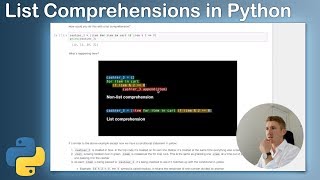
Daniel Bourke shows how list comprehensions let you do in one line what takes three lines with a for-loop. He walks through filtering even numbers, transforming elements, and combining both operations, comparing each to the traditional loop version.
Chapters
Alright, we're rocking Python, so we're about to code some Python. What we've got today is a quick introduction, as you might be able to, might be able to read, a quick introduction to list comprehensions with Python. And now just a quick reminder, there's a blog post that's going to accompany this and a YouTube video. You don't need that link, that will be below. All this code will be available on GitHub. In fact, all the links I mentioned throughout this video will be available in the description, so you can check those out. Now let's jump in. We'll start with why. Why would you use a list comprehension? Now the best reason I can give you, or the one-line version, is to get the same thing done in less lines of code. Now if you have a better version of that, leave a comment below and I can update it. But at the moment, after the research I've done and my use of list comprehensions in the wild— and really, in the wild, I mean just sitting at my desk coding Python, has literally been just to reduce the number of lines of code. Now that's good enough. That's well and good to say out loud. Let's see an example. Now say you were shopping at the math store, right? Because all of us coders, we love math and we love numbers. And we've got a shopping cart here and our shopping cart happens to be a list full of numbers. Now a Python list, remember, is these square brackets here. And we've got about a dozen or so numbers in there. So we'll create that. And now we've had enough shopping, we're going to go to the cashier and we're going to start to, to hand out our numbers to the cashier one by one. Now, how would you do that with code? Now, first of all, we have to create our cashier because they— the computer doesn't know that the cashier exists. So the cashier starts with 0 items and they're going to be an empty list. So remember the square brackets. And then how would you pass each item one by one? We can do that with, with a for loop in Python. So for item in cart, go over each item one by one. Okay, so that's, this is our cart here and there, um, these could be our, our items. Yep, that makes sense. And then this little, little line here, we hand the cashier each item. And now just a quick reminder, if you see anything with a hash in Python, usually the words after it is a comment. So that means when we run this, this little bit of code, the words after the hash won't be included. So, so for item in cart, cashier.append, and then in brackets is that item. Hmm, so you can imagine that as with us handing the cashier items. So what do you think that will do if we're going through each item one by one and Right, and then appending the cashier. You can think of append as add, add item to the cashier's list. What do you think will happen if we print out cashier? Right, we've handed them each item. Let's check it out. All right, so now cashier has been transformed from that empty, empty list, and now they have the same as Is it the same as cart? Yeah, there's cart up there and cashier. All right, so we've essentially just gone through our cart, which is this, this list here, and handed the cashier each one. So now they have it, right? But because we've created cashier, it also seems like we still have it in our cart, right? So, so they still exist in the cart, but cashier also has them now too. And this is a, this is a, this is a Python, um, Python shopping store, right? So it's not, not a real-life one. We both have the same items now. I just realized this might be not the greatest analogy, but we'll run with it. Now, how could you do this? We've done this in 3 lines of code. How could you do this in less, right? So remember, that's our why of using a list comprehension, to do the same thing in less lines of code. So we've got here cashier 2, and they're in the express checkout lane. They only say, they say, Nope, they're in our Python math store and they say, nope, you can't come to me unless you've only got one line of code. We're like, okay, we can do that. We're going to use a list comprehension for that. Now I've written it out here, right? So let's have a think. We've got the square brackets here, but we're all doing it on one line. Is this gonna, is this gonna be the same thing? We've got cart, cart's up here. Let's check. All right, we've created cashier2. Surely this can't be the same as the 3 lines above. Let's check it out. If in doubt, check it out. Alright, we've got 2 lists here. So the first one is cashier and the second one is cashier2. So we've got— they're exactly the same, but what's happening? Now I've got this pretty little graphic here, right, to describe what's going on. But if you want the instructions, they'll be in the GitHub repo, the code below. But I think it's better if we just explore this by talking it out. Now we've got cashier, it's created an empty list, right, in a non-list comprehension, and that's in blue. And the same step over here is done in the list comprehension in blue. All right, that looks the same, but there's some stuff in the middle of the brackets this time. And then we've got for item in cart, all right, that's the same in the green here. Yeah, okay, that makes sense. But the main difference here is in the red, right? We've got cashier.append. But over here we only have the word item. Hmm, what, why do you think this is? Well, the main reason you can think about for now is that if the item is in front of the for loop, right, it negates the reason, negates the need for having append here. So what essentially this, us putting the item before the for instead of after is that we've pretty much said, hey, we're going to do this little part here in one step rather than, rather than making it its own line. All right, let's jump into another example. So the third cashier only likes working with even numbers. Now, how could we do that? So we could do it the same above, but we might check, we might check, we might add in a conditional. That's our little if statement here. We're adding a conditional to see if the item modulo 2 equals 0. Alright, now what's modulo? Well, modulo essentially means remainder. Is the remainder— does the remainder equal 0? So if we divided 20 modulo 2, where is it? Percentage modulo 2, what does that equal? 0. Alright, so 20 is an even number. And what about 4? 4 is an even number, that makes sense. And what about 5? That's going to be 1 left over, right? Because 5 divided by 2 is, is 2 with 1 left over. All right, so we'll get rid of that one. Now cashier 3 equals another empty list. We've seen that before. And then for item in cart, remember we've got our, we've still got our cart here. We'll check that cart. Yep, that's our cart. And then if the item, this is the, the difference here, if the item modulo 2 equals 0, we're going to append that. So what do you think cashier 3 will look like if we got 5, 7, 9, 10, 12, 15, 19, 20. Which ones will be in cash? Which ones will we pass to cashier 3? Even numbers. All right, boom. Does that make sense? We got 10, 12, 20, 22. All right, 5, 7, 9, they're all odd. That makes sense. Now, how could we do the same thing? We got 4 lines now, 4 lines with a list comprehension. All right, so let's check it out. We've got cashier 3 equals list, create a list with these little square brackets. See how in Jupyter it lines, makes this one green? That one's green, and now that one's green too. So item for item in cart, if item modulo 2 equals equals 0. All right, same thing, we've got cashier 3, cashier 3. Now what, what's happening here? Again, we've got the instructions down below if you want to read them, but We're going to talk through it. Blue in the non-list comprehension, we've got cashier 3 equals an empty list. Yep. And now we're doing the same thing here. Now we've got green is the same again. Okay. And yellow is the— yellow is the same too. And now the only difference again is just this little append item. So we've got all components of these 4 lines, but we've put it in 1 line. Now, can you start to see how, how that would help in your Python programs? Imagine if, if this was, was maybe another 10 lines and you had a fair few of them, and then you replace them with this. You could start to reduce the amount of code you need to do the same thing. Now, we might do one more, one more example, and then I'll leave the rest. I've put some more challenges in here. You can, you can check them out for yourself. We'll do one more example and then we'll finish up the video. So the fourth cashier only accepts over 100, numbers over 100 and odd. All right. How would you change each of the numbers in cart before giving them to cashier 4? So we've got our shopping cart and we want to go to cashier 4, but they only accept numbers over 100 and if they're odd. Let's figure this out. Remember, we've got our cart here. Let's check that out. Cart 5, 7. Yep, same cart. Cashier 4 equals empty list. For item in cart, we're going to add 100 to each item. All right, so because our cashier 4 only accepts each item, so we've got a line there. And now then we're going to check if the item modulo 2 equals equals 1. This will, this will tell us, remember, if it equals 0 it's an even number, if it equals 1 it's an odd number. And then we're going to pass— if it fulfills that condition, we're going to pass that item to cashier 4. Now let's check out what does cashier 4 have. All right, 105, 107, 109, 115. Are they over 100 and are they odd? Yeah, they are. And now can you see what it's done? It's gone through each item, added 100, and then checked if it's odd. Yeah, that's correct. Yep, so 7 is 107, 9 is 109, 10 would be 110, but that's not an odd number. So cashier 4 doesn't— cashier 4 is like, "Nup, only accept over 100 and odd numbers." Alright, now we're going to do the same thing with a list comprehension. Can we cashier 4 equals— remember, if we go up here, we just have to convert this part into something that looks like this. So let's do it line by line. Let's go. We might take this little part out and put it at the start. So item plus 100 for item. So now we're up to here for item in cart and we don't need the semicolon. Um, and then we might take this one so we could probably just copy that. Copy that. All right, do you think that will work? Let's check it out. Print cashier for— what have we got wrong? For item in cart. Oh, we forgot the in. Perfect. Is it the same? There we go. That's how we can do it, right? And so now this is another example. This one was 5, 1, 2, 3, 4, 5, 5 lines and we've converted it into 1. Now I've got a few more examples that I've put in here if you want to check out and even a little challenge that's a bit more advanced if you want to try it. And if you get stuck on the challenge, there's a link to a Stack Overflow. And then if you, now this is only just a brief introduction of what you can do with list comprehensions. Far more things, but I just wanted to show you a quick example of some of the powerful, powerful things that you can do with list comprehensions in just one line of code. And now if you want something more advanced, there's an article. I'll link it all below. But otherwise, I'm going to wrap this tutorial up. Thank you so much for watching. If you have any advice, if you spotted any errors, leave a comment below or reach out to me somehow, any way you want. But keep rocking, Pythons. Keep learning. I'll see you next time.
More from Daniel

Small Language Models (SLMs) Are the Future: Fine-Tuning AI That Runs on Your iPhone

Introducing Sunny - A MedGemma-Powered Skin Health Tracking App (Kaggle Competition Entry)


Benchmarking: NVIDIA DGX Spark & NVIDIA RTX 4090 | Part 4 - Comparing the results

Benchmarking: NVIDIA DGX Spark & NVIDIA RTX 4090 | Part 3 - Running LLMs on the RTX 4090

Benchmarking: NVIDIA DGX Spark & NVIDIA RTX 4090 | Part 2 - Formalizing the tests

Benchmarking: NVIDIA DGX Spark & NVIDIA RTX 4090 | Part 1 - Creating a series of tests


Local Multimodal RAG on the NVIDIA DGX Spark | Part 4 - Publishing our demo to Hugging Face


Local Multimodal RAG on the NVIDIA DGX Spark | Part 3 - Putting it all together