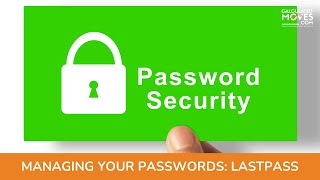
Donna Genie shows how LastPass stores passwords and lets you share access without revealing them. Skip Google and Apple keychain for sensitive accounts. LastPass keeps everything secure in one place.
Questions this video answers
August 17, 2021
me@donnaalculatedmoves.com
Chapters
Do you have sticky notes around your computer with your passwords on them? Are you storing them in a Word document or someplace else that's really not secure? Well, let's talk about a secure way to utilize a password manager and also share that with people who need to know the information without giving away all of your security. We utilize LastPass for our clients and for our practice. LastPass is just one of many secure password managers that you can use to make sure that all of your passwords are documented and yet not available to the outside world in a secure environment. So LastPass will allow you to save your passwords for all different types of websites, probably have a thousand different passwords for different places and websites, and it does an excellent job of saving those. Now, that's a common thread amongst all password managers. But let's talk about what you can do with sharing. So with sharing, you can allow somebody else to utilize your password manager to log into things, but maybe not see the password. So if you have a commonly used password, which is a no, no, but everybody has one that you don' want everybody else to see, you can still allow them to log into a website as long as they have the share in LastPass, but they still won't be able to see it. It will be hidden behind the little dots when they log in. So it's still still a secure way to allow someone to log into a website using your credentials. So let's talk about this in a frame of reference. Let's say that you have employees who need to log in to gather some information, but you want to have to change the password every time an employee leaves or worry that they're logging in from home to collect your data or steal your client list. You can use LastPass in a way to share that password to let them log in, but they still can't see the actual password and take it home with them. So that's a nifty way to handle it. There are other competing services out there. There's also one password. Let's talk a little bit for a moment about the difference between storing this in your keych through Apple or Google. Those are really not secure password managers. Anybody who can log into your Google account can see those. So if you leave your computer for a moment, people can log in and look at that information. Or somebody hacks it, they can log in and look at that information. So please don't use a password manager through Google or through your Apple keychain. Use a reputable product like LastPass to make sure that your passwords are secure and able to have people access them who need them without giving away the farm. Hope you have a great day. Thank you. Bordeaux from Calculated Moves. Please follow us on Facebook, Instagram and LinkedIn. Make sure you check out our blog and our website from the link below. Subscribe to our YouTube channel and hit the bell to be notified when we post. To contact me, email me@donnaalculatedmoves.com it.