The State of Strategy in the Age of AI

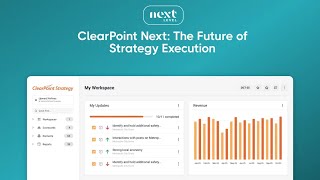
Ted Jackson and Dylan Miyake demo Clearpoint Next, an AI tool that automates strategy execution by gathering data, generating analysis, and integrating with CRMs. They show how it cuts time spent on coordination and removes friction from strategy management.
Chapters
All right, well, welcome everyone and thanks for joining us for our webinar here today at 11am today we're going to do a live demo of Clearpoint next and we're going to show you how it removes the friction that kills strategy execution. And hopefully by the end you'll see exactly what that looks like in practice. I'm joined by clearpoint co founders Ted Jackson and Dylan Miyake. And here's what matters. They spent over 25 years each working exclusively on one problem, why brilliant strategies die in execution.
Hey sean. Back in 1999, Dylan and I wrote the first software, the Executive Strategy Manager program with Bob Kaplan and Dave Norton, the pioneers who created the balanced Scorecard framework. That was 25 years ago. Since then we've worked hand in hand with thousands of organizations, healthcare systems, tracking hundreds of measures across dozens of departments, municipalities, coordinating strategy across agencies, utilities, managing multi year capital programs.
And what that means, really, hey Sean. Hey Ted. Is that we've made every single mistake you can make when it comes to building software, executing strategy, and just basically helping organizations run performance management. So really what this is, clearpoint, is a way to help us address and to solve those problems.
Yeah, and I forgot to mention, if you have any questions, feel free to drop them in the chat. We're going to save some time to answer those at the end. But for what we'll be doing today, for the next 30 or so minutes, short conversations that frame a real problem, followed immediately by a live demo that show you how we think we've solved it. And then by the end, you should see why strategy execution is fundamentally a coordination problem and how AI changes everything about that. So Ted, let's start with what you're hearing from strategy teams right now.
Well, I mean, most organizations are still relying on a mix of emails, spreadsheets, status meetings, maybe last minute slide decks. You know, every reporting cycle turns into a scramble, chasing updates, reconciling numbers, hoping nothing critical slips through the cracks. I mean, one recent client asked me, they said, they told me, they said every month we spend the entire month trying to prepare for the monthly meeting. And as soon as that meeting is over, where we don't really discuss anything significant, we just kind of review data, then we just start the process again of trying to scramble for that next monthly meeting.
Yeah, I mean, here's what's really happening underneath sort of all of that stuff on top. You know, strategy execution isn't the documentation problem. You know, a lot of people think it is, but what it really is is a coordination Problem, sort of. As you said, Sean, someone needs to know that Initiative A impacts objective B, which depends on data from department C, which just flagged a risk that your CFO needs to see before Thursday's board meeting. All that context in every organization lives all over the place, that's known by different people, updated different schedules, within different sort of source systems, really.
And by the time a strategy team gathers everything they need to make a decision, the window for making that decision is often closed.
Yeah, we measure this actually in part of this data strategy stuff that we recently been talking about. We measure this across thousands of implementations and hundreds of organizations. Teams spend 60 to 70% of their time on this, mechanics of coordination and as we said, like not making strategic decisions, hunting for information, translating between systems, manually compiling updates, formatting the same data five different ways for five different audiences. Sometimes it feels just like Control C, Control V. Control C. Control V is what's done, you know, 80% of the time. And obviously that's not a lot of value, Sean, and you are muted.
There we go. Sorry. I think that's really what a lot of our audience is feeling every day. And that's the work that kills strategy execution. So what have you been doing to solve this?
Well, for the last 25 years, we've been really obsessed with reducing the friction at every step. So every feature in clearpoint came from watching teams struggle with something specific. So we've identified these friction points and we've made them easier, really. Thousands of conversations with strategy teams, telling them or having them tell us where their process breaks down.
And then along comes AI. Right. And we recently doing a lot of work here at clearpoint on thinking about AI and how AI implements this process, sort of improves this process and what, you know, our approach to it is not just adding AI because it's trendy. What we're really trying to do is think about how do we add AI where it matters, at these exact friction points that Ted was talking about that we've tried to smooth out over these last few decades and have built a lot of stuff around. But now we can make it work even easier, even faster, and make things even more seamless for you.
Yeah, let's see what that looks like. Let's start with the traditional data gathering workflow that we all know and love.
Sure. Let me see if I can share my screen. Hopefully the answer is yes and you guys can let me know if you see it. Yeah. So here we are. We're in a fake organization or fake data around real organization called Domino's and, and what they're trying to do. Imagine you're the strategy manager here at Domino's and you're trying to do that data gathering process, the one that I described before, where we are emailing people, walking to their desk, calling them all across the organization, trying to get people to respond. And we created this concept of a workflow. And as a strategy manager, the role that I'm in right now, when I'm sharing my screen, I can have a dashboard for my, for that reporting process, that reporting workflow. I can have a time when the workflow is open, a time when it's closed. I can watch people complete their task as we get closer and closer to the deadline. Right Now I have 74% of my tasks complete and I can scroll down and see each person in my organization, whether they've completed their task or not, all the way through. So it's just a nice way to be able to see how people are doing. And this is really helpful for me as a strategy manager. Right. I can, I can also have emails that I set up and these emails have a template to them. So if I sent one out to you and, and say, dear Sean, log in, you can make your updates and send you directly to the right place where you can go, don't worry, I'll show you what that looks like for the end user and then I can set those to go out on a schedule. So I know that everyone's going to get those reminders along the way. And the reward is you don't get the reminders if you've completed your task. So if you do things on your first email, then you won't get the second, the third and the fourth email. And don't worry, even in our organization it takes that third email to get someone to actually make their updates. But here's a really nice console for me, the strategy manager, to be able to make everything happen and to be able to know that I'm going to be able to produce that, that report on time. But for my end users, they get a much simpler view. Right. So now imagine this is my end user and I have some very. Let me just tell you what you're seeing here. You're seeing my four tasks, things that I own, the things that I need to update. Three of them have already been updated. So three quarters, that's three fourths of the task completed. And if I was responsible for making updates in the corporate scorecard and updates in a department scorecard, I might have multiple workflows running. So this Top bar is going to track if there were multiple ones for this demo, I just have one running. I can also see any notifications or mentions or exports. And I just have everything right here in one place. Now let me show you what this looks like. If I jump through to, to make my updates. So I'm responsible for putting in my earnings per share. I can just double click nice and easily put in my data here that updates right on my chart for me. But now I'm supposed to be updating my analysis and my recommendations. We've tried to make that process really easy for you by having an AI assistant who can analyze your measure. And let me just add it over to the other screen so, so you can see it here. So here is where it's added and we'll also see it over here. So the measure's been doing well. We have a slight dip that warrants monitoring. Okay, that looks good. Let me write some recommendations. I can generate those with AI as well. And I'll make this a bigger screen so we can see everything here and say, I like number one, but give me a few more ideas. And these. And so now I can have them right over here in one place. This is great. Let me just make one of these bold to make it a little easier to see. And done now. It was really, really quick. I can also reach out to someone on my team and use mentions to say, can you confirm my analysis? Nrex and I can send that to our, our cfo and, and he's going to get a notice in teams and in, in email in one place. So you know, with links directly back to this page to be able to review it. So I can then mark this as complete and I get, I get the nice confetti that makes me happy that I'm there.
So this I think is really interesting and it's a good example of AI sort of at a point. Right. So it's AI that's looking at sort of your individual analysis, your individual recommendations, and it can definitely help sort of save time, reduce errors. But you know, when we think about this problem, we say, well, the biggest friction, it's not a entering the data problem, it's a coordination problem. So this is just one small piece of it. Oh, Ted, I think you said you want to do what you want to show one more cool thing.
Yes. Before we get to the bigger picture, let me show you also that if you don't like this type of chart, you can have an AI assistant make changes to it as well. So make actual an area chart. And move the legend to the top so you can very easily also kind of continue to refine your information right on one page.
Yeah, I think that's one of the things, right. Clearpoint is a super powerful tool, but, you know, sort of with all that power comes some, you know, sophistication that's required in order to really use it to its fullest extent. So one of the things that AI does when we talk about this, reducing friction right at these point levels is, you know, not having, you have to go search down and figure out, okay, well, what's the right, what's the right chart series, what's the right thing? And then just type it in and it does it for you. But I think, you know, if we zoom out a little bit, I think that's just, we can start thinking about what does that broader problem look like.
Yeah, there's some, some nice things that you can do here and, and we have a full assistant for it. So I'm going to leave that, that earnings per share and go to a full AI assistant to help us with the process of thinking about and exploring our strategy overall. So I can ask it about what it knows inside of my account or inside of my strategy. So I could say show me initiatives. With the status below plan.
So what this is doing is trying to take the whole context of your account and your organization. Oh, good job, Ted. You have nothing done nothing below plan all the complete context of your organization and sort of give it, make it available to the assistant. So, you know, because strategy is not just about this one thing, right? It's saying like, what are the relationships that we talked about earlier between the objectives, initiatives, departments? And so, you know, clearpoint can see this entire strategic architecture. So we've trained it on those 25 years. We were talking about the expertise. We, it understands the process of managing strategy because we've been doing it for so long. So once we can figure out how to correctly ask the AI to get it, and we are working on this and we're continually training and trying to improve, allows it to begin understanding the patterns that indicated risk is becoming a problem. The context of why certain measures matter more. So like really the idea and the vision for us is like over time, clearpoint next isn't just able to sort of answer questions, it really becomes a strategy consultant for you. One that's available sort of 24, 7, 365. So whenever you have a question about your strategy or what to do, you can go in, ask a question and have a recurrent advance. So sorry.
No, that's okay. I am. My account is so clean. I'm checking on. I'm. I'm asking it, what. What impacts customer satisfaction? How can I improve customer service? Add these as action items.
So what you're seeing here is the AI beginning to do more and more actions on your behalf. Right, Right. So you're seeing here that it suggested a bunch of action items and Ted said, hey, just go ahead and add them to the account. And so what it's doing is actually just adding the account for you. So it's not like taking your strategy, going over to chat GPT, pasting it into chatGPT, getting some ideas, then try to copy and paste it back into clearpoint or whatever. All the stuff is right there, right in your workflow without having to switch tools or anything like that.
Yep. And it's really easy to. Add information in here, as well as whether I've completed it or what my completion date is. And then I can make, you know, whatever comments through here. Mark it as complete, Gives me the completion date of today, and I'll say, I finished this thing right on time.
That's why you don't have any incomplete or below plan measures, Ted. You're just too effective.
Well, sometimes when you're executing quickly, it works really well. Right?
Yeah.
So where are we on this? I know I took us a little bit off track when I didn't have any below, below plan items. I think there have been some questions in this chat.
Yeah, so there was one. Oh, go ahead, Sean.
Sorry.
No, I was gonna say, I hope everyone can see how clearpoint next, not only can ingest it, but it understands your strategy well enough to recogn recommend those next steps that, you know, fit your organization. So, you know, instead of just doing it, you can delegate the real work, not just answer those questions.
Yeah. And then it said, there's a question from Samantha, says, when it develops actions, does it automatically assign to appropriate positions or is that something that needs to be done by a manager? Dylan, do you want to take that? Do you want me to? Sure.
It definitely can automatically assign it. So it's just a really. A natural language interface. Right. So if you say, hey, if you have your hierarchy built out in clearpoint so it understands who's in what department and that kind of stuff, you can say, hey, assign this to the head of the engineering department. It'll go ahead and do that based on their title and their department. You can also ask it to list all the users in clearpoint or suggest who might be the most appropriate person. So it's really. You have a lot of options in order to interact with it.
Yep. And in this case, when I did it for my instructions, I said, can you add the action items and assign them to clearpoint support? I'm logged in up here as clearpoint support. So that part made it. Just did it all in one step. But as Dylan said, I could have easily said assign it to the department head or something like that.
And it looks like there's a question here from Sarah as well about integrating with existing CRM and accounting software and pulling data from those systems. It's a little bit off track, but let's go ahead and answer that quickly and then we'll jump back in to sort of look at some of the analysis we can do around individual elements again. So why don't you sort of jump over into the admin settings. Yeah. And then look a little bit about sort of some of the integrations. Well, you can do integrations or in the AI assistant, so.
Integrations.
Yeah. So there's a lot of different ways you can integrate with existing data sources. You can use our clearpoint data loader, which allows you to access on premise databases or cloud databases like Cloudflare, or if you have Excel sheets stored in, in SharePoint or OneDrive or Google Drive and that kind of stuff.
Snowflake Center.
Yeah, exactly. You can use zapier to push data back and forth between clearpoint and different applications. You can use API keys to do direct integrations with other applications and then have webhooks allowing other applications to do things. For example, if something turns red in clearpoint, you may want to have your Asana or something else do that. So there's all kinds of webhooks and other things you can do. So that's sort of like getting data into clearpoint. So that's exit, you know, integrating with sort of an existing CRM or accounting software. Often you might want to actually have the MC sort of the clearpoint Assistant do tasks on your behalf in other applications. And so that's why we have this idea of an MCP in here as well. If you go down to MCP apps there, you can see here there are hundreds of different applications that have MCP servers. You might say something like, oh, I'm in the process here, but I know my operations team uses Asana. I want to assign a bunch of tasks to somebody over in Asana to do it. So the, the, the AI allows you to do that. So it's really trying to be flexible. We're really trying to think about that entire management workflow, all those friction points sort of across the organization.
Yep. And then I know, you know, before we jump back into. So some of the other AI capabilities did see that. Quick question of how hard is it to set up single sign on with Clearpoint from Beth. It's super easy, especially if you use Office 365 or Google. It's clicking a single button to do it. Otherwise we're SAML compliant. So it's usually, you know, a 10 minute setup. Process it if you have something more than that.
And since we're in this page already, Ted, why don't we just quickly talk about the knowledge base?
Yeah, this is pretty amazing. Like, you know, as you think about all your confidential strategy information, like maybe even board meeting minutes or customer satisfaction data, is that something that we could integrate in right here?
You want to jump over 80 labs to have more stuff set up there?
No, I have it. I was just in our preview site. It's not as set up as it is just even in production. Sorry, over here.
So again, this is the idea of context. So you know, within, within an organization, all of your, all of your corporate knowledge may live all over the place.
Right.
So some of it's in, some of it's an Excel file, some of it's structured in databases, some of it's in PowerPoints and PDF. Some of it just might be out on an intranet site or something like that. So what the knowledge base idea is allows you to sync a folder from your OneDrive, your SharePoint or your Google Drive, or upload documents one at a time that you want to give as context for your organization to be able to use when answering questions. So you can ask things about the data that are living across your organization and get decent sort of informed answer. So here's some, just examples on the screen of some things that Ted has uploaded. But if you go into the KB chat, you can actually just see like some of the things that might be able to answer with sort of this private knowledge base, not data.
You want me to just say surprise me?
Sure, why not? We'll live dangerously.
But to answer your question, Shawn, which I think is really where people are getting excited about this and getting a lot of value out of this is of course clearpoint. You have chatgpt that can look at everything public on the Internet and then our AI assistant that can look at all of your data and your project updates here. But you can also add things that wouldn't be in here, like your board meeting minutes. Or you would be able to add your. Your, let's say, customer survey data and be able to. To read that as well. Yeah.
Or past strategic plans or other plans. This is. This is pretty cool. But how would I personalize the AI assistant? So, you know, they act for me.
Yeah, let me show you. Let me just give you some idea of. Okay, this is reading all the dominoes, public earnings reports that I had loaded in there, which is really nice. But. But to personalize it for you, first, you can personalize it for your organization as a whole. And in this case, remember, we're in system settings and we're an admin setting this up as a whole, saying, okay, how would I want the tone of the AIB to be? The response length, the recommendation types, and then any additional guidance I want to give it. And then as an individual, under my own profile, I have, I can change the tone and I can say for recommendations, please just make two of them. When conducting analysis, don't include the element names. You know, if you're doing something, don't include the score or something like that. And then you can add memories, which would be like, what is the role that you're in? Like, I'm the VP of Strategy and Operations, and you can ask clearpoint to remember that. So then when the AI assistant does work, it knows what role you're in and will surface you the appropriate level of analysis for a vice president of Strategy and operations. And then while I'm here as an individual, I could look at the MCP apps that I was given access to and then say, okay, now I want to connect my ServiceNow or my outlook or my teams chat so that when I'm chatting with the AI Assistant, I can use the MCP of these applications to say, send this data to Dylan via teams, and it will shoot him a note as well.
Got it.
So, Sean, I know we've taken us way off our schedule here. Why don't you get us back to where we're supposed to. Supposed to be?
Yeah, I think, you know, when you really think about all this stuff, you know, some of it is, you know, reporting out.
Right.
So let's talk a little bit about reporting, because that. That's definitely a bottleneck that I think our audience shares.
Sure, sure.
I think while Ted's sort of getting set up there, I'll give a little bit of sort of context or background to sort of this. This reporting challenge. I mean, reports are definitely the artifacts that a lot of organizations sort of think of when they think of sort of the strategy management process, right? The briefing book, the PowerPoint deck, the Excel spreadsheet, whatever. And one of the first things that we did when we built clearpoint was really sort of make that process of creating dynamic reports from a single source of truth from disparate data sources across the whole organization much, much easier. Because in the past what you used to do is before clearpoint, you can imagine such a time you would have to go and like ask your IT team to build me a report for this and they would have to go out and build data models and do all that kind of stuff, stuff. So we made that process much, much easier by just allowing you to integrate and drag and drop to connect data sources and build charts and do that type of stuff. But that's still a level of complexity that for the occasional user of clearpoint or somebody who might be sort of like jumping in and out of here, has some ad hoc questions or something like that, they still have to know, like where to go to drag and drop and to do, etc. So one of the things, again coming back to that theme of, of the reducing friction from the process is, well, what if we just allowed the AI to do a lot of that work for you? What if you just sort of described what you wanted and then had the AI go off and create the report for you? So I think that's what sort of Ted's doing in the background here. Maybe you can sort of explain my voiceover, Ted.
Yeah, sure. I will go back to the last chat so you can see it. I just said, show me all the measures related to the customer experience. And it said, okay, there's a customer satisfaction score, the on time deliveries, number of new menu items, operating margin. And I said, tag these with the customer experience tag. And it went ahead and tagged those four items. And then I was going over to see, I realized I might be in our labs environment, which are most experimental areas, so I might not have gotten them tagged appropriately. Yeah, the tags did not show up.
Basically you're using the AI to update the tags and the reports are going to change automatically from there.
Exactly. So if I was in our production environment, I think this would have worked even better. Let me just show you, just let me just tag a few of them. So in theory these would have been tagged automatically and then I could have gone to Customer Experience View to show you the appropriate items that are tagged with customer experience. And then we would have, you'd have a nice dashboard there that we could then share Directly with our CS team.
Yeah, Ted likes living on the edge. You know, not sure exactly what our developers have pushed in the last 10 or 15 minutes. It's like, well, let's just show it on a webinar anyway. No, but I think, you know, we are, we're continually sort of thinking about, thinking through this process. Right. So we really want to get it to a point where you can go in as an executive and ask sort of executive level questions and get good answers as somebody who's responsible for making updates, get in and out quickly. Get, get in, make the update you need to make with the least amount of fuss, or as an administrator, sort of get in there, be able to see that high level view. These are all the things that are going on in my strategy execution. This is where I need to give some people nudges, etc. So I, I think, you know, it wasn't necessarily intentional, but we sort of talked through a couple of different use cases and a couple of different Personas there and how they might interact with the tool.
Yeah, we've seen a lot of cool, cool things today. So I mean, what does this actually mean for, for our audience? Like if someone starts on their team using this tomorrow, what, what do you think changes in their day to day work?
First, I think you have this super powerful tool now to ask strategic questions and get strategic answers with your data and our experience in context. So you can ask things like what's like Ted was doing, what's behind schedule? What's the impact of that on our customer experience objectives? Clearpoint can then pull in the data, understand the relationships, gives you an answer grounded in your strategy, and give you references off to the source material or the source elements. Then you can say like, okay, what should I do about it?
Right.
It can create a bunch of action. Okay, add these to my clear point and then assign them out, which would then perhaps trigger notifications to all those people that they need to do something. Then a week later you could maybe jump back in and say like, how do we, how am I doing on this? Give me an update of how things have changed since I last logged in. So it's all this kind of stuff that sort of thinking about what your day to day process is. We spend a lot of time with customers sitting down, trying to understand what they do. And while every customer has a slightly different way of using the tool, everybody has sort of similar types of things that they do and tie together.
Yeah. And you can, you know, one of the things we've seen with a Lot of our clients is there's been a lot of turnover in their organizations. It reminds me of the transfer portal and in college sports. But with this AI assistant kind of in the back of your pocket, you can delegate task out, you can say, show me everything that, that Mike owns and delegated over to Mary and it will just change the ownership right in there for you. And then you can flag or tag particular projects that are in a particular area, like customer success, and shoot a note off to your VP of customer success to review the dashboard. So it's a really great way to make you extremely efficient.
It seems like customers are getting a lot of their time back. I think one thing that we didn't show Ted, if you want to, is our playbooks. Right. Kind of chasing those problems that customers have and trying to solve them ahead of time so that they can get that 50 to 60% of their time back. I know we're getting towards the end here, but I think that's something that is really impactful for our customers and, and prospects going forward.
Yeah, probably our most popular playbook is building a strategic plan. And many times people will have an old strategic plan. It's time to refresh that strategic plan. But they might also just have an organization wide strategic plan and they need to delegate it down to the departments. So they're helping their departments build their plans and they can do that with any framework that they want, whether it's a balanced scorecard or an Ansoff Matrix or the V2 mom or the EOS, et cetera. And then we also have playbooks that will help you create the calculations, do a year end rollover. So go through that process of adding your new reporting periods, looking for things that are, they're off track. And then you can do a risk assessment of your entire strategy as a whole. So there are a lot of different playbooks and this is one of the areas that we're focused on on being able to really drive that next level of AI integration. As Dylan said back in the very beginning, we didn't just build it because it's a cool tool. It's like what we're doing is we're looking at friction in that reporting process, but more in the strategy management process. Because to me, like there's undeniably big set of, or a lot of friction in just creating that report and getting it out. But then I think the more frustrating thing from someone who's come from the strategy consulting world is just to watch people then just review the numbers and say, okay, now we're just reviewing this report and then we're going to get back on the treadmill and start working on the next report. It's like, no, how about look for strategic insights. Let's do a SWOT analysis of your information. Let's look at target setting for next year and get that additional help to push you along in that area. And that's where you can, you know, not only save time in that reporting process, but really, really drive value in your strategy management process as well.
Yeah, no, that makes, that makes perfect sense. So to recap, it really is a coordination problem when we talk about strategy execution. All these teams spending 60 or 70% of their time on the mechanics, hunting that data, translating between all the disparate systems and compiling reports. Clearpoint Next, which you saw today, solves this by understanding the strategic context, reducing that friction and helping teams act faster. Everything we've built here, you know, reflects that 25 year learning process that the degree in strategy execution that we have earned over time.
Yeah, I mean from one window you can ask questions, get insights, take action, all grounded in your strategy architecture.
You take advantage of our experience, all the mistakes we've made, all of that knowledge is baked into the tool. And our knowledge is on the strategy and the strategy management process. We're not experts in your industry or in your sort of particular knowledge base, but that's why there's the knowledge base there. Right. So you update all of, upload all of your company confidential documents into the knowledge base. That gives you all kinds of expertise on there. We've built in lots of frameworks and handbook and playbooks and other things based on our experience. And so that 50 to 60% of the time that you're getting back. Right. That's automated for you. You can then use that to get to do deeper analysis, to really think about your strategy and have conversations with people on your team to do the things that you need to do to move your organization forward.
Yeah, exactly. Stop wasting time doing those tasks and use your time to drive and execute the strategy. So if you, if anyone wants to see a deeper demo or if you're a client and you want to explore the AI capabilities at your own place, please reach out. We'd love to talk. And thanks for joining us today. Hope to see some of you soon.
Thanks, Emily.
More from Ted


AI in Local Government: How the City of Durham Analyzes Strategy, Risk & Performance

How Coral Springs Won the Baldrige Award — Blueprint for City Excellence | ClearPoint Strategy
AI, Data, & the End of Gut-Feel Strategy: Why Strategy is Becoming More Data Driven
Strategy Needs Accountability: How to Drive Project Follow-Through and Execution