Fix Me09 ISLET An Attempt to Improve Linux based Software Training Jon Schipp
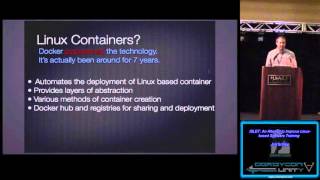
Jon Schipp presents ISLET, a Docker framework that spins up isolated containers for each trainee instead of distributing large VM images. Containers start in under a second and can run thousands concurrently, cutting training setup time and cost while scaling easily across multiple nodes.
Chapters
So close. Oh, plenty are piling in right now, so awesome. Alright, Rick, I think I'm good. Go ahead. Hey everyone, is everybody having a good time at DerbyCon this year? Awesome, awesome. Now, I know there are a number of other really good and interesting talks going on dealing with security. However, today in this particular talk, it won't be so much focused on that. However, you could use this tool to teach security tools, Linux-based ones anyway. So let's get started. So my name is Jon Schipp. I work at the National Center for Supercomputing Applications. I'm on the security operations team. I play with cool tools like Bro. You guys heard of Bro? The Bro Network Security Monitor? Alright, Bro is an excellent tool, very cool. I've made a number of contributions in other projects. I've worked on the NetStiffNG toolkit and security engine. I've also am the founder of the Open Network Security Monitoring Group. Has anybody in here heard of that? Awesome. So it's a weekly NSM group that is available to anyone if you're interested in network security monitoring. We talk about Bro, Snort, Suricata, whatever. We also have a number of projects going on that we're building, like a malware analysis tool using Docker containers, a honeypot system, and the Container NSM project, which is taking all the NSM tools that we can find, major version, minor releases, et cetera, containerizing them and making them available online so anybody can pull them down, do research comparison, and try them out. So I do, if you're interested in this, anybody's able to contribute. Alright, let's get right into the crux of the problem with training. That is, IT training isn't easy, right? Um, there's a lot of stuff that goes into it. When you're a trainer, you have to set up training environments, and that usually typically involves virtual machines. That's common at conferences. I've been to a lot of conferences where they'll pass around, uh, virtual machines, or prior, the day before, they'll say, "Hey, download this stuff," and you're gonna— it has the applications installed in the virtual machine, and you'll run it when you get to the conference. So one problem with this is it takes time to actually go out and do this. You're putting the work on the user. What if we kind of took that off and let the admin do this work? We were able to make this in a way where you didn't have to distribute these large VM files which, you know, are in gigabytes. Also, network conditions tend to be slow, especially on hotel networks and such. So we're transferring— this can take a long time. And I've been at conferences where they passed it around on a USB stick, right? So you have maybe 10 USB sticks going around, say, 200 people. It takes time to copy that. At one conference I went to, it took an hour of the time just to set up for the training. So this is the problem that I'm trying to address. So common types of IET training, just to give you an overview, include shared system training. And this is— an example of this is at work where they have a cluster. There is a login node and everybody that wants to learn how to do some, say, OpenMP or multi-parallel programming stuff, they would have, you know, the compiler on there, the libaac libraries or OpenMP libraries, and they give everybody a Unix account. So the admin prior to the event has to use one Unix system. He goes in and types in all the accounts, sets the passwords, and typically what they'll do is they'll have a piece of paper and they distribute the piece of paper around with the username and the password that's all random for everybody to use. That takes time too. Now, granted, you can automate that in some ways, such as if you have email lists and just script it up. But then there's a, comes a problem of isolation. Moving along. The virtual machine training is the other big one, right? So, like I said, again, virtual machines are big, they're slow, et cetera. So this is, the third one is the one that I'm kinda working with. And this is called container training. So I'm sure everybody here is, or some of you are familiar with Linux-based containers, such as the Docker implementation. Or LXC. You know, in the other operating systems like the BSDs, you have jails. Solaris, you have zones. AIX, you have work partitions, et cetera. Just a way to provide them some sort of operating system level virtualization. And then there is the final one, web-based training. So, um, Go, Golang has a nice interactive web-based training. Has anybody ever used that? Um, there's a few other tools that do. Has anybody used try.bro.org? That is a web interface that essentially calls a Docker backend to launch containers that user interactively types in scripts into the web browser. They get executed and then the results are returned to the web browser. So it's another way to do training. Moving along. So to summarize what we just talked about so far, we wanna make this really easy for two people. Most importantly, the users, the people that'll be true to the training. Also for the admins. So since I've been an admin for a long time doing security work, etc., I like to make things easy. So this is why I designed this tool that we're gonna talk about shortly. So we want something that's very easy to install, deploy, and configure. Also, we need a user interface where, you know, minimal requirements are there. So we make the barrier to entry very low. And we can do this by not having them install hypervisors, not having them copy virtual machines to the machine, not having them load them or any other software that may be needed. We store it all on the server in some way. Enter iLIT, the Isolated, Scalable, and Lightweight Environment for Training. It basically is a system that uses Docker to spin up training environments efficiently for users. So, a few different use cases. Primarily, it's used for event training. You can also use it for research, company training, other things like just, just trying things out. A lot of times in our, um, I run some Linux user groups on campus and we'll just throw a bunch of tools available and they can just go in and log in and try them out. They don't have to have Linux installed on their machine. They can just use their Windows and as long as they have an SSH client, they can have, they can tap into all these already prepared environments. So the first real-world use case of this was launched at BroCon 14. And this is actually the year prior to BroCon 14 is the one I alluded to previously and that was the conference that took like an hour to transfer all the stuff. So, at which is 13. So when BroCon 14 came around, we were like, "We gotta do something different." And then since I'm on the Bro team, we— I chose that, "Hey, I think I can handle this problem. I can try to solve it myself." So we had 50+ users all tapped into this one system. It was a medium system on EC2. So when they get to the event, you just say, "Hey everybody, SSH this username and at this host, log in." Everybody shares the same password. And because we can do isolation, put them in their own little environments. And it worked out very well. We had some issues with the wireless connectivity, but other than that, the training system worked fine. And we had 50+ users running Bro code, all running through PCAP files, you know, during the logs, the events that happened on the network. So that was really cool. It's also been used in the University of Illinois Digital Forensics 2 course. One of the trainers contacted me and they were using it there to teach the students tools like Volatility and other memory and forensic tools, some disk forensic tools as well. And it's been used at FlowCon for training and also I use it at, uh, IAM and UISE LUT groups. So one cool thing about this is that there's a feedback loop. Once you have, using this tool, because Docker provides a lot of level into what, or a lot of, uh, like basically records standard out, standard error of everything in a particular container, you can record that and you can use that to go back to what the users did. So if you're an instructor, You know, you have them do their stuff and then after the event's over you can go through the commands and see where they made mistakes or what they did wrong just by looking at the output. They're typing commands incorrectly, they're making incorrect configuration file changes, etc., that are holding them back. And then you can reincorporate that information into your training for future. So it's just part of the process, this feedback loop that helps you solve problems with your training. Maybe you can make things, certain things more clearly. You can say them that way or write them down. Let's talk about the design. Moving along. So Linux containers are the technology behind ILIP. And specifically I'm using the Docker implementation. But I'm hoping— hopefully I'm gonna be able to support more soon. Yeah, didn't realize that that was up there. All right. So a few different things. What does this provide for us? Well, one, isolation. Because the Linux kernel has these things called namespaces and control groups, or cgroups, The users can't tell the difference between they're in a virtual machine or a physical host and they're in a container. And then with these namespaces and cgroups, we can provide some sort of resource control per training instance, or that is per container. They're fairly scalable. You can run thousands of instances of containers on one system. Right? And I'll show— do some research and we'll show that later. They're also very lightweight. You might have heard the term "just enough operating system." Right? So, for example, you pull down a Debian or Ubuntu image, you won't even have man. There's no man doc package. Installed. You have to do that yourself if you want those. They're very lightweight. So you just add things you need. Also, we just use it to provide a shell because if you can run a process in the container, so why not just launch the shell? 'Cause that's what everybody's mostly gonna be using to interact with these tools that we use in security training and IT training. So, Linux containers again. Now this is about the, how popular this is becoming. Now hopefully, okay. So Docker is really what's kind of set the momentum for this technology. Linux containers have been, or the building blocks of them, namespace and cgroups, have been in the Linux kernel for 7+ years now, right? But in the past 3 or 4 years, you can see a linear growth of people like, if you're using Google Trends, I thought I had an image in there but maybe in a later slide, that the number of people that are, you know, searching for this technology or interested in, the search trend keeps growing. So, and you can see that more and more people are using this in their DevOps day-to-day activities. Hosting web applications, et cetera. That's what it's really good for. We can use it for training. So this technology is getting really popular. So it's like, you know, this is— Docker's, you know, they're adding a lot of features and stuff all the time and they're always pushing the limits on what can be done. And it's a very easy-to-use platform for this kind of stuff. A lot of the other tools like LXC and the jail and stuff, it's a little bit harder to get things going. So we use Docker 'cause it provides like a unified system underneath. Alright, so this is just a little technical information, which I think we actually covered some of it already, but it's important to know that there is no container specification, right? So in the kernel world, I think a lot of people say Linux-based containers to refer to just the technology in general. 'Cause you have the Docker implementation, you have Google's Let Me Contain That for You implementation, you have the LXC implementation, and there's other ones. For example, OpenVZ was prior to these, and OpenVZ is a custom-built kernel that you can download and install on your system where they have their own container system. And there's a few other ones out there. But what do containers do? Again, they provide lightweight process virtualization, also known as operating system virtualization. So you don't need— when you're comparing this to the virtual machines, you don't need to do all the hardware instruction translations for the different— and then accessing the hypervisor from the calls, et cetera. You kind of minimize that because you're sharing the same kernel among the containers. So when you access a resource, you wanna open up, you know, make a write system call or open or whatever, you're just talking to the kernel on the host and it responds back efficiently as if you're just running the application there. Where in the virtual machine world, it's very, it's a lot, there's a lot more involved. You have to make the call to the kernel, then to the hypervisor, and then back. So there's just more transactions. So, a little research moment here. There was a paper published by IBM, basically a performance comparison report between Docker and KVM. KVM is a hypervisor on Linux. What they found was that almost every single case, which was testing memory intensity stuff, disk use, using some memory, it was like MySQL, disk stuff where they were trying to write real fast, sequential, random, et cetera, between virtual machines and doing the same stuff in Docker. In almost every case, they found that Docker was or has exceeded the performance in that. Interesting report, I do recommend checking it out. So I actually worked on a paper about this too on ILIT and we did it at the NCSA, our cybersecurity directorate organization. I was the lead on the paper, the primary author. I worked with Adam Slagle and Jeanette Dauphidy, all of the Bro team. And we used the Bro Network Security Monitor as a way to test the software to see how well it could be used in training environments. So the architecture of this kind of looks like this. You have the host system, which is the largest block in there, and then in between you have the Islet block, which handles the user interface, the account management, and the configuration, as well as some cleanup stuff. So when, like, a conference event is over, you want the user accounts and information automatically cleaned up. You want their containers gone, et cetera. And then you have the Docker component, which Islet makes calls to Docker to do things. And Docker's the one that pretty much does all the work. So I was just like a front end for it, essentially. So containers— talking about the speed and efficiency, especially alluding to the IBM report. Well, simply starting up a container and exiting takes around a quarter of a second. That's very fast. Imagine starting up a virtual machine in a quarter of a second. So with this, a user can log in a system. They'll talk to the ILLite system. And then automatically they'll be in a container just like that. You know, just like that. So it's really cool. And I can probably demo that really quickly. Let's do— So we have— So I have— I'm on OS X and I'm using a tool called Boot2Docker. Or excuse me, now it's called the Docker Toolbox. But you can download this. It puts Docker Engine in a virtual machine and installs the Docker client on your host so you can make Docker calls directly on your OS X system to the virtual machine. And we have a number of images going on here. Let me make that bigger. Can you guys see that? Yes? Maybe? All right, thank you. So, a number of images I have going on right here. So now we can just do Docker— just loop it through for i in— let's just run 10 instances. Oops. Hard typing while you're standing up. Do— and then we'll do docker run and then we'll do— I want to use the Debian image. I have a Debian image in here. And we're going to say run— let's put time in here because we want to get the time it takes. Let's run bash and we'll have bash exit. So about 1 second to launch a container with the bash process and then call exit, right? So that's pretty efficient, I'd say, compared— especially working with spinning up environments in virtual machines. All right, let's go back. And the next slide shows container concurrency. By the way, these pictures right here that you're seeing that were done with GNU Plot were all in our paper that we published. So you can see here we have 1,000 containers at the most running top. They're all running top at the same time. And you can see that compared to what you would consider that on the actual host without the container, system, the isolation and all that stuff, it's very efficient. So you can run things just to prove that you can run multiple or thousands of instances of training environments at the same time. Imagine doing training at scale, right? So typically, you just have a conference of 200 people maybe, 100 people, or in this one, you have thousands, but whenever they actually do the workshop, only a certain amount of people sign up. But what if you could do like MOOCs, you know, Massive Online Courses? What if you could use some tool like this to do containers for a large amount of people. We're talking about hundreds of thousands or even millions. You can scale horizontally. And hopefully we'll work on a— I'll be working on a vertical scalability implementation too in the future. It's on the list. All right. So getting back to the paper. So what we did was we simulated some training. We kind of figured out what is the metric, what is the best metric we can use to decide whether something is too slow. And for us it was— we were like, "Let's put in the user a level of patience that they have whenever they're training, right? So we said it took about 2 seconds, 2.13 seconds to run Bro through a common exercise pcap file that they use at Bro training events. And we said, well, let's just, let's say 3 times that amount, so above 6 seconds, that is too much for the user. Every time they have to run that and look through the data, that begins to slowly wear on them. So we said, at what point are we able to, on a specific machine with specific system requirements, are we able to actually say that this is a cutoff point, this is a point where you need to add more hardware to do more processing because it's taking longer than that 6 seconds, right, of Bro. And we did this by simulating 10 minutes of user activity and we basically had a loop of shell scripts that looped 20 times and ended up totaling roughly 10 minutes of user activity. Now this was high, or this was very active user activity. They were going through the directory structure, they were running pcap files, they were doing log searches, et cetera. And typically in a training environment, at least my experience so far deploying these things, is that it's not that active. People stop, they listen to the instructor, they pause, they come back, and they try the commands, et cetera. But this is just heavy, heavy, heavy brute force usage, and it actually performed very well. You can see the blue dotted line that comes across is the cutoff point. So whenever the red line gets above here, we're saying that at that point we should actually add more resources. And you can see at the bottom, the point where it's 120 users, these are the number of users that we were simulating. So about 120 is where we start to really get above that line and it keeps growing. So here we can actually start adding more resources and then so we can have more Bro users working at the same time. That's kind of the idea. So imagine, you know, just have a virtual machine for everybody where you can have one system. We're teaching a class of 120 people. You could do this on a fairly small virtual machine, an EC2 for example, a medium machine probably, and get away with the cost savings. And we did a cost comparison. You can see the linear growth of the virtual machine implementation versus what you were doing with the use of Eyelet. And you have some jumps there. It's like a step function. So you can actually, if you're actually worried about cost savings, you can use Iaas to quickly deploy things for a large number of users. All right, so now we're getting more into, let's actually use Iaas, 'cause that's probably more interesting to some of you. So first of all, Docker is only available, the Docker engine, the stuff that actually works with the kernel to create these environments, is only available on the Linux operating system because the Linux kernel's required because we're using two features of the Linux kernel, again, namespaces and cgroups, also known as control groups. For Eyelets development, I've mostly done it on Debian and Ubuntu. I recommend using Ubuntu 'cause almost always what I use, but everything should be just fine on Debian as well. If you want to get it to work on FreeBSD or OS X, you can use the Docker Toolbox, boot to Docker, and there was a recent port, it's in the ports tree now on FreeBSD. There was some people that unofficially ported over Docker. So, got the same commands. You could probably get it to work with that. The underlying thing is, of course, not the namespace and cgroups 'cause that's a Linux kernel only thing, but it's using ZFS and jails on the FreeBSD operating system. Okay, so if you wanna acquire Eyelet, you can get it at this URL right here. You can just pull it down. It's in the Git repository available to everyone. Now let's talk about the configuration of workflows. This is where we get into actually using Eyelet. This is how simple it is. All you have to do is create a configuration file and create a Docker image. The configuration file, you just drop it in the /etc/islet directory. It's a 3-step process really. And it points to the Docker image to launch so that whenever islet runs and the user says, "Hey, I wanna launch this training environment," it reads the configuration file, finds out what image is linked to that configuration file, and launches it, and the user is automatically inside the container ready to perform work. Very simple 3-step process. You just drop configuration files in the /etc/islet directory, and as long as you've built the images that configuration file as references, you're good to go. And also tried to make updates very easy. So just to update either you can just type make update. And now we're gonna try the demo. So let's see here. Alright. So this is an EC2 host I just spun up today. And I installed Docker already. And I installed Git and we're going to go through the whole thing here. So, yes, I can. Thank you very much for saying that. Is that good? Let me just— some uncertainty in your voice, I'll take care of it. All right. So, pull it down. All right. So now we're going to the Etsy Island directory and we have a configure script here. Okay. So it found some things, it did not find some things. So the things it needs are Make, it just said, "No, not found," and SQLite. So let's take care of that real quick. And the reason I went ahead and installed Docker because it takes a little bit. Oops. Dun, dun, dun, dun, dun. Okay. So now we're installing those two packages that are required. Let's run this configure script again. And Boom, we have everything we need there. This is actually a bug. Just ignore this right now. There's actually a newer version of Docker installed. So now what we're gonna do, we're gonna type make. It gives us a number of things we can do. So the most important one is to make install the software. So we'll go ahead and do that. Make install. Oops, I forget that I am not root. There we go. Boom, it's installed. And copied a bunch of configuration files over, created some directories, blah, blah, blah, and we'll type make again just to show you. The other thing we want to do is we want to use the user config. So by default, Eyelet needs a user to bind to the Eyelet account, and you can automatically do it simply just by typing make userconfig, and if you want to specify your own user, you could. My name is Jon. If you want to do that, or if you want it for a training environment, you could do training, but we're just gonna use the default 'cause I like it and it's simple, that is demo. We'll create a user account called demo, an Eyelet group, Damn it, I did it again. Okay, there we go. So now we added the demo account to the islet group and the demo account to the docker group. So at this point, we can continue. But before we do, I want to show that there are a few other options. One is security config. We're going to actually go ahead and apply that. So islet has a script that will actually configure SSH at a level that makes it secure and works with islet. Such as cutting off the port forwarding so a user can't just attach to the container over SSH and then port forward their traffic through the host and stuff like that. So we do that. Also, there's a nice helpful make target called install-docker. So if you don't have— when you ran that configure script and Docker wasn't installed, you can just do make install-docker and then install IOLITE after, and that will take care of pulling down the latest version of Docker from Docker's own repositories. So we're gonna go ahead and do the security config. Thank you. See how much time I spent as root? All right, so now at this point we can connect to it. Let's go ahead and go to this terminal window and do— actually, I need to get my— what is the 52— what's my IP address? Okay. All right. So now this is a new terminal window connecting to the iLO server. Demo@— and the password by default is demo. And every user would use the same password, make it easy. No need to do account management, right? So now we're here, we'll press a key to continue and we can see that there's a few things we also have to do. I actually recently added this. Before I didn't do this, but this actually makes some of the implementation a little bit more secure with the permissions. Then we don't have to do some sudo bullshit in sudoers.conf. What we're gonna do now is just gonna go ahead and copy and paste that in, make it real simple. It tells you exactly what to do. Oops, it looks like I didn't get that copied. Come on. Ah. Dun dun dun dun. You know what? Yes. Alright, so now what we're gonna do is we're gonna do the same thing again. So all I did was just set those permissions that it told me to set. Blah blah blah. Okay, and so now we have another issue. This is the Docker storage backend. Now this is another recent problem where Ubuntu's packages are that they changed the backend.. So we're just gonna have to set it in Eyelet, etsyeyelet.conf. So it's really simple to do. And you can see that there's a backend variable. Now I'm just going through this whole thing. Usually this is a little bit easier. I've made a lot of changes recently, so a little bit more problematic right now, and I didn't prepare for this super well. But now you know, as you watch me, you can handle all of this. Alright, so the storage backend, and this is the thing, one of the problems with Docker is that it's changed, like there's a new release like every month. And half my shit's broken. Like, I have to go in, I have to check why isn't this working. And then I have to keep reiterating this process. And here is another instance of where I have to go and change the backend. Okay, sorry. Little rant. Alright, but I do love it. I do love it very much. Okay, so docker info will actually tell us the backend that it's using. Oh, goody, it's using AUFS. All right, so we'll just go ahead and make that change now. And I'll show you how simple it is. No, why didn't you get that in the history? All right, so backend AUFS. Looky there, simple. Just gotta match 'em up, really, that's all you gotta do. Alright, so now we're at the point where the users can do stuff. Okay, so are you a new user? Yes. My name is— well, I'm not at the point— new. My name is Jon, so I'm gonna say Jon S for Jon Schipp. I'm gonna choose a password. And you'll notice here the users create their own accounts. They handle their own account management. Then we're presented with the eyelet menu. And at this point, it gives us a few options. You can restart the eyelid session, you can delete your user, you can delete your training environment, you can clear the screen. So we don't actually have any training images at this point. So let's go add some training images. So we go back to the server. And I got— for those that like NSM tools, I have a nice little make target that will pull them, a few of them down for you. Like this. All right. So, dun, dun, dun, dun. Okay. So now what we're going to do is grab— it's Let's do nsm. There's a bunch of little gems in the Makefile, so. Let's do nsm install configs. And this is gonna actually start build— giving us samples to work with for training environments. Okay. So just install some files, and we'll show you what a training file looks like. So now we can go to /etc/ilit, and we'll see that there's a bunch of stuff here. So let's learn about Bro. We'll go to this configuration file and let's scale it down a little bit. Uh, so it doesn't look like too much hell. Um, the big thing here is pointing to the image. So we actually have to have this image, but in this case, uh, ILIB will automatically check if the image exists on Docker Hub and then pull it down for you. So it's looking for the official Bro platform Bro live image. So if you went to hub.docker.com/bro /roplattform/rolive, you would actually have— you can actually pull down that image. And you can also see in here we can actually set a number of variables for the container configuration, such as limiting the CPU shares, the amount of memory, the swap space, mount points, et cetera. Whatever you want to do to limit the user. So let's then go back out and then go into our student session. So again, I'm a student. I'm logging into the iLO system the instructor gave me. He told me to use demo username and demo as the account password and now I'm an existing user. Jon S, Jon S. Voilà, now I have training environments. So anytime you drop a file in that /etc/ielite directory, this is literally what I mean, it is present, it's present in this configuration for the users. So I wanna do Bro. Today is the day that we're gonna teach Bro. So we're gonna type number 6 for Bro and it says the image is not found, is trying Docker Hub. And it's now pulling down the Bro image. So now when another student connects, it will automatically be installed and no one needs to— so prior to a training environment, you'd actually pull all these down already. But we're just demoing this whole thing live. So this may take a little bit 'cause it's actually a pretty big image. Actually, this may take a long time 'cause I'm tethering. So let's just— let's see what we got going on here. I might have— I think I have another— demo setup here. Bum, bum, bum, bum, bum. Yeah. So also, if you guys heard of Vagrant, anybody use Vagrant for development environments? So I have a Vagrant config for this already. If you just pull it down and Jon Schipp— I'm on GitHub, jonschipp/vagrant— I'm sorry. Yeah, it's just Vagrant. You can go to the Isla directory and automatically build out this config for you. And it's already have that running and we'll go ahead and— connect to it. I think I did this early this morning with the VM, so this is another instance. We'll go ahead and make it large again here, one moment. So again, I'm a new user. Yes, yes, yes. And then now I have a few images here. So if I was smart and I did this this morning, I would— yep, okay, so now I'm in a Bro image. Look how fast that was. So at this point, we'll do that one more time. Let's hold some heads down. Alright, this is the cool part. So you pick an image, alright, the student picks the image they wanna train on. Usually the instructor says, hey, we're gonna teach you about Snort today, or Bro today. You click that number, or you type in that number, and you're launched in an environment. So we're saying, hey student, press number 6 and we're gonna start teaching, learning Bro. Bam, I'm now in an environment with Bro. So this is spawned a Docker container with the user. And if you look, bro/bin/bro, I have Bro installed, right? And you configure these environments to have the security that they need. So if you wanted people to edit configuration files or if you wanted people to run processes, you configure that all through that IOLITE configuration file which passes those settings to Docker. Makes it fairly simple. And let's just do another one. So now let's go to, I don't know, let's teach them TCPdump, right? Now I'm in an environment with TCPdump right here. "Hey, so now we can sniff on interface showing how to use TCPdump," et cetera. So they can quickly go in and out of these environments. And that's essentially all there is to it. So now we're gonna go back, whoops, almost made a mistake there, close. Let's see if, okay, so that's done now. So now it shows it pulled down the Docker image from Docker Hub and now I'm in a training environment with Bro. And then we all, in this one we have, of course, in the same way, Bro is in here. And you can set this all up so that you make the path— it's already in the path, et cetera. So just a very easy way to do training. So now what we're going to do is we're going to kind of go back to the slides because that was the demo. And if anybody wants to try this out right now, you can. You can go to demo@islet1, islet2.jonschipp.com and you can just kind of play around. You can try to break it if you want to hack into it, that's cool. I do need people to audit it, so please do and then email Tell me that it was you. I'll do the IR anyway, but whatever. Passwords demo. Alright, so the roadmap. So this is a project I do in my free time. I had just that few months to work on it whenever I was doing it for the Bro stuff, but it's been largely put to the side, but now I'm starting to do more development on it. And I plan to do support for other runtime implementations of these operating system virtualization technologies. Such as JLS on BSD. I like BSD operating system, so I think it'd be cool to do that. Also LXC, et cetera. Things that I need from people, or if I have time I'll do it myself, but auditing and penetration testing of the tool. I'm probably gonna rewrite it in another language when I have some more free time, such as Golang or Python, 'cause they have the nice Docker API libraries. I need to improve the build system, just some minor things. But the most important thing for contraining is scalability. What if we can scale this vertically? So that you could have like an Islet node, all the users connect to this Islet node, which then puts you on the backend to some other node so you can like have 1,000 containers running on this system and 1,000 containers running on this system. So we would like to have it scalable. That's something that's gonna be done in the future. Also, for e.g., contributions. If you'd like to help out with Islet, please, you can— easy way to do it is just to pull down the Vagrant configuration, run it, connect to it, and then send me patches or pull requests. And it was a part of a National Science Foundation grant. There's the grant number right there if anybody's interested. And you can contact me at jonschipp@gmail.com. And how we doing on time? Oh, we are doing really well on time. And there are plenty of references right there for some of the research that we did. Any questions? Hopefully you think this might be useful for you. If you have any questions, ask me. Come see me after the talk. Whatever you wanna do, I'm happy to talk about it. If you have different ideas, just let me know. And I hope you guys have a really good day. Yes. You want to teach web interfaces? This isn't documented at all. You have to come to me or look at the code. But if you want to, like, teach web interfaces in every— like, say, WordPress. I don't know. It's lame, but whatever. You want to put a WordPress instance in, you know, teach 1,000 users. Everybody would be running their own WordPress instance, and you want to find a way that they can, from the Islet server, talk to— like, open their web browser on their client machine, their workstation, and talk to that WordPress instance to configure it? You can do that. I have it set up. It's kind of ghetto, but just some iptables trickery and generates a port that's kind of associated with the parent process ID of the process that's for that container. And it'll basically say, hey, it'll spit that out to the user once you launch it. You'll get the shell. It'll say, hey, try connecting to http:// the Island server IP, sorry, and then the port number. And they'll do that in their browser and they'll be in that WordPress instance or whatever you want to do. It could be anything. It could be any service that actually needs a port open to users to access it. So it doesn't have to be just command line access. It needs to be more production ready, but if you're interested in that, come talk to me and we can kind of— I need— I can bump up my— that in my queue for priority. Dope. All right. Well, if there's no more questions, thank you guys for attending my talk and I hope you guys have a really good day.
More from Jon


What No One Knows the Podcast / Vodcast featuring The Tampa Bay Wave and Jon Schipp

Meeting the Exposure Management Challenge: Key Use Cases for Success | @OfficialRapid7 #SolutionSpotlight

Spot Security Control Gaps and Non-Compliant Resources Across Your Attack Surface






