ISLET An Attempt to Improve Linux based Software Training Jon Schipp
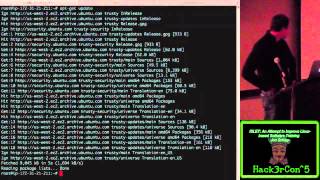
Jon Schipp presents Eyelet, a Docker-based tool that simplifies hands-on Linux training at conferences. Instead of managing virtual machines or shared accounts, users SSH to a host, pick an environment from a menu, and land in an isolated container with the tools they need. He demonstrates a full deployment on EC2 with Volatility and Bro images.
Chapters
Should we give him a little bit?
Oh.
The microphone is necessary. But we are now recording. Of course you want me to record. That's why I just started recording though.
I give you Jon Schipp!
You guys ready for the next talk?
Woo!
HackerCon! All right, so I'm gonna go ahead and get started here. So a little bit about me, I work at a supercomputing facility. We have one of the largest, world's fastest supercomputers called Blue Waters. It's like an 80,000-node machine. And I think we're at 14 petaflops at this particular point in time, so a very, very large number. It's an interesting place to work. So I'm a contributor to a number of projects. One is NetSniffNG, which I've given a number of talks on at various conferences. It's a suite of high-performance networking tools. I'm also a contributor to the Security Onion project which many of you know. It's a Linux distribution based on NSM, so Network Security Monitoring. And I'm also a member of the Bro team, the Bro programming language. Huh? No, nice, nice. No, actually I don't. So I also run the Open Network Security Monitoring Group. So this is actually a new project of mine. We meet weekly and anyone in this room can attend. We have remote meetings where we have industry speakers and academic researchers talk about various network security monitoring tools. So if you're interested, join the, go to the website and join the mailing list. We meet Mondays at 6 PM and we have GoToMeeting so you can hop on in and hang out with us and learn some new tools. So the problem. So I've been thinking, I think I've found a problem, a pretty significant one in the way training is done at various conferences. Been to a lot of conferences, done a lot of training. And things don't ever go all that smoothly. And while this problem is not as significant as the one she's currently facing, it's more widespread, I would say, for sure. And we'll get into the key aspects of this particular, or these problems, really. So first thing comes to mind is when you go to conferences, people typically do virtual machine training, right? You wanna learn some particular command line tool or a GUI tool, they pass around virtual machines. This takes time. This is distributed on USB sticks or you download it from the internet and there's a cost here. The user, the person that pays to go to these events actually has to put the time into getting this upfront, right? So it involves a large number of resources. Second thing, there's always technical difficulties. Someone usually is raising their hand because they don't know how to configure the hypervisor properly. I've seen this many times. Another thing is the hypervisor compatibility issues, right? Between Parallels, VMware, and VirtualBox. So these just two items right here can really diminish the experience of users at conference training events. And then the other one is, this is not so much virtual machine training but the account management. This determines when you use shared Unix systems where you have accounts, everybody gets their own account, they log in via SSH to a Unix system that has the tools already installed that the administrator has installed. And this in particular case, the burden is not really on the users, in this case it's on the admins. They have to go through this account management process for every single event. An example of this is Blue Waters. We do a number of HPC programming classes, right? So you want to learn how to use OpenMPI, Message Passing Interface libraries, or OpenAAC, right? And you would have Fortran and C compilers available on these accounts. But the admins have to go in prior to each conference or each event and create the number of user accounts for each one of these users, whether it's 30, 60, 100, et cetera. So this takes some time. And then the last thing is what happens if you have an event and you distribute all these VMs? We go back to the VM example which is the most common, at least in my experiences. What happens if you insert the wrong exercises? You have some— the wrong files, the wrong version of software. People make mistakes, it happens. What do you do? Well, hopefully you have a Git repository where you can pull that latest stuff down but not in all cases. People ended up being actually stuck with the wrong material. And it happens. So solutions. Well, how can we mitigate a lot of this? Well, I think we should pass the burden to the admins. The user should have the lowest barrier of participation in this case. So let's give them access to a server. Let's also provide a tool, cross-platform, proven true and tested. And the good example of that for remote access is OpenSSH, right? It's available on a number of platforms. You can actually have it on your tablets, your smartphones, etc. So it opens the door to a number of other ways for trading. Because you don't have to just bring your laptops. You couldn't do this in virtual machines, right? You can't run a hypervisor on your smartphone. At least not that I'm aware of yet. So it brings up more possibilities. Automate the entire account management, take it off the admin's hands. We can script everything, right? And then lastly, Maybe we can have a way to actually, if you have 1,000 people training at this large conference and someone makes mistakes and they're in this environment where they're running commands, typing tools, following along with the instructor, what if we can literally make a change to those training events or those exercises or whatever and have that change automatically distributed to everybody immediately and they don't even know the difference? Well, we can with this, with this, my proposal. So back again, we're placing everything on the admins. Make it smooth, easy for the users. And welcome to Eyelet. So Eyelet's this tool I've developed to put all these components together. It's the isolated, scalable, and lightweight environment for training. And it relies on SSH as far as when it comes to user interaction. The participation, they only need an SSH client. So what is Eyelet? Eyelet is glue. It takes all these number of components that are proven, tried and tested, right? And it provides a framework around them to make it really easy and automate this entire workflow. And it basically creates a workflow of a 3-step process for the admins, right? You essentially create an image that is your training environment. You create an i-LIT configuration file, and then you point the configuration file to the name of the image, you drop it in directory, and you walk away. Literally, that's all you have to do. Next time the user SSHs to the system, that environment is available from a menu and they can work. So the uses, well here's a few examples. It's intended to do event trading, right? However, you can use it internally. You can do software trading for, in your company, your organization. You can use it for capture the flag competitions. And there's something that's rolling in my head as we speak and has been for the last few months. If anybody wants to work with me on this, let me know. It would be awesome to do CTFs with this. Also, trying out— just trying out tools, throw up a VM, play with it, break something, remove your file system, whatever, it's all contained so it really doesn't matter. You can be especially dangerous in these situations and be typically fine. And real world use cases, we launched the precursor to this at BroCon 14. And this isn't— it wasn't as robust as it is now, I mean, I probably added like 4,000 lines of code, et cetera, a number of a number of tools to actually help keep it in better shape. However, we had 50 users at once simultaneously accessing the system writing Bro code. And this was on a low, a cheap system in EC2, right? So a little bit above the free tier. 50 people at once. You can do way more than that. It's scalable. This is the really cool thing about this. And there's a consultant that I can't name that teaches NSM products around the world with this particular tool. I get feedback from here every now and then. And we actually used it at our OpenNSM meeting. We had a guest speaker teach the OSSEC, uh, host intrusion detection system, and we had our first case where an actual student of the University of Illinois learned how to use OSSEC with a smartphone. It was really cool. So we were able to show that that can be done. And lastly, I use it to teach Linux software at the Linux user groups. One cool thing about this is from the instructor standpoint, we can have a feedback loop, right? We can actually see what the users type. We can actually see the output. And we can use this to improve conference training materials. If they're making particular incorrect choices in their source code, they're causing syntax errors, semantic issues, typing commands that don't exist, et cetera, because maybe we're not explaining the particular options of them as well as we could be as an instructor, we can actually go through these logs and see what they've done. And then we can add this to our course material as a feedback loop, right? We're continuing to improve training. And now we're gonna get into the technical part, the best part. Linux containers, so who here has heard of Linux containers?
Anybody?
One guy in the back, awesome. Docker? Ever heard of Docker? Cool, one other person. All right, great, so this is gonna be a treat. So this is the technology behind this tool called Eyelet. So we have these things that provide isolation. So, and that's one of the reasons we use virtual machines, right? 'Cause we have isolated environments we can pass to users where they can't screw everybody else's up. Well, in the case of Linux containers, we also have some isolation provided by the kernel, the Linux kernel in this particular case. It has these things called namespaces, so it's just like namespaces in programming languages, right? So you have a global namespace where you can see everything and you put processes in particular namespaces where they have a certain view, the view that you want them to have of the rest of the operating system. And in most cases, you don't want them to see anything else. So the Linux kernel, as of like 7 years ago, has this capability to do namespaces.. And the users really can't tell the difference whether they're in a virtual machine or in a particular namespace if they have a shell, right? So this technology is really interesting and you can see at the top, whenever you do working with virtual machines you're doing hardware virtualization. It's exactly what's happening with the hypervisor and all that. But when you're doing, when you're looking at containers, you're actually doing lightweight process virtualization. You use a system call called clone, right? And then it binds this particular process into a particular namespace and that process is isolated from all the other namespaces on the system except the one that the root is in, the global namespace. And that's how we do our isolation. Scalability. Could you teach all these people how to, at one conference? Well, you probably can. You couldn't even imagine doing this, I imagine, with virtual machines. 1,000 containers at once. Imagine teaching 1,000 people. You can do that. You can do more than that. It's scalable. All you need to have is allocate the resources for your particular system. And these environments are really lightweight. So it's just enough operating system. At the moment you fire up a new container, right, from an image, With Docker, you don't even have man install. You don't have the man pages or anything. It's very lightweight. You add the components that you need. And the addition with also with this that helps with the speed when it comes to Docker containers is that there's a copy-on-write file system, right? So this improves things when you need to fire up things instantaneously for each user as they connect to the system. And with this, you get almost near bare metal performance. And this is— I've read a few studies on this. IBM, which I think is in a future slide, they came out with a research report. Where they did KVM versus Linux containers. And in every single case, the containers were almost significantly, in every single case, better performance. And the startup time, just think if you had to fire up 1,000 VMs, you know, it's in seconds to minutes for each virtual machine. Well, you can actually start up a container with a single process, the shell that the user needs, in 100 milliseconds. Very fast. So it works well with what we're trying to solve. Other thing, so typically we just wanna provide our user with an environment, right? A shell, something they can type commands. Something where they have the programs that they need to perform the training already available to them. And here goes back to that paper. Here's the conclusion. This is a quote here. Docker equals or exceeds KVM performance in every case we tested. And I'll even go further. I read the report. I looked at the metrics. And this is significant in many of the cases. And so popularity, this is a big thing, these Linux containers. So I highly recommend paying attention. You're gonna see things changing. The landscape in IT is changing. They're going toward, a lot of developers are going towards these. 'Cause you can deploy things very, very quickly. Imagine having 100 different versions of this piece of software running at the same time on this box. And you can test every one. You can merge and throw in changes to all these containers. Throw out other ones, move these to production by pushing them to a repository, pulling them down. It changes the landscape of things. It makes everything easier. And if you can look up here, about, what is it, 2009 is when containers were first found according to Google using Google Trends. And then later on, they grew and grew and grew in popularity as more people queried through the Google engine. And then Docker, you can see, took off in 2013. Well, Docker is really the piece of technology that's actually helping this move along at this particular point in time because it provides this layer of abstraction around containers to make makes everything really, really easy to use, manage, and deploy. So again, building on the popularity, there's a number of companies, organizations, and tools built just to do these things. Google has Kubernetes, right? It's a container cluster deployment system. CoreOS, this is a Linux operating system now that is designed just to run containers. And it's distributed. You can actually run multiple CoreOS boxes across the country. And if one of your— container that's running your website goes down and this one fires up and you're good to go. 100 millisecond wait time probably, just depending on the number of applications running in that particular container. Project Atomic. This is another one that's, it's another system that's, or an operating system that is designed to work with containers. And Red Hat's actually building upon this in the new Red Hat 7 release. They actually came off the beta just a few days ago that was released, built on Project Atomic, because Red Hat now sees the market value in containers and will continue to be a big contributor to them. They're working, they're doing a lot of stuff, especially with SELinux. I know those guys have been writing a lot of articles about using that to further contain things. Cloud hosting, OpenStack, Heroku, and Google now just launched their cloud engine for containers. So they see the value as well. Everybody's going this direction. It's a huge thing at this particular point in time, and it's going to keep growing, I imagine. Linux containers, so it's been around for a long time. Over 7 years. It's been in the kernel for that long. The technology anyway has been in the kernel for that long. But the difference nowadays, like I said, is that Docker has made it easy to use. So, some technical details. There is no specification for a container, right? People, developers all over have created their own implementations on different operating systems, not just Linux. And What you may have heard in the other operating systems, a few names. BSD guys in here, I used to be a BSD admin for a few years. BSD has jails, right? That's their container solution, right? It's chroot on steroids. So that is another way to do similar technology to isolate things. Solaris, you know, Solaris has been around for a long time. They have zones. I was an AIX admin for a little bit too. God, I hate that operating system. But work partitions. AIX has work partitions to do this. Then Linux, Linux has a few different ones just for their operating system. You have LXC, that is the userland tools used to build the containers. OpenVZ, which is something that's not in the mainline kernel, you have to apply your own patches for this. Google has their own container project called Let Me Contain That For You. And there's Open Virtual Server, or OpenVServer I think it is, they have their containers as well. And Docker is now the other thing that's really big for creating containers. I should note that a couple weeks ago Windows announced they're gonna be working with Docker 'cause Windows wants to take advantage of containers. So that'll be really interesting to see. It could be really cool too. So imagine running isolated applications in Windows. Linux kernel stuff. So 3.8, the Linux kernel at 3.8, that introduced the building blocks for these containers. So there's two components. You have namespaces, which we talked about previously, and you have control groups. There's a few number— there's 6 namespaces at this particular point. 9, there was a number of proposals, however they didn't get integrated in mainline, and there may be more in the future. The process namespace or PID namespace is what allows you to take a process from one namespace and it will not be seen from other namespaces. You have net, the net namespace is particularly interesting. You could actually— it's basically a copy of your network stack in a namespace. Has its own routing tables, has its own firewall rules, its own interfaces, that are isolated from other namespaces, which is really neat. Mountain user, inter-process control and— or inter-process communication and you have the UTS, Unix Time Sharing, which actually goes back to the hostname. You can run and have different hostnames in different namespaces. So, cool, you have these namespaces. Well, can people just run rampant in them? I don't know. Well, so a while back, a number of— a few Google developers actually got into the mainline kernel with these things called control groups. These are what allows you to do the resource management and monitoring. So you have CPU, CPU set, block, or blkio for block devices. You can actually limit the read and write speeds of the disk and all that per container. It's really neat. So this is what we use to control the environments. And before Docker and the LXC tools, you had to create these namespaces and create these containers. You actually had to write a shell script or something similar or actually do the system calls yourself programmatically. But you would actually just, in the shell script, in the case, you would actually just modify procfs and sysfs, those virtual file systems, right? You'd modify them. You'd just have a script that would run through there and just create the namespaces and put the process in it, which is a pain in the ass, not scalable, and very hard to deploy on a wide scale. So Docker, LXC, all these other tools make it much easier to do that. Let's talk about a little bit of security. Networking can be disabled. You can turn networking off. You just have a loopback interface in a container, right? So, and this is in more terms of Eyelet and how we use it to train. So you don't run processes or standard security precaution recommendations. You control the amount of CPUs and RAM allocated per container. You do automated cleanup. That is after you have a conference, it lasts 3 days. 3 days goes by. You don't wanna keep those containers on that system. You just remove them. So we have scripts that do automatic cleanup. And we can also limit disk space using device mapper, right? That's in the kernel now. And that is a way to create virtual file systems and do things with them. And they have a specific option in this Docker storage backend where we actually limit the size of that. So a user can't just go in a container, run yes, a string of text, and redirect it to a file, thus filling up the drive. Other things you can do is find control of the environment with Ulimit, right? So we can actually pass Ulimit settings to particular processes so we can control the number of processes that are running in them, the file sizes, et cetera. Host security. Well, if you wanna actually, typically in most cases you're at a conference, people are paying to be there, there isn't much to worry about as far as actual students bringing down the system, which you wanna prevent them from accidentally doing that, but typically they're not gonna be malicious.. But when you do something like this and you do it publicly available, like run an ILO server on the web that anybody can connect to and play with your stuff, you should take extra precautions. And one is to apply GR security patches, right? So improvements in ASLR, the automatic stack layout randomization, non-execution of various data segments of your operating system processes, et cetera, et cetera. So we can actually apply this along with discretionary mandatory access control to harden the system further in cases where it's publicly available from anybody. And then I have a lot of scripts to do some of this stuff up here, but we also want to do rate limiting with iptables for SSH and such. And we also recommend running a sort of host intrusion detection system. But let's get all the technical crap out of the way and let's get to Eyelet. So working with Eyelet, this is the software stack, right? So You can't really see the color, I chose a very poor color, it's black. But the arrow going down shows that they interface with OpenSSH, they have an SSH client on their system. Then here's the rest of it, we're built on GNU Make to install everything, a number of targets to update, et cetera. Docker, Linux, Bash, and SQLite at this particular point in time. Make it really easy, make it portable, at least for the most part portable across Linux distributions. And to install this, you actually require a 64-bit Linux operating system because Docker only works on 64-bit, and IOLI is based around Docker. Linux is the only thing at this particular point in time that can run— or Docker is the only thing that can run on Linux at this particular point in time. In the future, it may be other operating systems. I don't know. But at this particular point in time, you know it can only teach Linux-based software. And that is because the software that you're using shares the Linux kernel. When you create these containers, they're all sharing the same kernel. So the software that you use, libraries for that sort, have to work with a particular kernel when they make those system calls, etc. For deploying your own system, Debian is preferred, the Debian family system. You work on other Linux distributions like the Fedora family, etc. However, I do all my testing on Debian, typically Ubuntu, so I know it works well there, so I recommend that. However, you can have readme file with all the documentation that shows you how to do it for other operating systems.
Operating systems.
So if you want to get started right now, this is what you do. Git clone, right? And then you look at the README file, it tells you what to do. You follow the steps. Great. We're actually going to build one live here in just a moment. It's really simple. And the configuration workflow. Well, so Eyelet has a global configuration file that just defines, "Hey, where are all these components are, their paths, et cetera." And then you create these per-image configuration files. They're just a .conf file you literally just drop in the /etc/eyelet directory. And these point to the images that you create. And then when someone logs in via SSH, what actually happens is that the actual IOLite scripts I wrote will actually look for all those images, then get a choice from the user, and then load the appropriate image based on the choice of the user from a menu. And then they'll actually stick them in that environment. So very, very simple 3-step process. And I added a few other things. One is you can actually do port forwarding in the containers. This is a little tricky. I did iptables prerouting rules on the backend based off the parent process ID, which would be SSH in this particular case for every single user. So that if you want to train people on things that are not inside the shell, they wouldn't otherwise have access to such as a web interface running on some web port. You could actually do it at this particular point in time. And so you have 1,000 containers, you want to teach somebody how to use your web interface that you just wrote, right? You fire it, they all log in. I have a last— if you configure properly, it will actually tell you the port to connect to. You're actually in a shell, you open up your browser right over here and you type in that IP address that it gives you colon the port and you're actually logged in. You can train an isolated web interface. You can break it, whatever. It won't affect the other 1,000 containers that are also running that web interface. So it's really interesting. And you can also do direct X11 protocol. Might not be recommended. The host has to trust you, but et cetera. It can be done. And the other thing is easy updates, right? So literally just update, I let you type make update, it's all taken care of for you. And at this particular point, we're gonna do it live. So what I'm gonna do is I'm gonna fire up a new EC2 host here. And I'm gonna choose, Ubuntu 14. Skip some of the stuff. I'm going to go ahead and give it the max that you can possibly get for the free tier, that's 30 gigabytes. Next. And we're going to call it hackercon. And then we're going to apply a security group. This is essentially the firewall rules, the access to the box, what ports people can connect to. And in this case, we're going to need SSH access because like I said, To use the system, it relies on a remote access tool, in our particular case SSH. So allow SSH access. So we launch the VM, choose my key pair here, go to test one. In just a moment, we'll actually have a VM running that's bare and we'll be able to install i-LIT. Instances. And we can see there it is. It's initializing at this particular point in time. It should be done soon. Go ahead and copy the IP address.
Alright.
And what we're going to do is use my key here. Can everybody see that?
Okay.
So I'm connecting to the box.
Oops, that's not the right user. Ubuntu is what they use by default.
Alright, I'm in the system and I'm becoming root and we're gonna go ahead and get started. So let's, uh, first thing you typically do when you're on a new system and you want to install is you want to update the package list, right? So we're going to apt-get update and then here what we're going to do is we're going to install the first tool that we need. The first tool we need is Git. We need to be able to git clone the repository. So I'm installing Git now. Yes, one moment here. Let me see if I can just—
show inspector. That's better. Yeah, I'm getting there. One second.
You guys see that just fine then? All right, so now we have—
wait, am I on the right? I didn't close this right. I got ahead of myself.
So what we're going to do is—
I don't know why I'm running out of time.
All right, so Jon Schipp, Eyelet is the repository. We're going to pull it down, make it just a little bit bigger. Okay, and then we're going to go into the directory, right? And the first thing you're going to do is you're going to run the configure script. And it's going to tell you that you need a few things, right? We don't have make, we don't have SQLite, and we don't have Docker. So let's go ahead and take care of the two of those. Let's take care of the SQLite and let's take care of Docker. Make. Alright, let's run the configure script again. You can see that we now have those two particular components that work, or those two dependencies. And the last thing we need is Docker, and you can see I have a recommendation here. Try make install-docker. This is highly recommended. What this will do is actually add the Docker repositories to your system and pull down the latest one, and we actually need that for a lot of the stuff to work because a lot of the package maintainers do not keep this thing up to date because it's heavily involved and it's completely, it's moving all the time. They're always coming out with new versions. So you need the latest one, typically in most cases, to work with the stuff that we're doing. So it's now installing Docker. It'll be done in just a moment here. And while we're waiting, I have— pull up this slide real quick. This is a Hack-a-thon special right here. If you guys want to try it on your own Eyelet system or beat around on my Eyelet systems, connect to this right now, play around with it, it'll be available Throughout the conference, if you notice any bugs, problems, issues, vulnerabilities, please report them to me and I'll get them fixed right away. But ssh demo at these two particular hosts and password is hackercon and you can choose and you actually play with a few different environments. I have Volatility up and running for memory forensics. I have a Bro environment you can replay with the Bro programming language against packet captures. An IDS environment for Snort and Suricata and a few other ones. And now let's go back to this. Okay, that's done. And what we're going to need to do now, because finally we have all the dependencies, is we can run make, and that gives us a menu. So here's the make menu, and make install is typically what we need, but you've got to add a few other things. You actually have to create a user that the actual people, the students, are going to SSH into. And you can do it yourself, and you can set their shell to the ILLIT shell. Or you can just run what I have under the system configuration targets here and this will configure the system for you. So we're just going to do that because it's easier. So make install. Alright, and we're going to run make and see what else we got. So we got make and we want to make Docker config. This is actually going to rewrite the Docker back in to use device mapper and limit the size of the containers. If you want to change the size, you can actually pass an option like this, size equals And you can do 2 gigabytes, for example, if you want to specify the size of 2 gigabytes per container. This limits the file system. And that's actually the default at this particular point in time. So this saves you time because otherwise it's a pain in the ass to actually do all this stuff manually. It's in the documentation too. So that worked. Docker started back up after we built the backend. And then what we're actually gonna do, we're gonna do make user config. And what that's actually gonna do is it's gonna create a brand new user called demo. So a Unix account on the host system called demo designed just for working with EyeLink. Done. Make security config. This is actually a number of good known defaults that I've been working with to prevent people from doing fork bombs and other things in these containers. And also does some security configuration on SSH so that you actually, someone can connect to it, type in the password to your host system via SSH and port forward or TCP port forward from all that. So we actually disable all that too. And you can see the specific eLimit values for the environment that's set by upstart to the Docker processes so that any container that's then spawned contains these particular values in their environment. And then finally, we got make, we did security config, iptables config if you want. Like I said, you can do your own custom stuff. It's all in the documentation. This is rate limiting on that particular port 22. And then we can actually install an image, right? This particular type, I'll just done. It's all configured. It's configured with known good security controls for my system. And we need to have something to work with. So I have conveniently provided a Docker image and configuration file for Bro. So we can go ahead and get started. That's how you can begin testing if your system works. Let's fire up an image. Make install bro-live-config. It's actually going to go out to the internet. It's going to pull down the official Docker image for training from the Bro Platform repository on Docker Hub. That'll actually take a little bit. While we're waiting, what we're going to do is we're going to play with Eyelet. So I'm going to show you what it looks like whenever you fire up your own Eyelet system. Let's see here. SSH demo at—
this is going to be Spectre here.
We're going to go Inspector.
And we're going to do—
All right, so demo at the ones I have up online, which is for the hacker con. Password's hacker con. And here we go. So now we actually get the Eyelet menu. From here, it's gonna ask, "Do you wanna continue or do you wanna exit?" And we're gonna press key to continue. And screen's real big, doesn't fit all in there. So now, We have a few training environments from which we can choose to actually begin work. And we are going to choose the volatility one. Because people like forensics. And press number 6. And make it smaller again. Actually get a little logo there for volatility. It asks you if you are a new or existing user at the bottom. We'll say I am a new user. Okay. My name is Jon Schipp. So I'm going to put that in there. I'm gonna choose a password. And at this particular point in time I'm inside like a Linux container, right? Type ps. Don't see much. I'm actually in my own namespace. You can't see other processes on the system. And here I can actually work on stuff. So to begin, let's say I wanna do, I'm at an event and I wanna train people on how to do memory forensics. Well, this little, I give you, you can do a little message of the day, tell them what you can try. You can go ahead and type in that command just to make this simple.
It's actually gonna run. I think I did. This should actually be that.
And it's actually gonna do, look for the process table, right? It's gonna print out all the values of the process table for a particular compromised Windows instance. In this particular case, you can look through this, Oh well, what's interesting about this? Well, there is this particular process right here that looks pretty sketchy just by name and it's actually a popular Trojan. I forget what it's called but it's a well-known Trojan. There's probably a number of iterations of it out there. So now we can see that this compromised host, this memory image has been Trojanized. So then we can do further investigations, right? We can run other volatility tools. So this is kind of how you would train somebody, right? So what you do is you build the image that gives them this environment. Then you add all the software that they need. In the case of memory forensics, you'd add memory images that the students could actually use to do their training, right? You have all that available and then once they go in, you just kinda tell them, walk them through. Here's the tools you need, here's how you type the commands, et cetera, et cetera. In this particular case, how we're actually doing this with the exercises directory, there's a bind mount from the host operating system. So in the host operating system, there's just a directory called exercises. I just make, mkdir exercises and I drop the tools I need for each image in there. And then the Docker config, or in my ILLiD config I should say, you actually say, "Oh, I want to mount from this exercises directory inside my container so that everything that's on the host system is available." And this actually gives you the ability to make changes quickly. I can go out and download a new memory image right away and drop it on the host system. It'll immediately show up on here because it's a mounted file system essentially. It's what's— excuse me— what it's coming down to. So this kind of gives you an idea how you can do this sort of training. So now let's just go back to our prior window and it looks like the Bro config is done and it says we can try it out. Okay, there's a little help. So ssh demo@ and the IP address of this particular machine. Let's go ahead and exit and what we're going to do is we're going to do demo. We're going to do that demo@ and the password is demo by default. We're going to use the user-config make target. We're in. Bro Live is now there because we created the configuration file and we downloaded the image. Type 1 and now we can try out Bro. So type new user, my name is Jon, Jon, Jon, whatever password I want for this demo. And now we're actually in a container with Bro installed so we can actually run Bro commands like Bro control, we can start up a cluster if we needed to, etc., etc. But that should get the point across. So we can deploy these easy-to-make training environments to people.. And we can actually make it scalable for a large number of people. And let's talk about real quick— actually, let's get back to the presentation and then from there I'll show a few things if I have some time. By the way, any questions? I know I'm talking fast. I always talk fast. It's a bad habit of mine. Cool.
All right.
No questions. Hopefully that means I'm doing a great job. All right. So, again, try this out, beat on it. Have fun. So the next step is to get Eyelet running inside its own container, which then launches other containers. So I'm gonna run Docker in your Docker. That's my goal. So I'm actually working on that right now, and it's almost done, actually. So there's that. And the roadmap is we're actually publishing a paper on this. I'm working with a few colleagues, and hopefully within next year sometime we'll actually have it done. And then I like to port this to FreeBSD so you can actually use BSD jails and you can do FreeBSD training. This actually needs security testing and penetration testing, so if you're a guy that works with that and wants to beat up on my stuff, let me know, and then just let me know what you find. Autoconf scripts, eventually I'd like to have a real configure system so that when we— I can actually generate the appropriate Makefile based on a particular type of operating system. POSIX compliance, looking into this, not really sure if I want to do it. Right now it just works in Bash, but nothing— not POSIX Bash, so it won't be portable to other shells that are POSIX compliant. We had a student at one particular time that asked if we were able to save his exercises so that if you're at a training event and he's doing a lot of work, he's getting really involved and he wants to save his work and take it home, if we could be able to work something out like that. So I'm kind of thinking about how I'd approach this. This is one of the advantages that VMs have over this, right? Because you have a VM at a conference, you take it home, it's on your laptop, right? It's there. No one's going to tell you not to take it. So we need to solve this problem so we can match VMs on this particular issue. So I'm kind of thinking of a way we can maybe tarball up the home directory or the exercises and email it to them or something. But we'll figure out a way to do it. And then I like to do scalability testing. What about beyond 1,000 containers? Say 10,000 containers. So I'm going to try to think about how I could do a distributed setup. I doubt ever in the real world you're you're gonna have an event large enough where you're gonna need 1,000 or 10,000 people on one of these command line tools. But I wanna see if I can do it. Finally, a few other things. Contributing. So if you wanna contribute, it's actually very easy. If you're good with Bash, you can actually, or SQLite, you can make some big improvements. That's pretty much where it's all coming down to. So send me pull requests. I do git issue tracking on GitHub. So you can send issues, bug reports, et cetera. And if you're a Vagrant user— anybody here use Vagrant? Vagrant is an excellent tool for provisioning virtual machines. So if you work with virtual machines a lot, I highly recommend you use Vagrant. It is a Ruby wrapper around a virtual machine that there is a file that describes what the virtual machine should look like whenever you bring it up. So you create this file called the Vagrantfile. You say, "Oh, this virtual machine's CPUs equal 2 of your CPUs on your host system. RAM equals 2048 megabytes, etc., etc. And then you can actually say copy files from the host system to the virtual machine, run scripts on boot, etc. You type vagrant up and your system will be installed the way you want it. So that's how I quickly deploy things and test them. And so if you want to actually use ILLID on your system right now, what you can actually do is just clone my Vagrant repository, go in there, type vagrant up, and you have ILLID on your laptop in roughly 5 minutes. Just walk away and come back. Communication, Gmail's the best way to get in touch with me, website, Twitter, et cetera. And I'm on Freenode as keystorestash. And then we'll go back real quick. We good on time, Rob? All right, so let's go back here. So here's, okay, so let's go back to a new config here. So we actually shown, we're in a particular training environment to teach memory forensics, right? How did all this work, right? So I had this image that we created and then I had the tools installed in this particular image, right? We had to have Volatility 'cause we're actually training for Volatility. We also had to have specific memory images to work with and we saw how I could type pstree here and then I specify in the exercises directory in this particular container the image to use. And this is a compromised Windows machine and you can see again that the AELAS process looks pretty good. Particularly sketchy and that's a known Trojan, right? So going back to actually how the system is written or developed, we'll actually go break out this container. We'll actually go into the host here and we'll show you what it looks like. So come root here, just make things easier for me. Lazy admin. ILLIT, oh I did type that wrong. Okay, so in the ILLIT directory, this is where you drop in your specific ILLIT configuration files and the one for Volatility looks like this. Alright, so at the top here you see image equals. Well, all you do is you set this value to the name of the container that you create or the name of the image, the Docker image that you created. The rest is pretty self-explanatory. It's heavily commented. You can put a banner at the bottom. This is a Volatility banner and this allows you to do branding for your products or your training environments. You can also do a message of the day. You just set it in there. It takes escape codes like echo and printf style, POSIX compliant, well, not in the case of echo, POSIX compliant in the case of printf escape codes where you can actually do colors and such. And you specify a number of things for the environment, right? So virtuser is actually the user that you're going to be dropped into when you launch the container. So in all my containers, as convention, a good security practice, I create a non-privileged user, right? Not root. And I call them demo as a convention. So I create a demo account in every image and the user is then launched into that from which they can do work. If you don't want to do that and you want to run something as root, say it's OSSEC, right? So Host Intrusion Detection System needs to know about the process tables and everything else, you're going to need root for that or you're going to have to do a bunch of kernel capability stuff that's going to be a pain in the ass to deploy that image and create. So in those cases, you can actually run it as— and probably just be fine just depending on whether you have the system available on the internet or it's tied into your specific training event. You can then allocate the number of CPUs per container, the number of memory, megabytes of memory, etc. The hostname networking, by default the networking stack is not CAPE copy, the namespace, so it's disabled. You just have a loopback interface so they can't connect out and attack other hosts or the host itself. You can do a number of other things. This is particularly how we actually manage the exercises is we use this particular command. We mount and we say -v for volume and then the actual volume on the host system to that in the container. And that's how when I did volatility, we had those memory images that we just shown. That's how I actually, I put all those images on the host system in that exercises directory and mounted it in the container so they're available. And this goes back to what happens if you screw something up, you break it, et cetera. What you can do is you literally just change it in there on the fly from the host system and you're good to go. Everybody has it in the container immediately so you can recover. And then time is not wasted trying to figure out how to get all the users back on track. And you can actually see this, so we can exercise this here. And we have a number of, I have Argus, PCAP, and Volatility. And in Volatility is where you saw the Windows and Linux memory images and we use that particular Windows image, see what the, at the bottom. For that demonstration. Let's just go back here. So essentially, that, that covers it. So what you do is you create a Docker image file, you create an iLO config that just points the image variable, pretty much needs to point to that image file, and you walk away. That's it. You drop it in the directory and then everybody else can actually go on your system and train in that particular environment. One other thing I may show that I wasn't planning to is what these Docker configuration files look like and I have a few here for my environments.
Dockerfiles. Oh, it's already on the system.
Okay, and let's go into the Volatility one. Very simple, right? Standard Unix commands. So you actually put this in a file and you tell Docker to build. You say docker build -t to give it a name and then pass this file into it. And what will actually happen is it will create an image based on this. And so basically what we're normally doing, we provision any particular type of system. We update the packages, we install the things we need for the environment. In this case, we need to install Volatility, so we need to install the dependencies prior to that. And then we download all these other things that we possibly need. Like, we might need manual pages, so I add that. I created a user called demo in this particular case, and you walk away. Very simple. That's how you deploy these things. Any questions? Okay, well, that's—
huh?
No, I'm not. It's a feat, right? All right. Well, thank you guys. And if you want to talk to me after about how to deploy these things, you want to deploy something tonight, we can do it. I'll work with you. Just let me know. All right. Thanks again.
More from Jon


What No One Knows the Podcast / Vodcast featuring The Tampa Bay Wave and Jon Schipp

Meeting the Exposure Management Challenge: Key Use Cases for Success | @OfficialRapid7 #SolutionSpotlight

Spot Security Control Gaps and Non-Compliant Resources Across Your Attack Surface






