OpenNSM (Bro's File Analysis Framework - Seth Hall)
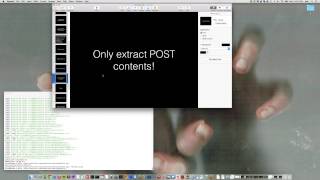
Seth Hall walks through Bro's file analysis framework at an OpenNSM meeting. The system uses core events like filenew and filestateremove to attach analyzers for hashing, extraction, and MIME detection. Hall demos practical scripts including HTTP POST extraction and DriftNet-style image recovery, plus an upcoming Windows PE analyzer.
Chapters
Few things. Well, we do have an IRC chat room on Freenode. Everyone should join us, #OpenNSM. There was a few problems with the meeting recordings at the past two meetings. And I called technical support from GoToMeeting and they said that they don't recommend using the OS X operating system to record meetings and that you should use a Windows one. So tonight, We are trying to use the Windows machine to record. So Shane's over there recording now. And those two videos, I'm not sure if they're lost yet. I actually sent them up to them and they said they were going to use a proprietary internal tool to actually try to convert them. I was supposed to hear back today, however I did not. So I'm going to check out the case study tonight or tomorrow and double-check on it. Other things, previously the Facebook group was set inside UIUC. And if you were not— you didn't have a URUC email address, you cannot join it. We moved it out now, so it's just open in this NSM. And the link is in the meeting notes. So now all can join and see the meetings. And we'll go right into the meeting section. So there's a few things. We're going to skip the Facebook hidden services and HTTP certs article because Actually, I haven't read that one. But a few updates. There was a guy that writes a lot of NSM tools and his GitHub account referred to as GameLinux and it's been a while since PassiveDNS has been updated and recently he added pfRing support and the reason I point this out, I actually used PassiveDNS before I found Bro 3 or 4 years ago back at my former employer when I was living in Indiana. And we use that to write out ASCII logs. So this resonates with me. It's a nice little tool, fairly simple, but it does what it does well. And maybe we'll cover that in a future meeting. So there's that. And he also made a number of bug fixes and they have JSON output now. There's also another tool that was released from a colleague of mine, Justin Azoff, who also is on the Bro team. And he has a tool called PassiveDNS, also the same name. And this is a really cool tool that allows you to log DNS data inside a SQL database. You can actually choose SQLite or Postgres, etc. But it allows you to query records or all kinds of information from the database over a large set of data quickly. And that's the problem is that you cannot do things as quickly if you have a large number of ASCII logs for months and years.. So it just helps you get results quicker and you can perform more complex queries using the SQL language, which we'll maybe— might have Justin come on and talk about that in a future meeting. There was the Silk Road arrests. Whitney, would you be interested in talking about the legal ramifications of this?
Yeah. So he was charged with 3 counts: conspiracy to possess and with intent to distribute controlled substances, obviously for his involvement with Silk Road 2.0, which sells all sorts of drugs. Conspiracy to commit hacking offenses, which is the Computer Fraud and Abuse Act, because the Silk Road also sold keyloggers and other such software, which I think is kind of interesting. Count 3 was conspiracy to transfer fraud ID documents, fake IDs, fake passports, et cetera. And then conspiracy to munder— money launder, because it also sold fake credit card numbers. He made a few mistakes, which is why he was caught. There was an FBI agent that infiltrated the support staff and was able to acquire the patient's— so he was able to take screenshots of messages that he got from Benthal, who supposedly went by the name DEF CON, which is particularly original. And so Silk Road 2.0, just some background, started in— May 30th, or no, December, December of 2013, right after Silk Road 1.0 was shut down by the FBI. And I guess DEF CON was like a second in command to Silk Road 1.0. Anyways, he purchased the server space with his personal email, which was a mistake. Also, IP logs from Google showed that when he logged into to view the account invoices for where he was located. He was actually physically checked into hotels in Lake Tahoe and Vegas so they could see that he was that person, or gather, or guess that he's the person logging in from those two hotels. And then they also did some physical surveillance, which I thought was also interesting, where they sat outside his house, saw if he logged on to Silk Road and then would log on and off, and it coordinated with him entering and exiting his residence. So they filed a complaint, the 4 counts, and he was charged with them. And yeah, so Silk Road 2.0 is down, but I guess there's already a Silk Road 3.0.
Well, thank you for that. Whitney's our resident lawyer. Alright, and then let's go to the paper period, and then we'll hand it off to Seth. The last two meetings we read papers that had the use of Bro. This time we're going to change it up a little bit, and just because Seth is here, we're going to talk about Snort and Suricata. Let me go ahead and open this up. This is a paper that came out in 2013. I'm a little bit late on reading it, but now that I do these, the paper period, I'm forced to read a paper for every meeting. It's been helping me catch up on a lot of things. Essentially, this is a performance analysis of Snort and Suricata. Snort is a commercial IDS. Well, there's commercial products based on it, but from Sourcefire, and that was recently acquired by Cisco. And there's a competitor called Suricata, which is developed by the Open Information Security Foundation. And it has a grant from the US Department of Homeland Security, I believe. And it was set out to make a competing IDS, a signature-based IDS that has better community support, is more able to have people contribute to it. Because that was one of the problems, and it's also outlined in this paper. A lot of bugs that were reported many years ago were never fixed in Snort. And a lot of patches that were sent for features and all this, and the various things, they were never made upstream. And that's because they're very particular about who commits, or who they allow access to, or what they accept, I should say. So this is why we're having this document, these two very similar approach IDS systems. Then we're going to evaluate the performance. What these guys did, they— well, I first should mention that Sport is the most popular IDS around. It's been around for a while. Hoppenbrough is slowly, slowly catching up, but it's definitely picking up speed more quickly now. It is a signature-based IDS system. Basically what they did was in their experiments, they ran about 8,600 tests.. And their methodology was using PCAPs offline, so reading them in from files. And they also did online, where they had a system that was connected to their systems that would be running Snort and Suricata, and it would be replaying the traffic over the wire. And the goal was to see in terms of various metrics—CPU, memory,, and packets per second, which configurations of the two IDSs outperform or perform better. And the whole— the conclusion of the study was that Suricata did overall much better than Snort. And in some places it came very close. But we'll go into some of the graphs here. And they used a decent-sized machine. Optron, 8 gigabytes of RAM, et cetera, et cetera. And they did some tuning. And they also, in the original results when they first started this study, Snort was actually about the same as Suricata. And they found a bug in the flow engine. And this is a testament also to how well Suricata picks up patches in comparison to the Snort guys. And that once this, when they were originally doing the paper, they talked about it on the mailing list when the patch was then released that actually fixed the issue with their flow engine. And the result after that, there was a significant increase in the ability for Suricata to scale across cores. And one difference between Snort and Suricata is that Snort is a single-threaded application and Suricata is multithreaded. So to take advantage of extra cores in Snort, you have to introduce a way to spawn multiple instances of Snort and bind them to CPUs and yet have the traffic distributed to those particular instances. So by itself Snort cannot do this. It's just by design. So there is a few tools available. One is pfRing, and this is what they use in this particular paper to compare against the multi-threaded installation of Suricata. They use pfRing, which is a host-based load balancer. For packets. It does symmetric hashing and it makes tuples, also round robin algorithms, but it can distribute packet flows to particular sockets. And we can go down, let's go ahead and go down to the graph here. And we can see right off the bat, here's the metric here that's important is the kilopackets per second. This is how they're measuring how well something is doing it and the rate of packets per second. It's a common measurement in network device testing. In this case, Snort, you can see it's a flat line all the way across. Reading in the pcap file for live and non-live traffic. So it just stays about the same. Whereas Suricata, it does very well at 2 to 4 cores, but then it starts to drop off.. And this was prior to that patch. So that patch that they helped work with, work with the Suricata team that was released, that actually helped scale this up higher so there wasn't this huge drop-off after 4 cores. And so from here on out, they used that approach. And then they also used the reading PCAPs offline in the methodology for the rest of the study. And here's an example of the number of cores with the— again, with a metric of kilopackets per second on the y-axis. And in this case, we have the patch applied to Suricata, and you can see how it scales up now. So you got all the 24 cores in this particular— in these measurements, you can see that it outperformed the Snort line by roughly— what did it say— 2,400%. All 24 cores on 100% utilization. Jon? Yes. Does it say why there was a drop-off with the increase in cores? It was an issue— oh yeah. So what it was was in the flow engine, they were using ordered linked lists, and they changed them to hash tables is essentially what happened. And the reason that was an issue is because there was something to do with livelock, or the locking mechanism that they were using. And they had to lock in two different places, I think, with those two ordered lists. And they were able to actually mitigate some of that. And you can go through the paper for all the details. We're going to give a fairly high-level overview though. And then they also did tests with varying rule sets using the emerging threats free and pro versions. And what they found in with that was that the pro version, so in terms of IDS systems, the rules that are written for the particular IDS, whether it's a Bro script or whether it's a Snort or Suricata, It's important to key in on our standard programming rules that regard performance still apply. Because you can write bad rules and inefficient rules. And in this case, that's one of the things that is the selling point of the ET Pro list is that the rules are vetted by the actual emerging threats team where the ET Free List is all community contributed. And the results were that in both cases of Snort and Suricata, they were able to get a higher level packets per second rate using the ET Pro.. But it wasn't significant. It was not significant enough to even actually purchase the price of it too, which is really interesting. And then here we have the number of cores and the CPU utilization. And you can see at the bottom line here in this particular graph, this one right here, this is Suricata and this one is Snort. So Suricata, given the extra number of cores, is still actually using a significantly lesser amount than is Snort.. And the same with memory usage. But basically that sums it up. And they also used Pitbull to do different attacks and then they graphed the packet per second rate on particular traffic types that were used to test IDS systems. And it seems to be the evasion techniques actually perform very well compared to a number of the other things like the fragmentation. Because you definitely have to keep track of more things when you're working with fragmented packets. Essentially, that was it. But the result was, basically, the sort of conclusion, they demonstrated the scalability to achieve multi-instance configuration up to 252,000 packets per second with Snort. And they were able to do, with Suricata, 258 packets per second. So Suricata actually was— there was a better performance in that case. And we're referring to the packet per second rate. All right. Well, I'm going to go ahead and hand it off to Seth then. Is there any questions about that? The study is in our repo, so you can actually read it. I have the highlights there too. All righty. Well, I'm going to give it up to Seth, make you organizer here— or presenter, I mean. So Seth is a pretty big community member in NSM. He works on the Bro project. He works out of California at the International Computer Science Institute. And he does a lot of stuff with Scriptland. He's like the Scriptland expert, I would say. I'll let him handle it. Thanks, Seth. Oh, Seth, can't hear you.
Sorry about that.
Can you hear me now?
Yep. I'm actually not too far east of you guys. I'm in Columbus, Ohio. I work remotely. Yeah, so I'm a remote worker at Ixi. So anyway, yeah, yeah. So it's always a little weird. So forgive me if the presentation goes a little strangely. Doing presentations like this where you can't see anyone and you're just sort of staring at a blank screen are a little weird. But hey, anyone feel free to stop me if I've sort of not hit something you want to hit. So Jon asked me late last week if I could talk at his meeting. And he asked me what I wanted to talk about. And his first thought was SunStats. And if any of you are aware, it's a mechanism in Bro for doing sort of these large-scale measurements on live traffic. Sort of addressing a really hard problem. The problem is that I didn't actually want to talk about that because not only is it a hard problem, but it's kind of messy the way you have to address it. And actually doing, writing code using sumsats is a little complicated. One of the things that I think is a lot more visceral and still very neat about Bro is this ability to handle files. It's sort of a, it's a little weird being able to do it too, and I'll show how it can get a little weird in just a minute. So Bro, as of Bro 2.2 I think, yeah, Bro, as of Bro 2.2 can actually handle this notion of files. Why files? This is a network monitor, right? I mean that's sort of one of the very first questions I think that would come out of your mouth when you're saying why files? Well, it turns out that if you look at network traffic, there are actually a lot of things that you can say, ah, that's a byte stream. It's not actually part of a protocol. It's an attachment to an email over SMTP. That's a byte stream, a single direction thing that you can look in and say, here's byte 0, here's byte 10,000. Protocols are notionally have this idea of someone that sends on the protocol and someone that receives, and then also the other one sends. So it's the idea of two flows. That's definitely not a file. I mean, those two are tied to each other semantically. But files can really stand on their own. So you think of like a PDF. You go from byte 0 to the end of the PDF and that is the file. So we have this notion in Bro now. The idea actually came from a number of places and was sort of in gestation for, I wanna say, about 2 years before it started to really exist. It was in Bro 2.0 we started to recognize this and it became even more painful in Bro 2.1 because it was just still there. Our file handling was all extremely ad hoc. So we had this, we had kind of this notion of files in HTTP and kind of this notion of files in FTP and kind of this notion of files in SMTP, but there was no sort of unifying concept behind all of them and no unifying mechanisms behind all of them. So we had, actually it used to be in Bro 2.1 and 2.0, if you wanted to let's say calculate hashes of Windows executables to send those off to some external service. Like there's the script and I don't know if everyone's familiar with it or not, but there's a script in Bro right now that will calculate hashes for Windows executables and then it will go out and check those with the Team Cummery malware hash registry. And you can run this at scale on live traffic and it will actually calculate hashes. Actually these days it calculates for a lot more than Windows executables. It does PDFs and flash files and a number of other things that we happen to know are in their dataset. And it will actually go at runtime on live traffic and do this stuff and give you the result and log it and do notices and things like that. So anyway, stepping back, there is a— we decided that there was a way to unify all of these things because in Bro 2.0 and 2.1, you had to actually say, I want to do file hashing for Windows, I wanna do file hashing over HTTP and that was a setting you turn on. Then you had to say I wanna do file hashing over SMTP. Underneath they had totally different mechanisms for how they worked. There was nothing that kind of unified those into one system. So the first version of the file analysis framework in Bro was written in script land. It was completely written as Bro scripts. There was nothing added to the core It was just a bunch of scripts. And what it did was at Scriptland took those separate mechanisms that we had for doing things in HTTP and SMTP protocols and said, let's build one mechanism and all of those will feed into that. And that original prototype actually served its purpose perfectly. We wrote it, threw it away, and wrote it again in the core. Because there were a lot of performance issues and it just wasn't done well for actual deployment in scripts. So anyway, then I spent the next 6 months I think convincing John Siwik who was at NCSA to actually take on the job. And he did, and 2.2 had the file analysis framework in it. So anyway, I wanted to actually give one more bit of credit. So there was actually a thing that Charles Schmutz a while ago, he, I don't know if he is still there or not, but he was at the Lockheed Martin, I don't know what they are called, the Lockheed Martin Incident Response team or something. He wrote a thing as part of some graduate work he was doing that was called Ruminate IDS. And it was really centered completely, it was never meant to be used as an operational tool, but it was sort of research-oriented and really centered around this notion of viewing the network as a bunch of files. And he had actually added things in there like file reassembly. So if someone does an HTTP request and says only give me part— I don't know if everyone is familiar with it or not, but HTTP is actually a random access protocol which is insanely annoying in some ways because I can go to most web servers on the internet and say, I just want the first 3 bytes of this file. Or I just want the last 3 bytes of this file. So you can do super bizarre stuff. And there is actually software that does super bizarre stuff. Adobe Acrobat will in some— the Acrobat viewer will in some cases do really bizarre stuff with partial content— or sorry, range requests, which is what they're called, because you're actually saying I only want this range of bytes. Windows Update will do the same thing. It actually requests, so if it's going to get an update, executable, it will actually only request chunks of it at a time, so it doesn't download the whole thing in one big blob, it just grabs chunks. But you've got all these cases where people are treating HTTP as a random access protocol, and generally in Bro, that means we have to subsequently treat things the same. If the world is treating HTTP as a random access protocol, we have to treat HTTP is a random access protocol. It's very similar to like, there are many draft RFCs that will be implemented in one place. And maybe it's an expired draft RFC. So this is not a standard. But one place is using it. And actually, Vlad, you're there, right? Yeah, I'm here. Yeah, Vlad's there. So Vlad ran into a case just recently where he found an expired draft RFC that Yahoo had come out with and it's actually causing, if any of you are running Bro deployments, it's probably causing some issues for you a little bit if you have users that use this particular Yahoo service. But anyway, they themselves created an RFC, they were trying to create an RFC. It never was actually ratified, so it expired a couple years ago. They implemented it, so they're still running this draft RFC, and they implemented it wrong. So you read the RFC and it's not even correct. So it's this constant fight. And this is where the idea of file reassembly comes from because of the Random Access Protocol. It's a constant fight to implement what exists and not necessarily what's documented and what's official. It's great to look at the document and say, this is how it works. But then you look at reality and that's what you have to actually implement. So anyway, there's this notion of file reassembly. This is something that we're working on right now. Actual file reassembly will be getting added to Bro for the next release. It should be, at least assuming we can get it fully tested. Okay, so anyway, Rumin8 IDS was sort of another thing that was a predecessor to Bro. In Bro, it's actually implemented as a separate component. So internally when Bro is running, there is a file manager in there. What happens is the protocol analyzer say, hey, I have a chunk of a file, and they send it to the file manager, and the file manager kind of figures out what to do with it at that point. And that could be feeding it off to analyzers. There's a number of different things it could be doing with it, but I just wanted to get across the point that the file analysis in Bro is actually it's another one of the components that kind of make up the Bro core. And this is the point that I just made. It's actually potentially fed from two places and this is where it's nice to have it as a separate component and not something that's tied into analyzers directly because we actually have the ability now, we have a component internally in Bro that says you can give me chunks of file with a little bit of metadata and I can do the right thing with it and I can give users the ability in scripts to decide how they want to treat these files. So you have this notion all of a sudden of, well, that's great. We can pull it out of HTTP or SMTP or IRC or FTP, all these different protocols. But what if we want to pull from the input framework? What if we want to read off of disk? Those are files too. I mean, there's absolutely nothing different about reading a file off of disk as opposed to network traffic. Except for the fact that one came from network traffic and one came off disk. And I'll actually give some examples of that because I think that's a really neat capability. There's a lot of stuff that I expect over the ensuing years that people will do with that. So how it works at a really high level, and I'm sorry if people aren't familiar with Bro, this is Bro-centric and I'll give a little bit of background around it. Bro has these, has events. So Bro is generating events like file new, file over new connection, file_state removed and you can think of those as Bro kind of views everything as just moving forward through time. So you can think you're just moving forward through time and someone does an HTTP request and a file starts to come back from that. Well, the moment Bro sees that file begin to come back, it has an event that says, oh, there's a new file and that's file_new. And due to the fact that this is over a network connection, there's also this event that gets generated called file_over_new_connection. So the idea there is you can reassemble across multiple connections. So it's every, you could have one file that that file over a new connection event happens for 3 times or something. And then file state remove is similar. Bro has for connections, Bro has a connection state remove event too. We've tried to keep some parity between file events and connection events, but you can just think about this stuff as we're moving forward through time. When the last byte of the file is seen and in HTTP, you can think about it, the file starts, it proceeds, and then hits a point eventually and it ends, and it's kind of back to the HTTP protocol in that you're not in the file anymore, and that's when the file state remove happens and then you start getting events about HTTP again. So that's where files come from and how they're sort of notified, how you discover files are coming in. Are being seen. And then you get the opportunity to say, where do I send this? If you choose, you don't have to. If you choose to send the file somewhere, you can attach an analyzer to it, which is great. You can hash, you can do analysis on it of whatever we have analyzers for, which we have unfortunately few file analyzers still, which kills me, but we'll get there. The other thing is that you can, Oh, I'm sorry. That destination one is wrong. That's another input. Skip that last one. So the destinations are really attaching analyzers because extracting a file is also an analyzer. The input add analysis is how you actually attach a file on disk into the file analysis framework. And I'll give examples of that in just a minute. So that's kind of the background and actually does anyone have any questions kind of of the high-level stuff? I really don't know how much experience any of you have with Bro or if that was, if that made any sense at all. Anyone? I thought it was good. Okay. Alright, well I'll go into some examples. My presentation is not really long. I would love to just kind of hang out at the end for a little bit if I get done early. But so some examples. I wanted to go ahead and just show how this actually looks because in some cases in Bro you could either take a script that someone writes or write your own script and actually have it do stuff that there are other entire tools that you would essentially be replacing by just writing this script that is 10, 20 lines of code or maybe even 2 lines of code. So very easy first example I wanna show. Hash everything. If you run Bro with BroControl which is our sort of instrument— sorry, cluster orchestration tool, this actually happens by default. So there are a lot of places that are running Bro that are doing MD5 and SHA-1 hashing of everything and that's by default. Now I need to see— whoop. Oh. OK. So can everyone see my screen? Yeah. Is it readable?
Make it a little bit bigger if you could. OK. The font size. How's that?
Cool. All right. So let's do— I'm using the exercise traffic, which is actually something that comes with some of the exercise that we have on the Borough website. So this is like public traffic. There's nothing that is from actual people in here. And let's go ahead and load the hash all script. So this is, keep in mind I'm not doing anything. All I'm doing is reading a trace file, packet capture, and I'm loading the script that says hash all. Now if I look at the .log files that pop out, there's a bunch of log files and that's fine, but the one we're actually interested in this case is files.log. So this is— excuse me, but this is a very long line that you're looking at here. I'll scroll to the right. So keep in mind when it jumps suddenly, I'm scrolling to the right actually. So I'm going to skip over most of the content of the logs because there is a lot of information in here. You've got things— well, I'll go ahead and talk about it a little bit because I think it is worthwhile. These are file IDs. Which actually are— they're attempting to kind of represent a file that— I guess it's a little hard to explain. So this is like if the idea is if two chunks of a file are downloaded and we have decided to view those as actually one file that we want to reassemble, they would actually get the same file IDs. These are not unique IDs. They're file IDs that hopefully represent a file. Typically though, people view them as unique IDs because they are pretty close to that. So, and then you can actually see that whatever this file, and these are randomly generated essentially. There is a seed for them and some stuff that's mixed into them, but you can view them as sort of unique IDs. These next two show that the file actually came from network traffic. So this field is named tx_hosts. So this is the transmitter host. The IP address where the bytes of that file were, and then this is, the next one is RX hosts. So this is where the bytes of that file went to. And there can actually be, those are a set of addresses, each one of those is a set of addresses. So those could actually be multiple IP addresses or they could be no IP addresses. You could have empty sets. So if you read a file off of disk, those will just have hyphens there because that's, it's saying that it's a null. Field. And then this is actually the connection unique ID. So this actually can point you to like conn.log or some other logs that might give you more context around it. They're based around the connection. So this is based around the file, but it has context about the connection or connections or lack of connections in it. This is the source field. It actually shows you where the bytes of the file came from, and in this case they came from the SSL analyzer. Depth actually just to help you tie it into other files if you need to. So you can see that the analyzers here that were attached were the SHA-256, SHA-1, X.509, and MD5. Well actually, let's look at a different one. Let's look at this first one because these are actually coming— these are certificates coming out of SSL traffic or TLS. So this first one, we can see that it attached SHA-256, SHA-1, MD5. It also has a MIME type. So you can actually see the— this is not using Libmagic, but it is similar to like if you run the file command at the command line, it is going to give you similar output. Then there are some other fields like this is the time the file took to transfer. So that is like from the first packet to the last packet that represented that file, the time difference in there. So it was probably transferred in one or two packets. And you can see there are some other fields, and there is actually documentation on our website. I am not going to go into too much detail because there is a lot of stuff here. There's the file size though. You can see the— this is how many bytes. The first field that has the bigger number here is the number of bytes that were seen. The next field is the total number of bytes. You don't always have that field because sometimes the protocol doesn't tell you how many bytes there are going to be. It just says, "I'm gonna send some data," and then you just see it until it's not there anymore, until there's some indicator of the end of the file. So you actually, in this case, the, I think it was HTTP. So in this case, the web server said I'm going to send 20,756 bytes. And then you can see there were no missing bytes. So hopefully we got the entire file here. There were no overflow bytes either, and that's relevant in cases of like reassembly where the reassembly buffer was overrun. So this is probably a file where it was sent the entire file in one chunk and just went right through it. So anyway, we get here to the end and there are some scripts written in the core, in the base scripts of Bro that actually do this. This. They handle events and then stick these values into the log. So you can see MD5 SHA-256. So very quickly you see this is something you can download Bro today, run it on a packet capture, and have more hashes than you know what to do with. And if you run this on an actual network that has let's say 500 megabits of traffic, you will have more hashes than you know what to do with. But it's really interesting because suddenly you can start thinking about the— in terms of what files are there. So one thing, and feel free to ask Vlad. I'm going to go ahead and say feel free to ask Vlad about this later. He was looking into a thing recently of trying to discern different versions of WordPress based on a JavaScript file that was included in WordPress. So you could actually look back through your logs and see what versions of WordPress you have on your network, hoping that this CSS— or I think, no, actually it was JavaScript, I believe— hoping that that file was transferred.
Yeah, that was a JavaScript file off of Drupal.
Yeah. Oh, Drupal. OK, I thought— oh, that's right. The Drupal is the recent thing. But anyway— —identify, I think. Yeah, that's right. So you get this idea where you can start doing weird stuff, like thinking about your network in terms of files and instead of thinking about it in terms of protocols. And because this is all based on scripts that are running on your traffic live, you can do weird things while it's actually running. So there we go. What I wanted to actually show though was a little bit more. So here's that file I just ran. And you can see that file new event that I talked about. You can actually see it here. File new. And then there's this call file add analyzers. That's saying let's attach an analyzer to this file. And we give it the argument. F for the file that came in and then we give it each time, we call it 3 times and attach the MD5, the SHA-1, and the SHA-256 analyzers. Alternately, instead of writing that script, 'cause who really wants to do that, you can just load this one single script frameworks/files/hashallfiles and you can download Bro and look through the scripts and actually see this file called hashallfiles.bro. Oh sorry, I probably should increase that a little bit more. So you can see that file in Bro and you can just load it and if you run with Bro control, it's already loaded. And what that one does is it does SHA-1 and MD5 for all files. It doesn't do SHA-256. I played around a little bit and you could do SHA-1 and MD5 with no, with extremely minimal overhead. Having those on or off only seemed to change my really inaccurate testing that I did, seemed to change my performance time by about 1% if I had it turned on or off. When I added SHA-256, it seemed to change it by about 3%. So, I just went ahead and did the two that really caused very little overhead. And most people are perfectly fine using MD5 and SHA-1 without going further. So we've hashed everything. I guess I'll show this real quick. Now let's say we want to extract everything. That is get rid of logs, can clean stuff up, get rid of the extract files directory. Okay, so you can see that extract file directory is gone. Now let's run Bro and do scripts. Extract All. I got to load the traffic. Nope. Exercise traffic. All right. So now all I'm doing, again loading the script which I'll show you. Actually, I'll go ahead and show you this Extract All script. It's really, really simple. I don't think you could get much more simple than this. It's just saying, when you see a new file, add the Extract Analyzer. That's all the script is saying. When you see a new file, when you see a new file, add the extract analyzer to it. So we went ahead and ran Bro and now we can— oh, so it has now created a directory called example file— sorry, extract files. So if we go in there, you can see there is a lot of junk in here. Let's get rid of the SSL things. Let's just grab kind of a random file to look at. No, that is a GIF, not very helpful. Okay. So here is one that file claims is ASCII text. Let's see what it is. Okay. So it's weird. All we did was we had that one tiny little script that was like one line of code. And we extracted all the HTTP bodies and other things out of this network traffic, which is a really cool capability because if you are interested in the network traffic and you just want to say I just want to work with the files on the disk and actually mess around with them and not have to mess with the network traffic, done. I mean that was all it took. Your job is complete now. And now you just have this big directory that has a lot of files in it. Let's see, has 2,331 files and it was basically zero effort I guess. So here is one that is HTML. Oh, I'm sorry, it's not HTML. It's JavaScript. File doesn't do a very good job. Ours is actually— this release is going to do a much better job at file detection. More JavaScript. Isn't that— that's fascinating actually that most of the stuff I'm bumping across is JavaScript.
I think there are a few videos in there too.
Oh, there's a check. There is no improper material in this trace file. Normally when you look at real traffic, there's plenty of that. OK, so let's say we have more requirements. We don't want to extract everything because that's just not what we want perhaps. So we actually maybe only want to extract post contents. So let's get rid of that whole extract files directory. Let's get rid of all the logs just to kind of clear things out. OK, we're cleared out again. Now we're going to do— read that again. And I have another script set up for— Extract POST. Now all this is doing, and I'm going to go ahead and skip over so I can show you the file while that's running. All this is doing is saying file over new connection. So it's saying Windows File over new connection. And the reason I chose file over new connection here is I need the file tied together with the connection. Because what I am deciding is I'm saying every time there's a POST request, I want to actually extract whatever was posted. So I actually need to know the connection. So we say if the source is HTTP, because the source of this file has to come from HTTP for it to be POST. It also needs— the file also needs to be from the originator of the connection. So that's what this is saying. This is a Boolean value and it's saying if the file is orig, so we know this file is now from the originator. It's HTTP from the originator. And then we have to do some field checks and these are just to see does the connection have an HTTP record and then we say does the HTTP record have a field name method or is it a non-null value? So we've established that. Now we say see $http method and this is kind of an invention that we use in Bro frequently where the base scripts will actually add these fields to the connection record. And just keep— because it kind of flows well to say, I'm looking at the connection, there was an HTTP request on the connection, and then the HTTP request has a method. And then we say if the method equals POST. So it's all kind of pretty straightforward. If you read it, you're like, okay, it came from HTTP, it's from the originator because we're not interested in anything of responders, just the POST contents. And then we— these are just to make sure that Bro is gonna be okay with things in case there was some weirdness in the traffic. And then we say if the method is POST. And it again is the same as many of the other things where you say add analyzer and you attach the extraction analyzer. So now we can come back over to here where hopefully we will have an extract files directory. And now if you look through, there's a lot less files. They're all HTTP. You can see these body sizes are smaller than the— than they were. You can just take a peek at a random one. Binary data. Let's take a peek at a different one. IP address. So something posted an IP address. Well actually, because this is the NSM group, let's find out what the heck that was. So one trick you can do is actually take that filename. That filename is logged in files.log. Because for me as an incident responder, that's a little weird that there, maybe, that's what I should say, maybe that's a little weird that there was this post that just had an email address in it. So we'll go ahead and grep for that in files.log. So now we actually can see that Bro identified it as text/plain, it attached the extract analyzer. You can see here's the file name that we just looked at. You can see the IP address. This is the transmit IP address. So this is the one that did the POST because this was POST contents we're looking at. And this is the web server. So let's look for the connection unique ID in— let's look for it in http.log. Okay, that's more files than I want, requests than I wanted over the same connection. So let's skip down a little bit and just search for the file. This will get the actual request that it came through. So you can see mail/sendmessage/light. So it's Live.com email sending or something. And it actually must have been doing multipart MIME because when it sent the file there were actually 3 files that it sent simultaneously. So it was probably a form post that was done as multipart MIME. So it ended up different fields got posted as different MIME messages. Anyway, so we've kind of answered that one. It wasn't really anything overly interesting, at least on a surface glance it doesn't appear to be. And I don't know if there's even any compromised stuff in this in this trace file. I don't believe there is, but let me just glance at another file real quick. New message. What about this one? So here is— these are probably the Google Safe Browsing API doing updates. So this is actually the client that wants to update itself telling— doing a call to the Google Safe Browsing API saying, "Hey, here's where I am. Can you give me an update?" And that's basically all these are, I believe, if I'm looking at that correctly. Okay, so now we have— we've hashed everything. We've extracted everything. We've decided we only want to extract post content. The most number of lines of code we've done is 3, I think, something like that. So I don't know how long everyone has been around in the community, but there used to be this tool called Driftnet. It was used for extracting images off of network traffic, and it was very, very specific to that task. It really didn't do much. I think it only pulled them out of HTTP as well.
Didn't they use that at one of the Wall of Shames at DEF CON or ShmooCon, I think, used Driftnet. Possibly.
It's kind of neat. The difference they have is that they have a live— DriftNet has like a live image update thing, so it pops a window up and as it finds images, it puts them in this window. It's kind of neat, but yeah, the idea is just that it yanks some— I see there was a question about does it handle files using application/octet/stream? Application/octet/stream is no longer an identified file type in Bro because it doesn't tell you anything. Application octet stream just means I don't know what this is. That's essentially all it means. It was something that we removed in 2.3. I think we removed it in 2.3 where it's not actually there anymore. Nothing should get identified that way because it just doesn't mean anything. We— alternately, we— it gets identified in the files.log. It's a null field essentially. There's just no value because it doesn't mean anything. And that's one of the problems generally with files, especially with doing like magic typing where you're kind of looking at the first few kilobytes of text or the first few kilobytes of the file and saying what is this file. Some files unfortunately can't be identified that way. Or it could be some sort of streaming video or something and you pick up halfway in, like someone clicks in the middle of a YouTube video. And I don't know what that actually looks like, but I know there's so many different streaming video video formats that from your perspective— or it could be something encrypted. So from your perspective, it's just bytes. And we have chosen to go the direction of saying if it's just bytes and we can't identify it, we don't identify it. Instead of saying application/offset-stream, which actually just says we couldn't identify it. But we, instead of identifying it as something we couldn't identify, we don't identify it. So anyway, that was sort of an aside, but let's say DriftNet, let's say that that's, you know, you want to build something really quickly that behaves kind of like DriftNet. Let's re— oh wait, first of all, we'll delete that directory again. Extract files, so get rid of that, get rid of the logs. Now we're going to do Bro read exercise traffic. We're going to load the DriftNet script that I just wrote about an hour ago. And while it's running, we'll take a look at it. So this is kind of similar to a script that Jon Schippwick had written for an exercise a few years ago using the Files Framework. But I just went ahead and did it in a pretty similar way to the way he did. So these in— When you get MIME types for files, you will typically have something like this, image/jpeg or image/gif. But I guess I could have done it that way, but I went ahead and split it apart. So we say if an image gets identified as JPEG, GIF, XICON, X Microsoft Bitmap, PNG, here are the file extensions that you should give. And I cheated because I went through all the images that were identified in this file already, and I've This is giving all of them correct extensions. So anyway, we get back to that file new. And what our task is to say, whenever we identify a new file, we want to see that it's an image. We want to come up with a name for it. And we want to extract it. Those are the 3 things we want to do. So first of all, you look here. Kind of ignore the syntax because it doesn't matter that much just for an example. We say if this regular expression, begin of the MIME type is image, then we're going to go in. So we're like, OK, it's an image. Then we actually split it on a slash, and we get the image type. So this takes— it's like image/jpeg. This image type variable is now JPEG. So then we say if image type is in file ext names— and that is this table up here. This is a hash table. So it says now we know this is something we know about, a file type that we know about and something we care about. So let's go ahead and extract it. And here we do the same thing. Files, Add Analyzer, give it the file and then say Analyzer Extract. We go one extra step though and we actually give it this extra argument of extract file name. So we wanna, we're gonna go ahead and do call these files drifting and we're going to give them numbers that monotonically increase. So first one is 1, 2, 3, 4, whatever. And then we'll give it the correct extension. So you can ignore the syntax again. It sort of doesn't matter unless you really care about writing Bro scripts. But this is the entire script. Starting from nothing. There's nothing hidden or anything. And this is the global variable that actually tracks what number we're currently at. So now let's go to that. We should have that extract files directory again. And if we look in there, we have all these files named drifting.927.gif, drifting.928.jpg, drifting.929.gif. And so let's do— let's open that and drag that to preview. So now you can see in just a couple of minutes, or if this is a script that I post somewhere, you can just download it and run it. You can take a large body of network traffic and— sorry— and very quickly just yank all the files out of it. So you've got basketball files. More basketball. You can see someone was actually browsing a webpage about basketball. There is an Enterprise banner ad. So anyway, this gives you the idea again that very quickly you go to sort of replicating the functionality of some other tool in— I don't know how many lines of code that was. 20 lines? 20, effectively like 20 lines of code, really just It's incredibly few lines of code. Okay, so anyway, let's get back to stuff. Hey Jon, what time do you try to end these meetings?
Probably about 15 after 7. Okay, okay.
So if we want to get really weird, we can try reading files from disk because that's kind of a weird thing for a network monitor to do. And I personally, because I think that Bro's— the mechanisms that Bro implements are extremely generic. They've always been targeted at network traffic, but they're extremely generic. I think that adding capabilities that naturally mesh and give you the ability to do things such as reading files off of disk and analyzing them are nice when it's a natural extension where we— this is not something that we explicitly designed it around. But it was a very natural step for it to go into because that was just the architecture of it. So, I'm going to go ahead and— I don't have to read any packets this time. That's kind of a big difference. Okay, so I am going to— run this file called ident_files. Now when I run that, Bro complains at me and says you need to define a dir. So that actually means we can do this. Dir equals, and I have a file, a directory with some example files in it called example_files. So we have this weird capability where we define that and look at this, it goes and it looked in that directory found some files and evaluated them. And now there's some code I cut out of this to make it simpler. This is actually a script that I used for doing some testing of files because I needed it to read a bunch of files and test how it handles stuff. So I cut a thing out that automatically shut Bro down at the end. But Bro at this point finishes reading all of that stuff. It might actually, if we drop a new file in that directory, I think Bro will actually pick it up and also read that in. So this is something sitting here running and as files get dropped into it, Bro will just keep picking them up and reading them in and writing out like the files.log and doing whatever it's supposed to do. So we'll go ahead and kill that. And we should have, and you can look at those file names like Firefox setup, my PDF, plugin.exe.rar. We can look at files.log and see you get the file ID obviously. The thing you don't get is txhosts, rxhosts, connuids because that doesn't make sense in this context anymore. This wasn't transferred over connection, this is read off disk. The source is actually the filename. So we can see example files, mypf.pdf. The analyzers that were attached, so we can see in this case the MD5 and SHA-1 analyzers were attached. That's because I loaded the hashallfiles script just to make sure something happened. You can see it did the MIME type. You get the file size for what that's worth and you get hashes. So this is something where really easily we just set up a thing where you can run and just drop files into a Dropbox and Bro will sit there and continually run and write those out to this files.log and do the hashing and everything. Additionally, if you load something like the file, the script that will check with the Team Cummery malware hash registry, that will actually happen on this. So if you load that script, if you drop a file in that directory that matches on the teamcomremember hash registry, Bro will write out a notice or email it or whatever you configure it to do. And so this suddenly becomes a tool that is not network monitoring. This is file analysis at this point. So I forget, do anything else, let's see. Ident files. So you can see I'm loading that hashallfiles script. There's this little magic trick here though with exit only after terminate. That actually tells— when you run Bro that way, that says if there is no network traffic, just keep running anyway. You might get events from somewhere. And so in this case, we're actually getting events from monitoring that directory I told it to monitor. But this is the entire script. This is top to bottom that entire script. And if we actually wanted to say, well, let's just treat Bro like a regular scripting language, we can do /usr/bin/env/bro, save that, and just run it like you would run a script written in any other programming language. So suddenly we have really turned Bro into, in some cases, a scripting language that works for even things like this. So anyway, just to give you an— just to walk through it with you, you can see Bro init is an event that's called when Bro starts up. Er, I'm just checking to make sure that they defined a directory because if they don't define a directory, I don't actually want the script to do anything. This is not meant to run on like a real network or anything. So this is like a script you run on the command line to watch a directory. But then there's this module that I wrote a while ago called dirmon. And it monitors a directory. So you tell it the directory to monitor, and then you give it a callback function. And it will actually just print out the file name. Every time a file in that directory shows up, it prints out the file name. And then here all we're doing is saying input.addAnalysis, which is that function that I showed you earlier. That said let's stick this file on disk into the input framework. And when it sticks it in there, it suddenly attaches and everything starts flowing through correctly. So one other thing I can show— wait, let me see what I had on the presentation. Reading files from disk, watching a directory for files to read in. Does this count as NSM anymore? Am I doing this part of the presentation outside of the context of the medium that Jon has created. Who knows? It's hard to tell. One other thing is reading a unified2 file. Bro actually ships with an analyzer for reading unified2 files, which is the output of Snort and Suricata. So the output of those tools can actually natively be read in by Bro. So we can do, let's see, Bro, I wrote a really short script to do this. I have a read file file. So let's do Bro Scripts, unified2, and then fill in this variable read file with example files unified2 example. So we do that, and in this case, I actually didn't do anything with it except for print these values out. So that is printing the contents of that unified2 file. We actually ship a script with Bro as well that makes this even easier where, maybe that's something we should write a really quick blog post about sometime. If you just wanna look in a unified2 file, Bro is actually one of those tools you can use because it's actually very easy to do that. You can actually have Bro watch a whole series of unified2 files too streaming. So as they're being written into by Snort or Suricata, Bro can then subsequently be reading the data out of there and doing things with it. So you could be doing correlation with with other things and we don't have any good examples. So unfortunately that's kind of a dead end right now, but at the very least you will end up with a unified 2.log I believe. I believe that I actually have created a log for that. So the thing that kind of kills me still is there are no what I will call neat analyzers yet. The main one that I have in mind is a Windows executable analyzer, so a PE file analyzer. This is mostly it's nearly done, but due to limitation in the way analyzers are written in Bro right now, we can't, we haven't been able yet to ship it in a release. But you can think of the idea that if someone downloads a Windows executable, it's extremely easy to take the next step and say, you know, I want to get an email if someone downloads a Windows executable that was compiled in the last 2 weeks. That's actually something, again, it would be a 2-line Bro script to do that. Extremely, extremely simple if you understand the flow of everything. But it's a very, very straightforward thing because the Analyze HTTP would pass the file, if it was transferred over HTTP, would pass the file into the file manager which would then, we could write a script very easily that would say, oh, if there's a Windows executable, attach the Windows executable analyzer which then causes events to be generated out of that Windows executable. And then you can just handle that and say the event that has the data structure with the compile time in it, you handle that and you— it's given to you as a date value or a time value in Bro, so you can actually do comparison against current time and say if current time, this compile time is greater than 2 weeks, which is almost a direct code example from Bro, then do this thing. So it's very, very straightforward to do that kind of stuff. Will be once we actually have that in place.
Anyone working on that?
No one right now. I wrote it and have it partly complete and no one's been working on it. It's something we may not end up getting in until Binpack++ is available. I just don't know. But we do in Binpack++.
Can you parse the import table of a PE file?
My analyzer doesn't do that yet because of limitations in the way we write analyzers currently. But that is something that definitely I would like to do. I mean, at the very least, it gives a lot of neat capability where you can just write a script. I know that people have done tricks with hashing. Mandy, I think, came out with a blog post a while ago, or someone, I forget exactly who, came out with a blog post a while ago that talked about hashing the import table and the order of it. What was imported and what order it was in in the executable and using that as a mechanism for fingerprinting and that's actually something that we could do in a Bro script. So you wouldn't have to have support built into the analyzer. The analyzer just extracts the data into a model that can be pushed into a Bro script and then a Bro script you can just write it, feel pretty safe about writing it because you're not writing it in C. And just basically hash all of those values and come up with your output and log it and check it against some maybe intelligence list because that's an intelligence item you could have. So yeah, I mean that's absolutely something that's possible and it frustrates me to no end that that's not there yet, but sometimes it is what it is.
imported, but actually being able to tell which functions are being imported from those DLLs is the kind of next step.
Right. Yeah, so it's one of those things that will be there eventually. It's unfortunately just not there yet. It'll be nice though when we have plugins in an actual release of Bro because it can be released and people can just install it as an add-on and you don't actually— we could release like a PE analyzer between releases. So when the 2.4 release comes out, a few months later someone could release a PE analyzer and everyone could just install it into their existing Bro installation. But that's coming, not around yet. So one last thing I wanted to point out is 2.4 will actually have some API changes in the way you handle files. File_new will have some slightly different semantics. It won't have the MIME type field anymore. There's going to be a file MIME type event now. And there will be some other minor changes that people probably won't notice for the most part. But I did just want to point out that some of this API stuff will be changing slightly in 2.4. And unfortunately, it is sort of a pain in some cases if you are handling things in a very specific way. So anyway, I would love to turn my screen off and be able to see everyone else and talk for a while.
More from Jon


What No One Knows the Podcast / Vodcast featuring The Tampa Bay Wave and Jon Schipp

Meeting the Exposure Management Challenge: Key Use Cases for Success | @OfficialRapid7 #SolutionSpotlight

Spot Security Control Gaps and Non-Compliant Resources Across Your Attack Surface






