Jon Schipp shows how to use Linux kernel capabilities to let unprivileged users run tcpdump without root access. Instead of granting full sudo privileges, you assign specific network permissions to the binary using setcap net_raw=EIP, then verify with getcap. This shrinks the attack surface for packet-capture tasks.
Chapters
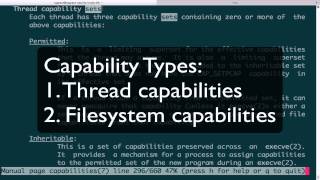
In this video, we will discuss Linux kernel filesystem capabilities. The Linux kernel has a feature called Linux kernel capabilities, which is a way to divide root into small sets of permissions. So root is divvied up into like 30-something-odd permissions, and the last time I checked, I think it was around 36. So this allows us, or an admin, to choose which special permissions to give to a user that is maybe required of him to do his work or his— perform his duties, instead of actually give him the sudo command or access to the sudo command or the root password to elevate to root, which is overkill. So this way we can further reduce, reduce the attack surface. This video follows the Linux socket permissions video in terms of goals. In here, we're going to actually take advantage of these Linux kernel filesystem capabilities to apply to our TCPdump process or other sniffers so that a normal unprivileged user can sniff on a live interface, interface without having to become root. So let's begin by checking out the capabilities manual page. It's in Section 7. Oops. Okay, so this gives you an overview of capabilities. First, you can see that there's a number of permission checks being performed. So if your, uh, effective ID is 0, which is— that is your root— then you actually are not checked. That is, you bypass all the kernel permission checks. But if you are not root or are uid 0, then you'll actually be evaluated by those, by those checks. So let's go ahead and go down to the capabilities list here. You can see there's a lot of them. Each one is the capital letters beginning with capital CAP, and familiarize yourself with the ones that are the deal with the network. So we have netadmin, netbindservice, netbroadcast, and netraw. Netraw is the one that we need for sniffing. This is because, as you could recall, that the AF packet sockets that we used for— that we use in programs like tcpdump to perform low-level sniffing are listed here under capnetraw as well as the raw, socraw. So this will allow us to give device-level headers, link layer headers. So we can use this capability to sniff as an underprivileged user. So further, let's go down into threads or sets. Yeah, so thread capability sets. So the other thing to know about capabilities is that there's two kinds. There is the file system capabilities, which we'll be focusing on. There's also thread capabilities. So each of these capability sets has supersets. So you have 3 in each. This one has permitted, inheritable, and effective, and they all have different rules as far as what the, what the requirements are and how they work. And there's also the file capabilities, which also has, like I said, permitted, inheritable, and effective. And these are not the same between the 2 sets. These each have different definitions. We are concerned with file capabilities, or for them to work You actually need this extended capability attribute called cap_set_fcap, which your kernel should support already because it's an older version, as you can see right here. So let's go ahead and exit out of the man page now that we understand that there are different types of capabilities. So if you're a programmer, just to be thorough, you can actually set the thread capabilities on your program. You would actually use the cap_set, uh, system call and apply it to your threads. That way, if your program becomes root and needs to drop privileges after, it is without becoming or having the full privileges of root. So that's what we can use capset for. Now, if you reverse that, we have setcap, and this is what actually we're going to use for the file system capabilities. So you can see setcap sets file capabilities. The manual page isn't that great. It doesn't give you any examples or anything, but the convention to follow is what I'll show you here in just a moment. What we need to do is, again, verify that I am not able to sniff on an interface as a normal unprivileged user, and I am not. Again, my user ID is 1000. Now I want to actually change that so that I can run tcpdump without, without sudo or root privileges. So what I'm going to do is become root. I'm going to use setcap. I'm going to say, hey, I want to use a specific capability, so I'm going to setcap net_raw equals EIP. EIP is the actual supersets we looked at. So effective, inherited, and permitted. We're going to go ahead and assign all those to the tcpdump binary. There we have it. Now we can do the opposite and do getcap, which actually lists the capabilities, the kernel filesystem capabilities assigned to the binary. And do note that you can only apply this to binaries. You cannot, for example, you cannot do it, use it as a symlink to a binary. So now we, since we actually see that it's been set, it's, it's effective, we can actually drop down back to the normal user and then run tcpdump on an interface and you'll see that I'm actually able to sniff as a lower level user. So I'm going to come root again and let's go ahead and remove it. So we see it here. Now to remove it, we do setcap -r. Unfortunately, there's no way to remove a specific one in case you assigned a bunch of filesystem capabilities. You can't just go cap_net_raw, cap_net_admin if you remove those particular ones. You have to just do it in one fell swoop. So -r the binary, we run getcap again, and we can see that there's nothing listed there. So if you go back to the normal user Run it and it says, hey, again, you do not have permissions. Exactly what we should have expected. So, um, this video showed you how to apply kernel— Linux kernel filesystem capabilities, a Linux kernel-only feature, to apply to your, your network sniffing program so that a normal unprivileged user can sniff without having the full set of root privileges. Thank you.