Jon Schipp shows how to let non-root users capture network traffic on macOS and FreeBSD. BPF devices are owned by root by default, blocking unprivileged access. He uses chmod to add read permissions, then demonstrates tcpdump capturing multicast DNS traffic as an unprivileged user.
Chapters
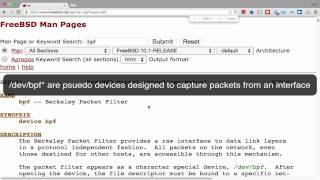
Today we're going to look at live sniffing permissions on OS X and FreeBSD. They're pretty much, they're pretty similar in this regard, so I'll be demonstrating on just one OS, and that is OS X in this case. So take a look at the version I'm running there. You can see that tcpdump is installed. And this is the OS X version of tcpdump. It's a Mach O binary file, and it's an older one, 4.3.0. You can see that Apple patched it, they put their own version information in there because they have some special additions to tcpdump which we'll talk about in a later video. But anyways, so let's go ahead and try to apply tcpdump. Hey, I wanna listen on my en0 interface, and it says that, hey, I don't have permission to listen on that interface. It says cannot open BPF device. That's a little bit different of an error message than we got when working on Linux. So because Linux didn't say, hey, we need to open a BPF device, and that's one of the difference between these operating systems. In the BSD world, and OS X is based on some FreeBSD code, and especially some FreeBSD userland tools, they use BPF devices to access packets. And let's quickly go over to web browser here and key in. So look at the FreeBSD manual page here for the BPF, the Berkeley Packet Filter. You can see it is the device, and it's actually not a real physical device, but it's a pseudo device. It can tell you right here, just to summarize what I said, the Berkeley Packet Filter provides a raw interface to the data link layers in a protocol-independent fashion. So all packets on the network, even those destined for other hosts, as long as the network card sees it, are accessible through this /dev/bpf device. So we're gonna go back. So now that you know that there's these BPF devices and that's how you access packets through them, we can check out where they are located on the system. We can see my system has 4 by default. You can actually increase this number and you can on the, on BSDs as well, specifically FreeBSD. You'll notice that the far left column, the first character is a C, so these are actually character devices. And you'll notice that it's owned by root and it's for group wheel, and there's no permission set for the group here, only for root. So only root can read and write. So that means I, as a normal user, I am an underprivileged user. 504 is my user ID. I am not able to read from this device, as you saw when I executed tcpdump -i en0. I'm not able to listen. So how can we solve that? Well, one way to do this is to simply take a look at the devices again and add the appropriate permissions, just as if it were a file and you need to read it. So we can do chmod -o for other, so it's going to be everyone, and we'll specify for those devices we want to add that bit. And let's take a look again, and you can see now there's that read bit here. Now I'm going to go ahead and stop becoming root and go back to my normal unprivileged user, and we're gonna run this again, and you'll see now I'm able to listen. So there's some traffic coming over, over the network, some multicast DNS traffic, and voilà, I'm able to sniff as an unprivileged user on a live interface on OS X and BSD-like systems. That concludes this video. Thank you.