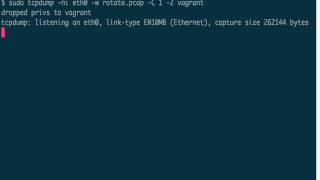
Jon Schipp shows how to manage long-running tcpdump captures with size-based rotation using -C and -W flags to cap disk usage, then demonstrates dropping privileges with -Z to run as an unprivileged user after opening the socket, and finally covers time-based rotation with -G and strftime formatting for timestamped files.
Chapters
There will be times when you need to perform long-running captures with TCPdump. Say you have a server that's recently been compromised or keeps getting compromised. You want to have a record of every transaction that comes across the wire, or if you need to monitor a particular network. These things can generate very large files based on the amount of network traffic you are receiving in the gigabytes or even the terabytes. So we need to keep these manageable, and the way to do this is to set up a rotation scheme, and tcpdump has an option to allow us to do this. This allows us to create the— instead of having these large files, create smaller files that are more manageable. So let's get started here. Go ahead and set tcpdump to listen on our eth0 interface. We're going to write out to a rotate.pcap file, and then we're going to say use the -C option, dash capital C, to do a rotation based on the file size. And we're going to use 1 megabyte. So what's going to happen is tspysser is first going to write out rotate.pcap. When that reaches 1 megabyte in size, it's going to write out rotate.pcap.1. When that reaches 1 megabyte in size, it's going to write out rotate.pcap.2. Etc. and so on. So let's demonstrate that. Go ahead and start the capture. Over here I have TCP Replay, and I'm going to regenerate this nitrobo.pcap file on our eth0 interface to give us some traffic, and it's going to generate it at 5 megabits per second. Go. Switch back over. Gonna go ahead and hit Ctrl+C now. Now let's match on rotate. You can see now I have a number of rotate.pcap files. Let's get rid of these files. Okay, so now what we're going to do is we're going to try another option, and this one we're going to add to it. This allows us to specify the max number of files that will be allowed to be rotated. And the way this works is once the max number is reached, TCPM starts from the beginning overriding the existing files, so you keep a set of the number that you specify. So if I specify 3, I will always have 3 rotated pcap files. When the third one fills up, it'll go back to number 1 and re-overwrite that one. And that one fails, it'll overwrite number 2, and so on. But you'll keep 3 running files. And you can use this to actually get the sizes that you want to keep and no more. So we have 1 megabyte here, and if you multiply that by 3, we actually have 3 megabytes. So if you want to only keep 10 megabytes worth of stuff, you'd specify 10. And that's one way we can limit the disk usage. Let's go ahead and specify 3. I'm gonna run my replay script again at 5 megabits per second. Okay, that should do it. Let's go ahead and quit out, and let's see what we have. And there you go, we have now 3 pcap files: 0, 1, and 2. 3 total. Great. I want to make a quick point here that when you're doing these long-running captures, there is a security concern because there have been vulnerabilities in tspeedup in the past. To help mitigate those, what we can do is we can specify the -Z option on our long-running captures and then specify a user. And what this will do is tcpdump will become root to open up the socket that it needs to listen on the, on the, for the raw packets. But then what we'll do is drop its privileges down to this user. You can see that it says privileges dropped to vagrant, and my username is vagrant, I am the vagrant user. So if you're going to do these long-running pcaps, I highly recommend that you use the -c option so you can drop privileges and thus mitigate some potential vulnerabilities in long-run captures. Another type of rotation that tcpdump allows is time-based rotation. So let's go ahead and set up our command again. Actually, we need to remove the files that we created earlier. Let's do that first. Okay, now what we're going to do is set it up. Ni eth0. I'm going to write to rotate.pcap because I like that name. And then the -G option which specifies the time. So the argument to this option is the number of seconds or the value of time. So we're going to do rotate it on 2 seconds, keep it short. And if we just run it like this, tcpdump will just keep overwriting this file every 2 seconds, just replacing it. We want to actually have multiple files with different timestamps, so we need to actually use the string format time function parameters. And this is available in the Unix Programmer's Manual. We'll go ahead and specify a few right here. So I'm gonna go ahead and do it right here. Use a comma once you specify the modifier for the percent and then a value that represents some portion of the time. So capital H is hour, capital M is minute, capital S is second. So we'll go ahead and run that. Let's fire up our tspeed replay command to send a bunch of data. We'll give it a moment here. Okay, sounds good. Now let's go ahead and list the rotate backup files. You can see here it actually rotated every 2 seconds. Great, that's exactly what we wanted. That's the way you can do it by time. So for more information, do check out the manual page. It's strftime, and you can see that it's in the Unix/Linux Programmer's Manual. It's a function, and what you want to go down to is the specifications here. And all these percents show you the different types that are available. They're similar to the ones that date uses. It uses that function as well. There you go.