Jon Schipp shows how to use the SIGINFO signal on BSD systems like macOS to get live packet stats from tcpdump. Send the signal with kill -29 to your tcpdump process and read the captured, filtered, and dropped packet counts without stopping the capture.
Chapters
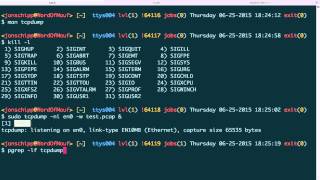
In this video, we'll be talking about extensions to tcpdump that are on most, if not all, of the BSD operating systems and their derivatives. So first off, we're going to take a look at siginfo, which is a particular type of signal that tcpdump responds to. Let's go ahead and open up the man page, type siginfo. And you can see it says on platforms that support the siginfo signal, such as the BSDs including macOS X, etc., it'll report cat drop— or basically packet counts, um, whenever the signal is received by tcpdump. So if you take a look at the available signals, we can use kill -l. You can see that siginfo is number 29, and we can use kill to refer to by number or name. So first off, what we're gonna do is though, we're gonna run tcpdump, and I'm sniffing my wired interface. I'm gonna write to a pcap file called test.pcap. I'm gonna run that, and then I'm gonna use pgrep to get the process ID. I have it here, but since I'm using sudo, there's gonna be two different processes, and this is the one we want right here. So I'm gonna use kill -info 19869. And I need to be sudo to send that signal. I need to be root, I mean. So use sudo for that. You can see that it actually gave us an output of how many packets were captured so far, the number that passed the filter, and the number that were dropped. And we can do it again, and then we can just do a little script here— or not a little script, but a little command here to actually do this multiple times if you want to watch it. Go ahead and kill the screen and press that, and I'll print it every second. You can see now we have a live list of all the packets that tsniff is processing as they're— as they are coming in. So it's kind of a nice feature that allows you to keep up to date with how much packets and how much— or how many packets you're taking in, how many are passing the filter, and how many were dropped.