Tcpdump - Installation
Jon Schipp shows how to compile tcpdump 4.7.4 from source on Ubuntu, upgrading from the outdated repository version 4.5.1. He installs libpcap-dev, runs configure and make, then verifies the new binary in /usr/local/sbin. The video covers why analysts compile tools from source for security patches and new features.
Chapters
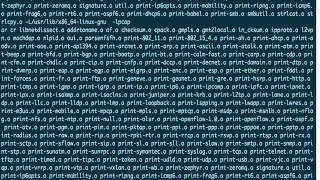
Hey everyone, today we will talk about installing tcpdump and compiling it from source. Let me go ahead and switch to my terminal window. Okay, so first off, let's check out what version of tcpdump we are running. Okay, 4.5.1. All right, now let's check the tcpdump website and see what version is available, see if that's the most up-to-date version. You can see that— let me go ahead and zoom in a little bit here— that we have version 4.7.4 available. That is the latest release, and if you look here, the 4.7 series is for updates for security patches. So that might be something that we would like to have on our system, especially if we're using it for analyst work. So you can tell that this version is quite a few behind. So let's go ahead and check if there's any newer versions available, and we'll get to the root of the problem here. And that is that a lot of the stuff in different Linux distributions, when in terms of packages, are out of date, especially in the, in the NSM world, than what's available when you can compile it from source on the official websites of these, these programs and applications. Typically, you'll be behind, and that is why a lot of the times analysts will want to compile software from source for latest bug fixes, security fixes, and features. So we have the new list. Now let's go ahead and use apt-cache policy and specify the package of tcpdump to actually give us information about what's available in the, in the repository versus what I have installed on the system. You can see that I have on my system 4.5.1 installed, and there was a patch version from Ubuntu called with 1.1 that I do not have installed. And that is actually what will be installed if I ran the install command to install the next— to upgrade that package. So we're gonna go ahead and install tcpdump. Okay, and you can see again, it's 4.5.1. So that was a patch release. So there's probably some fixes in there that needed to be sent out. So that's why they repackaged it up. Okay, so next up we need to— we want the latest features anyway— we need to actually have it installed from source, and we'll talk about compilation next. To compile tcpdump from source code, we'll need to grab the source code from its website. So we're at tcpdump.org again, and we'll go ahead and copy the link address for this tarball here. I'm going to paste it in here with wget so it downloads it. Give it just a moment. Okay, and now you can see that we do have a gzip compressed format of the tcpdump source code. So we're going to go ahead and extract it next with tar, and now we should have a directory available. Yep, so let's cd into tcpdump 4.7.4. See, there's a bunch of C files there. So we'll need a few things before we can continue, and one of those things is we'll need to have make and gcc. And if you want the entire development environment, you can install buildessential. Need to be root for that. As you can see, I have them already installed— buildessential, gcc, and make. So now I can continue on. So the first thing we're going to do is we're going to run the configure script. This will generate the appropriate Makefile that will be used to build tcpdump from source. Okay, so look here, we have an error. It says because the configure has an error, and if you look right above the error, we see that, um, it's missing some pcap stuff. So this is an indicator that has to do with the libpcap library. So let's go ahead and see if we have the appropriate libraries available to actually build it. So we're going to do apt-cache search, and then we're going to do a— we're going to match the beginning of a line for libpcap. And what we have here is a development library that's needed to build this. So we're going to go ahead and install this. That's what we need next. libpcap-dev. Oops, again, I forget that I need sudo. Because I am a normal user. Okay, now I have the libpcap development library installed, so let's run the configure script once more. Aha, it succeeded. So now we can run make to actually start building the program. This is where the compiler takes over for— through the make target and starts compiling all those C files. And in a moment we'll be finished building, and then we'll have the latest version of tcpdump on our system. And there's just one more step that we need to do to actually utilize it. Okay, it is finished. So we can see that tcpdump is ready to go right here, 4.7.4, but we want it in our PATH so that we can just call tcpdump from the command line and have it show that 4.7.4. Okay, so go ahead and clear the screen here. To install it to its, uh, appropriate system location, we'll need to use sudo make install. And now what actually happened was, uh, the install target for the make program, or the makefile, tested if /usr/local/bin was a directory. If it was not, then it created the directory, set the appropriate permissions right here, and then what it did after was install that TCPdump program that's in the local directory here, ./tcpdump, installed that to /usr/local/sbin/tcpdump, and then installed one— the program again except to /usr/local/sbin/tcpdump and the extension of the file name, which is the result of the catting the version file and 4.7.4. So now if we do it, we can see that we have 4.7.4 there and also /usr/local/sbin/tcpdump.4.74. So that's another version of the file, or it's the same file but it's just another copy of it. So there you are, we compiled tcpdump from source successfully. Let's take a look at the contents of the tcpdump package on the Ubuntu 14.04 distribution. To list the contents, we're going to use a tool called dpkg with -L to list the contents of a package, and we're going to specify the package name next. And this is t— in this case it's tcpdump. You can see inside the package there's a number of things. There are some example scripts that happen to be awk scripts for post-processing of data from tcpdump. Then there is the manual page that is installed, the tcpdump program, and some AppArmor scripts. So let's take a glance at the example post-processing scripts that are available. See, I got the path right, /usr/share/doc/tcpdump/examples, and let's take a look at, I don't know, packet.dat maybe. And actually, so what you do with this, you'll actually run tcpdump and you'll pipe, um, the output to this awk script, which will then match on the line. So you can see here it's matching for the SYN bit or the RESET bit. And then it's going to do some stuff with the data that's available in the fields. So it's a way to actually do post-processing and print some cool information without having to use an alternative tool or write your own. You just do some— you just take the output of tcpdump and run it through these scripts. There's one for time. It says, given a tcpdump ftptrace, output one line for each ACK in the form where the ACK time is here and the sequence number is here. So here again, it looks for the ACK in the output in the 6th field, and in the 5th field it matches SYN, FIN, or R, or this SFR, which is short for those particular TCP flags. So some, uh, extra things you can play with with tcpdump that are included in the package that most people don't know about are available. Also, there's the apparmor script, so we can take a look at that. Um, Let's take a look at user.spntcp. So this uses the AppArmor hardening system that tries to limit control over the programs and processes available in your distribution. And AppArmor is developed for Ubuntu and base distributions, I believe for Debian as well, because that is what Ubuntu is based off of. But, um, we can quickly see a few things. It can define the capabilities that can be used It also tries to limit— whenever TCPDump tries to do certain things and look for certain files or devices, it tries to limit the path for the availability of those so that it can't search outside of that in case there was an exploit— or excuse me, there's a vulnerability in TCPDump. So a number of these things are available to further harden the program.
More from Jon


What No One Knows the Podcast / Vodcast featuring The Tampa Bay Wave and Jon Schipp

Meeting the Exposure Management Challenge: Key Use Cases for Success | @OfficialRapid7 #SolutionSpotlight

Spot Security Control Gaps and Non-Compliant Resources Across Your Attack Surface






