Maximizing Profits for Painters: Job Costing Method to Streamline Admin Work
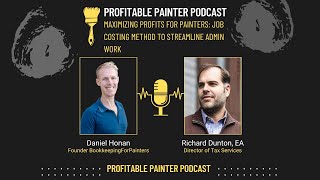
Daniel and Richard explain job costing for painting businesses: tracking revenue, labor, and materials per project to calculate gross profit. The industry average is 40% gross profit, but new businesses should aim for 50%. They walk through setting up QuickBooks Online with time-tracking tools, subcontractor payments, and material tracking to generate reports that inform pricing and employee incentives.
Chapters
Welcome to the Profitable Painter Podcast. The mission of this podcast is simple: to help you navigate the financial and tax aspects of starting, running, and scaling a professional painting business. From the brushes and ladders to the spreadsheets and balance sheets, we've got you covered. But before we dive in, a quick word of caution: while we strive to provide accurate and up-to-date financial and tax information, nothing you hear on this podcast should be considered as financial advice specifically for you or your business. We're here to share general knowledge and experiences, not to replace the tailored advice you get from a professional financial advisor or tax consultant. We strongly recommend you seeking individualized advice before making any significant financial decision.
This is Daniel, the founder of Bookkeeping for Painters, and this is Richard, tax director with Bookkeeping for Painters.
How's it going?
It's going pretty good.
We're here in Chattanooga, Tennessee.
We are. We're still in Tennessee.
For Brandon Lewis's APPC event, which is— we're excited to see folks, see a lot of familiar faces and network and everything. So in beautiful Chattanooga, the weather isn't that great, but you know, it's a really awesome hotel that we're having the event at.
So yeah, I love— so like people probably know I'm originally from the South, and so I love being able to come down to the south anytime I can. Southern Tennessee is a beautiful area. We got the mountains in the background. I got to try and find that Chattanooga Choo Choo that they're always talking about. I haven't seen that yet, but maybe.
Yeah, so for—
get on the train!
So today we're going to be talking about job costing and We'll first cover, you know, what is job costing, why might you want to do it, what should you be kind of shooting for, what are some— what is a way you can do it. You can do job costing many different ways. We're going to cover a way, not to say it's the only way, but it's a way you might consider. So first of all, let's cover what job costing is. Job costing is simply the recording the revenue, your money received from a project, and then the direct materials and the direct labor to arrive at what the gross profit is on a specific job. So this is going to tell you your gross profit for each specific job. That's all job costing is. So it's just associating the, the revenue and the direct costs per project. Because when you look at your profit and loss overall, it's just going to tell you overall, you know, you had your revenue, your direct costs, your cost of goods sold, and then your gross profit overall. And so the job costing gives you more detailed information on what specifically happened on each particular job.
When you talk about direct costs, you're kind of talking about the things that we don't really have a lot of control over. You know, the cost of the paint, the cost of the supplies, the cost of labor to get the job done. So those are the things that are going to be directly tied to earning that money, and you have some control, but probably not as much as you do with other costs like advertising and overhead and things like that.
Yeah. And the reason why job costing is super important is because it— basically because gross profit is super important. Gross profit is probably like the key metric to— if I want to know what a— how well a painting business is run, I can look at their gross profit and kind of get a real quick idea of how well they're going to be doing. And the average gross profit percentage, as a percentage of revenue, is 40%. That's like the average. If you look at the national data, that basically means that if you do a $10,000 project, there's— the direct cost would be $6,000, that's the labor and materials, and then what's left over is $4,000, which is 40% of the $10,000.
You're talking about gross profit here, which is a little bit different than like the money that actually goes into your pocket as the business owner, right? Yeah.
Yeah, because then after that you have your overhead costs, which are not— they're not associated with a specific job, just what you need to do to, you know, advertise your business, general overhead costs like insurance. Those things are not cost of goods sold, they're not direct costs. So those are not included in job costing, right?
Because you're gonna be paying for those whether you do 100 jobs or 10 jobs. And so the, the more work you can do, the lower your overhead becomes as a percentage of your total revenue. And I think that's why it's so important to track your direct cost, your job costing, so that you understand you know, where do I need to make adjustments? If my advertising is not getting me enough work to justify the cost, then do I need to make adjustments there? Are we making enough revenue to afford having, you know, this extra admin labor or, you know, an outside office or something like that?
Yeah, yeah. So that's why it's important. What should you be shooting for for for gross profit or your gross profit on each job or overall. Like I said before, average is 40%. We typically recommend if starting out shooting for 50% gross profit, meaning that you're charging your customer twice of what it costs you to do the job. So 100% markup is another way to say it, 50% gross profit. So if you have a $10,000 project, the direct cost would be $5,000, which would be labor materials, and then you arrive at your gross profit there of $5,000.
I've heard some people say like, oh man, you charge the customer double the cost that it takes to do the job, that seems high. It's not high. It's actually pretty standard for most industries. If you go to a restaurant, the cost of the food they serve you is less than 50% of what they're charging you. Charging you for it. If you go to the store to buy clothes, like a retailer, the cost of those clothes to the store itself is much less than 50% of what they're selling it for. So it may sound— 50%, man, that may sound high. It's not. It's actually pretty standard among, you know, most industries.
Yeah, and there's folks that we work with that have gross profit of like 60 5% gross profit. Granted, they are larger, more established, they've been around, they have a lot of social proof and established processes, good sales process, but they're getting— their gross profit is, you know, just blowing 50% out of the water. So yeah, 50% is not high, so don't be afraid to— if you can't charge that, you might need to look at your sales process. And make that a little bit stronger so you can command, you know, 50% gross profit. But that is a separate podcast. So today we're going to talk about job costing. How do we actually do the— track the cost per job in a streamlined way? Now, you can keep this simple. I mean, you can have a spreadsheet. I know there's a lot of spreadsheets that that folks use. I know Nick Slavik's spreadsheet's good, you know, which can work completely— that works fine. You know, you basically have your revenue for the job, how much you're charging the client, and then your— how much labor you paid out for that job, and then how much the materials were for that job. So you can keep that, keep track of that on a spreadsheet. It doesn't have to be anything— or a piece of paper. It doesn't have to be anything fancy. Now, as you grow your business, this might become a little bit arduous, a little bit difficult to keep track of just this on a spreadsheet or on a piece of paper. So you might want to streamline your process so that you're actually doing this tracking in your bookkeeping software. QuickBooks Online is what we typically recommend. So I'll go through a way you can do this, set this up in QuickBooks Online so that the process is done in your bookkeeping records. So the first thing that you want to do to set this process up so that it's being— your job costing is being tracked in your bookkeeping records in your QuickBooks Online is you want to have a job naming convention. So the job name Typically folks are using something like the name of the customer with the type of project. So like John Smith Exterior, maybe with a year at the end, like 2024. And then that's a very descriptive name. So it's, it's not like a number. The problem with like job number 5676843 is that it's easy to transpose the numbers and when you're trying to communicate this to other people, the numbers might get mixed up and everything. So just kind of keeping it simple with your job naming convention so that it uniquely identifies the project, but is also very descriptive. So it's easy if something is misspelled, you know, the paint store clerk misspells John Smith, you might still be able to determine what they tried to spell. Not always the case, but a lot of times you can.
Oh yeah, I completely agree. We were at Home Depot the other day buying some stuff for the house, and when you go to check out, they'll ask you, "Do you want an email receipt in addition to the printed one?" And we hit yes, and it would not allow me to check out until I put in a name for that project. Now, I wasn't— I'm just a homeowner. I'm just buying some stuff for my bathroom. But if you've got an easy-to-remember job costing naming convention, you can put in, you know, John Smith-2024. That's gonna be a lot easier to remember than what was it, 8, 8, 6, 7, 5, 3, 0, 9, or whatever, whatever the number is. But I thought was interesting, like, you know, like these, you know, suppliers like Home Depot and Sherwin-Williams, they understand the importance of this and they're making it easier for people to to match receipts with the jobs, and that all goes towards this goal of job costing.
Yeah, yeah. So establishing your naming convention, that's, that's step number 1. And then from there, and you're, you're in QuickBooks Online, what you would want to do is, is either use subcustomers or QuickBooks Projects. I'm not going to go too deep into this, but I'm going to kind of just go through the sub-customer way, which is a sub-customer is if you look at your customer list in QuickBooks Online, you'll see, you know, all your customers and it should be more likely their name or the company that you did the painting project for. A sub-customer is just like an indentation and there's a sub-customer or a job is what it really is underneath that customer. And so you might have John Smith as the main customer, and then underneath them, you know, John Smith Exterior 2024, and then maybe you have John Smith Interior 2022, you know, so you have those separate subcustomers underneath the main customer. There's QuickBooks Projects as well, which you can, you can use that, and it's a little bit more fancy of a user interface, but it's the same idea there. So that's, you know, you have your, your job naming convention and then you have that sub-customer created in QuickBooks Online underneath your main customer. And then the next part is your time tracking. Now, if you're— this is for if you're using employees, you want to have a time tracker ideally that syncs with QuickBooks Online and your payroll provider, ideally. But for job costing purposes, at least your, your QuickBooks Online. So, the time, time trackers that sync with QuickBooks Online, there's plenty of them out there. QuickBooks Time obviously syncs with QuickBooks Online. In most cases, it does need to be set up correctly, but it syncs with that. And then ClockShark is another one that syncs with QuickBooks Online that a lot of folks use. That works great. So these time trackers, basically they sync over the customer names from QuickBooks Online. So those sub-customers and the customer names, it syncs it over into the time tracker. So your team can see, okay, here's John Smith Exterior 2024, and this is the one that I need to log my time under. And then, and then it will, once the hours are approved in the time tracker and ClockShark or QuickBooks Time or whatever you're using, it will sync the hours back over to QuickBooks Online so that you can have those hours in there. Now, an added bonus is if your time tracker can also sync over the hours to your payroll provider. So this might be QuickBooks Online. If you're using QuickBooks Online payroll, then it'll make it easy to run payroll. Or if you're using Gusto, ClockShark and QuickBooks Time. ClockShark definitely integrates with Gusto. I'm not— I think QuickBooks Time does as well. But, you know, just finding that time tracker that kind of works well with others that you can use to sync those hours and those customers back and forth to make things streamlined and easy for job costing purposes.
Yeah, take a step out of the um, it'll reduce your admin costs, right? Because you're, you're taking a step out of your payroll processing by automatically syncing those hours over, and then you can approve them and get them paid.
Yeah, absolutely. All right, then from there, so that's the time tracking for employees, and these are, you know, painters on the job site. Now if you're using subcontractors, this process, this part is a lot easier because your subcontractors are probably not tracking their time, so you don't need a time tracker for them. And if you're paying them by project, that makes it pretty easy, pretty straightforward. It's just a matter of, you know, if you're paying them by check, in the memo line, writing, you know, what project that's for. So you can go back in your check register to know, to match up, okay, this check was for John Smith Exterior 2024, and that can be coded to that sub-customer in QuickBooks Online. Or you could even make it a little bit more streamlined by using QuickBooks Online's— they have a contractor pay functionality in QuickBooks Online where you can pay your subcontractors with direct deposit inside of QuickBooks Online. It's like an additional $10 a month or something like that. And so you can just basically at the end of every project pay your subcontractor right right within QuickBooks Online and code it to the project, the sub-customer name, and the amount, and then it will pay them via direct deposit. And it also helps with W-9 tracking for your 1099s as well. So that's, that's a cool feature if you want to even streamline your subcontractor payment process a lot more as well. So that's the labor piece. That's how you would might want to consider setting up tracking of time, paying of labor for job costing purposes. Then the next piece is the materials. And so this is, you know, ordering from Sherwin-Williams or whoever your paint store provider is, basically providing that job name, you know, maybe it's Home Depot, you know, just putting in John Smith Exterior 2024, and that should be put on the receipt. And if you're using Sherwin-Williams or Dunn Edwards, you know, they provide an online portal where they'll have the history of all your invoices that you paid on credit there, so you— and it will show you, you know, the job name, how much it was, and all that stuff. And so from there, you can actually download that as a CSV and upload it into QuickBooks Online and track those as basically like a credit card in your QuickBooks Online. And it'll make it easy to track each individual material purchase with the job name in QuickBooks Online. And so you can go in there, upload it, code it based off of the PO number that was on, on that CSV. and then you've now categorized all those materials in QuickBooks Online. So it's, it makes that process pretty, you can do it pretty, pretty quick, either on a weekly or monthly basis, knock that out in a few minutes just by downloading the CSV from Sherwin-Williams or from maybe Dunn Edwards, and then uploading that into QuickBooks Online and coding that, categorizing that. And so that will get you, you know, it's coded to materials obviously, and with the job name, the sub-customer name in QuickBooks Online, and then you have your materials into QuickBooks Online. Now from there, you know, if you've tracked your hours and it's the hours are in QuickBooks Online and you also have the materials in there, From there, you'll be able to run different reports for job costing purposes. If you're using QuickBooks Online Projects, you can go into the project. And the good thing about QuickBooks Online Projects is that you can actually have— if the hours are being pushed in from your time tracker, you can go in and assign an hourly rate for each of your employees, and it will calculate the labor for you. So that's kind of a benefit of using QuickBooks Projects. It kind of takes a step out of the labor, the recording the labor for job costing purposes in there. So QuickBooks Projects is really good for that. And then if you're not using QuickBooks Projects, you're just using subcustomers in QuickBooks Online, you can still get the labor captured. In your bookkeeping software, you'll just basically need to do a journal entry for your— wherever you're paying your payroll. You run your payroll in whatever platform you're doing, and then you'll have to do an entry for your job costing purposes. And so that can get a little bit technical, so If you need help with that, you might need to get with a bookkeeping professional. But if you're using QuickBooks Projects, that process can be made pretty easy just if you have your time tracking syncing over, and then you're just assigning the hourly rate in QuickBooks Projects.
So once you have all this information and you have a really good idea of what each job is costing you, what that is as a percentage, you know, of your overall pay or your overall revenue. What are some of the things that we can do with this information? Should we talk about like performance pay? Daniel shaking his head no. I know Daniel and I both are big believers in performance pay. And that's basically incentivizing your employees to be more efficient and more effective and then rewarding them monetarily when they're able to do that. And you really can't do a good performance pay if you don't know what each job is costing you. You need to be able to quantify how much money did my employees save me on this project, and how much money is there for me to give them as a bonus or a reward. And that's where the job costing is going to come in. So you might set a goal. You might say, hey, you know, this job needs to come in at X amount of hours, we need to keep our material cost to X amount of dollars, and you talk to your project manager, or maybe the employees directly if you don't have a project manager, and you let them know that if we're able to not waste materials, if we're able to be more efficient, then, and we hit these metrics that we're looking for, then I want to reward you by giving you a portion of the savings.
Yeah, it— performance pay system can be really powerful. Actually, Charlie Munger, who just passed away a little bit ago, he was a big proponent of incentives, like making sure you get the incentives right in your business. And so I can't remember what he said exactly, but he was basically like, if you get the incentives right, you know, you can— that's like rocket fuel for your business, right?
Because we want a lot. So we have our employees and we have the business owner, and the incentives are not always aligned, and we want to try to align those, right? Um, you know, when you're an hourly employee, sometimes you start to think like, my incentive is to get through the day and clock out, uh, as quickly and easily as possible. The business owner's incentives are to be as profitable as possible, and so performance pay is a good way to help align those incentives, to help the employees have a little skin in the game, so to speak. It helps them feel ownership of the project. And, you know, people will do things when people feel like they have ownership, when they feel like, you know, their contributions really matter. They will be motivated to give you a level of work that is higher than anything you could pay them for. It's really— we're human beings. It's important for us to feel like what we do matters. And so if they feel like, hey, you know, I'm not gonna throw away that 20% paint that's left in the can, I'm not gonna overuse tape, I might be a little bit more efficient with my brushstrokes or whatnot, that just kind of gets everyone on the same page and everybody benefits from it.
Yeah, and so you'll need to have job costing set up to do any kind of performance pay for your painters. So that's the key there. And so what we covered today is basically what job costing is, what you should kind of be shooting for in terms of your goals, you know, 40% is average, 50% is at least your target starting out. And then we went through a way to streamline your process using you know, a simple to remember job naming convention, uh, and QuickBooks projects in, in QuickBooks Online. And then setting up your time tracker and ensuring that it integrates with QuickBooks Online, like something like QuickBooks Time or ClockShark. And then, uh, making sure that you're getting that PO number, which is the job name, onto your Whenever you're ordering materials from Sherwin-Williams or Home Depot, wherever, and then making sure you're then categorizing the materials. If they're not, you know, if you're buying them on credit with Sherwin-Williams, make sure you upload that CSV spreadsheet into QuickBooks Online and categorizing all the material transactions, you know, based off of the job name. And so You got your time and your labor, and then we— oh yeah, we also talked about QuickBooks paying your subcontractors using QuickBooks Contractor Pay to record those subcontractor payments really easily, and then getting your subcontractors paid with direct deposit. So if you can get those components put together, you can come up with a really good streamlined job costing system in your in your QuickBooks Online.
Yeah, I think, I think you covered that really well, Daniel. If folks have questions, or maybe you just want to kind of share with us the way you do job costing in your business, Grow Your Painting Business Facebook group is where you're going to want to go. Let us know your questions or the things that have worked well for you, and we'd love to hear your feedback.
More from Daniel





What’s REALLY Holding Your Painting Business Back? (Find Your Bottleneck in 5 Minutes)