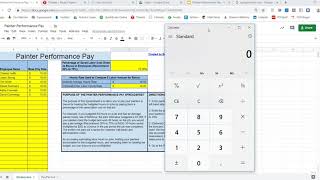
Daniel from BookkeepingForPainters.com walks through a Painter Performance Pay system that keeps labor costs at 33% of sales by paying bonuses when crews finish jobs under budgeted hours. The bonus is 30-70% of the saved labor cost. A custom spreadsheet automates the calculations, tracking budgeted versus actual hours and computing each painter's bonus automatically.
Chapters
This is Daniel from BookkeepingForPainters.com, and in today's video we're going to review the Painter Performance Pay System. A common thing that I come across is that folks want to lower their labor costs. Your labor costs are supposed to be below 33% of your overall sales, and one thing you can do is try to motivate your painters if you have employees motivate them to work faster. One way you can do that is by using a performance pay system. So there's many ways you can do this. This is a way. So if you need a way to do this, this is one way that you could do. So the purpose of this video is basically to go over what the Painter performance pay system is, how to implement it, and how to use a tool, a spreadsheet, on for your painting business, how to use this spreadsheet to track and pay your painters bonuses. So what is a painter performance pay system? So basically it's a bonus, a bonus program that incentivizes painters to beat the budgeted hours on paint jobs to make you more profitable. So the idea is keeping employees in line, giving them the actual hours for a job, completing it under budget to make you more money. So it's a pretty simple idea. The general way to implement it is to do your estimates based on budgeted hours or production rates. So a good tool for this is PEP, which is estimating software for painting businesses, and what it does forces you to do is basically assign the amount of hours it takes you to paint every type of thing that you paint. So how long does it take you to paint a door, a certain size of trim, certain size of a wall, siding, etc. So all those hours are calculated when you do your estimate. You can either do that manually, maybe you can use the PDCA production rates that the Painter Decorator Contractors Association has published, or you can use some software like PEP. So you capture how many hours is assigned to do that particular paint job. That's the first step. Second step is to give that budget of hours to your painters so that they know, okay, this paint job needs— should take no more than 100 hours, for example. And basically hold them accountable to those budgeted hours. And then the last step is to track hours for the employees, the painters that are working on that job, and then pay them a bonus when they beat the budget. And so it's a win-win. They get a bonus for beating the budget and you maintain your profitability and even become more profitable. All right, so I've developed a spreadsheet that you can use to help you track your employees and how much you should pay them in the performance pay budget. So the idea is that you have, like I had mentioned before, you have a certain amount of hours budgeted for a job. So let's just say that you have 50 hours budgeted. You give that to your painters and they do the job in 40 hours. So they came under budget by 10 hours. Now, as a bonus, you would pay them a percentage of that last 10 hours out to them as a bonus. So you can pay them— we recommend paying them out between 30% and 70% of that saved labor cost as a bonus back to the painters. The reason why it's between 30% and 70% is because one, you might have a callback on the job for touch-ups. You also have the administrative cost of actually doing this program. So generally, you don't want to pay them out the whole 100% of the 10-hour, just in this case, in this example, between 30% and 70%. And so let's get into how to actually use the spreadsheet. So first thing you want to do, and the directions are right here, list on the spreadsheet, but we'll just go through. First thing you want to do is actually put in your employee's name and their hourly rate. And this is their base hourly rate that you want to put in there. So once you put in the names and the base hourly rate, you then put your percentage of saved labor that you want for the bonus to go back to the employee. And like I said, the recommended amount is between 30% and 70%. Then here you have what your hourly labor rate is, and this is just the— without burden or anything like that. This is just the raw gross wage that's going to the painter. So there's a default amount which takes the average of your painter's rates here and just uses— that's the default. If you want to use a different rate, you can manually plug in. So maybe maybe you want to use $18 an hour instead of $16, you just plug that in there and you're set. So the next— but the one— the biggest thing to keep in mind for your labor is that you want your labor to be 33% or under the sales price. So just to illustrate that for a second here, let's say that there's 50 hours budgeted for the job times your $18 an hour hourly average labor rate. $900 in labor is, is what you have there for a 50-hour job. Basically times that by 3, so you should be charging your customer at a minimum, at a minimum, $2,700. All right, moving to the next sheet. This is the part of the performance pay sheet that we're going to actually enter in the payroll information. So we start out by putting the payroll dates. So the start date and the end date. Most painting businesses use a 1-week pay cycle. Others use like a biweekly. So you just put those start and end date for that. This chart here, we're putting in the completed jobs during the pay period. So these are the jobs that were finished and the check was collected from the customer. We're going to put the name of the job and the labor hours budgeted. So this is based off your estimate, how many how many hours were budgeted for that job, and then you put in the actual, what was actually worked by painters, by, by your painters. And then on the far column, automatically calculated is the amount budgeted, which is basically the total hours budgeted times your labor hourly rate here. So, the next part of this sheet, if you look over to the right, we have the information for the employees. So, we have the employees listed here and the pay rates based off of the first sheet. And then we put in the total hours that they worked during the pay period. So, between March 15th and March 21st. Put the, just the regular, the amount of hours that they worked. The next part is actually putting in by employee what jobs they worked on that were completed during the pay period. So in this case, we had 2 jobs completed during the pay period, and we had Charles Griffin and Justin Strong that had worked on these jobs. So what we do for Charles Griffin, we put, okay, we select that Teresa May was completed, And then we put how many hours Charles Griffin worked on Theresa May's job. And then also similarly for the John Smith job, we put Charles Griffin, how many hours he worked on that job altogether, not just in the pay cycle, but all across the entire scope of the job. And we do the same thing for Justin Strong. We put the amount of hours total that he had worked on the John Smith job and the Theresa May job. Now what the calculations do here is it first of all determines whether there's a bonus to be paid out. So for the Theresa May job, they came in under budget. It was budgeted for 75, it was done in 60 hours, so there is a bonus amount to be paid out. That bonus is calculated by determining the percentage that Charles Griffin worked on the job, and what percentage we're paying out to the employees of saved labor costs, which is 70%. So, with those factors in mind, it calculates how much Charles Griffin should get paid for that job as a bonus is $8,820. The John Smith job, the budget went over budget, so no bonus is paid. Um, and then we do the same thing for Justin Strong. Um, and then if we scroll all the way over to the far two columns, it adds up the total bonus that each employee is going to make for this pay period. And then the gross pay, which is basically adding the bonus plus their base pay, which is their hours times their hourly rate. So this is what you would use to enter into your payroll software. Alright, well, last thing to note is the way to get this painter performance pay system is you can actually go to BookkeepingForPainters.com. There's a link in the description. To actually download this resource for free. I hope it's useful in your painting business, and if you need help with implementing this into your business, definitely schedule a free consultation and we can help you implement this for your business. All right, I hope this works out and all the best to you.