Payroll & Time Tracking Options for Painting Businesses
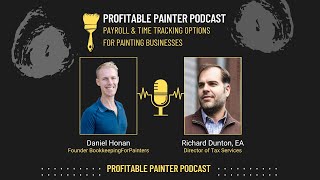
Daniel and Richard break down payroll options for painting contractors, comparing Gusto, QuickBooks Online Payroll, and ADP/Paychex on cost and integration. They warn against cash payments and recommend pairing your time tracker with your payroll system to support job costing.
Chapters
Welcome to the Profitable Painter Podcast. The mission of this podcast is simple: to help you navigate the financial and tax aspects of starting, running, and scaling a professional painting business. From the brushes and ladders to the spreadsheets and balance sheets, we've got you covered. But before we dive in, a quick word of caution: while we strive to provide accurate and up-to-date financial and tax information, nothing you hear on this podcast should be considered as financial advice specifically for you or your business. We're here to share general knowledge and experiences, not to replace the tailored advice you get from a professional financial advisor or tax consultant. We strongly recommend you seeking individualized advice before making any significant financial decision.
This is Daniel, the founder of Bookkeeping for Painters, and this is Richard, tax director. How's it going today, Daniel? Anything new going on?
It's going well. Got Memorial Day weekend. Right ahead of us. So that's exciting, I guess. What's that?
I was gonna say, around here, that's kind of like the official start to summer, um, you know, Memorial Day through Labor Day. Now, in Florida, you get summer all year long, but, uh, it's still a great time to cook out, spend some time with the family.
Yep, absolutely. It's, uh, a good time to spend time with the family. Um, which I'm definitely doing this weekend. Got a full house, all the kids, the wife, and, uh, I'm gonna check out the farmer's market. Should be, should be a good time. But, uh, today's topic we're gonna get into is paying employees. How do you, how can you pay employees? What should you use? How should you track their time? What are the options out there? Because there's a whole bunch of options. And hopefully we're on this episode, we'll demystify what do you have? What's available? What are most people using?
Cash. Most people use cash to pay their employees. Yeah. No, no, don't pay your employees in cash. Definitely run their wages through some kind of payroll so that way the government can get their cut.
Yes, we, I know in past episodes we've talked about, uh, I think the latest one was someone out of Connecticut, a painting contractor in Connecticut got hit with like ridiculous amount of jail time and penalties for not reporting cash for a couple of years. So it's definitely something to keep in mind. Gotta get a— it sucks, but you gotta pay your share of taxes, otherwise the government's going to come after you.
Yep. Have that paper trail, show that you reported the income properly because they will absolutely go after employers who, who pay wages under the table. So, you know, with that in mind, probably none of us are doing manual payroll where we are filling out the 941s for the IRS and for the state and handwriting paycheck stubs, although when I was 18, I did work for a contractor who used to do that for me, used to handwrite out my paycheck stubs. Nowadays, well, back then it was very expensive for, you know, for a company that only had maybe a handful of employees to work with one of the big payroll companies. Nowadays, we have a lot more options and a lot more affordable options.
Yep. So for payroll, there's, there's 3 typical options that we see. Number 1 is Gusto. Number 2 is QuickBooks Online payroll. Number 3 is using a firm or, or somebody like ADP or Paychex. So we'll— the, the most common, just to cut the chase, the most common one we see is Gusto. I would say if we were— I don't actually have the, uh, I should have, I should have pulled up the metrics for, but I would say the majority of our clients are using Gusto. Um, and this, it is, and for good reason. I know, uh, we use it in our, in our company to do our own payroll, um, and then we help a lot of folks use it in their companies. So Gusto is great for, um, it's very inexpensive. It's not, you know, you're not going to spend too much on it. It has really good support, um, it has really good built-in features for human resources, and it's also just easy to use software. It's, it's relatively new company, like not that new, but it's, it feels very fresh, like the, it's very intuitive software. And it's not clunky like some software payroll softwares are. So it's easy to run payroll, easy for your employees to log in and pull their own pay stubs or their own W-2s. So it's a good overall experience with Gusto, especially considering the price.
Yeah, I like that, you know, everything is cloud-based. So like you said, your employees can log in wherever they are. They can get their paycheck stubs, they can get their W-2s. Gusto has some very nice, you know, metrics and charts, charts so your employees can see how much they're getting paid, what kind of taxes are being taken out. And then, you know, of course, all those features are available for you as the business owner too. You can log in wherever you're at. They've got a nice payroll on autopilot feature. So if you happen to have certain employees who get paid maybe a salary or the same amount every week. You can set it and forget it. I really love that for like S corp shareholders, owners of S corps who need to be paid a reasonable salary. Set it and forget it and you don't have to worry about it. So yeah, very feature rich. And like you said, Daniel, I was surprised at how good their support is too, because usually, you know, when you're talking about you know, online companies, especially ones that have invested heavily in a nice user interface and a lot of features, maybe they skimp on support. And the times that I've had to call Gusto for support, I've always been able to speak to someone in a reasonable amount of time. They're knowledgeable, and they try to see, you know, see the problem through to completion. So, you know, not everything's perfect, but I gotta say, I was pretty impressed with, uh, with the effort they put forth.
Yeah, absolutely. And now with that being said, there are a couple downsides with using Gusto, as, as with anything else. Um, it, it has a pretty good integration with QuickBooks Online, but it's, it's not great. It's not as good as QuickBooks Online Payroll's integration with itself, like, um, understandably. So the— it does integrate really well with QuickBooks Online, which everyone we work with uses for their books, for their bookkeeping, and it will sync over the information and it works pretty well, but it's just not super, it's not super great. So that's one downside there, especially if you want to do something like job costing. It makes it a little bit more difficult, um, with the, that integration, the way that they sync over that payroll data.
Yeah. So if you're like really heavily relying on maybe, you know, QuickBooks Time with job costing, maybe the second option would be better for you then, which is QuickBooks Payroll or Intuit Payroll, because that integrates really well with the QBO Projects and with QBO Time.
Yes. So QuickBooks Online Payroll. If you have QuickBooks Online already, there's probably a tab that you can see that says Payroll. Click on that tab and you can sign up to sign up with, uh, QuickBooks Online Payroll, and they'll guide you through that setup. And a lot of folks— this is a close number 2 as far as the amount of clients that use this, and it's, it, it works, uh, it works just fine. And It, it, the, the real plus here is that if you want to do job costing in QuickBooks Online using QuickBooks Online Projects, it's going to work really nicely with that. And like you said, Richard, it integrates well with QuickBooks Time, which is a time tracker that's also built into QuickBooks Online so that people can track their time in there, syncs really nicely over to the QuickBooks Online Payroll, and then that payroll data will sync really nicely into QuickBooks Projects for job costed labor. So that, that system works really well.
One thing I like a lot about QuickBooks Payroll is I don't have to go into a different website or area to access my payroll information. So if I'm already in QuickBooks working on my books, I can just tab over to payroll and it's all right there. I don't need to log in someplace else.
Yep. And along those same lines, the integration, it's all integrated. So the recording of the payroll itself, they have all that detailed information that can be broken out into, you know, job cost of data or class tracking. All that stuff can be done right there. Now the downside with QuickBooks payroll is the support. It's not really that great. I've firsthand experience getting on the phone or chatting with QuickBooks Online support is always a significant emotional event for me. So that is definitely a big downside to using QuickBooks Payroll.
Yeah, Intuit's a big company and I think as you, as you grow, your support becomes— it struggles a bit. So I would agree with that. You know, one other thing I might say is that while QuickBooks isn't difficult to use, I don't find its interface and ease of use to be quite as good as Gusto. Now that might be a personal preference. I do know some people who really like using QuickBooks. They find it intuitive. Personally, I kind of like the way Gusto handles things a little bit better. But, but QuickBooks is not bad by any, any means.
Yeah, in regards to the QuickBooks support, it reminds me of Steve Jobs where he was talking about the bozo explosion that you have to look out for in your company. Have you heard of this?
I, I have not. Like, like Bozo the Clown?
Basically, he's like, when, when you're growing a company, you're scaling the company, you know, you have to get A-players in. And if you don't get A players in, you start getting B players. The B players are going to hire the C players, and then from there you're just going to have a bozo explosion where your company is going to be filled with bozos, which is just a hilarious expression. So that's what I think of when I think of QuickBooks support is just a bozo explosion, like whenever I'm trying to talk to somebody over there. Anyway, so going to the next one is Another option, so we talked about Gusto, we could talk about QuickBooks Payroll. Another one is using something like ADP, Paychex, or maybe Affirm to white glove your payroll for you. To start specifically with ADP and Paychex, I think the benefit here is to see if it can scale. They have offers for smaller businesses you know, if you just have a couple of employees, but it can also scale up if, you know, if you have 40 employees. So, or even, you know, more than that. So it, it can, it can help in that regard.
Yeah, I mean, ADP, Paychex, those are the big players. Those are the ones who are running payroll for companies that have tens of thousands of employees. So there's no fear there that you're going to outgrow your payroll provider. You know, you'll start off with one of their— they do have those small packages for smaller businesses, and that's where you'll definitely start off at. But if you grow, you'll have a payroll provider who will grow with you. You know, plus being kind of like the legacy, you know, payroll companies, they've got a lot of assets behind them. They've got a lot of experience running payroll. So, so their support tends to be knowledgeable. And they tend to have just more of a budget for things like technology and reporting and things like that.
Yeah. Now the downside to ADP, Paychex, those type of payroll firms is the expense. You're likely going to pay way more using those, even, even their smaller packages than you will if you go with Gusto or QuickBooks Payroll.
Yeah, absolutely.
And I would say even another downside would be the integrations are not that great either. So getting the information into your QuickBooks Online might be a challenge as well.
Yeah. One thing I do, I do want to give as a positive for, for like ADP and Paychex is they tend to have local representatives. So if you ever feel the need, like you need to talk to a human being face to face, a lot of times their local reps will be able to meet you at your local coffee shop or something like that. You've got someone that you can call who's not too far away.
Yeah, absolutely. All right. So those are your basic options for payroll. Now, the other thing you have to consider when figuring out how you're going to pay your employees is how you're going to track their time, assuming not everyone's salary. So time tracking is important, and yet you gotta choose what your payrolls— ideally you're choosing your payroll software with also identifying what you're using your time tracking for, making sure that they're working, they can work together. So for time tracking, we typically see folks using either GustoTime, QuickBooks Time, ClockShark, BusyBusy, or a time tracker that's in their CRM. Like, for example, Jobber has time tracking in there. I believe DripJobs also is just coming out with time tracking as well in there, and WorkGlue has some time tracking. So you have a lot of those CRMs that have time tracking built in. So we'll go through each one. We'll start with Gusto. Uh, Gusto time tracking is, is a, is good if you just have like a very simple, maybe you have an office admin and a production manager that tracks their time. And just today set somebody up on that. So they don't have anybody working on the jobs. They don't need to do job costing for these individuals. They just need to track their time, simple time tracking, and that exports really easily into Gusto payroll to run. Uh, now obviously if you're using a different payroll provider, uh, Gusto time does not make sense at all, so don't do that. But if you're using Gusto for your payroll and you just need simple time tracking, the time tracker that's built into Gusto works just fine.
Yeah, that makes sense. Kind of, you Yeah, if you're already with Gusto, keep it in-house as long as your time tracking needs are basic enough where you don't need something that has more robust features. Now, Daniel, you said you, when you were setting, setting someone up today with Gusto Time, is that an additional cost to use Gusto Time or is that included with Gusto's payroll services?
So Gusto's base, like their cheapest package, does not include time tracking, but the next step up, their mid-grade package, does, does include time tracking. And it would be a lot cheaper if you just have simple time tracking needs to just use that simple time tracker that's built in to the mid-grade or higher. Uh, actually today the person I was working with, they also had ClockShark and they were going to use ClockShark with Gusto, but it was just not necessary because they only had an office person and a production manager. So it was like save your money, just use Gusto Time Tracking, and it's built right in, and it's— they're on the mid-grade package anyway, so, you know, they, they save some money there. Um, now the downside with the Gusto Time Tracking is that if you need any job costing, it's not going to really be useful for that. Uh, they do have a projects feature, but it doesn't integrate with QuickBooks Online. It's not going to be super useful. It's going to require a lot of manual data entry, so I wouldn't recommend it. The next option is QuickBooks Time, which used to be TSheets back in the day. Now it's QuickBooks Time. The, the main benefit with QuickBooks Time is— we, we kind of touched on it earlier— is it integrates really nicely with QuickBooks Payroll and also QuickBooks Projects. So this is great if you want to do job costing within QuickBooks Online, especially if you're using QuickBooks Projects. The QuickBooks Time support seems to be a little bit better than the, the QuickBooks Online support. I would say they seem to be a little bit better, and I guess not, not as many bozos over there.
Maybe they retain the old TSheets support team there.
Yeah. Yeah, I mean, it definitely downgraded when, when TSheets was bought, uh, by Intuit. Like, the support used to be really good, but, um, it's still not as bad as QuickBooks support, but there's still time. Um, all right, so there's, uh, the next one is ClockShark. Busy, busy. And these work well. They have good integrations that can import timesheets into QuickBooks, QuickBooks Online. They can also pull QuickBooks Projects over so you can log into the QuickBooks Project appropriately. So these, these integrations, uh, you know, ClockShark and BusyBusy, they have great integrations with QuickBooks Online. You can still do job costing. Um, it's not as seamless as QuickBooks Time, but it still works pretty, pretty well.
Yeah. And these, these apps were designed to be time trackers foremost. So the user interface, the ease of use is going to be, you know, really good on, on Clark Shark. Clark, that's a hard word to say. Clock Shark. And Busy Busy. Even if it's hard to pronounce, it looks good. It's easy to use, just hard to pronounce, at least for me. Yeah.
Yes. And, and another thing that's better is their support. That was actually one of the things that when Intuit bought TSheets and the support just went, you know, went downhill from there, a lot of people started using ClockShark and Busy Busy just because the support was, was better and they, they'll They're easier to get a hold of. They'll help, they'll help you get things set up. So they're a good option if you are looking for that extra support. The last piece is the CRMs that have time tracking. And there's benefits here with if you're doing your project management in the CRM, things can kind of, your employees can easily log in. To a project in the, in the CRM or production management software. So it makes that experience a little bit seamless for— more seamless for the employee. So they don't have multiple apps, like for their CRM, then they gotta log into the time tracker. So it has that benefit. The downside is that the integrations are not that great.
Yeah, you were kind of mentioning how the CRMs, they, uh, they have time tracking, And probably the upside to that is that it's built in, so you're not paying extra for it like you might be with a dedicated time tracking app. The downside is that the integrations usually aren't that great. They weren't really designed to integrate with anything. This is for basic time tracking. My personal experience has been sometimes they can be a little clunky, they can be a little slow. Not a big deal if you have employees who clock in at 9 AM and clock out at 5 PM. But if you're doing a lot of different work streams where you're trying to track, you know, individual projects and your employees are constantly starting and stopping their time, you might want to find something that runs more smoothly, that doesn't, you know, freeze up and allows them to quickly clock in and out, or your employees might resist using it, or some stuff might not get tracked. But yeah, I mean, there's, there's a lot of different options out there for time tracking. We just kind of named off some of the more popular ones. You may have time tracking software that you really enjoy and helps you stay productive. I know I've talked to some painters who, they have time tracking that, that fits into their phones or their, sorry, fits in apps on their phone. The 21st century, right? Like, like, Okay, boomers, not a logo. Okay, we'll cut that. I'm sorry, Julie. So you may have an app on your phone that your employees can use to clock in when they hit the job site, and it might have, you know, GPS features enabled so that they can actually prove that they clocked in on the job site. And not at, you know, the fast food store on the way over. So yeah, we'd be really interested to hear if you have a time tracking software that you enjoy, what it is, what you like about it, maybe what you don't like about it, or a payroll system that, that you really love. If you'd like to leave your comments, you can always join our Facebook group. We'd be happy to have you there. And you can let us know, uh, what you think or possibly suggest ideas for future episodes. Uh, but we really appreciate you listening, and we hope to see you on the next episode.
More from Daniel






What’s REALLY Holding Your Painting Business Back? (Find Your Bottleneck in 5 Minutes)