CRC Software Sessions - Web Hosting
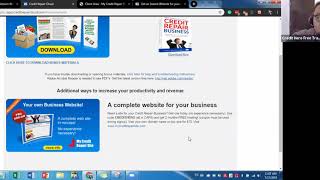
Isaac walks through setting up a business website on mycreditrepairsite.com, Credit Repair Cloud's hosting service. The drag-and-drop builder lets you choose templates, add pages, upload logos, and publish. At $19.95 a month, it includes tools to capture leads and affiliates directly into your CRC account.
Chapters
Hello and welcome, everyone. Happy Wednesday. Glad to have everyone here for our class today. Excellent. So. So I'm usually not on today, but I wanted to. Michael was feeling a little bit under the weather and I want to make sure that he is good to go. So I had the privilege of working with you today. Hey, Omar. This is not a recording, I promise. I am live. We are live. We are live Monday through Thursday at 11:00am Pacific Standard Time. So my job or my goal today is to help you with something important that we like to provide to our users in case you don't have that already. So in the meantime, while more people trickle in, we're actually are going to go live in Facebook so other people can see this later on. This is one of my favorite classes. More importantly, because everyone needs a website and I'm going to teach you how you can use our website, how you can make simple recordings, and more importantly, how you can generate your leads through your website. So let's go ahead and wait for a couple minutes for other users to start trickling in. It is the middle of the week, so it's really exciting that it's almost done. Tomorrow we're going to be dealing with the workflow of working with your client. So today we're going to be working on your website. So if you're definitely interested or you feel a little bit apprehensive about creating your own website, I'm going to show you how easy it is to actually work with Micro repair site. So I'm going to give you a couple of tips to get started. Okay? All right, so let's go ahead and wait. All right, so if this is the first time joining a session, any session at all, go ahead and raise your hand on Zoom. If you've been here for the rest of the week, let me see those hands raised so we can get started. Perfect. Excellent. I'm like glad to see all those hints. All right, Perfect. Now if you do have everyone in Zoom that's watching me now, if you already have your own website, go ahead and let me know. Raise your hands. But if you want to learn how to create your own website or you want to learn about those leads, let me go ahead and raise your hand and say, isaac, I am ready to learn. Excellent. All right, Omar, really enjoying, really enjoying your enthusiasm. Getting started. So, alrighty, so we're going to get started for today again, to everyone who's watching me on Facebook, welcome, welcome, welcome. And everyone who's been with us since Monday, thank you so much. Really happy that you are here with me today. So to begin, we are here Monday through Thursday, like I mentioned, at 11:00am Pacific Standard Time, where me and Michael are going to go over different basics of our software to make sure that you are successful within our platform. A little bit about myself once again, if you don't know me, my name is Isaac. Pleasure to have you here today. I have over eight years of customer service that I bring to the table here on Chris. I have worked for big companies such as Microsoft. I've worked with private IT firms mainly focusing on the business side of support. Really happy to be here and being part of this amazing company. When I am not working in customer service, I enjoy spending my time with my wife and my son. So thank you so much for joining me today. We're going to go Today's agenda is we're going to go ahead and set up our business website. If you're a master class student, you also have this part as part of your benefits. If you didn't know that, well, I'm going to show you how we can go ahead and activate that for you. This is already included in part of your benefits. If you don't have a masterclass, I'll show you how you can set up your own website and how easy it is to actually do that. So you don't have to worry about really, you really don't have to worry about hiring someone to set up the website. I'm not frowning, I'm not throwing shade to all those amazing website designers. But if you want something quick to get started that you don't want your business to be halted because of a website, this is an amazing tool and very powerful tool that we set up so you can go ahead and make changes yourself. So I am here, I liaison to go ahead and get that accomplished. Then I'm going to talk about adding forms. Then we're going to talk about a little bit about setting up your business email and how that works. Okay, perfect. All right. So first of all, I see a couple people that are really excited to get started. I believe I have, how we say in Spanish, my tocayo, which means same name as me. Hello there, Isaac. So when you have set up your own account, if you're on a trial, that's perfectly fine. But if you already have a paid subscription, I want to actually show you how you can get a free website for two months. That is correct. You heard me right. Free website hosting for two months. Now we're going to start out at our credit repair cloud account and we're gonna scroll down and we're gonna click on bonus materials. Now, once again, if you're on a trial, this little feature right here is not enabled for you until you actually upgrade to the paid version. But nevertheless, if you're watching me and you already have a paid version, well, you're going to want to take advantage of this amazing opportunity. So you also are going to get a couple of marketing materials so you can download. There's a brochure in there that you can download, a couple flyers that you can take to your local Office Depot so they can modify for you. So that's there for you. Now, what I want to focus on is your business website. When you get started and when you pay for that subscription, you're going to have this little promo code to get started and we can go ahead and then navigate over to my creditor parasite. This is going to be your landing page when you want to get started. If you're writing things down, I like to write things down so I don't forget either. The website is mycreditrepairsite.com so I'm just going back so I don't lose my page here. And we're going again to my credit repair site. So we have a couple of resources that you can get started. You can see sample sites, faq, but if you already want to get started, let's go ahead and do that. So we're going to click on sign up now. All right, perfect. Now I want to go ahead and go over what it is that you are provided with your website. The Website hosting is 1995amonth, and what it includes is a couple of things. Now let me talk about the price just for a moment. So when we thought about providing website hosting to users, we did not think, okay, how are we going to get our yacht from this? No. And I can guarantee you that when you know Daniel was coming up with this resource, he wasn't thinking, okay, how can I retire with this resource? What we want, what Credit Repair Cloud wants, is to provide you a tool that can be powerful for you and simple enough to use. Now, if you, for example, if you go to WordPress, it's an amazing tool, but you still have to buy templates. Some templates can be hundreds of dollars and if you build your own website, that also goes is the same way. Okay? And you also need to pay to have that website hosted somewhere. So for $19.95 a month, you get your website hosted on a month to month. Okay, you are able to host a domain if you already have one, if you don't have one, that is perfectly fine. You can definitely purchase one through your registration. You get a site builder where you'll be able to make the changes and modify that website to your liking. You get access to the SSL certificate. So what this means is that your website will be protected, which is very, very important. You're also able to get email accounts with us. It's something called a webmail, so it really doesn't connect with your. With for example, Outlook. It's just basically email on your website. I'll go ahead and go into that aspect at the end of our session and you get all this other fun stuff. Okay, so you have the option to either pay month to month or you say, hey, you know what, I just want to pay the entire year right now and get it over with. You're more than welcome to. So microderparsite.com you click on sign up, you go to this page and then we're gonna click on sign up now. Okay? Okay, perfect. So you have the option here to either purchase a new domain and all you have to do is basically enter what you want to do. So let's say that the name of your business is Credit Endeavors. Okay? Now you can choose that now, but in this case, if that domain is already taken, well, you need, you'll need to go ahead and play around with that domain. But this is where you can do that, where you can actually create your own domain if you don't have one. Now for those of you out there who already have one, you can simply click this button right here and simply modify that. Okay. And just enter that domain. Now, if you encounter an issue here is because you probably put dot com. So you just need the domain name, which is the name that is before the dot com. Okay? And then we can click Continue. So we're going to go ahead and click Continue if you already have one. And then it's going to give you what the billing cycle is and what you are provided with your pricing. Okay, now it's giving me this error because I'm already logged in. But once you continue, it'll take you through the signup process or it'll take you through the billing process to purchase your website hosting. When that is done, you're going to see a page like this. Now, I've already set up my site. It's already been set up. I reset that to a generic template, but you'll actually be able to select what template that you want. Now, the reason why I Say template is because we got together with amazing website designers and we told them one thing. We want our website to be simple, catchy, and that our users can set this up within minutes. So the format of the website is pretty straightforward. All you have to do is pick a template with a background that you like to get started. So when you're done and you've already selected that, you're going to see something like this. Okay, this is going to be your go to site. If you want to verify your domain, check your services. If you want to change your building everything, this is where we're going to go. Now let's get into the fun stuff. So let's go ahead and edit our site. Okay, so we're going to click that information. We're going to click on edit site and then this next page will open up. Now here are the insights. This is where you'll be able to see how many hits that you've had in your website. Once you make the, once you publish your website, this will start showing information. Okay. Then we simply click on edit site. Okay. Now it shouldn't take this long for you. It is my Internet connection today. This is a pretty fast website. I might need to kick the cables a little bit. All right, so this is the template. So as you can see automatically, this has already been set up for you. The pages have been set up. This is a really amazing video that provides value to the client on why Credit Repair is so amazing. This is also available through their phone. So they can also when they go to your website, nothing will be distorted. It'll go through. What are the benefits of joining your company? And then we get into the setting up the process or here the modifications that we need to make. Now if you say Isaac, I like it how this looks. I don't need to make much changes. That is perfectly fine. So let's go ahead and get started with first things first, your company name. Okay, that's the first thing that we need to change. Now if you say Isaac, I really don't have a company name. That is fine. The only thing, what we usually recommend is put your name into your company in the meantime. For example, Isaac Credit Repair. Or you know, if you have a nickname, you know, my nickname from childhood is Choco. Sounds like Taco. Weird family members. All right, so we could just go ahead and set something up. In the meantime, I want to show you how you can make those changes. We're going to hover your mouse over this spot right here. You can either have a logo or you can just update it by adding your company name. Perfect. See? And you're done. Simple as that. Now you said, hey Isaac, but I have a logo that I want to use. Okay, that is perfectly fine. Again, we hover your mouse over where the company name is at and we click on logo. Now immediately there's a default logo that's going to be preset into it. So you first have to delete it and then go back to it again, click on logo and then you can actually upload a photo from your computer. Now this is for those that already have a logo. If you don't have a logo, you can just leave your company name as is. Next. What I definitely recommend is for you to review the details that are provided. Now what's really amazing about the site builder and working with templates is that all you basically have to do is that if you want to change or add information, you can just simply click and start editing. Okay, so what I want to say that with the website hosting, what you need to first focus on is what content you want to have here. So this is why it's very important that you review what's here because this information here is great to get started. Just modify the information and bing, bada boom, we have a website. Now one thing that I do recommend verifying is this section here. So there's going to be text blocks around your website that are going to be defaulted like this. So you do have to spend some time to dedicate. I'm not saying you're going to take an hour, two hours, days, but just so you can understand what you want to portray about your company. Alright, so one of the things that I recommend, and I'm sure that Michael has also recommended, is to make sure that if you don't have testimonials right now, you can definitely delete them and we can add them later on. One of the things that can discourage a user whenever visiting a website, I'm pretty sure you've also felt that when you're visiting website that the last thing you want a potential client or potential lead is to feel not safe in your website. And how do you get that? How do people feel not safe when they feel that the information is fake? Okay. Now again, you are going to be doing an amazing job. And if you're here learning, that talks about your commitment to your business, that talks about your commitment, about the vision, I'm pretty sure you're going to do amazing. But in the meantime we can go ahead and simply delete it. Now what's really cool about the website builder. Is that how easy it is to modify things. Let's say that I don't want this anymore. I'm just going to click this X right here, going to delete it, and something amazing is going to happen. See how this moved automatically? Yes. We set this up so whenever you make changes, the general format is moved or updated automatically. So you don't have to worry about the rest of the coding features to it. So you don't have to worry about anything else. This is to help you. Okay, so I'm deleting these and you can continue to make this update. So the next update I definitely or strongly recommend for you to do is this section right here. My company. All right, so the first thing we want is to change this and make sure that there's consistency in your website. That means also changing it up here. So again, all you have to do is simply click and start editing. Alright, Now something that I definitely want you to take into consideration is these links right here. Now you probably are going to be hitting up social media pretty strong. If you're not, that is fine. This is just my tip for you. Be careful not to delete these because there's not an option to add them. There's an object that you can add later on into the website. But if you delete this logo, you basically have to upload them again. And I'll show you where you can how, where you can actually get that information in one of our guides. But just you can hover your mouse over here, click this little link icon and you can actually add your Twitter account here. You can also select that here. Like if they click on that, you can select that they open up in a new window. So this is here, this is set up for you. Okay, now the next step that I want to show you is again, all you have to do basically is click and update. All right, now the objects here, I'm going to go over them because of how easy it is to work with them. But I'm also going to show you a benefit or a tool that you can use to provide more value out of your website. But first of all, I want to show you how you can get leads to your website. If you are in the boat where you already have a website and you just want to know how you can make sure that your leads get connected back to your credit repair cloud software. I'm going to show you in just a moment. Now, if you're really interested in this and are thinking of setting up your own Website. I definitely recommend going with my credit repair site because of how easy it is to update. And more importantly, if, for example, you say, you know what, I don't want my website anymore, I'm going to move somewhere else. What I'm about to show you doesn't is not locked in. For example, that, hey, I have my website with you guys. If I move away, do I lose my ability to get leads? No, that's something that I want to set on record right away that you do not have to have a website with us in order for you to get leads to your software. Okay, all right, perfect. So raise your hand if you're interested and if you really want to know how to make sure to get leads connected to your software. Right. That's very important. You don't want to go through the hundred messages through Instagram and see, okay, who wants to sign up? You may run into that and you might have someone managing your, your social media pages, but this is another way to facilitate that. Again, the main point of the software is to automate processes for you because automation is the key to scalability. And I want to show you just one moment. Now I see that. Okay, perfect. I see we have a couple questions. Again, if you have questions, if you're on Zoom, leave your questions in the Q and A box. I'm more than happy to go over them after our session. If you are in Facebook, go ahead and drop me that comment there or wherever that is, and I'm more than happy to assist you. If you're loving this training and you're on Facebook, go ahead and leave me that emoji. That'll make me feel much, much better than that. I'm assisting you. So onward we go. All right, so we're going to go back into the software and we're going to go ahead and click on my company. Okay, we're going to click on my company and then we're going to click on. We're going to focus on our left side on these options and it says website tools. Okay, perfect. Now this is your golden ticket to automate leads into your software. Okay, now I'm going to scroll down. Do not get discouraged with all the, you know, mumbo jumbo here. It's quite simple. The only thing that you have to worry about is this information here. You have to play around with it if you don't want, if you're, if you don't like the stuff. But again, all you have to worry about is this code right here. So what we're going to do is we're going to click in this copy button and we're going to go back to our site builder, which is right here. Perfect. So we're going to click on the sign up button right now and we're going to see this little form right here. So if you already had your web, if you already signed up for my credit repair site and you were wondering, how the heck do I change this? This is where that code goes. We're going to click on this object and we're going to click on Edit custom HTML. We delete it, we paste it, and again, you do not have to hit enter, just simply click outside of the box and watch the magic. Bam. You see that, how easy that was? So what happens now? So whenever a client fills out their information here and they click Submit my information now, you will automatically get a notification here, sample lead or Jessica Jones and it'll actually tell you where you actually got that. So you can see where your leads are coming in through. So once again we copy, we go over to our site builder, we click on the object, click on Edit custom HTML, we delete the previous HTML that was there or all the text, we paste that in here and we click outside. Within seconds, your form is ready to go. Now, for those of you out there who are already engaging with affiliates, or if you already have in your game plan reaching out to affiliates within your community, this is also very important to see. So we're going to click on affiliate signup form and the same process we copy, we go over to our site builder, we click on Partners and once again we click the object, we hit Edit Custom HTML, we delete the text that was there and we paste it in. And there you have it. So anytime that anyone goes to your website and is ready to go, you'll be able to, you'll be able to, they'll be able to fill out the information and get started with you. So it is easy as that, as clicking and pasting. Now if you already have your website, if you have your own website with, with another provider, maybe it's Wix, maybe it's directly with GoDaddy, maybe you're in WordPress and you're like, okay, what do I do? So all you have to do is basically use this code that you see here. Most site editors that use this template, similar to what we do have a similar process. Now you will need to verify with your support team if you have HTML enabled or objects enabled so you can add that form. If you need assistance, you can definitely reach out to their support team. So you can go ahead and have them enter that HTML code for you. If you're going to go ahead and move forward with my credit repair cloud, which is, again, amazing. It's as simple as copying this information and pasting it over here. Okay. All right, Perfect. Okay, excellent. So now a couple of quick tips that I want to give you. Now, first of all, again, when you're making updates in this specific case, You can definitely just click and drag and automatically the site builder will factor in the design of the page to modify or to accommodate what you're trying to do. Now, if you come to a spot where you got really excited and clicked everywhere and you have this Frankenstein of a website and you're like, oh, you know what, maybe I want to start it over again, you can definitely just send us an email@supportedprayercloud.com and we're more than happy to reset your website so you can start and making the modifications again. We made this, this tool to be as simple as clicking on any of the objects here and so you can start editing. So when you sign up and you engage here, go through every single page so you can. So you can make sure that whatever text is in there, it fits what you want for your business. Okay, if you're going to go to pricing, you can update that yourself. Essentially, what we wanted to do was that you can just simply update this information. As you can see on any page that I click on, it automatically rolls over, as you can see here. So you don't have to worry about that. But you do have to worry about things like this to make it as simple, but not too simple, that it's too vague. Okay, so make sure that you do not leave these kind of things out on your website before you hit publish. Any information that you update here, you need to make sure that you click on publish in order for you to make sure that your website is live. So when you sign up for micredrepressite.com and you create and you buy web hosting, this, your domain and your details will not be live until you click Publish. Okay, another quick tip that I want to give you is you are going to be bringing in your own domain. Let's say you already have your own domain and want to use but never had a website and want to get started with us, that is perfectly fine. The only thing that you need to change wherever you bought your domain is something called name servers. I'm gonna say that again. Name servers. So what that means is that when Somebody enters that domain that you know, when they enter that domain they are going to go into our hosting services. Okay. So to make sure that in order for you to publish your website, you need to make sure that your name servers are changed correctly. I'm going to also put a link in the Zoom in the Zoom chat and the. Yeah in the Zoom chat so you can have access to one to our guide. I definitely recommend you to read over that. It goes every step by step on everything you need to take to understand in regards to making edits to your website. I'm also going to post that on Facebook in just a little bit. But in this specific case that takes me into the other aspect which is email. Okay. Now when you sign up to my credit repair site, I did mention that you have access to email accounts. Now one rule of thumb is that whenever you get your web hosting, I definitely recommend not to move forward with the email services that domain provider or that web hosting services provider has even us. Now don't tell my boss. This is just between you and me. The reason for that is because let's say that for some reason there's an issue on the servers that are hosting your web hosting website and your website goes down for a couple of minutes or it goes down for a couple hours. It does happen, you know, it happens even to Facebook. The thing to worry about is that if your domain is being, if you have your email services again, email management services being hosted where you purchase your web hosting site, that means your email services will also go down. So it's very, very important that if you have your domain with us that you also consider email services. And I'm going to show you a very great service that you can sign up for so you can go ahead and make sure that you're covered. Now it's not for free, but it's a very, very, it's a very special, it's a very special service that will guarantee that you have a great and professional email services. Now we're going to go ahead and real quick, we're going to go ahead and go to Google, we're going to type in G Suite. Okay? So G Suite is a very, very professional. It's not Gmail, but it's G Suite. G Suite is able to take your domain and you will be able to take to have your own branded email services. When you click on Get Started, it'll ask you for your domain and you can definitely use your domain that you purchase with us to create your own email services. Now if you have Your domain and you purchase it elsewhere and you don't have email services. You can also use G Suite if you want. Now, something that I do want to let you know is that what whenever you set up or change the name servers over to micro repair site again, I'm going to put that guide into the comments. In just a moment email will stop flowing because now the domain is being pointed over to our web hosting services in order to get those services back up again, there are two things that we need to change. Again, you're going to take a look at that G Suite website in just a little bit. This is for those that are going to that already have their domain, for example in GoDaddy and they point and you point your name servers to us. So there's something called MX Records. Okay, so I'm just going to go overhead and go over that information real quick. So we have MX records and that is basically the mail server or the directory that tells whenever you type in an email and you set it at Gmail, that information is going to go into Gmail servers so they can process that message and you can read that. When you update your name servers over to my credit repair site, email flow stops. And then we need to make sure that your MX records are updated with us in credit repair in my credit repair site. So I'm going to put a guide on how that works. You can also do that yourself. It is very simple. I don't have access to a GoDaddy domain ourselves. The domain that we have is already hosted with us. And again, if you're watching me and you want to get your domain with us, you don't have to worry about this. This is for users that have their domain elsewhere. When you change your Name servers, the MX records will be updated on something called the cPanel. This is basically the back end of the web hosting services where all this technical information is set up. It really is simple. It's just a matter of copy pasting and updating that information. So I'm going to actually go ahead and go over that real quick. So when you want to update your MX records, we basically go into our services, into our hosting plan. We're going to click that again. I'm showing you how you can access your cPanel and we simply click login to cPanel. Okay, now this is too technical and you need help on setting up your MX records and your DNS settings. You can definitely email us@supporterpraircloud.com and we're more than happy to assist you. But this is for those that actually want to know how to do that. So those MX records are like the directory so that email messages can get through. All right. And the DNS settings are like the phone number so that you can have other information flowing through as well. Again, when you talk, for example, our users who are in GoDaddy, when you talk to support, they'll provide you those DNS settings. I don't want to lose. You just want to go ahead and just go ahead and provide an overview on how that works. This is the cpanel and we simply click on Zone Editor, DNS Zone Editor, we click on Manage and we click mx. So this is by default. So basically you would come here to update the records, copy, paste them into here, and you'll have email flow for up to 24 hours. If you're on G Suite, you do not have to worry about DNS settings to have email flow. You can just set up the MX records that they give you and it's pretty straightforward. Okay, so just to recap real quick what I just went through in regards to having your email. So if you already bought a domain with us, okay, and you are going to go ahead and go with G Suite, you can go ahead and do that and sign up for their services and then you can update their MX records here. Or you can just simply email us@supportetitrepaircloud.com and we'll be more than happy do that for you. Okay. All right, perfect. So one final, one final tip that I want to give you before I let you go again. You are entrepreneurs and maybe you're watching from your, you know, your 9 to 5 job and you wanted to catch a little bit of the training. So I want to make sure you have some time. So something that, that is very, very beneficial is a blog. Now, a blog is very beneficial because you are able to engage potential clients in regards to very useful information that they need to be empowered with. Okay? So this will allow you to quickly make posts, to quickly upload information. If you want to upload maybe a file, maybe you want to upload a news article about the FTC or about the general law for credit repair. That's also very useful. So we're going to click on this plus sign and we simply are going to click on blog page. You can name it the credit block and instantly. You can start making edits. Okay. If you click on the background, you can actually update that information or if you want to add a new post. So this is my background and I can add an image or I can add a color. So we can add a new post, and simple as that. Okay, we can add a title. And if you want to add. For example, let's say you want to add a file, all you have to do is go here on the left side. Okay. We're going to go ahead and scroll down, and scroll down under where it says media and file. So again, anything that you want to add to your website, all you have to do is click on the object and drag into the live site and automatically you'll have an object. Again, these are. I'm calling these objects so you can identify them. You can click and upload a file, and simple as that. And then you can just simply add the rest of your text to get started. Okay, perfect. Then you can just post. And you can see it there. Okay, now, again, this is one of the most powerful tools you can have in your website because you're going to. You'll be able to engage with your audience. One of the most powerful things you can do as a business is provide even more value and empower your clients because they're going to feel the love. They're going to feel that you're not there just to make a quick buck. You're really there to change lives. And that's what we're here. This is what this is all about, changing people's lives, taking away the power from the credit bureaus and the big banks. And you're out there grinding it. You're out there making that change. So once again, if you want to make updates to any of the pages here, you simply have to click on where you want that. So again, this is by default, you can change that to anything you want. Okay. And update the information. So go ahead if you want to make this, you know, let's say that, hey, you know, this is too much or I don't like this space here. You can just simply click here. Again, a spacer is just to add more, for lack of better word space, to make it look different. But look, you can change it like that. Okay, perfect. So I'm going to be posting that. I want to. First of all, thank you so much for sticking around in the session for today. If you still have any questions, I'm going to go ahead and start going over them at the moment. But I just want to thank you so much for joining us today and I'm really happy that you are here with us. We have a question from Omar. How do I get my promo for six months of web Hosting included with my offer. Omar, did you purchase a masterclass course? Hi, Omar. Yeah, I can definitely send you an email. Let me go ahead and add that to my notes real quick. Now I just want to make sure. I'll go ahead and just connect with you, Omar offline, so we can talk about your offer. Alrighty. Okay. So excellent. I'm glad to see, Isaac that you were able to find it. You're totally right, Diana. Thank you so much for that, for letting me know about that typo. If you're. I'll go ahead and verify. Are you referring to the site builder, Diana? Okay, if you're still with me, Diana, definitely appreciate, appreciate you letting me know where we can find that. But we'll definitely. You can. Like I mentioned, if you want to update any, anything, any of the attacks on the website, you simply. You click and you edit. Okay? And that information will be updated. So let me take a look at that. Now what I'm doing here right now is the guide. So I'm going to be posting that right now. This is basically the website edit bible. So it is a little bit of extensive. So I definitely recommend you to dedicate some time in the afternoon when you can go over that. So everyone who's watching me on Zoom, I'm going to post that for you here. For everyone that is watching through Facebook, thank you so much for joining. I will be pasting that link into the chat after our session today. Let me go ahead and go into that lavice. I'm sorry if I mispronounce your name. If you don't have a Facebook account, I definitely recommend that you do get a Facebook account. First of all, thank you so much for joining us. So I'm going to be also pasting the link to the community. If you're not in the community just yet, go ahead and use this link that I'm about to post so you can go ahead and join us. It's an amazing community. We're more than 5,000 users now. I'm so sorry. More than 5,000 users who are all helping, who are all getting started, who are helping each other. So you can also network there. I'm going to go ahead and navigate over to our Facebook page, see if we have any questions. Okay, perfect. So it looks like we don't have any questions in the, in the, in our Facebook page, but that is, that is totally fine. All right, so if you do have any questions, you're more than welcome to let me know if we don't have any questions. Thank you. So much for joining me. Tomorrow. I'm going to be going over the client, the client workflow, what it is you need to do, how to import a report, how to, you know, how to create your first dispute letter. So if you love this session, go ahead and leave me your comment. If you're on Facebook, if you love this session, please raise your hand in zoom. Definitely appreciate the love, Burnley. You should be able to see those links now. Okay, thank you so much. And I'll definitely take a look at that in regards to that typo. Definitely come back through. Okay, perfect. Well, guys, everyone. Ladies and gentlemen, thank you so much for joining me. We're almost done with the week. Tomorrow is that workflow session on Friday. If you can't make tomorrow's session, join me on Friday. I love to do our Q and A session because it's free for all. If you have any questions about what we want, what we talked about during the week, I am going to be there to assist you. If you have their questions at all, I'm also going to go over them. So thank you for joining us. Thank you for being part of this amazing community and talk to you soon. Bye. Bye.