This content was created by Daniel Rosen. This content was uploaded by Daniel Rosen. This is a YouTube video titled "How To make an AI video Without Showing Your Face - 100% For Free!" created on June 30, 2023. It provides a step-by-step guide on creating AI-generated talking head videos using various online tools without any cost.
Chapters
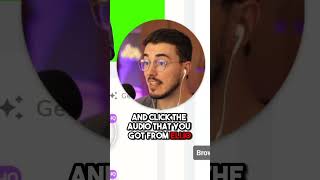
And this is exactly how you make Talking Head videos. 100% generated by AI in 60 seconds without paying for any tools. So first go to ChatGPT and ask it to write you a script. Second, go to Eli IO. It has the best AI free voices for sure. Click Try ELI for free. Click Create Create New Video Blank Video. Paste the script that you got from ChatGPT and click the voice and Toggle Premium and choose the voice that you want. AI is about to teach you how to click render. And remember, we only want the voice here. Next go to d it.com and click free Trial Create Video. Choose your avatar and add a background to make it easier for edit. Then click Upload your voice and click the audio that you got from ELI IO. Then generate the video. Next we go to Wave Video for our AIB roll. Click sign up, Click Tools Convert text to video with AI. Add your script, click free and choose your audio mode. Then choose this style is very important and click Create Video. Once inside, if you want to change any of the B roll, click the video and click Replace. And before you're done, make sure that all the videos and images are on the left. And that way we avoid the watermark they add on the right side. Once you're done, hit Publish Video and download. Now choose your editing software of choice, add them all together.