Building NLP Applications with Hugging Face
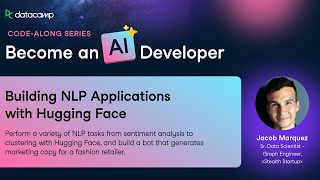
In this comprehensive tutorial Jacob Marquez walks viewers through a hands‑on project that applies a suite of natural language processing (NLP) techniques using Hugging Face’s Transformers and Sentence‑Transformers libraries. Starting with a brief setup, he loads a subset of the Rent the Runway review dataset, inspects its schema, and parses dates. He then demonstrates a thorough text‑cleaning pipeline (removing special characters, punctuation, digits, extra whitespace, and lower‑casing) while noting the debate over preprocessing for transformer models. Using the cleaned text, he builds a sentiment‑analysis pipeline with a DistilBERT model fine‑tuned on SST‑2, extracts sentiment categories and scores, and visualizes their distribution and temporal trends. He compares this pipeline to one run on raw text, using a confusion matrix to assess the impact of cleaning. Next, he generates sentence embeddings for the "rented_for" column with the all‑MiniLM‑L6‑v2 model, reduces the 384‑dimensional vectors to two dimensions via t‑SNE, and visualizes clusters colored by product category, interpreting the semantic separation of dresses versus gowns. He then showcases semantic search by embedding a natural‑language query and retrieving the most similar reviews. Finally, he illustrates generative text creation with a GPT‑2 pipeline, prompting a marketing copy for a winter dress. Throughout, Jacob emphasizes practical code snippets, debugging tips, and business‑oriented insights, encouraging learners to experiment further with Hugging Face’s model hub and pipeline versatility.
Chapters
Hello, my name is Jacob Marquez and welcome to building NLP applications with Hugging Face. Let's get started. In this project you'll be learning how to perform common natural language processing or NLP tasks using Hugging Face, such as sentiment analysis, text embeddings, semantic search, and more. We'll be using the Rent the Runway data set, or at least a part of it, comprised of user reviews on clothing items, their ratings on the fit, and other metadata about the user and clothing items. It is a nice mixture of data types, but most importantly text, which we'll be using a lot. In order to be successful in this project, you should have an intermediate knowledge of Python, such as knowledge of list comprehension for loops while loops, installing packages, creating functions using numpy and things of that nature. Similarly, basic understanding of nlp, we won't be going over a lot of the theory or the basics of this, so having that as a foundation is important, such as what it is, data preparation techniques, why they're important, and familiarity, though not necessarily an expert proficiency in some NLP tasks. Also, it would be helpful to have some brief usage of Hugging Face because we'll be using that a lot. Specifically the Pipeline package in the in the Transformers package. All right, for this, let's get started with the setup. For this project, we'll need several Python packages, as you can see listed here, and they will help us with the data processing steps, visualization and of course, NLP tasks from Hugging Face. So to do that, let's import those packages into this notebook, Starting of course with Pandas in numpy. Always helpful. Moving on to date, time and RE to help with some of the data transformation and string processing steps, let's import matplotlib Pyplot as PLT in Seaborn to help with some of the visualization. And finally, moving on to the Hugging Face packages, we'll import Transformers, specifically the Pipeline package. And then from Sentence Transformers we'll import Sentence transformer. And semantic search, which we'll use in some of the later tasks in this project. Finally, just so we can display some of these visualizations and markdown in a nice neat way, we'll import in IPython display packages. Cool. All right, next, to finalize our setup, let's import the actual data that we'll be using. Again, this is Runway data. It's a CSV and it's named Runway CSV. Within this workspace, the data set contains the following columns. User id, Item ID rating, rented for review, text and some metadata. Category, height, size, age of the user and review Date. If you're familiar with Python and specifically Pandas, you know there's a quite useful function called readcsv and that is what we'll be using here. We will call our data set Runway to keep it simple and as mentioned, it's runaway CSV. Now we will also use the parse dates parameter within this function in order to parse the date review date. This will be helpful when we move on to visualizing the reviews and how they changed over time. This particular parameter will parse this review date into the correct format and turn it into a date time data type, which is super useful. Now just to become a little bit more acquainted with the data set itself, we will finish this task by printing the info of the data frame. And we can see there are no nos, which is nice. And then as mentioned, the review date turned into a date time data type. All right, now let's move to pre processing the review text before we perform NLP tasks on it. Most unstructured text, such as reviews that we will be using here are quite messy. They contain special characters which may not be necessary, extra spaces, digits, and more things of that nature. It is a common practice to process or clean all of that stuff out of the text before performing tasks on it. However, this is also dependent on your domain and the data that you're using, because sometimes digits may be useful. So be cognizant of that when you're thinking about how you want to pre process text. Also note that some Pythonistas and NLP experts may say that pre processing text before using transformers such as those from Hugging face which we are using today is unnecessary. We will actually explore this in following tasks to determine if it is or isn't necessary for our data set. So in this task we will be creating several functions or steps to pre process the review text, specifically replacing special characters, punctuations, digits, runs of white space or more than one in a row and making it lowercase. We will save all of this as view text cleaned just so we have the original text in the process text for later use. Now with Pandas data frames with text data types you can use this string str method or the string method along with other functions that are available to that, such as the replace function. We can also define regex to find the text that we want to replace and what to replace it with. In our case we just want to replace it with nothing to remove it. Now we will move on to now we will move on to removing the punctuation using the string module that we imported earlier. Since we are saving everything to this review text clean column I will just copy and paste to make it a little bit more efficient. Let's replace digits one or more and just replace it with nothing. Copy and paste again and this time remove white spaces two or more because we do want to keep spaces, we just don't want to keep runs of white spaces. And finally, Let's save everything as lowercase. Now you could create a new column for each step within this process, but I find it easier just to use the same column because I don't want to messy up my data frame with a bunch of columns that I won't use. But if you're having trouble going through this process, you can use separate columns as a debugging method. Great. So the review text is now clean from extraneous characters and we're ready to start some NLP tasks. Getting to the good stuff, we will start with sentiment analysis or the categorizing of text into two buckets. Negative or positive. Some models on Hugging Face have the ability to categorize text as neutral as well, so if that's important to you, you can explore that on their model hub. Sentiment Analysis, if you're unfamiliar, is a common and useful NLP task performed in typical business settings. It can help decision makers or analysts or whoever determine trends in product or service perception, customer experience, reviews, and more. It can also act as the starting point for a deeper NLP analysis. In this particular task we will use the pipeline function that we imported earlier. The model for this function will be the distilbert uncased fine tuned SST2 English model from hugging Face. Don't ask me what all those acronyms stand for, but it is a BERT based model if you're familiar with that family of transformer models. It's a smaller general purpose language representation model that is great at text classification or sentiment analysis which we are doing here. The great thing about Hugging face in the pipeline function specifically is they really abstract the process into very easy workflow for most text NLP projects or tasks. So it makes our life as an analyst, data scientist or citizen data scientist super easy, which is why I like it. As mentioned, we are using the distilled BERT model, so I'll just enter that into this model variable here that we can use later in the pipeline function. You could enter this directly as a parameter within the pipeline function if you choose. I just like to save as a variable because I may use it in later tax as well. We will instantiate a pipeline instance for sentiment analysis and the model is quite simply model. We will save this as Sentiment analysis. So to perform sentiment analysis on the clean review text that we created earlier. Fortunately, it's as straightforward as taking our Sentiment Analysis model pipeline and passing in the list of the Runway review text clean column. If you don't transform this column into a list, it will pass in a series which the pipeline function won't recognize and can't use. So just be careful of that. And then we will save this as sent analysis output. It takes a little bit longer because it's downloading the model and then building the pipeline. If you see this output, don't be alarmed, it's just simply saying that it downloaded the model which is exactly what we want. And because of the amazingness of datacamp workspaces, you can just hide the output because there isn't anything that we printed or need to see from this particular cell. As mentioned, pretty straightforward. As I'm sure you're aware by now. Hugging Face hosts a lot of models which can be employed for a variety of NLP tasks. The Sentiment Analysis pipeline above use the default model, but you can use any model available to suit your data. There's a model hub which you can go to in this link here which is quite useful and very expansive in terms of what's available. For example, the Fashion Clip model is trained specifically for fashion related data sets. On a related note, the pipeline module is quite versatile as well and encapsulates multiple transformer pipelines including nlp, Computer Vision, Audio and multimodal. Within NLP alone, it covers 12 different tasks such as Sentiment Analysis, named Entity Recognition, Summarization, Conversations Q and A. It's quite a powerful tool, so I encourage you to explore it further outside of this specific project, but for our analysis we're going to understand the distribution of sentiment of reviewed text now that we have that information from the Sentiment Analysis pipeline. To do this, we're going to parse the output of Sentiment Analysis Output the variable that we saved in the previous task into two columns, the Sentiment Category and the Sentiment Score. We will use List Comprehension to do so, And rather than typing all that out again, we can just copy and paste and change the column names. Perfect. Now we're going to create a histogram from the Clean Sentiment Score column. Specifically, We will do so using Seaborn his plot. We will use clean sentimentscore as X and set the number of bins equal to 20. It is always good practice to include a Title X label and subtitle if you need one, so we're going to do that here. And finally, using PLT show to show the plot. The distribution is informative from a global perspective. That is the reviews skew positive, which indicates a pretty great customer experience. However, it doesn't tell a complete story. We don't know what's creating a positive customer experience, what's specifically about these items the users like or what they don't like, or when this even started happening. However, now that we have Sentiment and Sentiment Score, we can explore even more trends of this sentiment across different facets of the data, over time, between products, etc. Dissecting the data in this way based on the business questions of interest that you may have in future projects will explain more about what is going well and what needs improvement. So in this next task we will be exploring how sentiment changed over the years. If you're interested, feel free to explore other facets as well. And we're just going to explore sentiment over the years. So we're going to create a new column called Year and this will be from the Review date column itself. Now again, because we transformed it into a Date time data type, we can use the DT Date Time method on the Pandas data frame to take all those date times and extract the year. Now, in order to get the chart data that we want and how we want it to be grouped by year in the Clean Sentiment category, we will create a We will create a temporary data frame using Group by on Runway. We will group by year first and then Clean Sentiment category. Setting as index as false because we want those two Group by columns Year and Sentiment category to also be columns within this temporary data frame. To calculate a count, we're going to use the User ID column and the count function. Let's rename the columns, specifically this count column to Count. But we will pass in a list with the other two column names as well. Finally, we're going to use Seaborn again to create a bar plot. Data equals chart data. X equals year. Y equals Count. We will be coloring the bars with the Sentiment category column. To do that we can use the hue parameter and set it to Clean Sentiment category. And finally we don't want to see the error bar so we'll set this to none. And again, great practice to include titles and labels. It. There's an error. Let me see. Oh, I called this chart instead of chart data so I'll just fix that real quick. Debugging on the fly. Nice. And now we have a bar chart showing sentiment over the years and we could see again a lot of positive reviews Coming in, especially around 2019, it skyrocketed. Negative reviews also increased over the years, but not at the same rate. So there's something about 2019 in the following years, 2021, again, another fluctuation in positive reviews could be interesting to dig into. It could be potentially a revamp of the customer experience or product quality. So we could dig into the reviews a little bit more to understand that from a business context, digging into the common words n grams of the positive reviews can be revealing as to what customers love about the products. Doing the same for the negative reviews can be just as informative for what they don't love. Before moving on, remember I said that some people think that pre processing text doesn't matter for sentiment analysis, especially with transformers. So we're going to test that here. In this task, we're going to take a second to build another sentiment analysis pipeline, but in this case without processing the text. So on the review text column, then we will compare the two pipelines to understand if cleaning made a difference in categorizing sentiment. So we're going to use the same sentiment analysis pipeline, but in this case use the review text column. And let's save it as Sent Analysis 2. And doing the same thing, we're going to parse the output category and score, Copy and paste that. Instead of label, we're going to get score. Instead of category, we're going to call it score. Simple enough. Now to determine if it's the same or different, we're going to use what is known as a confusion matrix. If you're unfamiliar with the confusion matrix, now's a good time to take a quick second and go Google, Bing or whatever your favorite search provider is, learning a little bit about it. But quite simply, it's just a way to understand the output of a model or in this case a pipeline compared to the true value. Now, to build the confusion matrix, we're just going to use PD crosstab. We're going to pass in two columns, the review clean sentiment category and the sentiment category. So again, in this step, we are creating and calculating the sentiment with this pipeline. So this is going to take a little bit longer than the other steps. Great. As we can see, for the most part it's pretty much the same output. Most of the negative from the clean text are also negative from the unprocessed text. And most of the reviews that were positive in the clean text are also positive in the non clean text. We do see that there is a difference where three of the reviews were the opposite which is kind of interesting. You can take the time to understand which three these were and why they potentially switch between negative and positive. Transformers are a component of machine learning deep learning models which are designed to learn sequential data using a concept known as self attention. They use other tokens, words in the sequence sentence to build an understanding of a specific token word. All of this to say in a simplified manner. Transformers, specifically those trained on a very large data set, like very very large, work well on unstructured unclean text because it takes the whole sentence into context and every piece adds to that context. And there's a link to the BERT paper here which argues that point. This can be particularly powerful from 1 a time savings perspective and 2 enabling more unstructured text to be leveraged. That's less hassle of data preparation and more data that can be used to make decisions or for models. Again, make sure you evaluate the use case that you're working on and determine if the NLP results are meeting performance expectations. Okay, moving on to some of the more sophisticated fun things that you can do with hugging face. Text embeddings. Embeddings in a very simplistic definition are a vector representation of something within n dimensions. In this case, they are text embeddings or vectors representing text or words. Embeddings are useful because they represent human language to computers, which enables a more sophisticated execution of similarity, text generation, semantic search and the like. This can be extremely valuable for business tasks such as recommendations and searching within websites or products. We will now try this out on the rented for column using the sentence transformer package. We will now try this out on the rented for column using the sentence transformer package. The model you'll use is again BERT based and called Allminilm L6V2. Here's a link to that if you want to learn a little bit more about that model. Again, using sentence transformer is as straightforward as using the pipeline function. So first we will identify the model that we want to use. And we will instantiate a new sentence transformer object. Try saying that three times fast. We'll actually say this is model ID as to not confuse our variables. We will say this is model. Alright, to create the embeddings, all we have to do now is call model.incode and again passed in a list of what we want to embed. In this case rented for, we will save this as embeddings and to make sure that it worked, we're going to print out the shape of the new embeddings with Embeddings shape. Again, you're going to get some of this output, which is essentially downloading the model that we defined, creating the object, the sentence transformer object, and then calculating the embeddings. Oops. And as we can see, there are 1506 observation or rows and the embedding size is 384 dimensions. A higher dimensional embedding can capture more the relationship between words, which is fantastic. However, for some tasks, such as clustering, it can be a challenge. Clustering tends to perform poorly with higher dimensions of data. That is the curse of dimensionality, which poses a common challenge in text mining and nlp. Therefore, dimensionality reduction is often employed in order to calculate distance between embeddings before calculating clusters. Since the transformer is constructed in such a way to be better at learning context, text that are similar should have similar vectors and therefore be closer together, that is in the same cluster. So in this test we are going to perform a couple things. We are going to perform dimensionality reduction using T SNE from Sklearn. So let's import that here. And in order to perform that dimensionality reduction, we just call the T SNE object and define the parameters. So the first one is number of components. So this is the number of dimensions that we want to reduce our embeddings down to. And for us we're going to set it to two. And this is specifically because we want to visualize these embeddings in the clusters that they create. Setting randomstate to 42 for reproduc. Let's save this object as T SNE and then we can call T SNE fit transform to do that, to calculate the actual dimensionality reduction on the embeddings themselves and save this as T snee dims. And finally, again, we want to see if this actually works. So we're going to call T sneedims shape. And in fact it did. Now, each embedding is two dimensional. You don't need to be so dramatic in dimensionality reduction. But again, for our cases, we're trying to visualize the clusters in these embeddings. And so two components or dimensions is what we wanted to choose. So now we can move on to exactly that, visualizing these embeddings within a scatterplot. Now, to do that, we're going to extract the x and y dimensions from that T SNE dims variable or object and save it as new column. And then we can quite simply create a new scatterplot with those new variables x and Y. And we want to set the hue to category so then we can understand how the categories of the items or products are represented within these clusters and embeddings. And because we're setting the hue, let's create a legend and of course create a title. It's called embeddings visualized for rented for reasons and category using T sne. Quite creative. I know. Perfect. The plot is showing us all of the review embeddings based on the rented 4 column in a 2 dimensional space x and the color is indicating the type of item rented, that is a dress, gown or sheath. There are clearly two main clusters in this data set for rented for the blue cluster which is mainly gowns. In this bottom right hand cluster, orange cluster which is mainly dresses. This is a simple example, yet still very informative about how customers rent items for which types of occasions the gowns may be for more extravagant occasions and the dresses for something a little bit more low key or less formal. Embeddings are not only cool to visualize, as we did above, they also facilitate semantic search, which is searching with meaning or when context is available. The goal is to infer what the user's intent is, then find the most relevant results. This is different from lexical search, where a search engine looks for literal matches of a query. Both have strengths and weaknesses, which we encourage you to research further. Semantic search can be incredibly powerful in a customer experience setting. Specifically, they can help with recommendations and obviously search. So to get your feet wet with semantic search, we're going to do it in this task using the sentence transformer package. Now, the first thing that you need for semantic search is the query which is being searched for. So we're going to define that here and just do something simple, a gorgeous and flattering dress. Now the second step is to embed that query using the same embedding model that we used for the actual data itself above. So we will call it query embed and use the same model created above, same function in code and this time pass in the query that we're searching for. And then we also want to convert to Tensor. And that will just help with some of the calculations, especially as we compare the data embeddings with this new query embedding. Now, the most important part of semantic search is calculating the similarity between the query and the item embeddings. And fortunately with sentence, transformers, there's a function that helps us do that quite easily called semantic search. Easy enough. Now for that we're going to pass in the embedded query the Embeddings themselves, which we calculated earlier and how many of how many results we want. So in this case we're just going to limit it to the top three closest or similar results. Let's call this hits. Now let's actually print out these results so we can understand what they are. So for each hit in this HITS result and it's the first item or list within that result, so use the index there. We're going to pull out the corpus ID or the spot within the data frame that represents that hit and then we're just going to print it out. So. Oops. So we're going to print out the item id. The reason it was rented, And then finally the review text for that item. Make sure you're using ILOC and not loc, because we are searching with an index that is an integer. Review text. Perfect. Now this is a lot of text, but if we parse through it again, we're seeing the item id. So which item was similar to the query that we were searching for? So a gorgeous, flattering dress. Why that item was rented by the user in the review of the the item by the user. So this first one, the dress was gorgeous. So obviously very similar to what we were searching for. And therefore we as a user who are looking for a gorgeous dress might find this specific item suitable for our needs. The semantic search returned three different items that appear to be similar to what we were searching for. So that's a great start. With some fine tuning you can achieve even greater performance. We can also notice some constructive feedback of the other parts of the dress which which was mentioned earlier and further investigation here would reveal important insights for the business team. For the final task, let's switch gears to something that's a little bit more exciting, which is generating new text based on a prompt. So hugging face has a very powerful way to do this and is great to explore if you have a use case for yourself. It's a process that can save a lot of time in the creation process with generative AI and generative text helping you start at I have a good idea versus I need an idea. So quite useful. So in this final task we'll switch back to the pipeline module. And specifically we will be using the GPT2 model to create this text. We will call this generator. Now, the prompt that we want to used to start the generating process will be this new for this winter season. A lovely dress that. So this will be the starting prompt and the GPT2 model will create more text based on this prompt. So to do that, simply call the generator object, input the prompt, define the number of sequences to return. We'll just do one and then define if you want the generator to return the full text or not. So in this case we'll just say false, we only want the newly generated text. We'll save this as output and then finally print the text. So, new marketing campaign. Out output and it's saved in the generated text column or proper. Again, it's going to download that GPT2 model, so you'll see some of this output here. It's going to take a little bit longer because it is downloading the model, but not as long as some of the other models that we use. And you can see the output here. So for this new winter season, a lovely dress. That is absolutely amazing. Which again, we ended at a lovely dress. So the generated text is. That is absolutely amazing. And from now until April 7th, if you're looking to take advantage of this gorgeous look and have your own pair, make sure to head over there to get a copy. So, kind of interesting, maybe not exactly what we want and potentially not our exact date, but it's a starting place in terms of a marketing campaign copy that we can work from. And that's it. You just performed several NLP tasks using hugging face. It's a place to get you started, hopefully, and inspire you to dive a little bit deeper into hugging face and NLP with your particular use cases. And hopefully you enjoyed it. See you next time.
More from Richie

#359 My Best Friend is AI with Valerie Tiberius, Professor of Philosophy at University of Minnesota







How AI Agents Will Work While You Sleep | Ruslan Salakhutdinov, Professor at Carnegie Mellon

#358 How AI Agents Will Work While You Sleep | Ruslan Salakhutdinov, Professor at Carnegie Mellon

