Learn how to turn a GitHub repository into a DataCamp assignment by building a custom URL that launches a pre-configured workspace with your notebook and code. Students get a ready-to-use environment without installing anything, and updates to your GitHub repo automatically refresh the template for everyone.
Chapters
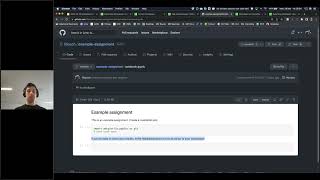
What I'll do here is we will simulate basically the classroom use case where a teacher can create a notebook as an assignment and then students in the class or like members of the datacamp donate groups, it's a bit same can basically create. Create a workspace from that template from that example notebook and start working on it. So they can very easily. So basically teachers and leaders and datagam donors groups can very easily create workbooks for other people to start from. So I'll show that real quick. And I actually, for the purpose of this, for this code along, I already created a new GitHub repository which is called example Assignments. And if we look at the contents of this workspace repository, we see it contains readme md. That's basically this readme here, which is not necessary, but it also contains notebook ipymb. So that's a notebook that I uploaded to this GitHub repository with an example assignment. So like this is an example assignment, you can create a matplotlib plot import matplot little pypot as plt and if you're ready to share your results, basically invite me as an editor so that I can review your work. This is only one way you can do this. It's a very versatile system, so you can decide how you use it. What is important though is that the GitHub repository is available to the public, so it should be a publicly available GitHub repository that you're creating. So now what I will do is I will create a link, a URL that if people visit that URL, it will create a workspace inside datacamp workspace that's containing the contents of this exact GitHub repository. It's a bit involved right now and we're working on improving that. But basically you can construct this link yourself. This is a view of our workspace documentation that's explaining how you can construct a link. So basically you can construct a link with an app with a URL that's app.datakan.com workspace new. Then the query parameter is stack equals. GitHub is basically saying create a workspace from contents on GitHub. The editor equals to jupyterlab. This will open up a Python workspace where we'll be fix this at some point because this is like a bit of a bit of technical debt is what they call it in engineering terms, something we'll still have to clean up. Then we say the tag is the default branch. So we want to have a default branch in here. Then the owner name, in my case the repo owner is Philipseh. That's the name of my GitHub profile, which is coincidentally also the name of my datacamp profile. Then the GitHub repository key, that's the name of the repository name, is the name of my repository. In this case, that's example assignments. Then account type account group account group ID I'm going to skip. And basically what this means is for the workspace for the GitHub repository located at Philip Sch Example assignment, you can create a link like this, right? So you can create app data com workspace new question mark tag equals ampersand editor equals ampersand GitHub repository key equals etc. Etc. Etc. So it's a pretty involved link and I'm happy to hear about feedback on how we can make this simpler. This very much like a V05 implementation, but basically if you click this link, which I will do right now, it will open up a new workspace and it will automatically be populated with all of the contents of the GitHub repository. So this is the example assignments. If we compare this with the GitHub repository, example assignments is an example assignments. This is an example assignments. So it basically contains all of that. If I want to make a change here. So say for example, I want to turn this into big party, you're awesome. And I'm going to say I'm going to make some changes to the notebook, commit these changes and if I basically click this link again now, if all goes well, a new workspace will have been created, but this time using the contents that I just updated. So it's super easy for you to update your template workbook, so to say, as a teacher can very easily distribute it because for example, on your LMS or your, on your LMS you can very easily just add a link and say okay, to take assignment two of the week, just click on this link, it will launch you into a workspace. And if you're done with your work, basically share this with me@Teacher BigUniversity Edu. And that's like a way for teachers to very easily distribute work, but also making sure that all the learners in their group, they all have the same setup, they all have the same packages installed. You don't have to worry about package installations, they don't have to worry about IDE installations, they don't have to worry about anything setup related. Basically you can just ensure it will launch them into a sandbox that is completely configured for them. The only thing they need is a browser. Get rid of all of the operational hassle, but you get them to do unique assignments that are specific to your use case, specific to the lectures you're teaching, specific to the material you're touching, specifically the problems you're trying to solve with your datacamp donate group. It's basically a very easy way for you to bootstrap workspaces with unique content that is yours. So you're not tied only to the content that DataCamp provides, not tied to the courses DataCamp provide DataCamp projects DataCamp provides. This is basically a very low fidelity and easy way for you to make Data Camp your own.