GPT 4o ImageGen | 3 Real World Use Cases
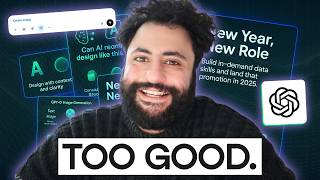
GPT-4o can generate brand-consistent visuals for infographics, storyboards, ads, and landing pages using hex codes and typography specs. The presenter shows it outperforms DALL-E 3 on text rendering and maintains character consistency across iterations, though image dimensions and occasional text errors remain limitations.
Chapters
So unless you've been living under a rock, AI image generation got really good last week. And you've probably seen this by the flood of images of your friends and families on social media, looking like Studio Ghibli anime characters or 18th century oil painting subjects, or even in the style of my favorite TV show, BoJack Horseman. And this has created an immense debate about the future of intellectual property, what intellectual property even means in the age of AI and the future of art itself. Outside of the example I shared here for illustrative purposes, a part of me does feel icky about seeing a movie like the Lord of the Rings, which costs hundreds of millions of dollars and hundreds of thousands of hours collectively worked on being turned by AI into the style of Studio Ghibli, which was a style that was honed over dozens if not hundreds of thousands of hours of work over decades. But this is not a video about intellectual property, the future of art, or what it means to live as a consumer of content in today's age. I am not a philosopher nor am I a lawyer, so I will leave that for the comments section. But I like to think of myself as an AI power user and up until last week I always thought that image generation was kind of gimmicky or not so useful. But last week felt like one of those moments that was an inflection point. It reminded me of how I felt when ChatGPT was released. So today what I'm not going to do is show you how to turn yourself into the style of Studio Ghibli or give yourself a six pack ABS or change your hairstyle color. There's a lot of AI influencers out there creating that content for you. But what I want to show you is how GPT4O ImageGen can be used in a knowledge work setting whether you're in a startup or in a corporate structure and really show you how image generation has become useful over the past week week and specifically I'll show you how as a marketer or a designer or really any knowledge worker can use ImageGen to iterate on the quality of written content with the use of infographics, iterate on paid ads by creating a lot more diverse assets to use that are brand aligned and three idea and build landing pages that really streamline the design thinking process. So with that said, let's get started. Okay, so what I want to start with here specifically are a couple of use cases for content market marketing. So I have this blog post that we have written over the past week with our Dear Francois Aubry, a collaborator that works with us on GPT4O image generation. Right. So if you want to look for an introductory overview over how to use GPT4 image generation, I highly recommend that you check out the article. But let's say, you know, I'm taking a look at this article and I want to improve it by creating an infographic about it and link to the infographic in, in the blog post. Now, we've already done that, as you can see here, but I'm going to take a stab at another version here. But what's interesting if you look at this particular infographic, is that it's aligned with the Datacam brand. And this is something that image generators really struggled with in the past, where you specify the colors, what you want to show out of the kind of the specification, the branding of the image, and more importantly is the quality of the text is light years better than Dall E3, for example, right? You can see here that you have almost perfect text right across the image, right? So you can see that GPT4 image generation has multimodal capabilities, native image generation and Image Creation, and ChatGPT. And these are the type of creative tasks that you can use. But what I want to do now is I want to improve the readability, the accessibility of this article by creating an image. And this is something a lot of content teams wish that they could do if they had more design resources. So what I'm going to do is I'm going to open ChatGPT. The first thing I'm going to copy paste this, the article here. So all of my prompts are already loaded in. I've already worked through all of the tasks, so we don't have to wait for ImageGen. But what I'll do is I'll copy paste the content of the articles here and I'm going to go to ChatGPT and I'm going to ask ChatGPT to create a prompt for an image generator. So I'm going to ask it based on the content of this particular article, can you provide a prompt that I can use on an image generator to build a high quality infographic? I would like to see both structure and copy to be included in the infographic in the prompt. And I would like the structure of the infographic to be four rows and two columns maximum and the text to be relatively minimal. And I'm choosing it to be relatively minimal because if you add a lot of text on screen, ChatGPT is more prone for error. The more text that you Add and essentially I just paste it in this article and as you can see here I'm scrolling down it has created a prompt for me. So the prompt is design a clean modern infographic with four rows and two columns, eight total sections, so on and so forth. Title at the top should be GPT4O image generation 8 real world capabilities, right, which is based on the content of the article. So row one should be Text and images Transparency. So yeah, as I mentioned, the really the strong suit of GPT4O ImageGen is the ability to render text on images really well, also to edit images. So you, for example, you're able to take an image and remove the background. There are websites that you pay money for to be able to just do that task. And now it's part of kind of what you can expect out of an image generator these days. Second row, kind of the capabilities as well. You have character consistency, so you're able to iterate on the same image and make sure that the characters or whatever you're prompting, as you'll see shortly, is consistent. You're able to tell stories that are consistent. As a consequence of that, you're able to do photo editing, color grading, and as we'll see shortly, infographics and diagrams, as well as adding elements on top of an existing image. Right. And you'll see here that for each icon there's a short description right, in each row and column. And the footer says tested by creators powered by GPT with an optional logo on the side. So here it asked me, would you like to generate this infographic? I'm actually going to open another chat for this because I just want to make sure my prompt is not corrupted here in any way, shape or form in the context. So what I will do is I'm going to take that. I took that prompt and I did a couple of updates to make it brand consistent, right. Which is this line that you see here. I used the datacamp color hex codes which you see here on screen, right? Which are, as you can see here, the 0D1827 4EBB52 73F 7B, so on and so forth. I think this is a white background, not sure which one is green, which one is navy, and the font, which is our datacamp font, that needs to be poppins, right? And essentially asked ChatGPT to generate this infographic. And as we see, while the font is not necessarily poppins, it's really close. We have a super high quality infographic which has almost perfect text, right? So we have GPT4O image generation, eight real world capabilities, practical examples that showcase GPT4O's creative power. Text and images, Transparency, character consistency, storytelling, photo editing, color grading. Right. So what you notice here though is that we have eight real world capabilities, but we only have six use cases, right? So a simple edit here, I've changed this to six real world capabilities would be simple, but we're reaching a limit here because so far I haven't read the documentation on this. Based on my testing, the dimensions of images that you can work with in GPT4O are relatively limited. It's either kind of this vertical dimension or a square dimension and that's about it, depending on the use case. So, and essentially this is a really great first step for anyone willing to kind of create an infographic that accompanies blog posts. I can use this already if just I update the eight real world capabilities to six real world capabilities. But let's say now I want to take this image and this here. I'm trying it in front of you guys based on what I've seen here, it's not necessarily the best example. I'm not going to use this. But based on the content of the image of what I just described, can you provide a prompt for an image generator that showcases storyboard for a YouTube video on the same topic? Right. So First I want ChatGPT to think step by step of what a high quality video would look like here. Then think about how the storyboard should look like and then create a prompt for an image generator where the storyboard is a three columns and two rows, so six panels that logically progress from the beginning to to the end. So it thought about what the flow looks like and it created a prompt that you can see here and now I just pasted the prompt immediately into the image generator and I said, hey, create a six panel storyboard for YouTube video, right? And I did get a relatively good storyboard, but comes back to the same problem. So I asked for three columns and two rows, but because of the limitations on dimensions, I actually got two columns, three rows, right? And to be honest, I'm not going to use this to storyboard this video. I think my brain is much better at creating storyboarding a YouTube video. But the fact that you're able now to be to iterate on specific panels within a particular storyboard is very exciting. This should leave. This should create a lot more time efficiency in the research and development phase of any YouTube video creation, even cinema, even creators, so on and so forth. Right, now, let's say I want to create in this YouTube video an educational slide that shows the purpose of one highlight of the GPT4 image generator, right? So for each capability, what I asked ChatGPT here, I want a unique prompt to use in the background of the slide. It should be this. The slide should be white in background, but use the colors that I specified before. Right? And again, I'll repeat what we're asking here, ChatGPT to do is that for each capability that we've seen in these eight capabilities, I want a prompt that essentially tells ChatGPT to create an educational slide that explains what's going on and kind of covers it in a bit more depth. So it created for me, for each text here, the prompt of design a clean educational slide with a white background at the top, bold heading, text and images, so on and so forth, transparency, character consistency for each one. Right. Now what I'm going to do here is I'm going to take the one I think about text, text and images. So the first one, right? And I'm going to improve it slightly. So I say design a clean educational slide with a white background at the top, a bold heading that says text and images. And I specify the color in my hex code using the Poppins form center, a large icon, a bold capital A layered onto a cup or object illustrating AI generated text that conforms to shapes. And then below the icon, the following bullet points for ebb52. So that's, I think, green, if I'm not mistaken. Legible shape aware text generation, strong adherence to text inputs and state of the art performance compared to previous models. Because as I mentioned, the fact that image generation is able to create legible shape aware text generation, right? And it has strong adherence to text inputs based on the prompt that you provide them is really state of the art performance to compare it to previous models. And I see, and I hope you see what I did here because I just used the output created by ChatGPT as a slide in my YouTube video. So what you can notice here though is that in the image created that you can see here, we have text and images, we have the cup with the A, but we have one small mistake, legible shape aware text generation, not text generation, but we do have number two and three, strong adherence to text input, state of the art performance compared to previous models. Like I want to just highlight that this is really loyal to the datacam brand, right? Like it adheres to our font, our color scheme, so on and so forth. We with a bit of editing, we'll be able to take it a bit higher quality. But this is really amazing compared to Dall E3 just last week. Right. So I asked ChatGPT here to. To to fix the generation typo. So you made an error in one. It should be generation and not generation. And as you can see, the final output is correct legible shape or text generation, but the rest is all the same. And this prompt adherence as well as the ability to go back and forth with an image is, is really a game changer when it comes to the ability to create high quality images that are useful in these content creation workflows. And this is why I think GPT4O ImageGen is really the first image generation model that can be useful in a corporate setting. I can see a lot of digital marketers using this. I can see a lot of knowledge workers using this. And speaking of digital marketing, I think this is a great time to jump to the next example, which is in paid ads. Now, one thing about paid ads is I'm sure that you've seen, you know, if you've interacted with these YouTube videos, you've probably received the datacamp ad on your social media. Some have, or some have even complained about it in YouTube comments. I promise that we try to be as useful as possible in our ads, so do forgive us if you feel like it's not useful for you. So what I wanted to do is provide ChatGPT a set of examples from paid ads that we have. Right. And also potentially create new ads based off of them. So a couple of things on paid ads though. Paid ads, you're putting money behind these advertisements. They're going on social media. These ads need to be really good. They need to really communicate the message of your brand and they really need to communicate the. The vibe of your brand. They need to be aligned with kind of your branding and they need to be consistent across the board so that if you see multiple different ads across different time zone kind of timelines and different social apps, you immediately recognize this is a Data Camp ad, even if you don't necessarily pay attention to the ad itself. So based on the contents of the paid marketing images that you see here. So I put in these images that have been created internally by DataCamp team members. Right. Over time. Right. Can you please provide a prompt for an image generator to create new ads that drive conversion? Specifically, I want you to provide five new ad ideas. Each ad will have its own prompt. A couple of things to keep in mind. So this comes kind of the guardrails that I want put in place. It's a non negotiable that the font is Poppins. Really important it stays there. The datacamp logo needs to remain there. The colors used should be the color fonts that I specified earlier in the previous example, but these are the hex codes for them and I'll put them again here on screen in case you're covering this section again or if you skip the first section. And it should be non negotiable that we use these colors for each ad. Think about engaging copy with headers. Subheaders really focus on being punchy and clear. And essentially you have a prompt right where provides you. Each prompt gives content of the ads, but also provides the image generator a great, you know, a good prompt to create the image based on the examples. So you have here the prompt for the image generator. First one is AI Skills, Real results. A sharp, confident woman sitting in a home office at night. Lit by the glow of dual monitors with data dashboards, she's focused on typing on her laptop. A green digital glow subtly radiates from the screens. Use the color palette for the background, so on and so forth. And accent typography is in Poppins. Include the datacamp logo on the bottom right. Design copy overlay should say headers. AI Skills, Real results. Subheader Master Python, SQL and Genai Tools on your time. CTA datacamp Learn from anywhere. Now, is this an exceptional ad in terms of the copy? Not necessarily. It's pretty good, but. But you know, here a copywriter can come in and update it and make it really relevant for the user. Now we have additional ideas. Your future schedule. Break into tech from anywhere from learner to leader, right? And then the last one is New Year, New role. And I like the prompt here because you have a digital countdown clock ticking toward midnight beside a person coding intensely in a dimly lit modern workspace. Now I am all about hustle and learning and working hard, but do have a break on New Year's Eve. Screens glow green for ebb52 dark background add dynamic energy. The font is Poppins and Datacamp logo is in the top left. Header says New Year, New Role. Subheader says build in demand data skills and land that promotion in 2025. So a bit of an uplifting message. And the CTA button says start for less. Here's a sale. So what I did is just poppy a copied here this prompt and I went into here. But what I did before is that I provided it the examples as well because it's really important that GPT4O Image Gen internalizes our style. So I said, here are eight examples of paid ads we've run in the past. I want you to deeply internalize them. I want you to create a new ad image that fits the following description. A digital countdown clock ticking toward midnight beside a person coding intensely in a dimly lit modern workspace. Screens glow green, there's a dark background. Add dynamic energy. The font is Poppins. The datacamp logo is on the top left. And as you can see, the first image actually looks pretty good. All right, so you have New Year, new row, build in demand data skills and land that promotion in 2025. And I love the fact that the timer says 23:59:57, right? And it's three seconds away from midnight and the person is intensely coding on a keyboard, also next to a laptop, also next to, you know, let's say Hackerman here. So that said, I do want a couple of changes. One, I don't like the emoji. I would like to remove it. Two, I don't see a datacamp logo anywhere, so I add it here. Good start. I want a couple of changes. Remove the fire emoji and change the copy of the call to action to start for less, 50% off, right? I add the Data Camp. So I attached my data the Data Camp logo. Add the Data Camp logo right above the call to action here is a transparent datacamp logo. For convenience, convert the datacamp text and the logo to white and to avoid to clash with the background here. So since dimly lit background now here, ChatGpt bugged a bit and it said, I'm not able to generate the image, but the instructions are clear. Just run it again. So I ran the same prompt again, and as you can see, what's interesting is that the dimensions of the image changed, but we have the same really good, honestly, like ad of datacamp, New Year, new role, build and demand data skills and land that job in 2025. Datacamp, say for less, 50% off. Now you may say, why would we want to do this, right? If you're in digital marketing, your role is to really optimize conversion rate on these ads, right? And the way you optimize conversion rate is through ad creative, right? Whether it's the copy that you use or the image that you use, right? So we're able to work backwards from a system now where you can optimize and iterate on potentially dozens, if not hundreds of ad creatives concurrently at the same time with really minor adjustments and differences between them right now. I'll take a step back here and think about it. As a consumer, do I want to be bombarded with ads all the time that are hyper tailored towards me? Do I see a future where it can get a bit dystopian and you start getting ads with instead of a random person, it's you and them, right? Where I get a picture of me coding, telling me new year, new role building demand data skills for in 2028. Right? I can see a future where that could happen, but it would really depend on the regulatory landscape, what we think is ethical as a society, and how we implement guardrails on AI implementation now. But that said, this is a 10x workflow speed improvement for a digital marketing team, right? Especially one that does not have strong design resources. They don't necessarily can afford a designer or cannot afford an agency to work on these types of use cases. Now the last example I want to show is a conference landing page Vibe. So we run a quarterly conference called datacamp Radar. Highly recommend that you check out the recording of the previous datacamp Radar which you'll see here on the screen and highly recommend that you tune in for our next quarters datacamp Radar. So what I want to do, and this is a sneak peek essentially the addition of the next radar is going to be titled Radar AI Edition. Right? It's a technology conference titled Radar AI Edition and I'm asking ChatGPT here to provide me a prompt that would give the the that that would be able to let me prompt the image gen model with to be able to get a vibe for the conference and iterate on the vibe. And from the vibe I'll build a landing page and from the landing page I'll actually build the user experience. So What I'm asking ChatGPT here is I'm organizing this conference. The conference must have a techy, calm and modern utopian vibes. The feeling I want the audience to feel when they interact with the conference is a sense of wonder and awe as if they just watched a mind bending science fiction movie based on this. Provide a prompt for an image generator to create a feel and lockup for the conference. This means color palette design as well as anything that could be useful in informing the vibes. And essentially it created for me a really detailed prompt about what the style of the atmosphere, the color palette, the imagery and elements, typography, overall mood, right? So I took that prompt and I pasted it into chatgpt. But what I did was a couple of changes. The first one is that when it defined utopian sci fi at the beginning and when I defined the prompt, it had given me examples of actual science fiction writers. And when I wrote that it did not. ChatGPT refused to create an image due to copyright issues. Which is great, right? The second thing that I asked of is the typography. Slightly updated typography similar to your style Arbitron or custom monospaced variants. So with that said, it created an image for me, right? With Radar AI addition the evolution of artificial intelligence over the coming years. This is pretty bad one. It looks a bit formulaic. I don't like the crystal here. The tagline is pretty lame. But I'll be able to iterate because of the image consistency aspect of ImageGen. So I gave it feedback. I like the font, I like the color scheme, but can you add a bit more light blue in there? I like the network designs, but I don't like the crystal. Can we remove the crystals, update the tagline to step into the future of AI and then remove the target behind radar instead. Make it feel like it's floating in the cloud. Be creative here. And based off of that, it created this image here and you can see we have this cloud imagery. There's lighter blue, right? And we have step into future. Now I'll be blunt here, it made a couple of mistakes. One step into the future of AI and I'll also be really blunt. It's not as good yet as a human designer here, right? This is. I think a designer can use this to create multiple ideas and idea how they look like before they start designing. But I would Never rely on ChatGPT here for. For doing the solo. Right? But what I would rely on it for, which you'll see shortly, is ideation and design thinking. So let me jump in. I said I like the new design, but please update the tagline to step into the future of AI and remove the cloud. So did that perfectly Again, pretty good. Prompt adherence and image adherence. Now going here, I said, okay, let's switch gears. Can you create a prompt for an image generator that asks it to build a landing page for the conference based on the following lockup, it should feel like a hyper modern conference. Use placeholder images for any speakers or images. Have great navigation from agenda to speakers to logistics, etc. So it created for me a prompt of style and aesthetic and then the page layout recommendation. So we have a header section where you have a title called Radar AI Edition. Tagline beneath says step into the future of AI. The navigations has an about agenda Speakers, logistics and register page. There's an agenda section, sleek module design, speaker section, logistics section and a footer. Right. So what I did instead, I copied that prompt and I just pasted the page layout and I said now design a futuristic hyper modern website landing page for the Radar AI Edition conference. Use the same lockup generated earlier for Field of aesthetics. And I pasted it here as well just for good measure and I essentially just added that. Right? And then it was actually able to create a not bad conference page. Now if I wanted to iterate on multiple conference page styles, I would have looked at my favorite conference websites and I would have said update. Use these as inspiration, for example. Right. So you can see here and then AI in 2024 and beyond. Challenging AI ethics. Here's the agenda, here's the speakers. Now where it becomes interesting is that I can now ideate what the flow that the user will see. Right, right, in chatgpt without having to build user experience mockups. Right. And this could actually be used as kind of the design thinking canvas before you even start building UX or UI mockups in something like figma. So I said this is good enough. Can you now create the page you would see for when you press on speakers? I would like to see a high quality speaker page with the same brand and look and feel. So we get here Radar AI Edition speakers. I hope these people are all AI generated and here we have all of these different speakers here. So then I ask, can you now show me what would happen if I click on a speaker? I would like to see a nice high quality modal open up with their biography as well as a session they are speaking at. And here we see the modal open up. That says Dr. Emma Hell, Chief data scientist. This is all, you know, fabricated, but what we have now is essentially a map of the user enters the conference page, they click on speakers, they see this page and once they press on a speaker they get a modal pop up, right? And it's visualized and it's right, describe. So now you can even have to a certain extent a visual way to explain the user experience if you are a functional kind of role, or you're a knowledge worker working with the design team, or if you're a designer trying to think about how to architect a great user experience and user interface for a project that you are building. And this is why I think ChatGPT 4.0 ImageGen crosses that threshold in image generation from being something gimmicky to something useful. Most people in the knowledge economy or in the labor market. Most people who have jobs are not designers, they're not game developers. Right. They don't have highly detailed asset requirements to build like 3D models or something along those lines. But what they need to be able to do is to manipulate images relatively quickly to do an effective job, whether it's in digital marketing, content marketing, designing landing pages, so on and so forth. And I think ImageGen is the first model to cross that threshold where it becomes useful in these domains. So these are the examples that we're going to cover today in this video. But I think the kind of examples that we've seen here begs a larger question. What about the future of art? What about the future of design? What about the future of these types of roles at the moment? You know, there are still a lot of limitations with Image gen, but I do think that in the next six to 12 months, whether ChatGPT will build this internally or whether you'll have layers on top of the ImageGen API, do this. But you will have editable versions of these images. You will have a tool that looks like figma that lets you generate a first diagram and then you can edit the content of the text, you can edit the colors of the background, so on and so forth. So the design suite for designers will become much stronger. It will become, it will enable designers to become 10x designers. Right. But down the line, I do think that there are going to be serious questions that we need to contend to as a society about what entertainment looks like, what art looks like. I do see a potential Netflix in the future where you can watch any type of show or content in any style, right? Where you can watch the Lord of the Rings in the style of Ghibli. Right? But do we want them? Is that legal? Is that ethical? I don't know. I cannot answer that question at the moment. But I think it will be interesting to see how this debate unfolds. And second thing, going back on design, design is always one of these professions in my opinion, where the demand of tasks within an organization are always higher than the labor of available resources. Designers always have to make trade offs about what to work on in any given week. And I think self serve tools that provide knowledge workers the ability to work on and build high quality enough design assets could free up designers to actually work on the most important projects well within any organization. So it's going to be an interesting time for design, image generation, art in general in the 2000s and probably the early 2000s. But it's going to be an empowering time as well for creators. So with that said, let us know what you thought in the comments. What do you think about the future of art and design and these types of image generation models? Would love to learn from you. Let us know. And with that said, happy learning. Sa.
More from Richie

#359 My Best Friend is AI with Valerie Tiberius, Professor of Philosophy at University of Minnesota







How AI Agents Will Work While You Sleep | Ruslan Salakhutdinov, Professor at Carnegie Mellon

#358 How AI Agents Will Work While You Sleep | Ruslan Salakhutdinov, Professor at Carnegie Mellon

