Learn to fetch data from websites using Python's urllib and requests libraries. urllib's urlretrieve downloads files directly, while requests.get retrieves HTML in one line. Always close connections and be respectful to servers.
Chapters
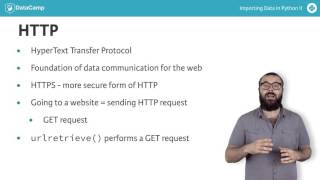
Congrats on importing your first web data. In order to import files from the web, we use the URL retrieve function from URLLIB requests. Let's now unpack this a bit and in the process understand a few things about how the Internet works. URL stands for uniform or Universal Resource Locator, and all they really are are references to web resources. The vast majority of URLs are web addresses, but they can also refer to a few other things, such as file transfer protocols, FTP and database access. We'll currently focus on those URLs that are web addresses or the locations of websites. Such a URL consists of two parts, a protocol identifier, HTTP or HTTPs, and a resource name such as datacamp.com. the combination of protocol identifier and resource name uniquely specifies the web address. To explain URLs, I've introduced yet another acronym, HTTP, which itself stands for Hypertext Transfer Protocol. Wikipedia provides a great description of HTTP. The Hypertext Transfer Protocol is an application protocol for distributed collaborative hypermedia information systems. HTTP is the foundation of data communication for the World Wide Web. Note that HTTPs is a more secure form of HTTP. Each time you go to a website, you are actually sending an HTTP request to a server. This request is known as a GET request, by far the most common type of HTTP request. We are actually performing a GET requested when using the function URL retrieve. The ingenuity of URL retrieve also lies in the fact that it not only makes a GET request, but also saves the relevant data locally. In the following, you'll learn how to make more GET requests to store web data in your environment. In particular, you'll figure out how to get the HTML data from a web page. HTML stands for Hypertext Markup language and is the standard markup language for the web. To extract the HTML from the Wikipedia homepage, for example, you import the necessary functions, specify the URL package the GET request using the function request. Send the request and catch the response using the function urlopen. This returns an HTTP response object which has an associated read method. You then apply this read method to the response which returns the HTML as a string which you store in the variable HTML. Finally, you remember to be polite and close the response. Now we're going to do the same. However, here we'll use the requests package, which provides a wonderful API for making requests. According to the requests package, Website Requests allows you to send organic grass fed HTTP requests without the need for manual labour and the following organisations claim to use requests. Her Majesty's Government Amazon, Google, Twilio, npr, Obama for America, Twitter, Sony, and federal US Institutions that prefer to be unnamed. Moreover, Requests is one of the most downloaded Python packages of all time, pulling in over 7 million downloads every month. All the cool kids are doing it. Let's now see Requests at work. Here you import the package requests, specify the URL package the request, send the request, and catch the response with a single function, requests get. And finally, you apply the text method to the response, which returns the HTML as a string. Okay, that's enough out of me for the time being. Let's get you hacking away at pulling down some HTML from the web using Get Requests get coding.