Learn pandas DataFrames using Apple stock data. A DataFrame is a two-dimensional labeled array with indexed rows and labeled columns. The tutorial covers inspecting structure with shape and info, slicing with iloc and loc, and extracting columns as Series.
Chapters
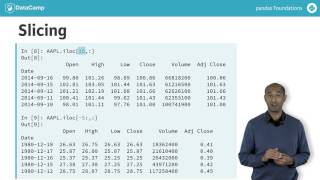
Let's learn how to get data in and look at it. We'll need to remember a few things about Pandas. First, Pandas is a library for data analysis. The power tool of Pandas is the Data Frame, a tabular data structure with labeled rows and columns. As an example, we'll use a dataframe with Apple stock data. The rows are labeled by a special data structure called an index. We'll learn more about indexes later. Indexes in Pandas are tabled lists of labels that permit fast lookup and some powerful relational operations. The index labels in the Apple dataframe are dates in reverse chronological order. Labeled rows and columns improve the clarity and intuition of many data analysis tasks. When we ask for the type of the object Apple it's a data frame. When we ask for its shape, it has 8,514 rows and 6 columns. The DataFrame Columns attribute gives the names of its open, high, low, close volume, and adjusted close. Notice the Apple columns attribute is also a Pandas index. Actually, the apple.index attribute in this case is a special kind of index called a datetime index. We'll study datetime indexes and time series later. Data frames can be sliced like numpy arrays or Python lists, using colons to specify the start end and the stride of a splice. First, we can slice from the start of the data frame to the fifth row, non inclusive using the ILOC accessor to express the slice positionally. Second, we can slice from the fifth last row to the end of the data frame using a negative index. Remember, it's also possible to slice using labels with the LOC accessor. There's another way to see just the top rows of the data frame. The HEAD method specifying head five returns the first five rows. Specifying head two returns just the first two rows. The HEAD method is particularly useful because our data frame here has over 8,000 rows. The opposite of head is tail. Specifying tail without an argument returns the last five rows. By default, specifying tail three returns the last three rows. Again, tail gives a useful summary of large data frames. Another useful summary method is info. Info returns other useful summary information, including the kind of index the column labels, the number of rows and columns, and the data type of each column. Pandas dataframe slices also support broadcasting. We'll learn more about this later. Here a slice is assigned a scalar value, in this case NAN or not a number. The slice consists of every third row starting from zero in the last column we can see head six to see the changes. We can also call info and notice the last column has fewer non null entries than the others due to our assigning NAN to every third element. The columns of a data frame themselves are a specialized data structure called a series. Extracting a single column from a data frame returns a series. Notice the series extracted has its own head method and inherits its name attribute from the dataframe column. To extract the numerical entries from the series, use the values attribute. The data in this series actually form a numpy array, which is what the values attribute actually yields. A panda series then, is a one dimensional labeled NumPy array, and a dataframe is a two dimensional labeled array whose columns are series. We've seen a few concepts extending what we already knew, including head, tail, info, index values, and series. Take some time to practice using these concepts in the exercises.