Learn four ways to pull elements from vectors in R: by position, by name, with negative indices to exclude items, and with logical vectors. The tutorial walks through code examples for each method and explains how R recycles shorter logical vectors to match length.
Chapters
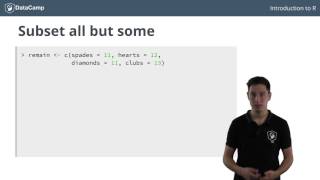
In the previous exercises, you have created and worked with vectors of different types. You have even computed their length and seen how to operate with them on a basic level. A last important element to make your experience with vectors complete is vector subsetting. As the name reveals, it basically comes down to selecting parts of your vector to end up with a new vector, which is a subset of the original vector. Remember the remain vector that we built in one of the previous videos? Here it is again as a named vector. Suppose you now want to select the first element from this vector corresponding to the number of spaces that are left. You can use square brackets. For this, we write remain open brackets, one close brackets. The number one inside the square brackets indicates that you want to get the first element from the remain vector. The result is again a vector, because a single number is actually a Vector of length 1. This new vector contains the number 11. The name of the only element. Spades is conveniently kept. If you instead wanted to select the third element corresponding to the remaining diamonds, you could code remain, followed by three in square brackets. This was subsetting using an index, but if you're dealing with named vectors, you can also use the names to perform the selection. Instead of using the index1 to select the first element, you can use the name spades. You type remain followed by spades as a character string inside square brackets. The result is exactly the same as using the numeric index 1. Can you tell how you can refer to the third element in the vector with a name? You've probably figured out that you simply have to type diamonds inside square brackets this time. Suppose now you want to select the elements in a vector that give the remaining spades and clubs in a one liner and store them in a new variable. Remain black. Instead of using a single number inside the square brackets, you can use a vector to specify which indices you want to select. Because spades are at index 1 and clubs at index 4, you use a vector containing 1 and 4 inside the square brackets. How the resulting vector is ordered depends on the order of the indices inside the selection vector. If you change C14 to C41, you will get a vector where the clubs come first. Of course, subsetting multiple elements can also be done by using names, at least if you're dealing with a named vector. To get the same result as the command above, we write remain open brackets. Then a vector containing the character strings clubs and spades close brackets. There's yet another way to subset vectors that's specifically useful if you want to select all the elements from a vector, except one. Suppose you want to create a vector that contains all the information that's in the remain vector, except for the space count. You can write remain open brackets, minus one close brackets. This command removes the first index from the remain vector. Of course, you can also remove multiple elements like this. For example, the minus operator does not work with names, though this command, for example, throws an error. These subsetting techniques will enable you to select only the elements of interest from your vector and continue your analyses with these. Before I unleash you to the last set of exercises of this chapter, I want to talk about one last way to perform vector using a logical vector. To do this, you typically use a logical vector that has the same length as a vector you try to subset. The elements for which the corresponding value in a selecting vector is true will be kept. In a subset. The vector elements that correspond to false will not be kept. Let's try to select the second and fourth element from the remain vector using a logical vector. To this send, we construct a vector containing false, true, false, and true and put it inside the square brackets. Of course, you could also have created a new vector first and then use it to perform the selection like this. Now, you might expect that ARC throws an error if you try to use a logical vector that is shorter than the vector on which you want to perform the subsetting. Trying this out shows a different reality. Suppose you use a vector containing only two logicals instead of four. No error whatsoever. That's because R performs something called recycling. R is smart enough to see that the vector of logicals you passed it is shorter than the remain vector. So it repeats the contents of the vector until it has the same length as remain. This means that behind the scenes, this line of code is executed, giving the result that we've observed before. Even if you use a vector of length 3 to do the selection, the vector is recycled to end up with a vector of length 4, thus appending the first element again. So this statement gets converted to this statement behind the scenes. That's why their outputs are the same. Up to you. Now to solve the challenges and use your newfound knowledge to beat the casino. In the next chapter, I'll be talking about matrices. See you there.