Learn how R uses factors to represent categorical data like blood types and T-shirt sizes. Factors store categories as integers with labels, save memory, and let you control level order for nominal data like blood types or ordered data like sizes. Use factor() to create them and levels() to rename or reorder.
Chapters
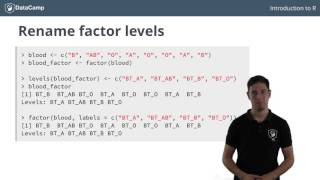
If you have some background in statistics, you'll have heard about categorical variables. Unlike numerical variables, categorical variables can only take up a limited number of different values. Otherwise put, a categorical variable can only belong to a limited number of categories. As R is the statistical programming language, it's not a surprise that there exists a specific data structure for this, the factor. If you store categorical data as factors, you can rest assured that all the statistical modeling techniques will handle such data correctly. A good example of a categorical variable is a person's blood type. It can be A, B, ab, or O. Suppose you have asked eight people what their blood type is and recorded the information as a vector blood. Now, for R, it is not yet clear that you are dealing with categorical variables or factors here. To convert this vector to a vector, you can use the factor function. The printout looks somewhat different than the original one. There are no double quotes anymore. And also the factor levels corresponding to the different categories are printed. R basically does two things when you call the vector function on a character vector. First of all, it scans through the vector to see the different categories that are in there. In this case, that's A, ab, B, and O. Notice here that R sorts the levels alphabetically. Next, it converts the character vector blood in this example to a vector of integer values. These integers correspond to a set of character values to use when the vector is displayed. Inspecting the structure reveals this. We're dealing with a factor of four levels. The A's are encoded as 1 because because it's the first level. AB is encoded as 2, B as 3, and O as 4. But why this conversion? Well, it can be that your categories are very long character strings. Each time, repeating the string per observation can take up a lot of memory. By using this simple encoding, much less space is necessary. Just remember that factors are actually integer vectors where each integer corresponds to a category or a level. As I said before, R automatically infers the factor levels from the vector. You pass it and orders them alphabetically. If you want a different order in the levels, you can specify the levels argument inside the factor function. If you compare the structures of blood factor and blood factor two, you'll see that the encoding is different. Now, next to changing the order of the levels, it's possible to manually specify the level names instead of letting R choose them. Suppose that for clarity, you want to display the blood types as bta, btab, btb, and bto. To name the factor Afterwards, you can use the levels function, similar to the names function to name vectors. You can Pass a vector to levels, blood vector. You can also specify the category names or levels by specifying the labels argument inside the factor function. I admit it, it's a bit confusing. For both of these approaches, it's important to follow the same order as the order of the factor levels. First A, then ab, then B and then O. But this can be pretty dangerous. You might have mistakenly changed the order. To solve for this, you can use a combination of manually specifying the levels and and the label argument. When creating a factor with levels, you specify the order just like before, while with the labels you specify a new name for the categories. In the world of categorical variables, there is also a difference between nominal categorical variables and ordinal categorical variables. The nominal categorical variables have no implied order. For example, you can't really say that the blood type O is is greater or less than the blood type A. O is not worth more than A in any sense. I can think of trying. Such a comparison with factors will generate a warning telling you that less than is not meaningful. However, there are examples for which such a natural ordering does exist. Consider, for example, this T shirt factor. It has codes ranging from small to large. Here you could say that a large indeed is greater than a small, for example, Right? Of course, R provides a way to impose this kind of order on a vector, thus making it an ordered vector. Inside the vector function, you simply set the argument ordered to true and specify the levels in ascending order. Can you see how these less than signs appear between the different vector levels? This compactly shows that we're dealing with an ordered vector. Now, if we now try to perform a comparison this call, for example, we see that it evaluates to true without a warning message this time because a medium was specified to be less than a large. Before you can start with the exercises, let's shortly wrap up our vectors. First of all, vectors are used to store categorical variables in R. Second, these vectors are simply integer vectors that have vector levels associated. Third, you can change the factor levels using the levels function or by using the labels argument inside the factor function. And last but not least, R allows you to make a difference between ordered and unordered vectors, thus catering to both nominal and ordinal variables.