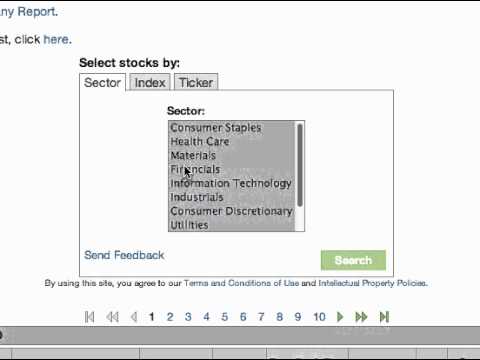
Walk through New Constructs' stock screener on newconstructs.com. Filter by sector, index, or ticker symbol, and access company ratings through subscription or individual report purchases.
Chapters
Welcome to the New Constructs tutorial for our basic stock screener. The first step is to go to our website at newconstructs.com. Click the stock screener tab located underneath our New Constructs logo. The default stock screener lists all of the stocks we cover sorted alphabetically. You can sort the list by sector or metric simply by clicking the column header. Only subscribers have access to the overall rating rank by selection and the the overall rating. To buy a subscription, click the Subscriptions tab where you can sign up by security or by service. The Sector tab is selected by default. Choose your desired sector and click Search. Again, the results will be presented alphabetically. To select stocks by index, click the Index tab. Select an index and click Search. We've now selected the stocks New Constructs covers that are included in the Russell 1000. To select stocks by ticker, click the Ticker tab. Then paste or type the tickers of your stocks in the box below. Tickers can be pasted from lists in Word and Excel. Tickers can also be typed in the box and should be separated by a space, comma, or semicolon. Tickers are also not case sensitive. Once your tickers are pasted or typed in the box, click Search. You can also buy our company reports by clicking the Add to Cart button in the column under Report. Again, if you would like access to all of our company reports, click the Subscriptions tab and sign up. Thanks for watching this tutorial. If you have any questions, please leave a comment.