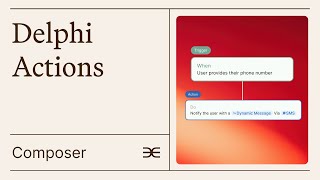
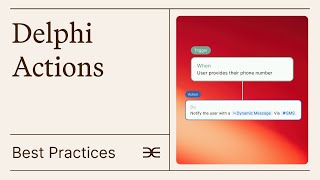
Delphi Actions Composer lets you build automated engagement flows in minutes using plain language. Set triggers like user inactivity, write a personalized nudge message, and deploy it without code.
We've shown you how to use templates and built from scratch, as well as how to edit existing actions. But what if you want to tell your Delphi what to do directly?
Just describe what you want to achieve in the Composer.
This natural language interface will understand your.
Description and create a flow with up.
To three actions for you to review and adjust. No complex step by step building required.
While it's designed to be intuitive, the Composer works most effectively with triggers that are native to the Actions feature, such as Conversation Ended, User Inactivity Quota reached, and Usage Milestone.
Many additional triggers are available in Delphi. For a complete list of all possible.
Triggers, check out this link. This time we're going to ask our.
Delphi to reach out to users after they have been inactive for a while. Even though this example is already available.
As a template, we're going to show.
You how you can create your own flow with the Composer tool.
With Delphi Actions, you can reach out.
To users who haven't interacted with your Delphi for a set period.
When someone becomes inactive, your Delphi can.
Send them a personalized message to re engage them with your service. Simply type out the instruction here. Send a dental reminder when a user hasn't interacted in seven days and click on the arrow to see your action.
Play out in the builder. As you can see, the Composer has correctly read the trigger. The type is inactivity and the time.
Of inactivity is seven days. You can decide to send this trigger the first time a user is inactive.
For seven days, or every time the.
User is inactive for seven days.
As best practices, we recommend not to overload users with excessive messages, so it.
Might make sense to select first occurrence.
For this case or simply make the.
Time period of inactivity longer. Now the instruction of the action is to send a gentle reminder to the user via email. Lovely. Note that at any point in time.
You can change the instructions for what.
Your Delphi should say.
For instance, we could say send a.
Friendly check in message to the user sharing new content and ideas to help re engage them.
Save your changes and your new inactivity.
Nudge action is published. There's so much more you can achieve with Delphi Actions. To learn about its extensive capabilities, you can visit our complete guide.