Good Day Google+ - How to use Google Plus Hangouts
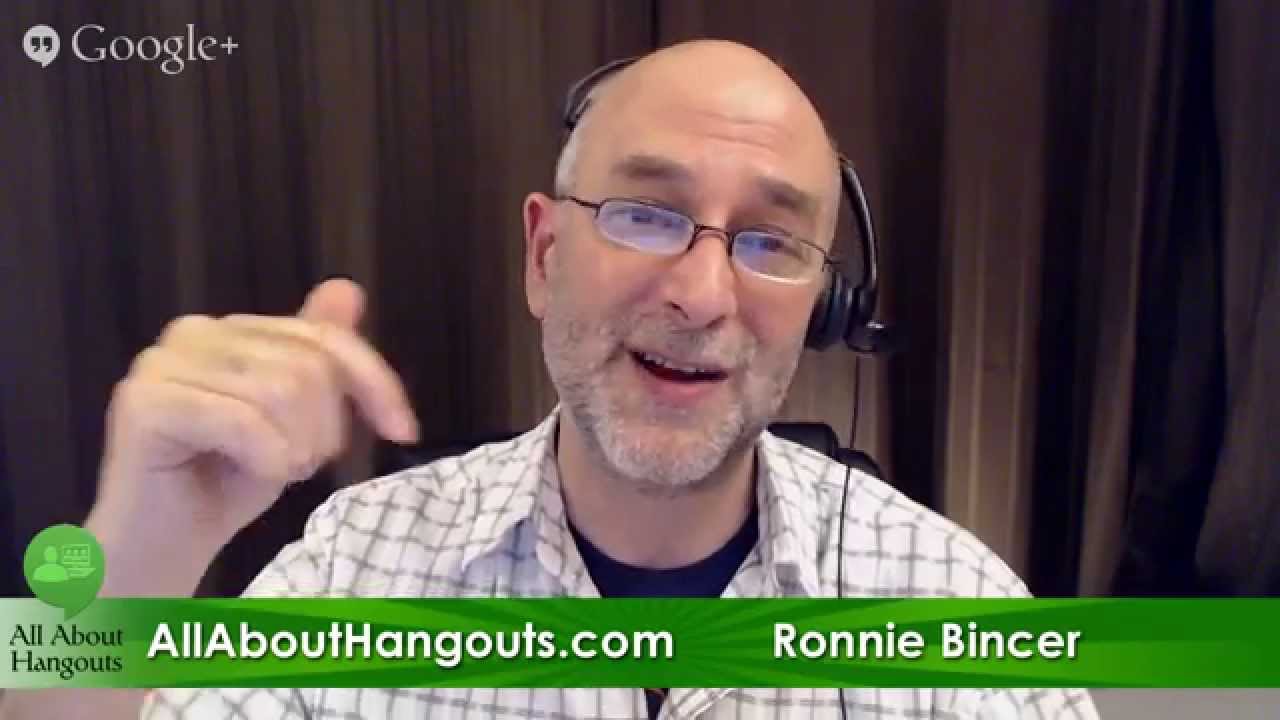
In this episode of Good Day Google+, host Chef Dennis Littley chats with longtime Hangout collaborator Ronnie Bincer about using Google+ Hangouts as a powerful tool for networking, audience building, and content creation. They recount early Hangout experiences, emphasize the importance of mastering Hangout Video Calls before attempting Hangouts On Air, and discuss how the Hangout format fosters personal connections for chefs, bloggers, and creators. The conversation introduces Ronnie’s structured training program (allabouthangouts.com) and the Hangout Mastery community, outlining how these resources fill knowledge gaps for beginners and seasoned users alike. They critique Google’s optional Hangout apps (Showcase, Q&A, Applause), arguing that they often hinder real‑time comment interaction, and advise turning them off for most shows. Technical challenges of mobile broadcasting—bandwidth requirements, hotspot options, satellite backpacks, and device limitations—are explored, with practical tips for preparation and troubleshooting. The episode also touches on the shutdown of Google Helpouts, the difficulty of monetizing Hangouts, and strategies for growing an audience through engagement, cross‑promotion, and consistent networking. Finally, Ronnie promotes a limited‑time discount for his allabouthangouts.com course, encouraging viewers to join both the course and the Mastery community to deepen their Hangout expertise.
Chapters
Hey everyone, I'm Chef Dennis Littley and welcome to Good Day Google+. It's always a good day when I get to share my friends with you guys and we get to talk about life and Google+ and anything that happens to be going on in the world. Today we've got a really special show for you and we're on a special time and thank you for hanging in with me on that. I've got Ronnie Bincer, the Hangout Helper. How you doing, Ronnie?
I'm doing well, Chef Dennis. Great to be on the show with you today. And hi everybody out there watching live and those that are watching the recording.
Very good. Yeah, we've been in this together for quite some time now, Ronnie. You know, we're two of the original Googlers here that have found our way using Hangouts more than most and been encouraging others to do it along the way. So I'm really happy to have you here today to talk about— you have a new training program we're going to talk about.
I do have a new training program, and I hope everyone that needs to take advantage of it does. And even those that might want to just poke around at it, definitely take a look at it. Do you remember the early days, Chef Dennis?
All too well, all too well. Some of them quite painful. And I remember one of the, one of the stories I relate to people is when I first met you. Before I met you, I was just kind of flying by the seat of my pants, and we were actually posting link to the Hangout in the comments so random people would just be joining us. And I remember telling you that and you going, "Oh my God, don't do that!" That's right.
Yeah, you had and still have, right, the Google— is it called Google+ Bloggers? I'm sorry, Food Bloggers Community? What's the name of it?
The G+ Food Bloggers Community, yeah.
Okay, and I remember you honored me by allowing me into that community even though I wasn't a food blogger because I was there helping the rest of the food bloggers try to figure out this Hangout thing.
You did, and we had a good fun time of it there for a little while when Google was trying to make it run at being a cooking channel.
Right, right.
We had fun doing those little shows for a few months.
And honestly, that for a lot of chefs, that's one of the best ways that they can make visible what they do and their expertise is using these Hangout things.
You know, I try to tell people that. I consult with chefs and I tell them, and I understand when they look at me like I'm crazy and they say they don't have time, because I remember being there. And if someone had come to me and said, look, really, you need to make a video, it's not hard, you can do it, right? I'd have just been— my head's ready to explode. One more thing. But they really— it is something simple they can do. They sit at their desk, they can do it right at their desk. They can make something that would introduce them to the public and talk about what they're serving. And that would be an invaluable tool and a resource for them and really help get their restaurant and their— get their place noticed by people.
Right. And it's just that extra touch that I think video does for people. It allows them to connect with you. And if there is a chance— let's say you have a restaurant and you are the chef or one of the chefs in the restaurant, and you're showing some of the latest stuff that you're doing in the restaurant. That way when people actually come to the restaurant and then see you, they already know you because they've connected with you. It's a magical power, this Hangout thing.
It is, and you know, people are going back to that personal connection, and Hangouts have allowed us to make that personal connection. You know, I had never— I had not met Mia in person, but I knew her from talking to her a few times a week. So when we finally met in person in October, it was like no big thing. It was great because we got to see be in the same room with each other, but we knew each other so well just from this type of personal contact that Hangouts give you. So I mean, if you're not using them, you're missing the boat big time. Even— I always tell people, forget about Google+ if it makes your head hurt, don't worry about it. Okay, you don't have to be on it, but use the Hangouts. Use them for meetings, use them to talk to your friends and family, and once you do that, then you start to come over to the dark side, I guess, if you want to call it that.
Well, you know that if people are using the relatively new interface of Hangouts within Gmail, they really don't need, like you're saying, they don't even need to sort of step over into the Google+ side if that's something they don't want to do. You can just join and start a Hangout right from Gmail, that left sidebar, and hit some buttons and now they're in it. So one of the things I did want to mention and talk about today is the productivity aspects of Hangouts. Not necessarily this broadcast thing that we're doing right now, which is called a Hangout On Air, but just a regular, what's called a Hangout Video Call, or I like to call it an HVC because we call the other one an HOA. But the Hangout Video Call in my mind is way more important when you're first starting with Hangouts than a Hangout On Air. The reason why is if you're doing a Hangout On Air, you're now visible potentially to the world. And people are gonna see that you may or may not know what you're doing, okay? And that can hurt your reputation in the long run. So it's a good idea in my mind to get used to the technology, and one of the best places to do that is in a Hangout video call. And then later you ramp it up into the show thing, you know, you're now part of someone else's show or you're doing your own show in a Hangout on Air. But check this out, here's some of the things earlier that you Chef Dennis had done, and we met and got to know each other in Hangouts. Not Hangout On Air, just regular old Hangouts, right?
Absolutely. And I always thought it was funny because that's when I was working, and I would be going to work at 5 in the morning, and I'd come in and turn my computer on, and there you'd be.
I was still awake from the night before.
And we'd talk for a few minutes in the early morning hours and then see what was going on, and It was just kinda like catching up with an old friend. So I mean, you really get to talk to people. Like, I have regular conversations with Nazim Beltran in Milan, and I, you know, you get comfortable being on air by doing these, like you said, and it's because you're talking to friends, you're talking to people that you know and you're comfortable with. So when you finally do go on another show, that kinda carries over.
This is literally, in my mind, that video phone call thing. That was predicted, everybody's home is going to have a video phone call thing in it. And we do, but we now use a computer to do it. It's not its own separate device. But I have found when I'm planning a Hangout On Air show with someone, meeting with that person and talking about what it is we're going to be covering in the show— I mean, we do that a little bit right before we go live just to verify that everything's on the same page kind of thing. But if you're new to the, to the game, you definitely want to get connected with the people you're gonna be doing your Hangout shows with, and prior to that, just meet people and get to know them. And I think that's one of the things that's lacking. A lot of people really focus on the idea, I want to do this broadcast. That's their key, that's their goal, and they just dive right into that first, and they don't necessarily know the tool, or they don't know how to respond within it, and they don't look good when they're doing their show that way because they're not comfortable. So if you're in a regular Hangout video call with someone, take that time to poke around while you're in there, you know, and just experiment when you're in a visual conversation with somebody, and you're going to get more comfortable, and then it's going to be a lot easier for you to transition into your broadcast.
It's all about our comfort zones and what we do. I mean, if you're a blogger and you go back on— a food blogger— and you go back on your earlier posts, your images are are terrible, your writing may be just, you know, like you're talking to yourself kind of a thing. And as you've grown in the medium, you know, you've improved your photography, you've improved your writing skills, you've improved your recipe, and your blog probably looks a lot different too. So it's the whole transition thing. As you learn about what you're doing, you're going to improve. And of course, I'm fortunate because I started when it started, and I've been there for all the changes. So if you're just starting— and this is why Ronnie's here today— You need a guide. You wouldn't be climbing Mount Everest without a Sherpa, right? Well, Ronnie is our Sherpa and he's helping you climb this mountain of Hangouts. Now it's not rocket science, but there are some handholds you need to find and he can tell you where they are.
Right. And I've had a community, in fact it's behind this curtain, the community, it's called Hangout Mastery and that is a place where people are coming and mastering Hangouts. But for those that are really wanting to just start and they're new to the concepts, That's why eventually I built this thing right here called allabouthangouts.com. The reason why is it's structured, and it's structured differently than what goes on in the community. Because in the community, people have all levels of experience, and they're asking very complicated questions, and others are asking very beginning questions. And you get a mix of all that, and I think that's valuable for the community members, but I've also heard from some of them that it's like, where do I go to start? What would you suggest if I wanted to do 1, 2, 3, 4, 5? What are the things I need to do? And we kept running into that, and eventually we built this product, allabouthangouts.com, which does take people through a very structured, self-paced learning environment where all of these things I've been answering for 3 years are consolidated into the main training points. And that's why it's working for people. They're really finding it valuable. But one of the things, Chef Dennis, that we would do is when we meet in these Hangout video calls and we're going to plan a show, and I would encourage anybody that's doing their own Hangout on Air shows as well to do this, meet with your other guests, plan it out, but then you can also, if you wanted to, create a little video trailer. And just, it was one of those things that just dawned on me when I did it my first time, is like, this is totally amazing because we We're meeting to talk about something, then we turn it into a video, and that video then becomes the trailer video for the show that we're actually going to be doing as the broadcast coming up. So all this is tying in these tools, and it didn't matter with geography. I can— the specific one that sticks in my head is there's two other gentlemen I was doing a show with, which were Mark Traphagen and David Amerland. And we talked about what we wanted to cover, and then I said, hey, why don't we do a video trailer? And they thought that'd be great. You do this, you say that, you say that. So we started up a new Hangout On Air that was unlisted. Nobody saw us doing it. We did the thing. If we didn't do it perfectly, we ended up being able to go back and edit the video later. And then I was able to add that as a trailer video to the broadcast, and none of us still to this day have ever met each other in real life, or actually in person. I think David and Mark have met. I've not met either of them in person, but I know them incredibly well because of the Hangouts tool.
Yeah, it does give you a way to meet and to meet people you may never have met in your lifetime because of that. And I love— you shared something today, a post on how to use Hangouts and what to use them for, about meeting people and networking. And honestly, this is what this show is all about. When I created Good day, Google+. I had these delusions or these ideas that it was going to be a variety show, and I still keep trying to make it that, but it's really turned into a talk show. But what I do with it is I bring people together that may not know each other. We meet like we're sitting around a coffee table in a coffee shop talking to each other like we're just making new friends, and we walk away from the show with new friends, and they know each other, so now we're networking. So for me, it's been one big networking tool.
Yeah, it's incredibly valuable with that. The post I think you're talking about is the one I was talking about building an audience for your show, for your Hangout On Air. But not only building that audience, but you're giving an opportunity or a room in which people get to mingle. And in that mingling, they get to decide, yeah, I like the way this person comments or is talking about the thing. And then you get to interact with them in this event which is technically what it is, but then after that there's a good chance you and that other person will start to connect in other ways. So you're going to look for their postings, you're going to start commenting on their postings and sharing it. This is all in my mind not only valuable for networking, it's also incredibly valuable to build an audience of people that would care to come to your show when it's time to do your show. And in that allabouthangouts.com thing I have a structured process as to how do you build your audience, and we shared a snippet of that video today. That's what we're talking about. But the process really begins without you being in the show. I know it sounds odd, but it begins by finding the people that you connect with. Then you grow your influence into their world, and then it's much easier for you to actually get into their shows or to have them come into your show because you've built that relationship with them.
It's all about relationships, and it's even before we knew there were Hangouts. That was the one thing about Google+ that I loved, was I would be on here connecting with people in real time, not limited in 140 characters to what I could say to them, and I was making friends. So when the video aspect of it came around and I finally got into it, it just really took relationships to a whole other level. So talking— and I love when my audience talks to each other during the show. Some video hosts say, well, it's, you know, they're not talking about what you're talking about. I don't care what they're talking about. I'm happy that they're having fun. Whether they're talking to each other or talking to me, that's okay. I'm just happy they're having fun.
I made a recent video that compared a Hangout On Air event to a movie theater, and the idea was A movie theater has— well, it's a place, right? There's a place where people gather and you are planning on going to see a movie, which is this broadcast thing, but you're also going potentially with your friends. Now where the analogy or metaphor breaks down is we allow talking in the movie theater while the movie's going on. That's a bit different, but the concept there is if you know that you're in the same theater watching the same movie as someone else, you already have a shared experience. So if you're in the same event watching the Hangout On Air with someone else, that's your shared experience. And there's a very good chance that if you were interested to go and they're interested to go, that you might be interested in what each other are doing. And so it's an incredibly wonderful environment for that networking And when hosts don't do it the way that allows comments, you lose that. And this is one of my big beefs, because many of you know if you've seen me at all that I do work behind the scenes with Google about the Hangout tool. I'm part of their beta testing thing. And when they come out with certain tools that I think are detrimental to the value that Hangouts bring, they sort of don't necessarily listen to things that I give them feedback on. And those are the tools that are now available by default, unfortunately, for many people that are brand new to Hangouts, they don't realize they should turn off those tools because it kills the audience interaction. At least that's been my experience. There was, I think it was Coach— I'm going to have to look through some of these. There it is. Yeah, so what's my opinion of Showcase? That's one of the 3 tools that I personally find to be detrimental to the value of the interaction. Because when the Showcase tool is on and people watch your show, it opens up to this big huge window that shows extra stuff on the side of the Hangout, but now you don't have any access or easy access to the comments. And so because it takes away the ability for the audience members to comment with each other, they don't get to build that relationship. They're just basically all watching this one show. Maybe now they're able to see extra links on the side, which can be very valuable if that's the type of show you want to do. But if you're wanting your show to help encourage interaction with you while you're doing your show, as well as the other guests, then I think the Showcase, the Q&A app, as well as the Applause app are detrimental to that. So I would encourage you, if you're new to this, turn those off. And you can do that before you ever start your show. You have to do it before you start your show.
Yeah, luckily they do allow you to set them now. They default off.
Yes.
When you had to do it before you start everyone, God forbid you forgot and the applause was still on. Now what instances would you want to use any of those in your mind?
There's actually real uses for them, I just don't like them. Here's what it is, if you run into a 500 commenting limit, your event, unless you do special tricks like by adding in an image and let people comment on that image within the event, which is techie nerdy, but you might know what I'm talking about. The Q&A app allows you to have as many questions as possible, you know, there's no limit, and you can try to answer those. So the Q&A app does have value if you're in an environment where there's a huge amount of commenting going on, but you lose the visibility of that commenting after the fact unless you're watching in a very specific way, meaning on the event page. Because those comments— they're not really comments, they're questions and answers— they don't carry over to other versions of where that video shows up. But if we're using, like you just did, the comment tracker tool to grab a comment and put it right on the screen, it then becomes part of the video, which means if you embed that video somewhere else, it's always visible, it's always been part of it. So that Q&A app, I think if you have a huge amount of people that are wanting to ask questions and you're going to give them answers It does have some value, but it takes away the comments. The Showcase is another app that adds extra links so people can be watching. It's kind of like, could be like the Shopping Channel where you're able to talk about something and people say, "Go click on the link on the right and go buy it there." You could do that, and that's another valuable place for using the Showcase app, but again, it takes away the ability to do comments. When I say takes away, it doesn't remove it, it just makes it incredibly hard or difficult. And then you have to, as a host, have to instruct people every time you do a show, if you're gonna do this, you gotta click here, and then you can do that, you can do these other things, rather than just letting them enjoy the show and then watch some of those comments going on.
You start asking them to do too much, you're gonna lose them. Yeah, yeah.
So to me—
Patrick Hatchett here asked, I'm sorry, he goes, what can the Showcase app do that posting a link in the comments can't do?
It, um, well, that's a good question or good point. You can post a link in the comments, but those comments tend to move, and they— if you end up with a lot of comments in a Hangout, not everyone's gonna scroll through that to find that list. So the Showcase app will isolate those links on the sidebar when people are watching the show. So for those that are— think of it this way: if you're trying to create a webinar instead of the social environment that we're doing right now where we want people to be commenting, we want them to be interacting with each other. If your goal is not so much to let people interact with each other as much as it is I want them to go to a certain place at a certain time during my show, then the Showcase app is beneficial. The bottom line though is if they'd done it in Ronnie's opinion, that's the right way, they would allow us to turn it on and turn it off in the middle of the show rather than having to have it on the whole time. We can at some point during the show we could say, "Hey, there's a great offer I've got for you, special deal." In fact, we've got a special deal right now for allabouthangouts.com. If you get it before Monday, that's in just a couple days because we're doing this on a Friday, the price is going to go up. So that I could put into the sidebar. Of the Showcase app and say, "Go click here now and you're going to get your special discount." That's not the way most people do the Hangouts when they use a Showcase, but it is valuable and it is a method to do it. But I prefer, and I think just like you, Chef Dennis, we prefer the idea to let people interact with each other while the show's going on and, check this out, before the show goes on as well as after the show goes on. And then when you open up those apps that expand to bigger players, it kind of covers over that area and that's where I think we lose some of that.
Yeah, I'm not a fan of any of them. It just seems to take away from the experience that I'm trying to create. Again, it could work for someone very well. I think the Q&A app, if you're having like a scientific discussion to me or something very mechanical or specific, that it might work well. But it's just for the kind of people that are looking for bringing their personalities out into it and having more than just that question and answer kind of banter, you know, you need to have the comments on. It really helps.
Yeah, and in one defense for the Q&A app, if you do have this type of situation, I'll give you a good use for it. There's someone that we know that does a car show, a car talk show, and people come with hundreds and hundreds of questions about their car. And what he does is on a weekly basis, I think it's weekly, Dennis Littley goes and looks through all the questions and says, I'm going to cover this one and this one and this one and this one. He just— and he does that, just boom, boom, boom, boom, boom, and covers all their call. It's almost like a call-in show for getting answers to what's going on with your car. And as a result of that, it creates an incredibly valuable video that's already timestamped. So if you're looking for a specific question, you can say, when did he answer this one? And you can use the tools within the Q&A app and it jumps you right to that part of the video. So from a tech side, the engineers did a good job, but from a social side, I think they kind of lost it because those comments are not part of the video, and that to me is one of the biggest components of it that's missing.
Yeah, absolutely. We've got a lot of good comments in here. Nazim Beltran's in the house. He's talking— they're all talking about it. He also said he's purchased your—
All About Hangouts, yeah.
Hangouts. I was talking to Debbie Davis yesterday and it was something that I had not realized that I think is a very good point about your new All About Hangouts is that we have learned this over a period of time from you, but it's like anything else. We don't have it at our fingertips all the time. We have to go hunt and search for it. If I buy this All About Hangouts You've given me like an index of everything we've learned over 3 years.
Yeah, people ask me that are not brand new to Hangouts saying, is there any reason why I should buy the course? I'll say, of course, of course you should buy it. But the reason why is because a lot of people do learn piecemeal, right? Because there's so many changes that have happened over the development of Hangouts that You know, you've learned this part from one year ago, another part from 6 months ago, another part that was from 7 months ago, whatever. And how do you keep track of all that? One of the reasons why it's so valuable for people that are even using the Hangout tool on a regular basis, it's sort of all in one place in one structured environment. And we've got printable study guides with it, right? So when you want, you can— you don't even need to watch the videos if you already feel you know it. You can go in and fill in the blanks Now you got a printout of all the different components that we were talking about for that particular module or segment of training, and you can refer to that in a printout instead of having to watch through a video.
And another quality point on that too is if we are training other people, we've got a built-in training manual right there, thanks to you.
Right, right. So the fill in the gaps area, the bring it all together in one place area is valuable for those that are already using Hangouts on a regular basis. Basis and it just helps you fill in some of the things you might have forgotten. In fact, I've seen some people say, "Oh yeah, I keep forgetting I need to do this," because I've been sharing some of the little snippets that are previews of what's going on inside the product. Those reminders sometimes cue you in and you say, "Oh yeah, I was planning on doing that 3 months ago and I totally forgot about it." You can make yourself some nice lists on how to do what and when to do it and just general reminders.
It's good to have a place to refer because when you ping Ronnie, he's not always always available. He's not always on. He's not like Ask Bing or whatever it is, Ask Jeeves. We should have an Ask Ronnie app, I think.
Yeah, well, that's there, it seemed. And that's why I was up those late nights when you were able to see me early in the morning. I'm in Mountain Time Zone. I'm in Colorado, and Chef Dennis is on the East Coast. And so even though he was up early in the morning, I should have been asleep.
I should have been.
But I was working with people in Europe. Right? And this is one of the things, this Hangout tool opens up the world, literally, to you. As long as they've got access to the internet and a camera, you can hang out with people literally anywhere in the world, which is awesome. It also taxes your sleep sometimes.
It does, but it makes life interesting. I've started going out and about with my Hangouts now, and that's my new— giving me ajda from that, when things like Shamu knocking my microphone off But I'm telling you, if it wasn't for everything I've learned and being confident in what I'm doing, I would not be able to react the way I do. And it comes from practice, and it comes from having the knowledge that you've kind of passed along to a lot of us. And I mean, for years, you know, it's just been, if I need to know something, I know where to go. It's not— there's not even a question. I love your Mastery Community, not just because of the people and the information that we share there, but because I meet new people that are doing Hangouts. I get to make new friends. I get to find people without any work at all because they're in there. I can just click on their name, see who they are, follow them, see what they're doing, and I might have a whole new variety of shows to watch, or I might just find some new guests for my show. Either way, it's a win for me because I'm connecting with like-minded people.
Right, and you're talking about now you're doing more mobile? Is that what you say, out and about, you're doing more mobile broadcasting?
Out and about, yeah, my On the Road with Chef Dennis series, which I would have never had the courage to do before, but even using my phone as a hotspot.
Oh wow, good for you. How's that, are you, do you have a person that is sort of the home base that's running things, or are you doing it all on your own?
I'm doing it all on my own right now. I'm like a one-man show, although I have gotten Lisa to take the tablet, my tablet, and I link that to her phone and walk around with that and show people what's going on. I've been in situations where, okay, we've got guests lined up for you, we're gonna have people to talk to you, and I get there and they go, "Ugh, I'm too busy." I'm like, "What? Who am I going to talk to? I'm talking to myself for 30 minutes? That's going to be a lot of fun." Because again, I've got the confidence to know the other parts of a Hangout and how they work, I'm not letting that bother me as much. You just endeavor to persevere, as my high school football coach used to say. I didn't know what it meant, but I knew it was something good.
We did many years of South by Southwest broadcasting. From the mobile environment where I was out there, but we, we had other people sort of in the control room, and that makes things a bit easier than when you're trying to do it all from a mobile device. In fact, starting your Hangout On Air from a mobile device isn't something that technically is supported, but it's possible.
I don't start from the mobile. I take a computer with me. I just link it to my phone as a host.
Ah, see, then I shouldn't have said what I said.
No, no, no, I know better than to do what you said because of what you said. Otherwise, I may have tried to do it. But no, I always start with a laptop. I just make sure it's got enough juice in it in case I don't have a place to plug into.
Okay, so now I understand. You're using your phone as the hotspot for the laptop to be able to be running the show. Okay. Yeah. Yeah. Got it.
With the changes in phones over the years, they've become more powerful, and it's easier for them to do that. In the old days, you'd use your phone as a hotspot, and it wouldn't give you enough of anything to do. You'd be waiting forever for things to turn on.
You bring in some kind of battery backup thing with you?
Oh, yeah. Everything's always charged, and I have a little battery backup, not for my computer, but for my phone.
For your phone, right.
We're talking about a half an hour show. And so far, that's not been one of the problems I've faced. Thank you for bringing that up.
Yeah, you're welcome. You're welcome. So the broadcasting part of this, which is what we're doing right now, for those that are really new to it, it allows you to connect with your audience in a way that just was pretty much only limited to people that were part of the big TV broadcasting networks in the past. So you now literally have your own TV broadcasting network.
Network.
And that to me is just incredibly powerful. But if you don't have a connection with the people that might want to watch it, you're broadcasting to nobody. But you know, there's value to that in one sense, meaning you're able to make a video. So, but honestly, the quality of the Hangouts compared to what you could do just with a video camera straight at you, I think you're better off just doing a straight old video. So if your goal is to create video content. You can do it with Hangouts, but it's best done when you're interacting with other people. And what does interacting mean, right? It's the people in the comments and/or the people that are in an area which is called a filmstrip. And when there's only 2 people in a Hangout, you don't see that filmstrip. But when you get 3 or more, then there's an option to see that kind of filmstrip, and that's one of the big values. So it's really a social tool when you get right down to it. In my mind, to get the most value out of your Hangouts On Air, you're wanting to use it in a social environment. And so I've had people for years ask me, well, what's the difference between this and Skype? And besides some of the techie stuff, what I have found it to be the biggest difference is this Hangouts On Air or Hangouts tool lives inside of a social environment, and that's the social connection that you're able to make with people and then make it more of an interactive environment. And coming soon, I'm gonna be doing a session at what's called Social Media Marketing World in San Diego, and I'm gonna be emphasizing the idea of how do you build an audience and how do you make that part of what you're doing so that you take advantage of what I think is the most important part, which is the interaction part.
And it's like you said, I think that's the most important part of building your audience, like in the post you did today, How to Build Your Audience., and it's the engaging. And a lot of people don't quite get it, don't understand it, and then they get upset when no one was watching their show. It's not easy. It's not easy to just start this, to start saying, you know, I'm gonna do a new show, or even like with some of my other shows, my cooking show, I'll be on and there may be very few people watching live. You have to kind of just take a deep breath, step away from it, and realize that other people are gonna watch it after the fact.. And you just want to try and market that video that you made a little bit too, because that's what helps. But if you're not engaging with others, if you're not going to other shows, if you're not leaving comments, if you're not trying to make friends, no one's going to want to watch you because they don't know you.
I was just reading through some of the comments that are in here. Nazim, who is in Italy, is calling the Applause app, which is one of those that that was on by default, or is on by default until you turn it off. He calls it the clapper app.
I don't like it. Clap on, clap off, if it was that simple.
Yeah, so one of the challenges with these special apps that Google's added is, and you get to them when you're starting your Hangout through their suggested way, meaning the Hangouts menu. When you turn them off, they stay off, which is nice, because in the past they would be on by default and you'd have to manually turn them off each time. But the biggest challenge forget all the tech that's involved with it, the biggest challenge, which I've already mentioned, just want to reiterate, is when you use those special apps, it expands the video player because it adds in extra stuff. Like for the Applause app, there's a little guy that pops up when you press the up arrow, and another that says boo when you hit the down— it's not arrows, it's thumbs. But they do certain things, and in order to make that visible, they make the player bigger.. And as a result of the fact that the player's bigger, you no longer have easy access to the comments. And those comments to me are key, as you've probably heard me say ad infinitum. Sorry, just trying to really drive that point home, I guess.
I know, I agree with you. It's preaching to the choir here though. Here's a comment from Andrew Hatchett, and we've talked about that. Google is shutting down Helpouts. The use of Hangouts will increase.
What do you think? Yeah, this just— today is— what is today? The 13th. It's Friday the 13th of February 2015, just so we have a sort of a timestamp as to where we are. Google just made an announcement that the tool they've had for— actually, I don't know how long it's been, probably more than a year. I can look that up, but it doesn't matter really. They're closing it, they're stopping Helpouts. What were Helpouts, or what are Helpouts, because they still live now, they're gonna end, I think it's April 20th, 2015. They were, or are, the ability for you to actually be in a video conference, think of it that way, a video call, a Hangout video call with a client and charge them money to have this conversation.. And Google processed all that together and they took 20% of that income that was earned as their fee to make it easier to do these Hangouts, which were called Helpouts. And in my mind, you know, I haven't fully thought this through, so this is sort of a little bit off the cuff, let's say. The Helpouts tool didn't launch very well. It was a little tricky to get in. I can tell you definitely from behind the scenes it was difficult to get in to be part of the Helpouts thing. And then once you did get in there, if you were trying to actually monetize your time using Helpouts, which is what they were made for, you were up against all these people that were doing it for free. And there is a term, it's called Terms of Service. If you read through that, you can do things for free, but you weren't able officially to then say, okay, come on over here and I'll charge you outside of the Helpouts system. You know, we've met, you like me, we agree that I can help you, now meet me over here and we're going to do it different. That was actually a violation of the terms of service. So because of that, I didn't want to violate the terms of service, and so I didn't really embrace the Helpouts that much because I was doing Hangouts training, which I still do, with one-on-one or small groups.. And I would charge people for my time and I'd just bill them through PayPal, right? And I didn't need to let Google take 20% of the cut. And I think I wasn't alone, right? And there was a lot of people that used Helpouts and they were offering it for free and they never really were able to monetize it to the degree that they wanted to. And I think the bottom line of that is Google never made the 20% of the money that they were hoping to make. So I think that's partly why they're shutting it down. Do you have any thoughts on that?
We talked about that and going back to my original days with ChefHangout.com, which I thought when the guy explained it to me about what we were going to do, I thought it was revolutionary and I'll be able to quit my day job and oh my God, this is great. What an easy way to make money, but the truth of it is a lot of people just don't want to pay for your services. They've got YouTube and they figure they can just hit the YouTube search and find anything they want to know for free, so why should I pay someone to come in and teach me? But it takes someone who really knows what their business is or knows what they're doing to realize that you're getting value by paying someone to teach you, as long as the trainer is good and it's worth the money that you pay. You know, it's just like your you're allabouthangouts.com. It's worth the money that you're going to pay to have this information. You can, sure, you can look on YouTube and Google, you know, all these different shows and find them, but I just don't learn that way. I don't assimilate the facts that way, and you're always missing a part of it, and you can't ask a question. So it just doesn't work as easy as you might think it would.
Yeah, and part of the training thing comes, at least I can say this about myself, is because I've had more than 20 years of being a trainer. I used to do what I call the travel training gig. I would literally go from hotel to hotel as a contractor for a training company and train people how to use computers tied to desktop publishing, if you even know what that is. It's, uh, back in the old days we had a thing called PageMaker, then eventually QuarkXPress, and then a thing called InDesign, and I was helping people learn that, and I cut my teeth on that. I did it for 12 years on the road, and that was enough of travel training, because I would literally be in an airplane sitting next to someone and they'd say, "So, are you from here?" And I'd say, "No, I'm coming to do a training seminar." And they say, "Well, where are you staying?" And I'm like, "Um, uh, in a hotel." They said, "No, but where?" And I was like, "It's up in the overhead. I don't know." And they'd say, "You don't even know where you're going?" And the answer was no, because if you travel that much, you've got it, you know, it's just this routine. You get out, you get a cab, and then you look to figure out what's the name of the hotel that you're going to, because it didn't really matter, it was already taken care of. So traveling and training.
So now you can do your training and traveling on the internet highway, and you don't have to wear pants.
Yes, this is true. I do have pants on. I'm going to lift up my leg so you can see. I'm glad to hear it.
Thank you for sharing. But just in case, if you wanted to have fuzzy bunny slippers on, you can do that. Yes, it is possible. You can do it in a meeting too, but they might look at you like you're a little colorful.
You know what's a funny thing about that? Back a long time ago, when someone hired me to do some telemarketing for them. They required me to wear a tie. I said, "Why would I need to wear a tie? I'm just on the phone." And he required it, so I did it. And he said, "You sound different when you're wearing a tie." And I thought, "Well, okay." After I stopped working for him, I stopped wearing a tie. I didn't think I sounded that different.
Good point. Well, maybe he just thought you sounded different wearing a tie, or maybe his brother sold ties, you know.
Yeah, but I did decide, Tom Rolfsson, who's a gentleman that you may or may not know, he suggested in my early days with Hangouts, he said, you know, you'd look more professional if you were to wear a collar, because I would wear more just t-shirts. And since that day, I've actually tried to put on a shirt that has a collar when I'm doing my Hangouts. That doesn't mean I'm always wearing that shirt, but it's nearby. So when it's time to turn on the video camera, then I just put that shirt on and there we go.
You know, I can understand that and I agree with that. And I've actually been thinking about that on some of my trips out, that, you know, I am in Florida, so I feel, you know, dressed like Florida. I wear shorts, cargo shorts, and a Hawaiian shirt. But I'm thinking, you know, you get to places and just because you think it's that way and you think it's that casual, sometimes I think you need to portray that image of being professional and looking the part.
So I think people, once again, once they get to know you better and they, you know, they respect what you've got to give, then I think they're less needing to see you all dressed up.
Yeah, but you know, it can't hurt sometimes. So, you know, like I said, for this I actually threw on another shirt over my t-shirt so I looked a little bit more presentable today, although I do have shorts on, so it is what it is.
It's great.
It is Florida.
It's Florida, exactly. So when I'm out in the real world and meeting people in person, some of them say, "You don't look the same without your headset." So I can remember doing, we call it a Hangout in Real Life, where I met Debbie Davis and Heather Crafter and I brought my headset just because I wanted to have a fun time with that. So I— out in the real world carrying around my headset on my head so they could recognize me.
We had a question here from Nazim. What is your opinion on mobile Hangouts On Air?
I like them, but they're not as advanced by now as I wanted them to be. In other words, they haven't yet come to the place where they're so smooth that everything runs and it's just simple to do. I like the visibility, meaning you can bring— you can be a mobile reporter, but I still think you need that home office or the computer to start it and then let the mobile reporters come in. So in that sense, I like them if you've got a team that you're working with. Like Chef Dennis is saying, he's trying to do it all on his own. There's a lot of things to make sure are working, and that can distract from what you're trying to say. And like I said, when we're in Hangouts and you're learning, like with this course that I've got, I want you to make it so that the technology disappears. Because when the technology's gone, you can focus on your message, the type of thing that you're trying to communicate. Just like when we're on— here, I'll hold it up— when you're on a telephone, cell phone, I don't think about how does the cell phone work, what buttons do I have to press to make it work. I just answer and I'm talking. So you want to get to the point where you're using a Hangout and you're in a Hangout and you're comfortable enough with it that you just sort of forget that the text is going on and you're just able to do your communication. So from a mobile viewpoint, I don't think it's there yet. I don't think the mobile devices and the ability to turn them on and join them and do all that, I still think that's tricky enough. I mean, I've taught lots of people how to do it, but I still think it's difficult enough that it isn't yet where I think it should be. That's my answer.
Yeah, I would not recommend people to do what I'm doing and to try it. Like I said, it's only because I have seen everything that possibly could happen. Oh, please God, I have. I hope I have and can get through it enough. Like, at least I had to throw a jacket over my head because my computer had restarted, and it had reset itself so I couldn't see the screen, and I'm outside.
Yeah, right, because the glare, the glare.
I could fix it and reset it back, you know, and there's things that have happened that, you know, and I was ready, you know, normal people would just be crying because I was close to it. It's just the fact that I've done, you know, 300 of these that only gets me through it. But you need to get prepared, you need to practice, and Doing what we talked about before, just doing a private talking to your friends is the best way to get this. You don't want to come on air and look like you have absolutely no idea what you're doing.
Right, or focus on the tech and say, "I'm gonna push— okay, let me find the button over there." Oh, and then— because now you just totally distracted the show, unless the show's about finding the buttons, right? So mobile, I think, still has a future. And I still think it's valuable, but I really wish it was better at this point. And part of the dilemma isn't just Google's end of it, but it's your phone and the connection that you've got and the bandwidth that's available. For example, many times I want to do mobile broadcasts from a big tech convention. Well, everybody's using their phones at the big tech convention, so they're sucking all the bandwidth.. And there isn't, at least in an affordable way, a way for you to get more bandwidth dedicated to your particular device when you're in an environment where there's a lot of people using their cell phones. And so because of that, one of the best places to use a mobile, like a phone or a tablet, and bring in a broadcast from what's going on out there is one of the hardest places to do it because the bandwidth challenges.
Yeah, it is. And you need— I mean, I look for at least 5 megabytes per second upload for a device to get a constant, especially if you're on Wi-Fi and it's going to dip.
Yep.
And it just sometimes, even with a wired-in connection, I was at one place with a wired-in connection and I was getting 1 to 2. So I mean, it just really— you're not going to get a good picture. And a lot of people people that you're going to go do these Hangouts with don't understand. No matter how much you prep them ahead of time or what you tell them ahead of time, they don't understand your needs. So these are things you need to think through too when you're going to do Hangouts.
Yeah, and one of the keys that at least what I found when I was at South by Southwest doing these kind of broadcasts, the people that you're trying to interview, you know, you've set up your time to meet somebody. If you're at a big convention, those times have to remain flexible, and so that's a challenge as well. Is if you say at 12 noon we're going to be doing the show with this person, well, that person might not show up because they got sidetracked by someone else and then lost track of time. Or another aspect to it is during the breaks between the main sessions— these are things you just don't think about until you're actually there doing it— during the breaks between the main sessions is when everybody's out milling around and when you have a better chance of finding the people you're wanting to interview. But that's also the time when everybody is checking their phone for messages and other things that they haven't done while they were in a session, and so the bandwidth dips during that very perfect time to actually be doing your broadcasts. So it's, it's sort of the perfect storm for making it difficult, let's put it that way.
Now, would you say that some of those times, and if you just record the session— and then upload it later?
I think that works, but when people are— and that depends on how you set up your events. If you can make your events in a traditional model— this is what I do, I use a traditional model of events, not a Hangout on Air event but a Google+ event, and then I put in different videos depending on what's going on at that particular time. Some of them could be a live broadcast, one of them could be a pre-recorded broadcast that you did, but you've got to be able to get that— if you're doing it from the show and you do the recording, now you gotta upload it, you gotta get it somewhere and make sure that it's ready and processed so that it's available in time for that particular thing. So it's a bit of a challenge, especially if you're trying to do it on a budget or with a small number of people physically there.
So it's know your limitations, know your equipment, and know what your bandwidth is if you can, if it's at all possible. I hear Christopher Vogelman has made a comment. He says, "Get your own satellite truck, Ronnie Bincer." Ronny Mobile.
Well, I did— yeah, Ronny Mobile. I did make a mention of the word about affordable, right?
Yeah.
There are things that you can get, you can even get backpacks. I've looked into them, but they never mentioned the price. When someone doesn't mention the price, it's usually pretty pricey. So you could have a backpack that actually has a satellite connection where you've got your own connection to the internet without worrying about other people's bandwidth, but it's pricey. At least that's what I think.
It would have to be, I would think. And if they don't have the price on it, it's like going into a restaurant and they give you a menu without prices.
Yeah.
You know it's not going to be an easy check. So got to just keep that in mind.
Yeah, I've even tried to reach out to some of those places and say, look, I'm going to be at this tech convention. I would love I'd love to highlight the fact that you're sponsoring this by letting me just use your satellite backpack, right? Why don't you just let me have access to it for this thing? And I— crickets, no response, nothing. So maybe it's just I don't know the right people. So if one of you out there has connections to a satellite, portable satellite backpack kind of thing, and you think that they'd be interested in helping sponsor They don't even need to pay me. Of course, I'd love them to pay me, but I'd mention the products that I'm using and things like that. I'd love to do it. Just let me know.
Yeah, absolutely. And I'm looking for Samsung or someone like that to donate refrigerator or stove to me for my cooking show, and I'd be happy to mention it too all the time since we're asking for things, right?
Samsung makes the phone I use. You know, they could do both They could sponsor you in multiple ways.
I know. They're actually one of my favorite manufacturers for kitchen products. They make a really nice set of dishwasher and an induction range. We keep talking about doing that for my Around the Kitchen Table show. You never know. Christopher is also asking— oh, you got something. Go ahead.
This is from Christopher saying that he— I did some sessions with Christopher in his world of development for Hangouts, he says I kept insisting he wear collars. But I was a wardrobe helper, not just a Hangout helper.
Well, I'm sure that Maggie's happy you got him wearing collars again too.
Was there a question you wanted to bring up from him?
He had just asked about high bandwidth mobile hotspots. Are they available and what cost, and are they effective would be my question.
I— my last time when I was at South by Southwest, which was March of 2014, I had a hotspot called Karma, K-A-R-M-A, and at that time it wasn't giving me any better quality than I was getting straight from— I was using Verizon for my phone. In fact, some of the times the quality was a little less beneficial because of a good strong 4G signal is better than a Wi-Fi. Yeah, and so this hotspot was giving me a Wi-Fi connection, and one thing that they had promised, which I think is available now but I just haven't been needing it, is they were going to give us higher-speed access to their network, and they were going to use some kind of a fancy Sprint network, I think, to get better quality. So Karma is one that I'd look into as a hotspot, and I think one of the reasons why is if it gives you a different network than what you're using on your phone, then you'll have at least two options, right? Because at some point maybe your network's really taxed but the other one isn't, or vice versa, and it gives you a couple different options. In fact, if you had the funds, you might get two or three different hotspots based on different networks so that you're able to take advantage of whichever one's the strongest one at that point in time. What I was asking someone behind the scenes to do is build me, or build us, anybody a thing that has maybe 4 or 5 hotspots tied together so that it could have a stronger signal on a more consistent basis. And they looked into it and they said it's just too expensive to do that and just wasn't going to be something that would sell. So that never worked out.
We'll just have to wait for someone in a high school somewhere to invent that and take it to a science fair, because that's how it'll happen, and then we'll mainstream it from there. Somebody, somebody will do it out there.
We call it the signal hog or something like that, because you grab a bunch of the signal and have it available for you.
Well, that's a good idea about the, about the different hotspots. I hadn't thought of that. And really, if you're doing them out, you know, you may think it's an expensive proposition to pay for that, but really you need to have a very— you need a signal that's going to be good. And if you're going to be doing shows out and about, that there's no question about it, you have to pay for it.
Yeah, the mobile satellite truck, the mobile Hangout On Air, I think does have incredible value, but as I mentioned before, until it's a little bit simpler to do, there's some trouble there. And when I did make mention of it, I do want to just sort of follow that up for a second. It is possible nowadays to start your own Hangout On Air broadcast from a mobile device. But it's not consistent, it's not technically supported by Google, and therefore it's something that I would be cautious of. And the other piece that's added to that is you don't have the tools, you don't have the extra things that on a regular desktop that is easy to get to within that Hangout. And when you're on a device that's a small— even though this is a big size cell phone, it's relatively small compared to the interface you might see on a computer. It's pretty hard to move around and do the things that you need to do just on a mobile device.
Especially when other things are going wrong and you're scrambling, trying to think on your feet, and your guest is walking away from you. Right. So bear that in mind. There are reasons for everything. I thought that Google Glass was going to be the answer to mobile shows, and then that just didn't seem to work out. It's not quite ready yet.
I know we're coming up on the end, so let me do my last little pitch for this thing down here, the allabouthangouts.com. We are running a special which is called our launch special. We're about to end the launch special, and that happens on President's Day. That's Monday the— I think it's the 16th. Isn't that right? Yeah. So the special price is $79, where normal price is $179. I've had plenty of people tell me that's already too cheap. But the bottom line is $79 is what you've got available if you were to buy now, between now and the end of business on Monday, and you'll have access. You'll have a 30-day money-back guarantee. So even if you're not even sure, go ahead and buy it. We'll give you your money back if you don't have— if you don't like it. If there's a reason— doesn't need a reason. If you just say, I need my money back, give you your money back. So it's one of those options that I've made for people that are new, as well as those that we just talked about. That have been using Hangouts but might want to fill in some of the gaps. This is stuff I've been training people to do for years and I've gathered the most important and common questions to give you those answers quickly and efficiently. And here's the big key, it's a one-time payment. You don't have to keep paying it over and over again. One time, you get access to it and then you can do it on your own schedule, all at your own pace. Really cool, great way to learn this Hangout stuff.
Again, your Mastery Community is also a very good place to join. I personally would suggest both. If you want to do this, I would jump into both of them because you're going to learn a lot. You're going to learn what you need to know. You're going to have not only the resource of Ronnie Benser there in the community but all these other very talented, knowledgeable people that can help you. You can't pay for something like that. I don't want to sound like an infomercial. But you can't pay for something like that. If he was to offer you 2 for 1, you wouldn't need the second one because the first one is so good.
Yeah, the Master Community is very valuable, and I know that a lot of the members that are in there, when they're brand new and they just hop right in, they get a little overwhelmed because we've got so many different posts on so many different aspects to Hangouts. So that's a big reason why I made the AllAboutHangouts.com. But as a follow-up after that, after you get past your foundationals, you want to get really into the nitty-gritty, then definitely that Hangout Mastery community is great because it's sort of the quick answer place. You come in there, you ask the question, and either myself or many other members will give you their perspective as to what the answer is, because sometimes the answer is different depending on who's telling it to you, and one might work better for you than another. So that's where the community can really be handy for that.
Absolutely. It takes a village to host a Hangout On Air.
There you go. In fact, we've used that village when I've done my mobile broadcast. I've helped people and they've helped me. It's a win-win because the people in that community have been in the control room, let's say, starting and running that Hangout, inviting me in as a mobile device, and they get the experience learning how to make it work so they can do it with other people, and I get the value of them running the actual desktop version so that I can join in as a mobile. So that's one of the things we do there as well.
Oh yeah, it's a win-win for everybody. And like I said, the information is invaluable. Thank you so much for presenting it to us today and for showing, for sharing the special offer. We'll put that— can you put that in the comments so they all know where to go to?
I will definitely put in the comments, but just so you can hear it, it's allabouthangouts.com. Go on over there now, it's automatically discounted. There's nothing special you have to do, just go put it in your cart Check it out and you can have it right away.
Sounds good. Sounds like a plan. So Ronnie, thanks so much. As always, you are an invaluable resource and I'm so happy to know you on Google+. One of these days we are going to meet in person.
Yes, probably in Florida.
Probably in Florida, you never know. Next time you're here, I just got to know a little earlier so I can drive down to meet you.
You bet. Thanks for having me on the show.
Thank you so much for joining us and don't forget, go to allabouthangouts.com and sign up while you have that special available. I will see you next week as we bring Around the Kitchen Table to you on Wednesday and Good Day Google+ on Friday. Have a great weekend and enjoy your friends.









