How to use Google Plus - Circles, Posting and Etiquette- -Food Bloggers Community Q&A
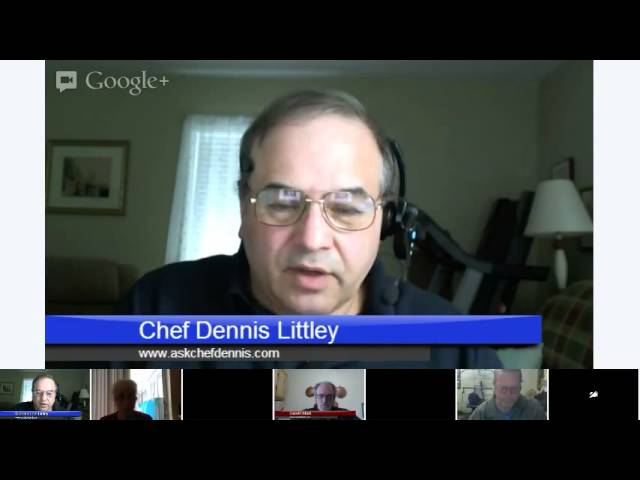
Chef Dennis Littley and Gareth Mark teach food bloggers how to use Google+: organize circles, post with large images and hashtags, thank resharers, and set up Hangouts on Air. They stress targeted communication to cut noise and boost visibility.
Chapters
Hi, I'm Chef Dennis Littley and today we're going to have a community hangout and it's going to be sort of a Q&A. We have so many new people join us now that we thought it would be a good idea to go over some topics to talk about circles, how to use them, to talk about posting, to talk about etiquette and some different things involved in using Google+ properly. So if you have any questions, you can type them in the box underneath this event. This is a first-come, first-served into here, so if you want to come into the event, we still have room for a few more people, and when we have time for questions, you can unmute and ask it. And all we ask is that while you're in here, you mute yourself to help cut down on any ambient noise that we might be having. All right, so we're going to get started, and the first thing I'm going to do is I'm going to talk about what I'd like to introduce. Gareth Mark is in with me today, and he's going to be monitoring the comments on YouTube in here and interjecting when we need him to talk about some different subjects. And then we've got some guests today. Claudia Lamascola is here, Adam Barnes from Picture Perfect Meal, and I see a logo for Toni Dash, but she's not really with us, and Ty Wiley also. And looks like Jackie Gordon, the singing chef, just joined us. So we're gonna get started. Alright, so one thing I want to talk about is circles. Alright, there seems to be some mystique about circles and about using them and how you should set them up. And one of the ways you need to set them up is you need to set them up so they're friendly. And when I say friendly, it means so you're going to use them. Alright, one of the big complaints I hear about is, you know, I can't keep track of my friends. I don't know where they are. I don't know how I can follow them, how I can see what they're making. You know, when we were with that With FoodBuzz, you know, we always got those notices and we could keep track of our friends. Well, the circles work exactly the same way, only better. Alright, because you can really put people in a specific circle so that you're gonna be able to follow who you want to follow. Because I mean, say you're vegan and you only want to follow vegans, that's fine. You know, that's what you like, that's what you're going for. You can now put all your vegans in a special vegan circle, or all your vegetarians, or all your gluten-free, or, you know, if you have a specific niche and that's the niche you want to follow and you want to see more than everyone, you know, you still may want to visit with other people, but those are the ones that you're targeting. You want to make a circle and you want to put those people in that circle. Okay, and what that does is that gives you the opportunity to see them very easily. Alright, and the way you're going to do that is when you come to your homepage, not your profile, but your homepage, at the top up in the upper left-hand corner is a bar, and it'll list in the order you set them, uh, the circles that you have. So you can just click on one of those in the bar. Like, I have different food blogger circles, and if I want to see one of them specifically, I'll click on it, and then those 500 food bloggers will run through. If I want to click on the second section and see them, I'll do the same thing. Or if I want to see what the photographers that I follow on Google+ are doing today, I can click on photographers or the tech people or any different circles that you set up. Like I have a circle with, I call it Google Superstars, where all the really good information about Google is coming from or they're sharing it. I have a circle with all of my Google friends that work for Google in it. So you want to set up specific friendly circles that are going to be easy for you to use. Alright, and then now how do I get them in an order so I can see them easy. Alright, so the first thing you do is you open up your circles. You go down the tab bar on the, on the left-hand side to where it says Circles and you click on it, and then all of your circles are going to appear. So now all you have to do is drag them to the order you want them in. Alright, so you drag your circles in the order you want to see them first. Like, you might have circles of people that you really don't follow, or you really don't see that often, or they're not a high priority, so you put them at the end of the list. Alright, but the ones that you use the most, those should be your first 4 or 5 circles that you have. And then to see the rest, you just click on the dropdown menu and you pull them down. So anytime you can click on a specific circle and see just what the people you want to see are doing, are doing today, what they did yesterday, as far down as it goes, and as active as they are. So this is how you stay in touch with your friends. Alright, if you have close friends from every different circle, you can make a circle of them. People can be in more than one circle, that's not a problem. You can have them in 2, 3, 4, 5, however you want to separate them. They can be in one circle or as many as you want them to be in. Now, I had had a question about people being in multiple circles and this person didn't really want them to be in multiple circles. She was having doubles and didn't want them all over the place. Sometimes as you add circles, you get stuck with people in different ones and it just starts to get a little clumsy for you. So if you want to bring them all— if you want to get rid of any duplicates, depending upon what they are, say they were food bloggers and say you had 3 different food blogger circles and you don't want to go through them one by one and sort them out and get rid of them where they are, all you need to do is make one new circle You can call it whatever you want to call it. Drag those circles into— you know, well, you're not going to drag them in. You're going to select all the— you're going to open up one of the other circles, select everyone, and then drag them into it. Okay, and by doing that, you're taking everybody out of that circle and putting them into a new circle. Okay, so you do that with wherever your duplicates are, and then you erase the other two circles because they're not going to add the person twice to the same circle. You can only do it once, or you can take all your people that are already in one and just move them over to your other circle. It's that simple. You can just keep adding to one circle, and then once you do that, you just select the other one and you get rid of it. You just delete it. It's as simple as that. Just make sure you have everybody moved before you delete it. And usually, if you're not moving too fast, you'll have an option to reverse what you've just done. Because Ctrl+Z doesn't work. But up at the top of the screen it says, "We just removed these people, are you sure?" So if you're sure, you can click "Yes" or you can move on.
Okay, alright.
Claudia just asked a question. She has a foodie circle, however she doesn't see everything that they post and she's not sure why. Well, there is also one other thing in there and there is a slider Whenever you open up a circle, there's a slider, a little slide bar, and that's going to be up towards the top right of the screen, and it's got different settings. And one is, you know, you see everything, and I think you get an email notification of it. The next one is you see everything. The next one is you see most of things, and the other one is you see very little, and then you see nothing. Okay, so check your sliders if you're not seeing everything from your circle. Check your sliders and that way you can see how much you're actually seeing from that circle. And if it's an important circle to you, you want to see everything. You don't necessarily want the emails coming to you but you do want to see everything that's in there. Okay, I hope that answered your question, Claudia.
Yes, thank you.
You're welcome. Okay, so we talked about circles, how to get rid of doubles, and then about sending out notifications. Okay, this is something that actually goes into posting. But I've talked about it a lot, and we get so many notifications, and that's that little red number at the top of your screen, and things tend to get lost. There's really one very important way. If you want to send something to me and you want to make sure that I see something, don't just send it to me. You have to include my name in it, alright? And that's with the plus and then Chef Dennis Littley. Alright, if you're sending a message to someone that's specific, or you're commenting on something and you have a a question, I may never see it. If I don't pull up my notifications and go through them, which can be very time— you know, it can take a lot of time to go through everything to reach it, and I still may not see it. I may never know that you sent me something. Alright, so if you include my name in it, there's a much better chance that I'm going to see the question that you're asking me or see what you sent me. Now, I'm not talking about sending me your blog post that way, alright, because that's just not something we do. Alright, if you're in my stream, and again, you know, this is like the— I always call it the desperate plea, look at me, look at me. Okay, a lot of you are doing it unknowingly and you just think that this is how it's supposed to be. Okay, but on Google+ things run a little different and we don't send out our blog posts to circles. Okay, because what that does is that just kind of tends to annoy people. You want to put your blog post up and you want to post it to public and that's it. Okay, now if you have a message for a certain circle, like I'll send messages out to our community circles, or if I have a specific group that I want to convey something to, then I will send it to the circles. Okay, and if you don't do it that often, people aren't going to get annoyed. But if you're sending out 4 blog posts or even 2 blog posts a day, or you just— the only time you ever communicate with them is you're sending them a blog post, you know, there's a little— you just click on the right dropdown button and it says mute this person. So that means every time you send something to me, I'm not going to see it because you're basically— what it is, we think of it as more spamming the people than sending them information. Okay, so the rule of thumb is post to the post public, and really, if your post is something that I want to see, if we're friends, you're going to be in the circle that I'm going to want to see. Okay, if it's really good it's going to get shared, it's going to get commented on, and it's going to keep popping up to the top of the stream. So I'm going to see it. You don't have to specifically send it to me. That cuts down on unnecessary notifications. That's part of being a responsible, good pluser and using your circles properly. Now let's say, like I talked about before, you have a small select group of friends and you want to really keep in contact with them. Well then, send send it to those people. If there's 20 of you and you have this special thing you do every week or just a clique that you really are very close, then you might want to send it to those circles and that's okay. But just to send it arbitrarily is not always a good idea. If we have any questions on that, I don't see anything.
If you include acquaintance So if you would include an acquaintance or if you, like, if you have a, um, where they're in, that's a circle, right? Acquaintances are in a circle.
Yes, and if you send to them—
Oh, they're gonna get it twice if I put it public and I put acquaintance, you're getting it twice?
They're not gonna get 2 notifications, but they're, it's gonna go to the public stream and they're gonna get to see it. Because they're in your circle. If you send them a notification, then you're telling them that you posted something. Now with acquaintances, they're not normally the people that we are— I mean, at least in my acquaintance thing, they're not my friend friends. Alright, so if you're sending to people that you've met on Google+ and you put them in— I mean, I don't know where else to put them, that's where I put them. And actually I call it new friends now because acquaintance just didn't sound right to me. So I don't ever send them anything because I don't know who they are really. If they're a food blogger, they're going in my food blogger circle. If they're a specific genre, then I put them where they belong. But when I don't know where they belong and they're just following me because they like me, that's the circle they end up in. You can change the names anytime you want to anything you want. My Google people, I used to have called Google Me Elmo and then I was afraid they'd look at it sometime and get offended. I just changed it to Google Friends. If you send the notification out and say this person really has a lot of people. I open up my box sometimes and when it says +99, I just cringe. That's how many notifications I have. That's when I go in and I just start muting people. No, no, no. If it's good, I'm going to see it. If you're in the community, I'm going to see it because I go through our community circles all the time. This is basically how we should treat each other. Like I said, it comes down— when Google was small, it wasn't as big of a deal. But now that Google is growing and more and more people are inhabiting our ghost town, it's becoming more of an issue because you're getting so many more notifications, and then I don't get to see the important ones. That's where the problem lies. People say, "Well, didn't you get that?" I'm going, "I don't know. I looked through it as far as I thought I had to go, but evidently not." Or they won't include my name in it, which really doesn't help me find it. That can be part of the problem too.
You want to be able to sort through what you send, and you want to send responsibly. Thank you, Tony. I just changed my microphone. I was having problems with this one. That's pretty much my views. Not the gospel, but I know a lot of the people with a lot of followers— if you don't have as many people in your circles, it's not going to seem like it's a problem. But as you start to add more and more, you're gonna see what I mean when you start getting more and more notifications for things. And then, like I said, you miss the important ones, the ones that you really want to see. Or, you know, if something happens— if you send out notifications for everything you do, you're gonna end up getting muted. And then when you got something really important to say, I might not see it until I stumble across your post and see it. Okay, so you want to use it for when you really need it, and that goes down with using the email function. You know, the, uh, that's like the quickest way to get knocked out of circles if you send emails on a regular basis along with everything. I rarely send email notifications. When we have people that want to join the community, I send them a note. If they don't respond to the note, like a week or so later, I'll send them a follow-up note and I'll send an email with it. That's about the only time I ever send emails along with anything. So that's like a no-no too. Do we have any other questions on that?
I want to speak to the same— before you get to the first thing, I want to speak to the same subject. I know that a lot of us want to make sure people see our posts. Quite frankly, if you've got a group of people that you know want to see your post, then go right ahead and put them in a circle and send them the notification. But honestly, If I get a post, if you send me a notification that you posted something, honestly, I'm gonna mute you. I'm not even gonna wait. I, I, because I want to hear when people actually need to talk to me. I don't want, if I want to hear about your posts, I'll go to your website and I will subscribe. Just like any other user. So that's my take on it. So go ahead, Dennis.
Absolutely. And we don't mean to sound cold and hard about this, that we're being unfriendly or that we don't want to see your stuff. It's just that you have to think of it in terms of trying to get new readers too. If your content is good, if your content looks appealing, more people are going to want to see it and they're going to find it because, like I said, you're going to get the benefit of other people sharing it and reposting it or commenting on it, which is going to drive it right back up to the top of the stream. That leads right into posting. There's two trains of thought on posting, and I don't think for sure we know which one is right yet. One is to post a link with your thumbnail and the little blurb that automatically— if you're on WordPress, the little blurb that automatically comes from your SEO.. And it will post that little bitty picture and it will actually drive— I think the term was link juice. You'll get more link juice from posting that way. So you will get some benefits from posting that way and it may help you more or it may help you in one aspect of the search engine. But Google+ is a different kind of animal. I'm sure if you post to Facebook you've seen the same results. When you post a big picture, the results you get are 3, 4, 5 times as great as when you post a thumbnail. Google was built for images. Gareth, I think you said that earlier today too. I saw that. Google is— built for photos specifically, and it's incredible. You can really get a really nice picture. You can click on it, it expands, and you can see everything. If you post the big picture with a link, with a little blurb, with hashtags— okay, remember, we've got to be using these hashtags now because they're important for people searching for things. Usually with a hashtag— I don't want to drift— but hashtags, if you start typing something in with a hashtag, choices will come up. Usually you can pick from one of those choices. If it's something new, you can also develop a new hashtag and it will be there next time you use it. You want to post the big image with that. That does a couple things for you. You're going to probably see— I know you're going to see more comments and people are going to reshare your post. Honestly, there's a reason for resharing. Besides just being a good friend and liking you and want to share good content, there's two sides to this coin. By me looking for really good-looking pictures, nice food porn, something that I just want to dive into and I share it, I know that it's going to get reshared more from my post. I know it's going to get comments. I know it's going to get +1s. Alright, now the good part of this is all those reshares go right back to the original person that posted. So if I get 6 reshares and they only had mine, they now have 7. Alright, so that's going to help them. Alright, by me posting things that are going to get more attention, I also get something from that because in the circle count and how they figure out the algorithms of where you stand on Google+, Everything you post or repost gets scored. If you have more pluses, more reshares, more comments, that goes into your average. If I share things that are never going to get reposted just because you're my friend and it's the right thing to do and I want to share your stuff because I'm just a nice guy, which I am, but you can only reshare so much stuff. Help me help you. Right? What was that? Show me the money? Help me help you. Okay, and I know in a lot of instances when I share something, because I have more followers, I'll get you more reshares and I'll get more comments than you will on the original. Alright, so this, this is a win-win for everybody. You're gonna get people coming to see you because they really liked what you shared and what you made. Alright, and I'm gonna get the benefit of all those extra pluses and shares going to my account when they average me out for the month or whatever it is to see where I stand. It's a good thing. Adam just asked a question about a big photo. When I say a big photo, I just mean something that's going to take the whole frame when you post it, pretty much, whether it's up and down, horizontal or vertical. That's all. Then when you click on it, you open up. Now, there's also something new, and I forget who told us about it was if you click on a photo and open it up that you've posted, you can actually see how many times it was viewed. So when you click on the photo, you scroll down to the bottom past your last comment, you'll see photo details. If you click on that, which is I think on the right-hand side, there's a little thing that you click on, it'll open up and it'll tell you what camera— if the information was embedded— what camera was used, what f-stop was used, what lens was shot at, you know, everything. And it'll also tell you how many views that picture got, which can be quite amazing when you look at it and see. You know, I've been lucky enough to have a couple things kind of go viral, and I've had one almost hit 200,000 views. It just like blows your mind that that many people are actually looking at your picture. Alright, so that's something, something else that goes along with posting, you know, a really nice photograph, something very appealing, something that's going to get the juices flowing. Something that's going to be reshared, because ultimately that's what you want.
Then this—
when I talked about the other giving you link juice, well, this is giving you a different kind of link juice. It's not like that direct kind of posting your link thing, but it's giving you more substantial— it's gaining you more followers, it's gaining you more publicity, it's gaining you— and these all things do count for you, the +1s. The shares, the comments, they all do add up in this little magical package that Google has for its users. That's what's going to help you gain more ground on the search engines, too. It's like that little benefit they give you from that. That's my little spiel on posting the different size of pictures. Like I said, the jury is out on which one is really better, but I seem to have better results posting the big pictures, so for now I'm going to keep doing that until they tell us something's different. Gareth, you got anything to add on that?
Not until we get to hashtags. Not anymore, I'm not.
Let me see if we got you muted again.
Al, I'm back, I think. Can you hear me? Apparently not.
Can you unmute?
I did unmute.
I can hear him. You're not muted.
Okay, well, yeah, I do want to talk a little bit about—
Alright, Gareth, we'll come back to you as we can't hear you right now. Moving on, etiquette. Alright, and excuse me, a little dry mouth here. Etiquette is something that I talk about frequently no matter where I've been and with Food Buzz. I think that's really what started the ball rolling with my Ask Chef Dennis was some rant I did. But etiquette, good etiquette, being a good pluser is also part— is very important. And you may not think it is, but it's just like— I remember David Leite said something to me in one of the things we did with him, and it was like, it's very important to answer people when they say something to you. He has a no comment left behind rule on his blog, and I'm guilty of not following that. That's something that I need to work on. In terms of Google+, people share your work, and I'm not talking about people that are sharing it— that's also something. When people share something, it's not always being shared, so you want to check your ripples. Ripples. To do that, that's in the upper right-hand corner of your post. There's a little arrow. When you click on it, it will have edit post, delete post, and ripples. Click on your ripples. If you have 11 shares, out of that 11 shares, 4 of them or 6 of them may only actually be shares. Sometimes people share it and they're only sharing it to themselves, not doing you any good at all. I mean, it looks nice, you have 11 shares, but they really weren't shares. Those ones that come up under ripples that are real shares, stop by and thank them. They didn't have to share your stuff. Just stop by and really thank you and their name, plus and their name, thanks for sharing my post. Simple. Now, guess what? You just commented on their post, so that drives their post back up to the top of the stream. More people are going to see your picture. Good for everybody, win-win. You're being responsible. You're showing good manners and thanking someone for doing something for you. You just helped yourself, too. Etiquette, all right? Again, going back to leaving their name and things. If you want someone to answer you, put their name in the comment. If you want to score some bonus points of your own, put the name in the comment because when they answer you, they're going to put your name in their comment.. If someone uses your name in a comment, answer them with their name. 3 people might do it on comments and I'll get them all in one fell swoop, thank you, all 3 names for what you said. There may be others that didn't. If I'm feeling happy that morning, I might thank them too. I'm always going to thank the people that put their names, that put my name in the actual comment because all those little things add up to bonus points for you on the Google machine. That's something else we want to do. Leaving +1s. +1s are probably the least effective way of doing something nice for someone, but they do still help, especially if you get a lot of them. If you're really trying to help somebody or show someone something, commenting or sharing is definitely the way to go. It goes back to do unto others as you'd have them do to you. If someone leaves comments for you, it's like the old comment game. It doesn't mean you have to always leave a comment for them or you have to leave a comment back, but when you see something of theirs, think about that they did leave something for you and comment on them. Help them. If you see something really good, share it. Help them. They share something of yours and you can find something you like of theirs, share it. It will all come back to you in the end. It's all like being part of the community and helping each other. That's just not about food blogs either. I keep telling everyone, you know, you want to get out, you want to meet other people, you want to get involved in other areas of interest because this is where your following is going to build. This is where your readership is going to build. You want to go into, find people like the Google people or like when I share my superstars at Google people, people like Scott Duke and Mark Traffigan and Ronnie Bincer, those people. You're going to gain a wealth of knowledge from them and sharing their stuff will help you get new followers too. By sharing things not just related to food, you're going to attract someone who might not really be interested. In what you make. Like, I posted something and someone said, "Thank you, but I'm a vegetarian." So, you know, I said, "Well, you know, I've always wanted to try this as a vegetarian dish. How do you think it would work?" Right? So I'm not normally that, but then I'll get people like that'll ask me, "I wonder what Chef Dennis thinks about this," from different communities or different interests because I've already connected with them. So this is how you build your following and build your circles. You know, go out of your comfort zone a little a little bit and look through the mainstream, look through somebody else's people that they follow to see if they follow anybody interesting, and just try and connect with some different kinds of people. You'll find yourself growing at a much faster pace. Google is doing more with brands now, and I seem to think because they're not really bringing the big getting the big brands on, they're coming slowly, so they need to do stuff so people— now would be the time if you're really set on doing a brand page. I mean, I don't know if that's really the way to go. I still think you're going to gain more by being personal and getting that personal connection, but it might be the time if you're set on being a brand to do it. Just remember that once we get overloaded with a lot of brands and big brands— even though you're a brand here, you might not be out in front of the brands anymore, depending on the size of the ones that they do bring on. Eventually, everybody's going to be on Google. It's just now it's a slow process. People don't understand it. They don't know what it is, so they're a little slow to join. But keep that in mind. It's just another food for thought. I said, you know, we don't really know. Google changes every day, all the time. I like to think of it as an Easter egg hunt, and there's guys out there looking for the eggs all the time. He goes, "They'll change something, and they don't tell anybody. They wait for someone to find it. When someone finds it, they share it." That's something good to know, and again, a good reason to follow people outside of food, outside of your circle, so you pick up on things faster, and you see where the changes are. Claudia asked me, "What is your take on several foodies?" 'You plus several of these and they never ever plus you back. Do you stop?' Plus ones? No. Plus one's easy. I click on it. It's not costing me anything. I probably won't. If they never really interact with me or if I leave comments and they don't comment back, if I share their stuff and they don't thank me, I probably won't share it again. If they don't want to interact at all with me, they might get stuck in another circle where I just don't see their stuff that often. This is all about community, and I want to see the people that are important to me. The people that are important to me, they're people that interact with me. That doesn't mean just sharing my stuff with the people that I talk to. The people that post good content. That I like to share and that will thank me for doing it or will ask me a question because they know I'm a foodie or because they know I'm a chef and they'll ask me something. Then I ask them something. Well, what about this? This SEO, I can spell SEO and that's about the extent of it. When I need knowledge, I go to people that have that knowledge. Plus ones I don't worry too much about them. That's like, I'm scrolling down the screen, it's easy to do a click. Are there any other questions from anyone? Anyone have something to say? You can unmute yourself and ask. I'm looking in the sidebar here. I don't see anything. Okay. Anybody else?
Can you hear me?
I have a question about these hashtags and photos.
Gareth, anything? You can get your microphone fixed.
Just in practical terms, okay? I have a photo of blueberry muffins.
Where would that— Adam, if you're talking, I can't hear you.
Gareth, can you hear me?
You have to unmute yourself.
Yes, I can.
Can everybody hear Gareth but me then?
Yeah, I can hear Gareth. I haven't had any problem hearing him at all. And I can hear—
Gareth, you can go ahead and talk if you want then.
Okay. Let me address the hashtags and the picture. If you're doing a large picture, I recommend posting something that is 1,000 pixels in the small direction, whichever that is. Somebody just muted me. That was— anyway, the reason that— the reason I suggest that is because then you can get a much closer to full-screen picture. Now, as for the hashtags, it needs to be Your posts should have hashtags in them that are appropriate. Like for cookies, you'd have— you could use cookies, cookie recipes, etc. One thing that I've started doing is when I post something from my food blog, I use a hashtag that is my blog name. And the reason is because those hashtags are clickable. So let's say you've read my post, you like the picture, then you can click on my hashtag and you're going to get all the rest of the stuff that I've posted in the search. And you're not going to get anybody else's stuff. So for me, that seems like a good deal, and it only takes a few seconds to type that in.
If I may, where does the hashtag go? Does it go in the You know, in the titling of the photograph?
How does that work?
I would not put it in the titling of the photograph. I typically put them below the text that I'm going to have, but you can put them in the text. Just be aware that they're going to be bright blue and they are going to be surrounded by space and they may not be grammatically correct. So if you care about those things, then you'd want to put them at the end of the text.
Okay, thank you.
Sure.
So you don't put your name on there, you put the name of your blog, you said?
That's, yeah, that's what I do. It's just a thing that I do. So, you know, my blog name is Stumptown Savory, and so if it's my post post from my blog, and then at the end of it, I'll just include #stumpsoundsavory as a hashtag so that if anybody happens to click on that hashtag, they're going to get the things that I've posted from my blog. I don't know that it does any good at all, but it certainly doesn't hurt anything.
It's a good way to— and I can hear you now, Gareth. It was my headset was acting Monkey. It's a good way to keep track of other things you like too. You can come up with your own special hashtag and say if there's information out there that you want to keep track of some way, well, you can do two things. You can send it to— you can share it with yourself, which is like not a good share like I was talking about, but it'll be in your stream somewhere and you can look for it, or you can put a hashtag on it like #MyStuff and your initials or whatever name you want to give it. I see him peeking in. Whatever name you want to give it that will let you find it. When you do a search for that hashtag, all that information that you have accumulated. It's like that recipe bin we used to have with FoodBuzz that we dumped all our favorite recipes in and then when they went away, we lost it all. Google's not going away, so we don't have to worry about that, but it's a good way for you to kind of put them in a filing cabinet somewhere for you to call on later if you want to see them. Just come up with your own special hashtag. It can be, you know, like a code for your— that you use when you log into something, you know, your password, that kind of a thing. Numbers and letters, something unique that only you will know or you will find. So just remember, write it down. I'm not good with that.
And remember that it's visible to everybody once you when you use it. So you don't want anything in there that you would not want other people to see. Correct.
Alright, any other questions? Anything that we haven't covered on Google+? What we are doing, you know, for those of you that don't know, I don't know how you wouldn't know, we've been beating you to death with it. But for those of you that don't know, we are running our Super Bowl promotion next week. We're trying to get more bloggers, vloggers, chefs. If you've got a camera and you want to cook something, join us for the promotion next week. It's part of the Google+ Super Bowl or the Super Bowl+ Week of Champions that Google is going to be promoting next week. You never know, you might end up on their landing page. With your video, which will drive a lot of traffic to you and get you a lot of new followers. And the other thing about Google is Google does reward their users. I mean, you'll find food bloggers on their follow list. And, you know, I was fortunate enough to be on it for a few months, and that's how I have the followers that I have. But they will put, you know, other food bloggers on, and, you know, you'll really gain some momentum and you'll start to see some incredible increases in your traffic and in your— your analytics will show it. It's a good thing. Being a good pluser is like— they reward you for using Google, so it's a good thing to do. It definitely won't hurt you, that's for sure. Facebook, they just want to keep charging you for things, so other than that, spend your time here where it's going to make you some friends and get you some new readers and I can help you in the search engine. That's really what it's all about. Alright, well, this was nice. It's a little shorter than I thought. Anything else anyone wants to talk about? Any comments? I'm looking for anything in the sidebar. I don't see anything else. That about wraps it up for me then.
How long does it take to actually do one of the guest appearances on your Super Bowl?
You can do anywhere from 15 to 20 minutes, you know, whatever you feel comfortable with in there. And that's good you brought that up, but we'll talk about that a little more. It doesn't have to be— it should be start to finish, but there'll be time in between that you can use what I always call the magic of television. Alright, when you make— if you're making a cake or you're making cupcakes or brownies. You want to show people how you're putting it together, if they're the ingredients going in order, and you want to mix it and then put it in the oven and then take the finished one right out. Just like they do on TV with time elapsed. We don't have people handing us stuff in our videos usually, but you want to show them then the finished product, or if it was a cake and you wanted to frost it, show them the cool finished cake. Put your frosting on it, decorate it or whatever whatever you want to do. I'm going to be doing wings next week, so I'm going to grill some. I'm going to fry some. I'm going to have them ready. To me, the important part of this is going to be how I do the sauce, and that's what's really the whole thing for me on this. You want to pick the area that might really help them the most, focus on that, and remembering, too, that a lot of people that are watching this aren't foodies, aren't chefs. Aren't food bloggers, aren't home cooks, and they're just people that are looking for something new to make. So it doesn't have to be something elaborate with a sauce, with something that you have to cut delicately or put together or time-consuming. It has to be something that's good, that's tasty, that they're going to enjoy, that their friends are going to enjoy, that they can take somewhere and people are going to go, "You made this?" It doesn't have to be difficult.. It just has to be good. We all know there's a lot of things out there that we don't have to reinvent the wheel for that people may not have seen and you'll help them. You're giving them something. When you give them something, they're going to come back to you over and over again. About a 15-minute, 20-minute video tops. We have a lot of slots open. We actually opened up some half-hour slots in between because of the prime time. It looks like that's filling first. It's a good way to get out there. Lord knows I never thought I'd be making any YouTube videos, that's for sure. But it's a good way to get some presence on Google, and Google does watch them. They do know what you're doing. I like to think of them as Santa Claus. They know when you've been naughty and they know when you've been nice. Believe me, I'm surprised that they see as much as they see, but they do. So you want to do something and you'll get rewarded for it one way or another. I believe that.
So it's by using what we're doing right now though, would I be— you would be using your laptop and like have it set up so that you can see it?
Yeah, you can do it with one laptop. We had people last round doing with one laptop, didn't we, Gareth? We had a few.
Oh yeah, you're gonna need better light than you currently have, but you know, it doesn't have to be fancy. It's nice if you have a camera that's not built into your laptop so that you can point it easily to show people stuff, but you don't have to have a fancy setup.
Nope. You know, later down the road you may look at it and go, "Boy, I like doing this. I'm going to order a camera." We're using— I think most of us that have cameras use a Logitech, either a C910 or a HC920. They run about $80. Some of you can get them on Amazon. It's an easy one to use. Don't say, "Well, I'm going to get the one that's only $50, and you're going to save $30," because in the long run, you're going to be better off with a better version of this camera, and you'll only wish you'd got it later. Other than that, lighting, you can go to Home Depot, and you can get daylight bulbs. You can get work lights. You can get some LED lights. LED lights will warm things up a little bit more than the daylights will. It's all a matter of taste. I think Jenny Fields runs lights all around her counter underneath, and that brings lights up. They're just like work lights, a string of lights. It doesn't have to be like a softbox or any kind of professional lighting until you really decide maybe that's what you want to do. Then at one point you go out and you can spend the money. You can get lights fairly inexpensively on Amazon too or on different places, a softbox for $60, $70. They're not that expensive, even cheaper than that. It's not as costly as you may think if it's something that you're going to enjoy doing and you're going to want to keep doing. To start off, a laptop is fine.. We had enough people do them with laptops and they pulled off some really nice demos for us last time too. You can do that for sure. I know Ronnie Benser, I'm trying to talk him and his wife into doing one with us. They use 2 laptops. He just has them pointed in different angles and then he runs them from another laptop and he changes cameras for her. He's not using anything fancy. He's just using the laptop cameras and His come out really nice too. There's nothing wrong with that. Any other questions? Adam, I saw you start to type something. Did you have a question and stop?
I was just on your comment about affordable lighting. I was going to type in B&H Photo Video and New York.
Okay, very good.
Not the best resource, but, you know, I didn't know at that point if it was appropriate to this group or not, but it's a phenomenal resource.
I, you know, I bought stuff from B&H, you know, it's been years. Pretty much I'm an Amazon person anymore.
Well, I'm slowly moving that way myself, but, you know, for good things like, you know, decent softboxes and affordable ones, Of course, in this day and age, it's hard to beat Amazon. They're another great resource.
Okay, Jackie Gordon just put a question up. She wants to know about if she's going to do a recipe for the Super Bowl. These videos are live when you're making them. It's going to be on a Hangout on Air. To do this, and we can help you with these if you need information or help. We've got people that went through it last time. They'll be happy to help you. You're going to set your event up. Go to your event page and you're going to build your event, the date, the time, what you're going to make, a little blurb about it. Then you post it public. You invite the public because you want everybody in the world to come see this if it's possible. Then you can invite people from your circles. This is one of the times that you want to use your circles because you want to let people know what you're doing. You can invite to circles at that point. It's going to be a live Hangout on Air. That's not something you mark in the event box. It's what you do when you create your Hangout. When you create your Hangout and you open it up, there's a little box that says that you're going to do— it's going to be live, which means it's going to record a YouTube video for you. You click that. Then when it opens up, when you go to start, there's going to be a little button that says embed. And when you click on that, then that'll give you options of your YouTube URL, and that's something you post in your event when you go live. And it'll give you a start broadcast button and an end broadcast button. So it's, it's pretty simple when you do it, and then it will give you automatically, every time you do something on air, it'll give you a YouTube video, and it'll go to your YouTube account. And it's also a great source for backlinks to your blog if you've got a blog. Because you want to go in there and you want to type a description and then you want to put your blog address too. So that's a way to link back to your blog. And those are good things for you.
So you need your own YouTube account?
It'll go wherever you're directing it to. Okay. I think we talked about this and you have your business one. Your brand one.
Yeah.
And as long as that's what's associated with the account that you're using to do the event, that's where it'll go to reside.
But what I'm saying is that, uh, does my brand have to have a YouTube— where does it save the YouTube video to?
It saves it to your YouTube channel, and you can get a YouTube channel very easily because you're on Google+. So there, it's virtually automatic. The one thing that you want to be sure to do is go and make sure you get your channel set up now. And then the very first thing you want to do as soon as you have a channel is do a Hangout on Air for yourself, because the first time you enable Hangout on Air, you get instructions for how to verify so that you're allowed to do one, and it should take just a couple of minutes, but my experience was that it took 3 days. If I had waited until the last minute, I would have missed the broadcast.
Yeah.
All right, can you just recap that for me? Set up the channel, right? And then do a— do one Hangout for myself, you said, right?
Right, you're gonna go— it's not actually going to happen. You start a Hangout and in the screen that pops up, you'll click Enable Hangout On Air and a little message box is gonna pop up and give you instructions for how to verify. Follow those instructions. You don't actually have to do the Hangout at all, but you have to enable it the first time. Once you've— you know, they're going to send you a code to your mobile phone. And for whatever reason, Google and YouTube could not talk to my Android phone and could not talk to an iPhone that I had available. And so I ended up having to use an old stupid phone, get a Google Voice account that I could use to verify that I was a human.
Does it have to go to your cell phone? Because I have zero cell phone service where I live.
You have access to Google Voice, and as long as you have any kind of telephone, you can get Google Voice to verify and use your Google Voice number for verifying the YouTube This is an excellent question. I'm glad you brought this up because we hadn't talked about that before. So anyway, you should be able to get a YouTube channel. Just be sure you're logged into Google+ with whatever account you want. If you don't already have a YouTube account, go to YouTube by clicking on the More on the black button at the top. It's probably going to log you in automatically and ask you some questions, but even if it's not automatic, it's very simple. Get it set up. It's not a problem, and then it lives there forever.
Yep.
And that's the same thing for those of you watching that have not done a Hangout yet but are thinking about doing a Hangout, or if you want to join a Hangout, say like you tried but you can't get on, There's just a little bit of a little app or something that they— you have to add on the first time you do it. Once you do it, then you're good. If you're trying to get on to join a Hangout right away and you have never logged on, the best thing to do is initiate your own Hangout. Just start one. You don't really have to go through with it. It'll lead you through. If you need something put on your computer so that you can do them, it'll lead you through the process.. And then once it's on, you don't have to actually have a Hangout. You can just turn it off. But it's a good idea to try it with a friend if you've never done one. Try it with somebody. Just do one for fun just to see how you look on TV or on the screen and talk to someone on it to see how it works. Because once you see how it works, you'll be a lot more comfortable with the whole idea of using the Hangouts. I'm glad Gareth mentioned about the Google Voice because I keep forgetting about that too. Like you said, we all have access to Google Voice. I know people that they don't ever give out their home phone number anymore. They give out their Google Voice number and that's it. Now you've got an easy way to give a number that you don't have to be bothered with ever giving any other number with. That's a good thing to do. I have to get one of those numbers. You can post it in your account because who cares? It's not your real phone number. You can choose and pick what you want to answer. Gareth, do you have any other topics you want to cover? We have some time.
Not really.
Gareth did do a video on— and Jenny Field and Stephanie Manley and David Leet— on doing our demos. Where is that? Is that on your account, Gareth?
That one is on David's account. You can find it by going to David Leet. Dennis Littley, D-E-N-N-I-S-S L-E-I-T-E, and click on his YouTube tab. And if you don't see it there, you can go to his channel and find it on YouTube. Also, if you, if you have any questions about Hangouts or need somebody to do a Hangout with you, I'm usually available during the day. Oftentimes in the evening, and we can just spend a couple of minutes and get your questions answered, and I can walk you through whatever you need to walk through. I'll be glad to do that.
Excellent. That's really good to know. Like I said, you want to do one just to see how it goes. I know a lot of people are used to using Skype. They've used Skype for so long. I, honestly, uninstalled it from my computers. I don't have it anymore because it just annoys me when it keeps popping up. But the Hangouts are so simple. The quality of the pictures, I think, is better. The sound is good depending on what kind of microphones you're using. It's just something, a tool you want to get used to using. I teach on Chef Hangout, too, and one of the aspects, one of the reasons we do that was connecting people across cuts the miles. We were using it to— we had family, I had a family in Amsterdam and their sisters in Texas, and we made something together and then they sat down and ate it afterwards. I left to hang out and they just talked while they were having dinner. So I mean, this is a tool for you to use with your families or with your friends that are spread across the world anywhere. You can really talk to them in real time all together in a big conference and enjoy time spent with them, whether it's a meal or just catching up on things. And that was one of the other things about Google Communities. We really didn't touch on communities too much today, but one of the ways I saw communities, or I thought that communities would be used more, would be by small groups. Schools, alumni from schools, or people that just wanted to stay in contact with each other, forming these communities of like-minded people. Not just our food community, but like a family reunion kind of community, even if you wanted to make that, where people could go in and connect and leave information. You just want to make it a private community at that point if you were going to use it for that. But it's also— communities are a good place to really connect with people in a different kind of atmosphere, not just like I said, are public ones, but if you wanted to create a private one and have it set up for, you know, your family or a specific group of the people you went to school with. I keep telling my wife she should set one up for her, the people she went to college with because they connect all the time, but this would let them connect more in real time and do it, you know, face-to-face. And it's good to talk to people that you know that way. When you meet new people and you meet new friends. This is a way to stay connected with them. We have our food bloggers community on Google+. It's growing every day. If you're a food blogger and you're out there and you see it and you're not on Google+, well, shame on you. You should be. If you're not in our community, please come and join us. We'd love to have you. We're getting close to 900 right now. I see we'll be at 1,000 pretty soon. Hopefully by this time next year, I'll Maybe I'll be announcing a festival for us. It's my dream anyway. We keep headed in this direction, we'll see what we can do. Any other questions? Any other topics? We're good to go. That was an hour. Jackie Gordon's typing something. Let's see if she's got a question.
Nope, thanks.
All right, thank you, Jackie. It was great having you. Everybody, thank you so much. Glad to see You could make it. If you didn't get a chance to make it live, I hope you're watching it on YouTube now and you enjoy it. If you have any questions, as always, contact somebody. Contact me, Gareth, or any member of the community and ask them. We'll be happy to help you. That's what we're here for. All right. Have a great day, everyone.
You too.
You too. Thank you, guys.
God bless you.









