Maximizing Pinterest - The Second Annual Virtual Bloggers Conference
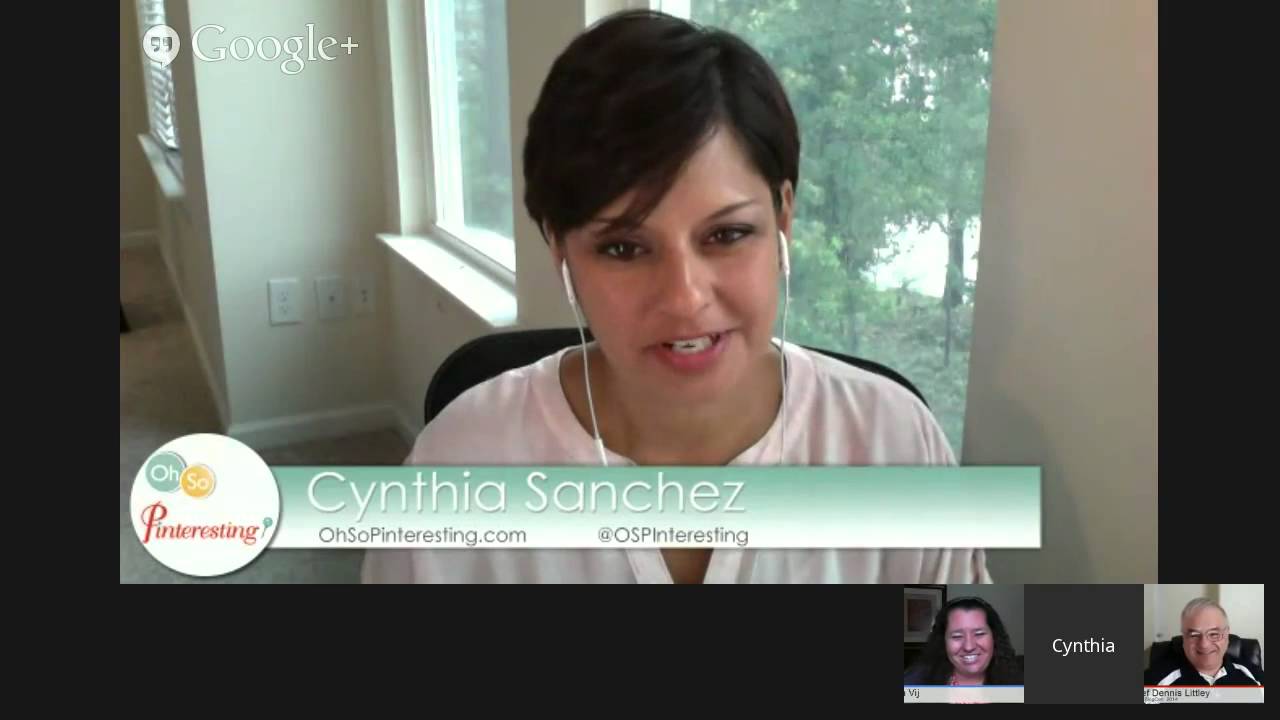
In this live panel from the 2nd Annual Virtual Bloggers Conference, host Chef Dennis Littley brings together Pinterest experts Cynthia Sanchez and Kim Vij to discuss how bloggers and businesses can leverage Pinterest for traffic, brand building, and audience engagement. The conversation covers why Pinterest matters, preparing a site for pinning, creating vertical, high‑resolution images, optimal image dimensions, using evergreen content and repinning, managing group boards and setting clear rules, handling spammers and blocking tactics, the role of hashtags, cross‑posting to other social platforms, scheduling tools (Tailwind, Ahology), design tools (Canva, PicMonkey, Photoshop), secret boards for client work, video and audio pins, timing pins for different audiences, follower‑growth strategies (thank‑you comments, strategic repins, board selection), and the importance of using a business account and adhering to Pinterest policies. Throughout, the panel shares concrete examples, personal anecdotes, and actionable recommendations for both visual and non‑visual niches.
Chapters
Hey everyone, I'm Chef Dennis Littley and welcome to the 2nd Annual Virtual Bloggers Conference. And we're up to session 10, only one more after this one for this year's event. And we've got a great one for you today because it's all about Pinterest. And Pinterest is— you either love it or you— no, you do love it. There's no not loving Pinterest. How can you not love Pinterest? I mean, even me as a guy, I love Pinterest. So it's a addictive. It can be a time suck if you don't know how to adjust your time, but it's a lot of fun to use, and it's also a wonderful way to get a lot of hits to your blog or to your website. So we're going to talk about tips, strategies, and just some ways to make your experience better on Pinterest. And I have two of my favorite pinners here, and we're going to say hi to them. Cynthia Sanchez, how you doing?
Hi, doing great today. How are you?
I'm just happy. You know, it's been a wonderful weekend. My wife, of course, flew off to Philadelphia because she knew she wouldn't see me this weekend, so she's away taking advantage of that time. But it's beautiful. Like we were just talking about in the green room, it's 96 here today, so it's a little warm. Little warm.
Little warm.
Little warm. I know it's going to get worse, so I'm not going to complain yet.
Still early, yes.
Still early. And a fellow Floridian, Kim Vij, is here. How you doing, Kim?
I'm great. Hi guys, I'm so glad you're watching and wanting to know more about Pinterest. As you said, how can you not love it? Like, it's good for everybody. We're going to show you how it's good for everybody.
A lot of— it really is.
I'm excited to be here with Cynthia too, and we had the chance to hang out recently. What, it's been 3 months out in California, San Diego.
Time flies. That was a lot of fun.
Were you both out there?
We were. You should have been with us.
I almost went and then we still were kind of newbies to the area and my wife wasn't sure about me leaving her alone for that long. I haven't done much traveling this summer. Next year.
Next year for sure.
Next year and she can come with me next year.
There you go.
That will be a good one. Alright, so we're going to talk about Pinterest and as you mentioned, you two have had a little chat about it. Plan some stuff. So I'm just going to turn it over to you and I will share some questions when we get them. And so if you're out there and you have questions about Pinterest, please put them in the comments section and I will pull them up and we will do our best to answer them. So let's get started.
That's good. Well, I think I'll go ahead and kick things off. And I guess the question that I get most often, or, you know, a lot of times, is why Pinterest? Why should I even bother with it? We've got all these other things. Why do I even need to take a look at it? You know, and is it even for me? You One of the things that I think Pinterest is really good for is building your brand as a blogger. It has so many things or ways that it can bring people back to your site, bring you traffic, and really help you get to become recognized. Get that logo to be recognized. Get your blog's name to be recognized. That in turn helps build your authority because if people keep on seeing your name over and over and over, just like we see Chef Dennis Littley's name over and over and over in all sorts of places, it's like, "Oh, who is this guy? Oh, he must really know what he's talking about.", right? And just like he said, he loves Pinterest and I'm sure Pinterest has gone a long way to help him with that. What do you think, Kim? I couldn't agree more.
It is a place, it's a way to grow your authority online. I think the fact that it's free and everybody can do it is a great thing. There's no money invested into it. Yeah.
Yeah, I mean it's just having those images on your blog post that in turn turns in, like Kim said, free. Free advertising for you. And you know, really the secret, or a secret, is you really don't have to do much work beyond those images sometimes. If you have great content, you know, like great recipes or great blog posts that share some great useful information, people will share those images for you. People will just go ahead and pin them and share them with all their followers, which in turn gets shared with all their followers and all their followers, and it just grows and grows.
It just grows and grows. So I think probably the key element before we begin everything is stop, analyze your site. Is your site Pinterest ready? Like, do you have all the proper buttons sitting there waiting for people to pin for you? Because your audience, if they love you, will work for you. Like, that's the joy of it. You want to share and be able to find great things and share them with your friends. Or maybe it's for work and share them for work. So I, I think making sure your site is set up properly with those buttons that Pinterest gives you, they're— you can go straight to their site and grab them. So I think that's important and having images ready to pin.
Exactly, yeah, those images are so, so important. And another benefit I think of Pinterest over some of the other social networks, even though I like Twitter, Facebook, Google+, all those other great tools that we have out there, is that Pinterest's longevity of pins is just amazing. And Kim, I know you've seen this even on your site. You were on my podcast. It's been a little while, couple of weeks since the last one, and then you were on again previously about a year ago. I'm sure some of those pins and those images have come back and continued to bring you traffic even in that year. I know they have. I know your episode, I created an image for that podcast and I pinned it and it's still— people are still coming back to my site because they find that image. What kind of things have you seen as far as longevity of your pins for your blog?
I, every time a season comes up, I will find pins building and building traffic again. I think at Mother's Day, I had one of mine. It didn't go viral, but it did very well. And that was last year's pin. I had not even touched it in 51 weeks when I looked at the little tab. And I was like, sweet. Like, I didn't even have to work and it's still building traffic to our site. And we still get half of our traffic from Pinterest. So, you know, if you're starting out new, I think it's a great way to build attention to yourself, as we said, to find that voice. But again, if you're a veteran, it's that work, it's sitting there doing stuff for you. Like, that's awesome. I don't know any other platform that will continue to go and go and go for you in terms of social media.
Exactly. That's why I love it. Yeah, I came across an example not too long ago. I was pinning for a client and I was looking for content online and I was just I was kind of looking around and I found a post where somebody had written it like a couple of years ago. So this is a while back. I clicked through the image and the image didn't quite match up with the post. I dug a little further and was noticing they were taking that old content and creating new images with some of the great tools I'm sure we're going to talk about today. Right. Bringing new attention to it. What they had written about was kind of, you know, like they say, evergreen. It's always going to be applicable. It will always be something useful or interesting for people to read about. They could bring new life to that old content So it's not necessarily that you have to reinvent the wheel each and every time.
Right. And if you think about it, a lot of us when we first started the platform we're on, we were really passionate about what we were writing about. But maybe our images weren't that great. So jump back last year, the year before, and pop in a new image. You'll be surprised how quickly that new old, old content can be seen again by just redoing an image. I tend to pop that new image at the bottom so that once a person lands on that site, it's still what it originally was based on the older pins. But don't be afraid to do that. I think that's a huge tip for people wanting to continue to use the current information they've shared on their sites.
So you don't take out the old image, then you just add in a new one.
If it's not horrid, which, let's be honest, I bet if I ask anyone who's watching right now, your top pinned pin, you're probably not that proud of. Like, it's some pin you made a long time ago, and it's it's been pinned a million times and you don't know why, 'cause at the end of the day, it's about content. People will pin what's good content. So don't forget that too. You can have an amazing image, but if your content's not behind it, it's not gonna get shared either. But I tend to leave it there just so that it looks a little similar, but again, I think everyone does it differently. And I think it also depends on how you have your site set up. You know, some of us have a very specific, format that we want that header image to be, but yet you could create all sorts of pins for that specific post. So, you know, I know a lot of people like to do a little bit longer with step-by-step, particularly if you're dealing with some recipe posts. You might not have that in your post embedded too. You don't have to embed an image in your post. You could just have it as a pin out there in the world or on Google+ out there in the world and not have it in your, in your website. So those are tricks too to get people in there.
The picture doesn't have to be on your post and you can still—
No, no, you can upload any image to Pinterest and attach it to any URL. I know Peg Fitzpatrick sometimes will do that with good posts that she sees. She'll create her own image and then pin it to kind of give it more promotion. So you can do it if you want to, if you have all the time in the world.
Well, that's a good strategy. I do have some questions if you want to take them real quick. Sure. Let's put one up here. Katie Clark, any Pinterest advice for someone growing a business in a less eye-popping visuals profession? I'm a market research consultant, less fun to look at than food.
I'll go ahead and take this one if you don't mind, Kim. Sure. You know, I'm a Pinterest consultant. There's only so many screenshots that I can take of Pinterest and really screenshots of Pinterest get overlooked. So it's really thinking about that kind of different perspective of whatever it is that you're writing about on your blog. So if you're talking about market research, well, who are you researching, or what's the topic that you're researching? Get an image that's connected to that. Sometimes just abstract backgrounds with text overlays, you know, just blurt it out there for people. This is what this article is about, you know, my research findings for, you know, the week of whatever on this market or whatever it is that you're researching. Just put it out there, and it doesn't have to be, you know, magazine quality. It doesn't have to be graphic artist, you know, professional, ready to, you know, make into a print, put on your wall. It has to be clear and legible and interesting, but it doesn't have to be perfect. Sometimes I talk about there's images that I found that, you know, kind of break the rules, you know, There's a big Pinterest analytics company out there that's done some studies on what images tend to get pinned more and they kind of set up these guidelines. It shouldn't have faces, maybe some red, shouldn't do this, this and that. I found images that have broken all of those rules and have been pinned thousands upon thousands of times because the content behind it was so useful. That's what it breaks down to. That's what it comes down to. When it comes to food, if the food is good, the ambiance doesn't quite matter that much. If the food is good, it's a great price, you're going to go eat there, right? Same thing when it comes to images. If it's good quality, if it's the content behind it, the article, the video, whatever it is that it links you to, if it's good stuff, it doesn't really matter. When you have those kind of more service-based or less visual types of businesses or blogs, it does take a little bit of creativity. Where do I go for creativity inspiration? I go to Pinterest. Use that search box and start searching for those similar topics and see what other people have created. Look for completely opposite topics. What are people pinning about dogs? Maybe you'll see a picture of a dog with a certain background. Oh yeah, look, that's kind of cool. I'll use that. So there's lots of places you don't have to be, I guess, to go for creativity, and you don't have to be so literal with your images.
Great. Okay, we have another question up here. Actually, I'm going to go to Mike's first because it almost fits into that. Mike Alton is one of the men pinners out there that's here. Mike's here. Hey, Mike. "Settle the debate, what's the best size for images in Pinterest? Isn't it all about size with men anyway?
I'm sorry." So that's how we need to get more men on Pinterest. There you go, talk about size, yeah. The answer to that, vertical no matter what, please, please, please, vertical. But image size, we use 700 by 1,000 on the images that we pin. The ones that are on our board seem to do most successful in that kind of format. I don't know, what size do you recommend, Cynthia?
When it comes for bloggers, it really depends on their blog as well and what the layout of their blog is. A lot of bloggers do have where they prefer to have a horizontal image up at the top and then it kind of changes underneath. Really, I say an image, a tall, definitely vertical rather than landscape Portrait style images where they're taller rather than wide always works out best. But the size of it, it needs to be big enough to communicate what you're trying to show. I've come across, let's say, landscape design pictures and they were taken out so far back and the image was kind of a thumbnail that was pinned. It was like a 300x300 square or something crazy. When I clicked on the pin and it enlarged for me on the screen, I still couldn't see the details. I couldn't see what they were trying to communicate. But if they had made it bigger, well then I could see the detail in that. If you are talking about market research, since that was a topic that was brought up earlier, we don't need to see a huge, huge image necessarily. If it fits nicely within the format of your blog, that way you don't have to create a separate one that is bigger for Pinterest and a separate one that you just pin into your blog or embed into your blog. Just big enough to show the detail to communicate your message. Typically for my blog, since I don't do very much visual, I don't do a lot of step-by-step tutorials like how to do a certain project or make a recipe. I usually go about 400-500 pixels wide, about 600-700 pixels tall, depending on what the image is of that I create. Really, when it comes to Pinterest, you could go really wide, really big if you want to fill in that whole image when you click on a pin and it enlarges on Pinterest. Do you really have to? I don't think so. I think it fills it up, but I don't think you have to.
One tip too I want to add is if you have a very passionate power of you want to have horizontal images on your site, you can always at the bottom of your post embed that vertical image and say, "If you like this, please share," kind of call to action. And it doesn't necessarily have to be that large at the bottom. It can enlarge on Pinterest. So I think those of us have kind of set sites that we want that platform to be, don't be afraid to put at the bottom that more pin— Pinterest-friendly image at the bottom. And also, I, I see it flashing in the bottom too, like, you could always pin that image that is more Pinterest-friendly and not have it on your site if it really just didn't fit with your formatting, because I know we all have different formats that we want on our site. But you can always create a unique image that fits with that more. It's more 2x3 with vertical on Pinterest.
So, great advice. We have one here from Jodi Rodriguez, too. It says, do you have any tips for managing group boards and keeping up with the rules of each group board? Do you think you can have too many group boards?
Hi, Jodi. She's got some amazing boards, so you guys need to check her out. Group boards, I'll probably tackle that just because that's how, honestly, we've been most successful with Pinterest. Um, at the very beginning we found within our niche blogs we already knew, actual people we had blogged alongside with, and created some very successful Pinterest boards that are group boards. How do you manage them? Um, I manage an after-school board. I actually keep a Facebook group that we are all able to directly contact one another through a group. I think it's really important if you're going to be pinning alongside a group of people that you know them pretty well because it can go very bad very quickly if you aren't authentically joined together for a reason. And the reason to do it is why reinvent the wheel and why repin if somebody's already pinning that great content for you? So I think that's a great reason. Oh, it just got a lot sunny at my house. A great reason to join together for a group board. I think before you have anybody join a group board, have them kind of agree to a policy of the board where you describe all these things Cynthia and I talked about, where you, they, you have to have vertical images, where maybe you limit the amount of text on it, or if you are focused more on a business-oriented, it might be text only. I don't want to see people's images within it. So have those guidelines set out and have a way of contacting them directly if things aren't going the way you had hoped they could go. I know it does happen at times. There's someone who kind of spams the board and you need to be able to say, hey, this is not what we wanted to do. And really, before you start it, have it settled in your head how many pins you'd like to see on the board, because before you know it, it's gonna take over your thread depending on how many people you invite to that board. But it's a great way if you're trying to build a voice on Pinterest to create a group board and invite people to join it. You can then become an expert in that area as you join people. Like, Chef may have a board he joins for recipes, but rather than it being so broad, maybe he focuses on healthy recipes. So everyone you're inviting— because let's be honest, Pinterest sometimes is a place for us to show a side of us that we can't show on our websites, but a place we want to grow as a person. So, you know, like, I have a healthy living tips for families, and I've joined with a couple people on that. So it's a great way to be able to pull people in, or maybe you have a specific voice that you're strong in, like Cynthia might join, create a board that deals with social media specifically focused on Pinterest and invite those that she works alongside with. Any other tips, Cynthia?
Yeah, well, part of her question was too many group boards, and I, you know, group boards are a really powerful way, I guess, to grow an audience quickly, you know, the ways that you just described. But I think I have come across a few accounts where they have one of their own boards and everything else is a group board. So they kind of let everybody else do the work for them, which it's like, well, that's everybody else, that's not just you. And who does this board belong to? Who am I really following when I follow this board? So I think there can be too many. Now, is there a magic number? No. But I think having a good balance of who you are, especially if you're trying to build your blog and your brand, to make sure that you have a good balance between what you're pinning for yourself and the group boards that you're joining. Remember, when you join a group board, once you join them, they can be really open to spammers. If you really don't know who you're joining with, your followers will see that spam. I've made that mistake. I've joined a group board that got a spammer involved somehow. It was supposed to be about, I think, infographics or something like that. I started seeing all these pins of women in scarves and selling me scarves. Why are these people selling me scarves? 2,000 pins showed up of women's scars because a spammer found their way onto the board. And that meant all of my followers were seeing that too. So I wasn't doing them a service by exposing them to that because they wanted to follow that infographics board too. So just be, just be careful with that.
One thing I want to mention about group boards is when you join and you're assuming your readers will see all that you're pinning onto that board, say I invite Cynthia to my board to pin on it, unless Cynthia's kind of told through social media, hey, I've joined a new group board, even if they've clicked follow all, they won't automatically start following that group board. So it's kind of a step, you may assume you're following everything, but unless you've specifically clicked on a group board, wherever their boards are, I keep mine at the bottom of my Pinterest boards, unless you specifically click to follow when it's not a board that that original host has created, you won't follow it.
Pinterest has a funny way of doing math. When you look at how many followers people have, you got to dig more into the individual boards. It's hard to tell which board is included where. I tend, unless it's somebody that, oh my gosh, has an amazing account all the way around, I tend just to follow individual boards because very rarely do I come across, especially in the last year or so, anybody that I love everything that they're pinning about. I tend to follow those individual boards, which if I follow 5 of their boards, that could throw off their follower number and skew it a little bit. Those numbers on Pinterest are crazy.
Okay. There's another question from Barbara Gilbert. Do you actually pin a link to your blog with an image, or does the image just link back to your blog or website?
Do you actually pin a link back to your blog? Okay, so yeah, okay, well, so maybe we kind of need to go back a little bit, Kim, maybe just talk a little bit about the basics of Pinterest with this question. So really most of the pins on Pinterest that you'll see are pins or images that have been shared between users. So let's say Kim pins a great image of a beach and I like it and I want to put it on my travel board, so then I will put it on my board and that image, both of those images, the ones that are on her account and on my account, both link back to the same place. And let's say Kim takes a trip to the beach and writes a blog post about what she did with her kids on the beach that was educational, and then she has some other images of the beach and she decides not to include them in her blog post but then wants to still share them on Pinterest. She can then upload it to Pinterest and then link it back to that blog post. So there's a couple of different ways to have pins link back to websites. Hope that answers her question.
Okay, sounds good. Alright, here's one from Phyllis Carr, and it's, hey Cynthia Sanchez and Chef Dennis and Kim, do you see any future in audio or video pins on Pinterest? Do you think it will stay highly focused on images?
Hey Phyllis, thanks for watching. Well, you know, as far as different types of pins, you can pin videos and you can pin SoundCloud files if you're, you know, if you you do have a SoundCloud account, maybe you have a podcast or something like that, and those are playable within Pinterest. My videos, I don't— it's hard to tell if they get a lot of views from Pinterest because I don't think YouTube, as far as I know, tells you exactly where they're coming from. I haven't really dug into YouTube analytics that much. But I think for videos to be successful on Pinterest, I think they have to be short because people are there to scan. You know, I don't know, what have you found with videos, Kim?
I think if they're short and quick, yeah, definitely there's a place for them there. I also think like, I think I'm going to work with Sheff after we're all done and create some really great images that go to this conference on Pinterest. I, you know, but that won't necessarily be, he can embed the image for sure, but I think it's important to also make an image that's just Pinterest friendly too because it is still a very visual platform. But like look at the GIFs they're doing, or GIFs, I don't know how you say it, they're doing well on Pinterest. So it's kind of mixing both of those in. How do you do with your podcast pinning them onto Pinterest?
As far as my podcast goes, I don't use SoundCloud and so I can't embed the audio part or pin the audio part to it so I do create a separate image and then people can go back to my site and download it or listen to it there. But if I do go over to SoundCloud, what I think I'll do is make like kind of a shorter series of tips so people can play those tips with within Pinterest. People tend to go to YouTube to find those long tutorial videos on what it is they are trying to find or to learn how to do. They are willing to watch a 3-minute video or a 30-minute video or an hour video like we are about to have to learn about what they are wanting to learn about. When you go to Pinterest, I think people use it in a different way. They want to find information about this, but I don't expect to find it and use it on Pinterest. I expect to find it and use it somewhere else and save it for later and share it with my followers and that type of thing. We'll see what Pinterest does, if maybe they highlight videos in a different way, maybe they add different kinds of audio files in the future, who knows.
It's an ever-changing media.
Yeah, it's ever-changing, that's for sure.
Okay, here's one from Kathleen DeCosmo and she's saying, "What do you recommend to do with spammers that follow your boards? Would you block them? Is there more that can be done with this ever-growing problem.
Yeah, I would block, block, block. If you think they're a scammer, block them. Yeah, yeah.
And that, that becomes a— they kind of come in waves. I don't know, do you notice that, Kim?
Yeah, and then I'll notice the waves of when Pinterest is trying to address the issue and I'll lose a bunch of followers. And it happens. Yeah, I think as you begin to grow on Pinterest, paying mindful attention to who's is starting to follow you is important. Not only are you going to be able to address the clients you have and the consumers that are interested in you, you kind of can watch their feeds and see what they're interested in, but then you can easily identify those spam accounts. Do you have any tips, Cynthia, for kind of figuring out which ones would be that?
Yeah, and you know, do I spend a lot of time blocking spammers that follow me? Not too much. This isn't like a big concern. I mean, if they're following me and they're not impeding anything that I'm doing or, you know, involving my followers in any way, I don't spend too, too much time on that, but when I do notice it or when I come across and I'm looking at pins and something kind of stands out that's a little bit fishy, like their name is spelled a little bit off, like they have an E instead of an I, it's just spelled weird, and then they have like 20,000 pins and 2 followers, like their numbers are way off, that's usually a red flag that they're a spammer. If they have what looks like a stock photo for a headshot, they're just like 2 perfect model-like. I was like, you're not a real person. I mean, some people are just that naturally beautiful, I guess, but I'm not. So you got to do a little bit of digging and see if they are a real follower or not. And also keep that in mind as you're growing and you do get maybe— your account gets wrapped up in the wave of spam followers and overnight you grow by 200 followers and you're thinking, awesome, and then you go check your analytics and you have no additional traffic to to your site. Yeah, that might be why. It's just one of those things to be mindful of, definitely.
What can the spam followers do to you just as a follower?
They could— well, I know that there have been in the past, I don't know if this program still exists, I actually found a YouTube video of a guy promoting a product, it was a software product that he built to go and pretty much scrape people's Pinterest accounts. They would just go and click on all the images they wanted and then it would take those images and add his links to it. So if they're following you and they do, you know, you do have great boards with great images and, you know, all the pins— I mean, it could take my content, Kim's content, Chef, your content, everybody, and scrape it and change the links on it. So that is— I haven't seen that happen. I've just heard people talk about it, that he had this program, and what it would do is it would quickly follow people and unfollow, and just— it was just this crazy software program that would do all this awful stuff. And that would be the only thing that I could see happen. I haven't noticed or had anybody complain, said, hey, I clicked on your image and it took me to this place. Nobody's told me that's happened to my stuff.
And if it does happen, just be sure to report it to Pinterest. They're pretty good about trying to keep on top of things. Another thing they could do is leave kind of inappropriate links below in the comments. That's happened. As a site owner, you can just delete those. But again, it's just being annoying. And one thing I want to point out, just speaking of spam, is how to avoid looking like a spammer on Pinterest, particularly with group boards. Um, get to know the person you're trying to become a participant on their group board through social media. Maybe you're on their site a little bit more, leaving comments. Maybe you're retweeting pins that they've created. Maybe you're on Facebook or Google+ and having an authentic engagement with them before you start saying, hey, I'd love to be added to your group board. Like, it's just not the way to do it. Don't go below and ask to be joined there. There are more authentic personal ways you can do it and I just highly recommend that. On our boards it just gets deleted, just a heads up out there. You need to know me because everyone who's on our boards I personally have invited for a reason. I was continually repinning their content and I thought, why am I repinning? They could be pinning for me, you know, like, and that's how a lot of it starts is if you're always following somebody on Pinterest join up with them, why not? It's fun, it's great to be able to do that and have collaborative projects together.
That's good. Here's a question from Lori Lazur, and it's, do you consider pins on topic to the board but obviously scheduled to be spam?
Do you consider pins on topic?
So they're scheduling pins. No, I don't think so. No, I mean, I consider spam to be completely off topic, to lead me to an unrelated site, you know, or to be something that has been repeated over and over and over again. Like, you know, Kim was kind of talking about spam on group boards. If I'm a part of a group board and I know that, you know, my blog post that is really relevant to this group board, I pin 25 times in one day to get the attention of the contributors and the followers to this group board, that's kind of overkill and I would consider that to be spammy.
Okay, that's all we have for questions right now. If you guys want to talk about some of the tools you use.
Sure, go ahead Kim. Me?
I was just going to jump on that to just automated pinning. I think it's great and I I'm glad to see there's some opportunities out there to use. I know you can schedule with Ahology and Tailwind, but don't forget that part of what makes Pinterest so engaging and attracting is that it is very kind of in the moment finding things that are trending and on topic and what holiday is upcoming, and you really have to be on that platform to see what's doing well and kind of follow your editorial calendar as you're pinning. So just, just that mindful— it's not a very good automated platform. You really have to be hands-on there.
Yeah, yeah, I think it's, it's similar to other social networks too. I mean, yeah, every now and then it makes sense to automate something, but if you just strictly automate, then you can tell that that's just not the way to go. And, and something tells me that if, if that's what, you know, who knows, who knows. I mean, I'm just kind of I'm maybe thinking ahead here or just pulling things out of my crazy head. Pinterest might do what Facebook has. If they see and notice that the way you're pinning is very scheduled, very automated and coming from a different source, not just a straight pin from Pinterest, it actually has that third-party tool in it, then maybe your pin won't get seen as much. Who knows? We do always run that risk. Who knows what they're going to do? Right now it doesn't seem like that's happening. But time will tell. As far as other tools, I think the most, I guess the tool that I use the most often is definitely tools like PicMonkey and Canva. It's creating those images because that's really, we've talked so much about it. Even for videos, even for Google Hangouts, I'll create separate images for my Google Hangouts just because the videos get shrunk down. Sometimes unless you can get all that information on your custom thumbnail that you upload to your YouTube video, it's sometimes hard to tell what it's about, but I could get a nice big image in there and pin that instead of just the video. So it's really PicMonkey and Canva, I think, that are the most useful tools. Photoshop, Pixlr, whatever. I mean, even you could go into Keynote or PowerPoint to create your images. So there's so many tools out there.
So you would then just link the YouTube video to that picture?—
and just pin that? Well, for me, I don't know, Kim, what do you do?
Yeah, I mean, you can do that, just easily take that image and link it to the video and link it there. You could do a blog post about it and embed it that way.
Yeah, I prefer embedding my videos into my blog so people come back to my site to watch that video. I want people back where I live and in my playground, you know. I love YouTube and all that kind of stuff, but I don't want them to get distracted by the cat video that's so much more cuter than mine, you know.
"Come on over to my site and see all the things I'm talking about." Directly link to an event page too if you're doing a Google Hangout, if you want that chatter to continue within the page because it's kind of fun that you can sit and everyone talk about that specific event together. Although you can do it on YouTube too, but some of us just like Google+ and hang out over this way too. I saw Mike's comment, we have to talk about tools and keep them interested.
If we were on Meet and Share, we'd have to drink now because we just said tools. 'cause every time it goes— but luckily for us, we're not. So here's a question from what we have. Is it necessary to add hashtags in the comment section of a pin? As a food blogger, I add them because I saw a lot of the bloggers do it, but I'm not sure if it's necessary.
No, it is not necessary. And actually, I— this is just personal, what I recommend. I recommend that you don't use them unless unless there is really a reason to use them, and that being that you have your own unique hashtag. So let's say you mentioned you're a food blogger, so you have recipe for a great summer salad, and then in your pinned description you say recipe for fresh summer salad, and then afterwards you hashtag recipe, hashtag summer, hashtag salad. That isn't necessary because Pinterest will pick up your image, pick up your pin because of the description you gave it anyway. Fresh recipe for fresh summer salad. You don't need to do those hashtags. What those hashtags do on the web version, on the desktop computer version of Pinterest, those become shortcuts for doing links. Let's say I find your great summer salad and then I see that you've hashtagged salad. I will click on salad and it will take me to everybody else's pins about salad. Kind of working against you in that way. But let's say that, let's say you're the fresh summer cook and you do #freshsummercook, it's probably not likely that anybody else uses that phrase as a hashtag. Sometimes, and it's not always, if you get lucky Pinterest will index something really unique to you, just like a unique phrase. It'll just bring up the content with that unique phrase. It can or it may or may not have that hashtag, but it'll only bring up your stuff. But they don't always get indexed, so it's kind of hit or miss when it comes to that.
Another thing that if you did want to use them, that it might be beneficial for if it was a specific campaign that you were working on, or say we were all attending a conference and using that hashtag and pinning posts that we had written about it and specific events like all of these. If you wanted them to all show up at the same time, you could embed those hashtags. Or if it's a specific brand working on a, a campaign with many bloggers, that's a great way to be able to have it show up too. So sometimes if your goal as a company is to have it show up everywhere you are, then that would be a reason to use that very specific one, not a general one, but very specific. So 'cause it'll pull up everybody else.
Yeah. Bloggers love hashtags, I do see them, so yeah, that's good. Okay, here is one from Jeff C. And Jeff, I don't know if you've ever seen him, he does the Manly Pinterest Show. Yes, he does. Woohoo! Do you cross-post your pins on other social networks like Facebook or Google?
Yes. I do mine on Twitter a lot. Yeah, I would say when you're pinning something, I mean, right as you're pinning, especially on the computer web version of Pinterest, you have the option to share it to Twitter. And I do that for my own content and for other people's content. I mean, I come across some great pins, some great resources, especially kind of now in the summertime. I'm taking things a little bit slow as I move across the country here, and I'm pinning more other people's content than my own because I haven't done that much. Then I still share it with my Twitter followers and that helps people find that content on my Pinterest account and then hopefully they'll follow me there. Mm-hmm.
I think it's a great way to also tell people that you're on Pinterest. Do they know you're there? Do they know what you're working on and a goal that you're working on? So just kind of— I love shouting out boards I might be pinning to. Maybe it's a summer board. Have you, you know, have you taken a look at our summer boards? I'm pinning activities for you or my summer recipe board. Also making sure you follow that kind of 80/20 content. Actually, we're kind of even more with 90% other people's stuff. I think it's important to be sharing people's stuff, but I don't necessarily share all of my pins though on Twitter that way. I'll do every once in a while one to pull them over. I'll try to use pin of the day every once in a while on Twitter and Google, and I'll try to use, Even I do boards, like board of the week. Those are kind of fun to do. If you've stumbled across one that you love, share it because you never know. Like, it's just a way again to build your voice on Pinterest and show you are an expert in the thing that you're searching for over there. And basically, at the end of the day, you're saving your readers time. That's why we're pinning, to inspire and to save them time. If they can come to you and grab it all first and not have to search, you've just worked for them for free.
That's why you're there.
Alright, I know everybody wants to know is how do you get more followers on Pinterest? What are the specific strategies? Are there times we need to post? Are there ways we need to post?
When it comes to timing your pins, that is a good way to get followers. So let's say I'm trying to reach, for me, and Kim and I are both trying to reach, you know, for our blogs, different audiences. She's trying to reach parents with children, you know, so when they're at work during the day, they're probably not interested in pinning, unless depending on their job, maybe they are, but it's usually not going to be the best time for her to pin her content, maybe first thing in the morning, 9, 10 o'clock in the morning or whatever, that's first thing for me. Anyway, but that's a better time for me to pin because that's when people are at work and looking for stuff about business and that's what I do pin about, I pin about social media marketing and all those types of things, so that does make more sense. For Kim, it would probably be later in the afternoon or in the evening when, you know, her target audience is, you know, getting onto Pinterest and that type of thing and looking for that type of content. So it's really knowing your audience, and that will help you gain followers. Another way that I like to gain followers is, let's say I have— I find a great article on Kim's blog, and I find it, and then I go over to her Pinterest account and see that she's pinned it from Pinterest. I will re-pin it from Pinterest instead of pinning it straight from her blog. When I pin straight from her blog, she will get a notification or she will see that her pin number has gone up by 1, but she doesn't know who pinned that. She doesn't get any message saying that I pinned that. If I re-pin it from her Pinterest account, then she will from Pinterest get a notification, "Hey, Cynthia just re-pinned this pin." Then she gets to know me and if I pin more of her stuff, whether it's her blog content or other things that she has pinned, then she will get to see my name over and over and over again. People have done this on my account and people that I knew nowhere else online or in real life just continued to pin from my account. I got to know them and that's even grown relationships on other social networks and in real life because they have done that. That's one good strategy. I think it's a great tip.
I'm glad to see that you do that too. I'm surprised. Amazed at how many people don't have their last blog post or campaign launch sitting on Pinterest ready for me to pin for them. So like for me, like that's automatic, publish post onto Pinterest. I hope everyone's doing that too because you're missing out if that's not one of your go-to things that after you publish a post because I would much rather repin and give you that traffic of that original pin. 'Cause you know, on a pin, you've got varying different places where it shows you. So your goal when you get all those repins is to have your name shown over and over again. It's that brand recognition that you're looking for, for more followers. Another thing you could do is, not all the time, but if there is a key person who happens to pin something from you, is to jump over and say thank you for pinning and maybe prompt with a question. The other day I was talking about everyday items that you use for learning at home, and I, on a couple of the pins, asked, "What is your favorite item?" And all of a sudden now a whole conversation took place over there on Pinterest, which you can be community building, you can communicate on Pinterest, but it's really knowing when it's the right time to jump in and have those conversations. So that's a great way to kind of grow and create new followers too.
Yeah, yeah, and just kind of going off what Kim said, thanking people for pinning your content. If you have a business account on Pinterest, you can see analytics and you can see who's repinned from you that you may not have noticed, that you may have missed in your notifications. That's a good place to go back and look to see, you know, who to thank and that type of thing. You just can't— you have to be a little bit careful with it. If you say thanks for pinning, thanks for pinning, thanks for pinning on like 5 pins in a row, Pinterest will shut you down. Pinterest, well, they won't shut you down, they'll just say you can't comment anymore. They kind of say that's a little bit spammy. Spammy. It's not genuine, you know, really engaged activity if you're just, you know, copy-pasting the whole thing. So mix up your words, mix up your phrases, you know, ask questions like Kim mentioned. Conversation back and forth on Pinterest is limited because the only place you can do it is underneath a pin. There is no private messaging or any other type of communication on Pinterest. When you do that, it does tend to stand out to people. Let's say there's somebody maybe a little bit more influential or just as influential as you are in your space and you want to get to know them. Maybe commenting there might stand out a little bit more than commenting on Twitter or Facebook where they get bombarded with comments or questions all day. It could just be another strategy or tactic. Tactic to try.
Okay, here Bill Ashton has, and I think we really talked about this a little bit, is what's the best way to follow someone on Pinterest? Follow all the boards of the person or pick out a handful? And I think you talked about ones that you like.
Yeah, I would say I'm very specific on who I follow and what I follow and don't necessarily like— take a look and see, do you really need to know all their content? Like You might have someone who's pinning about nails and fashion, and that's just not what you need to follow. But they're also pinning about Pinterest strategies and blogging, you know, like really specifically follow those boards because I'll be honest, your feed gets overwhelming if you follow all of everyone. Um, and I also think it reflects on you if you want to be seen as that authority on any platform, including Pinterest. So you really don't want to be following everyone. You kind of want to follow that author's focus of, you know, 90/10, where you're really honed in on the best that that content is you're looking for, and then you're resharing it with your followers. They want to know you're working there too and sharing content.
Yeah, I kind of ask myself a couple questions before I follow it. It's like, will it help me personally, you know, really, because my account is kind of a business and personal account, or will it help the people that I'm trying to serve? Will it help, you know, my followers that follow me I follow me for my Pinterest tips and social media type of information. If it doesn't meet those two qualifications, then I don't follow it. Kim, you could have some great boards about toddler activities, and I don't have toddlers in my life right now. I don't really need that information. It's great stuff, but it doesn't really make sense for me to follow that. It should make sense for you to follow, because if not, like Kim said, it will just clog up your feed and you'll see so much stuff. Yeah, you'll get frustrated with Pinterest because you will see all those things that you're not interested in.
One thing I think we didn't talk about before was verifying all the pins that you make. That's really important. Before you ever repin anything, make sure you have checked it and make sure it goes to a valid source. Um, I think if people run into too many of those on your boards, that's a very easy way to be unfollowed. So always checking those pins. That's for sure.
Make sure they actually go where they're supposed to go.
Yeah, yeah, sometimes people will, you know, depending on how a blog is laid out, they'll have the whole blog post on each individual page. It's not like shortened or anything like that. On their homepage you'll see all of it. So people will pin from the homepage of a blog. Well, when you pin that image from the homepage, it takes you back to the homepage. Let's say I find that pin 6 months later, well, that homepage has changed a lot. So if I really wanted to find that blog post, I have to do some digging, I have to look back. Chances are I'm not going to mess with it and I will just skip it and I will move on. So yeah, as you're pinning and you're pinning for your blog, for your business, you want to do just like Kim said and check it and verify that it goes back to where it's supposed to.
I also think another great way to gain followers is to have really good images. I know Cynthia mentioned using PicMonkey and Canva. Those are for people who maybe didn't have the background in graphic design. I know I don't in any way, so I turn to those frequently. If you have a better background and you're using Photoshop, kudos to you. I'm envious. And go with it. Um, but you really can create some great images. But I think the one key is to find your style. When someone sees your pin, you want them to go, oh, that must be one of Cynthia's pins, or Dennis has been making something new again. Like, you want them to, as they look at the image, yep, that's you. And ways to do that are to pick 1 to 3 fonts that you want to be your brand font, and don't go from those unless maybe it's, you know, Halloween's coming up and you do a spooky font on a thing. But you want kind of fonts to represent you. And now with PicMonkey, you can use any font over there. So it is gonna, I hope, make things not look quite as similar you know, a lot of times things look very similar when we're all using the same platform. Another suggestion is to find a filter that works for your line so that it does always emulate your brand and what you're trying to portray. I think that's a great way to gain followers is just that initial, oh, I know whose pin that is. I'm going to share it. I don't want to forget I saw that.
So. Yeah, yeah. Well, we do have tools like PicMonkey and Canva. You know, especially PicMonkey, I think a few months ago, we kind of started see a lot of images look a lot alike because they had just a certain number of fonts, a certain number of layouts, that kind of stuff. So we did see a lot of things kind of start to look like each other. But like you said, now they're changing and kind of develop your own style. I know you had part of the conference was Dustin Stout, and he has a great style that is just his. And when you come across one of Dustin's images, you know it's his. And you had Rebecca, I think, on that same Hangout with him, and she has her graphics and her color palette and all that kind of stuff that's just her. So very branded, and it makes a really strong statement. I'm still, you know, and I think it's kind of finding that brand voice. I think I'm still kind of playing with mine. What do I want to be when I grow up? What's my voice going to be? But, you know, it's definitely come a long way in the past few years, and it will take time, but I think once you find it, you find it.
Good. Okay, well, we've still got a few minutes left if any of you have any more questions. Please feel free to put them in the comments section. We will try and get to them. I think I saw—
I know there was one there, Dennis, about interior design. I kind of skipped through it. Yeah, I'll go through this.
There we go. As an interior design firm, we set up boards for each client and pin the items we are sourcing for them. Some of the items are not the style I want to be known for. Is this a good idea? And by the way, this has been great. Right.
Yeah.
Honestly, if it's something you don't want to be known for but it's very niche for your client, I would consider even using secret boards. I think that's the most underutilized portion of Pinterest where you can really work on customized projects within clients' interests that might not be yours and if you want them to own it at the end of your project, have them create the board. And then you can always leave it when you're done. 'Cause if you're the host and once you leave a collaborative board, the board goes away. So if at the end of the day you're selling on that board, I would do it that way. But if it's on your board and it's not what you want to be known for, I don't know that I would be pinning those. I don't know, what's your thoughts, Cynthia?
Yeah, I say when it comes to clients, keep them secret, keep them private. Because, you know, do they really want the whole world knowing that they wanna put pink fuzzy carpet in their bathroom? No, but that's what they want, that's what you're going to do for them, right? So yeah, use those secret boards to your advantage. I know I'm using it with my realtor right now in houses that we want to find, taking notes on it, that type of thing. But I don't necessarily want the whole world to know that I'm looking at this house or that house or whatever. Secret boards are a great tool. I think like you just said, it's one of the most underutilized parts of Pinterest. Pinterest, we need to keep in mind, is a tool. With most tools, they have multiple functions. You can use them in so many different ways. Traffic, you know, generation is like the, you know, the, the main— and I think the main force behind it. Um, but you can do so many other things with it and work with it in so many other ways professionally that I just, I don't think people consider that quite enough.
Right. And you can always, if you have one of the pins from that project that you love, take that and create a board that's more specific for your niche and how you want to grow. You know, if it's a very specific topic, well, maybe that is a board that some people might be drawn to, but always making sure it reflects you and your voice when you're done with it. I know, Cynthia, you had another tip for secret boards that you wanted to share. I know we're coming to an end, so you want to share that tip you wanted to throw in?
Oh, yeah, sure, sure, yeah. This is where Kim and I talked, we have this great bonus tip for you guys today. We did talk a little bit about pin scheduling and trying to save time because really going through and sourcing all those pins and clicking through and making sure they go to the right source and it's good content and it's relevant can be a little bit time-consuming. The best way to grow your following is to kind of be on Pinterest throughout the day. Early when I started my podcast, I interviewed one of the first people I interviewed with over a million followers. It's like, "What's your trick? What's your secret? How do you get that many followers?" I kind of had in my mind, because she won this contest and it had nothing to do with that, she said. It didn't hurt but it wasn't that. It was because I'm on Pinterest all the time. I'm on Pinterest catching my audience throughout the day because I may come on Wednesday afternoon but she's pinning Wednesday morning. I could have missed all of her content because as many people as I follow. You can use secret boards to help you as an account owner build up a pool of pins. Now you can have unlimited amounts of secret boards. You can either just do one board for pins to pin for later, or you can divide them up into categories. Let's say right now it is Sunday evening for me. This is a little bit of a slow time. I just want to plop down on the couch and spend a couple hours on Pinterest. I could spend that couple hours getting my pins ready for that whole next week, that whole next month. Depending on the topic, you can find more or less content. Then as I'm ready, go to that secret board and then go back to the pin that I pinned and then re-pin it from there. I already have, I've done all the research and all the legwork but it just gives me one place to keep those pins organized and collected for when I'm ready to pin them and share them with my followers.
I love that tip. I think also following along with your editorial calendar from your own site too as you're working on it, having them kind of sitting there ready to hover so you don't forget all the things you've written in the past. Or if you have, you know, brands you're trying to promote, what, what would be relevant during that time? Have them just sitting there. I love that idea. So that's how you can independently schedule what you're trying to do and still be hands-on. And, you know, we talked a little bit about timing, and then I never got to chat about our timing. I thought I should probably just throw that out there. I look at it as I pin when I know kids are sleeping. Very good. I mean, let's be honest, we try to be good parents and we try not to be around technology when our kids are awake if we can. Although that being said, I do a lot of my pinning sitting in my car parked at parent pickup. I love the mobile app, I can sit and—
Well, we had a question on that actually now that you mentioned, that was from Lori again. Do you prefer pinning on tablet, phone, or phone more than the laptop?
Mm-hmm. I do a lot on my phone, literally from my car, but then I do a lot sitting on my desktop. I am a desktop girl by heart. I have to confess, I like my desktop.
So I like the phone because it leaves the categories, the last 3 categories you used up, and you don't have to keep scrolling through them. So I'll try and pin to those categories more at that specific time, and I do it like when I'm at in the car in the car waiting for my wife to come out of the store or things like that.
One little tip too is when you go on bursts of pinning, reserve yourself and maybe use that secret board so you can later in the week do a little more because I think that's a quick way to get someone to unfollow you is if you have 25 pins on a Lego birthday party. You're like, that might not necessarily be what your readers need at that moment. But they might be interested if they kind of spread out over the week and you can literally just, you know, repin and go that way. But, you know, nothing is worse than opening up Pinterest and it's the whole entire screen is covered by one pinner. You're like, "Oh, I came to see everyone's pins, not just yours." And I'm guilty, I do that sometimes too, so my apologies if you've ever caught that, but using that secret board.
Along the same lines, Kim, when you're, you know, really getting that blog post out there, so let's say you have 5 Pinterest boards that that one blog post is applicable to and you want to spread the word about it because it's an awesome post and you had a great sponsor and you had all this kind of stuff going for it. If you pin that image to the same— that same image to 5 boards at one time, going back and thinking about the mobile version, you will see it'll be nothing but that one blog post image and people are going to scroll through that. And when you can only see 2, maybe kind of 4 almost pins on the mobile app, that is not good. There was a blogger last year, she did amazing stuff, had amazing images, amazing content, but she did that over and over and over again. I stopped following her. I know who she is and I go back and check on her blog every blue moon when I think about it, but I stopped following her on Pinterest because she kept on doing it over and over and over again.
And let's be honest, you're not getting it to many eyes. You're still just getting it to the eyes that are online at that time. Be strategic, go 2 hours later, go 5 hours later and hit all those times. I know for me I've got 2 audiences, I have my followers and then I have my colleagues. I'm going to be at the top of the morning sharing with colleagues, very first thing in the morning because I know they're in and off and late at night and then I've got my followers that I'm pinning for. So know that you have different clients that you're dealing with but don't, if I open your board and all I see is you, you, you, you, you, you're going to lose a follower and probably not gain a lot, and that's not the message any one of us wants to send. I know nobody does that, right?
No one. Well, you've offered a lot of great advice and tips for using Pinterest. Some of them were very good aha moments for me. I never really knew why the secret boards were secret, so now I understand.
They're a great way to work with brands too. Just, just a tip out there. I know Cynthia and I talked about it a little bit more on her podcast if you need more information on that too. And last thing I know we didn't mention is if you're making money through your Pinterest boards on your sites, make sure you've signed up for a business account. Definitely. It's— and they've just updated their policy again for terms of services, so just be well-versed in those. And make sure you're doing the right thing on Pinterest. I would hate for anyone to lose their boards because it does take a lot of time and effort.
Well, can that happen? Yes.
If you're not following their policies, yeah.
Yeah, Pinterest has shut accounts down. So let's say you, you have sponsors for your blog and, and you're pinning your content. Well, your blog is your business then, and if you're using Pinterest and you're pinning that content, you have your account and it goes back and it brings you traffic and it's helping with those sponsors Pinterest and it's making you money, well then you are using it as a business and you should have a business account. There's other promotional things, contests, all sorts of things that people who are trying to build their presence online and using Pinterest, if you're not following those terms of service, your account can get shut down. I've heard of it happening and it's unfortunate because it can drive so much traffic and build your business up so quickly.
That's very good to know. That's another reason for being here today because you learned something else.
I'll say this, we haven't touched on a lot too. So much more.
So much you can get in. It's been eye-opening and a lot of good stuff. And thank you all for coming. Kim, it was a pleasure seeing you again. And we have met live, so I look forward to doing that again sometime.
Yeah, we'll be presenting again soon, won't we? At the Food Wine Conference. That's right.
Woo-hoo! With our Ferris wheel of social media. I know.
Thank you so much for having me. I'm really thrilled to be able to talk with Cynthia and you.
My pleasure. Cynthia, it's very nice to have you on today and I'm glad we finally got to meet in person here. This is our first time.
Yes, thank you so much, Chef Dennis. I always love presenting and getting to talk to Kim about Pinterest. We can go on forever and I really appreciate this. Thanks so much.
It's been great. It's been session 10 of the second Annual Virtual Bloggers Conference. I'm definitely going to shorten that next year, okay? There's been a lot to say every day. We have one more session left in about an hour, and we're going to talk about Instagram. I hope you join me then and come back for that last one. If you haven't been able to see them all live, they're all on YouTube, so you can come back and catch them when you do have time. Thanks again for coming, and I'll see you soon.









