
ChatGPT 201: How (and When) to Use Projects, GPTs, Assistants & Agents
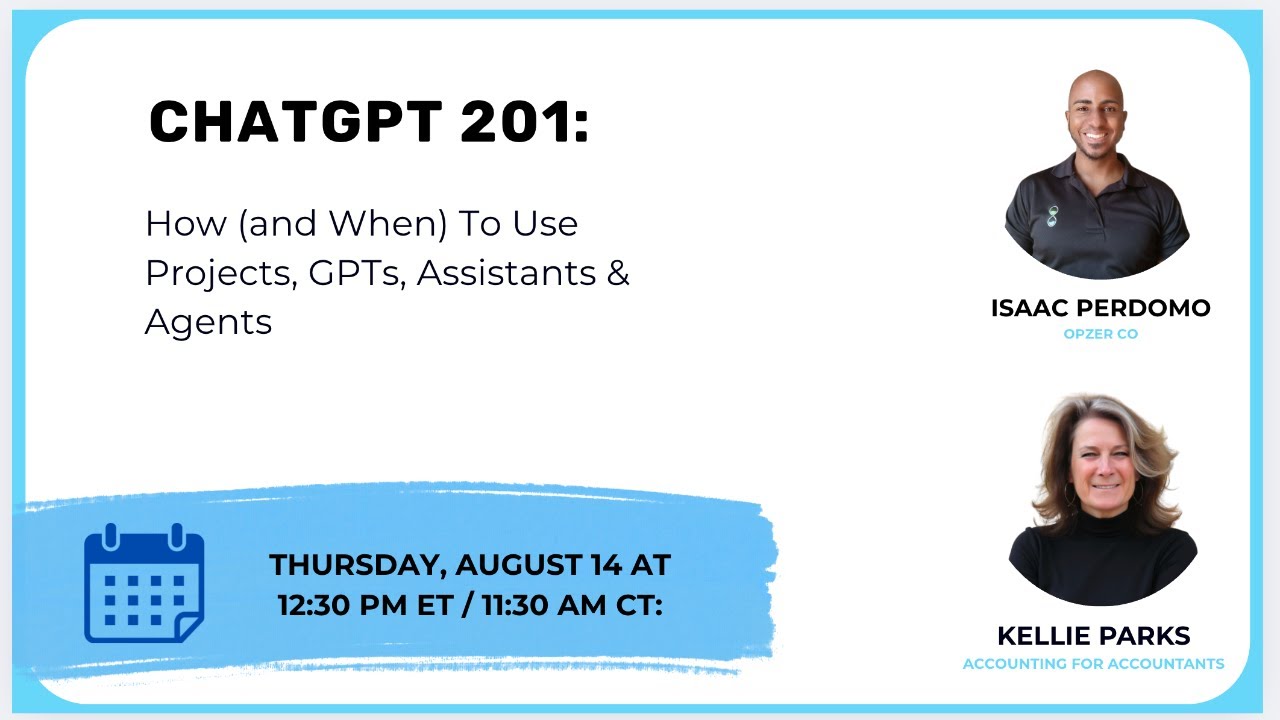
Kelly Parks and Isaac Perdomo show accounting firms how to use ChatGPT's Projects, GPTs, Assistants, and Agents. Projects organize chats and improve memory for repeat tasks like trial-balance reviews. Assistants can automate workflows: one example parses emailed P&L statements, flags anomalies, and writes results to Google Sheets in eight steps.
Chapters
Okay, so hello. You know what, I never even asked you, is it actually streaming live anywhere?
It is, and actually it just started.
Okay, so where are we streaming live? Where are we streaming live to?
It's going live in LinkedIn and YouTube as well.
Oh, fun.
And we— looks like we have already 28 people in the room.
Hello.
So we are live already.
Okay, great.
Perfect. I guess welcome everybody. If you all can hear us, if you wouldn't mind commenting on the platform you're on just to make sure that we're actually live already, that would be amazing. And I'll be monitoring the comments in the meantime.
Yeah, that's fun. And tell us where you're— maybe I always like to know where people are from, so I'm gonna go Puss Lynch. Ontario, which no one is gonna know because it's a little hamlet, plus Lynch, Ontario, which is an hour west of Toronto. So, oh, all right.
Allison is here.
Hi, Allison.
Lovely.
Nicole, this is fun. Oh, and of course my dogs have to start right now, right?
Little twerps.
South Dakota, fun. Uh, and I know it's not South Dakota. My daughter was just in— she— my husband and my daughter are hosts. That is my husband right there, our hosts of a fly fishing show. Um, and Alex, my daughter, was in, uh, Laramie, Wyoming 2 weeks ago, and she is going to Montana soon. Uh, my husband is, uh, has been recently in Labrador, Newfoundland, and he's heading up to Kenora. Soon, which is here in Canada. So that's fun. Yeah, Allison, thanks for dropping by. It's been a while since I've seen you, my friend. Casey, of course we saw each other a couple of weeks ago. You saw Isaac as well, so that was fun. Live events are the bomb, right?
Yeah, for sure. We have Deb from Asheville, Michael Brown from Montreal, Ryan from Ottawa. We've got some Canadians.
I see that. Uxbridge. So, uh, only, only someone from even Ontario would know where Uxbridge is. So welcome. Um, oh, and one from Peterborough. Okay, so we, we, we're disproportionately Canadian right now. That's fun. Uh, and we've only got one person from the Dominican Republic as far as I can tell right now. Right?
Just me. Just you.
Okay, I guess we should, we should probably start, right? Yep. Let's start it. I guess I'll start. How about this? We're going to do a presentation on ChatGPT 201. I was saying to a few friends in a chat group that I'm in that we had this presentation coming up and that I hoped Isaac had not built it until this morning. Just to give you a little insight, Isaac is the guy who knows all about this. He is the big head guy on the AI and automation and setting up things. I am the little head when it comes to AI. I'm decent at automation, and I'm really good at setting up processes. So we totally bring different skills here. Um, and so for those of you who are really ahead of the curve— and good luck with keeping ahead of the curve, right, Isaac? Congratulations. For those of you who are more like me, that are hacking things into ChatGPT and hoping for the best, I'm going to give you a few examples in a minute of what I've done this week so far. But Isaac, go ahead and introduce yourself.
Yeah, I guess my name is Isaac Perdomo. I'm the founder of Opsah.co. We're effectively an agency helping firms do more with their existing team and software. We'll talk a little bit more throughout of kind of like specifics of what we do, but that's pretty much the one-liner.
Okay. And I'm Kelly Parks of Calm Waters Cloud Accounting. Although I'm in a branding change, I'm changing to Accounting for Accountants, and I free owners from the overwhelm of running an accounting firm.
Of course, Kelly, as I go, as I would appreciate your comments, thoughts as we go. If I get too technical, feel free to dumb me down. If I go too fast, feel free to slow me down as well.
Sure.
Um, and yeah, I know you want to tell a little bit more about you and some use cases as well, so feel free to go ahead.
Yeah, because it's been a fun weekend chat for me. So, uh, again, uh, rebranding from Calm Waters Cloud Accounting, but I do accounting for accountants. We do bookkeeping for accounting firms' internal books. So the accounting firm's books, not the client books, although we do clean up and review engagements for accounting firms' clients. We don't take on their ongoing work though. I do process consulting and I sell workflow templates. But I wanna talk about a few fun things that I did this week. And because every week is a new thing, And I, I have not explored a whole lot of things in the AI or LLM world. I have stuck with ChatGPT, although I am a Googler. And of course, Gemini is trying to take over my entire workspace, and I wish it would just leave me alone a little bit. Where I am loving it is I use Google Meet, and it is doing a great job of my meeting notes. I haven't implemented an outside app for my meeting notes. Gemini is doing great. But I was telling Isaac earlier, it seems every time there's a new release on something, I'm away and it's taking me a while to catch up. Things that I've played with though, I was trying to do file, accounting file, QBO file verification, especially when I do these, if I'm going to take on a cleanup file, I like to take a trial balance that has come from the tax professional hard copy, and I like to take a trial balance that is in the current version of QBO and put them into ChatGPT. Let's just assume that's the only thing I'm using because I have not taken up with Perplexity or any of them. I put them into ChatGPT, and the last couple of versions have been doing a pretty good job of finding the anomalies in them for me rather than me going through them line by line. I do have the Teams version though, so nobody freak out about the security. Um, so I have been having it do the trial balance review for me and surface the issues. What I have not been able to do is take a GL, even just with the last— the first and last— the start date and the end date being the same, which eliminates a lot of transactions. I have had a hard time getting to put the GL in and have ChatGPT only feed me back if the GL ending balances match the trial balance.
Yeah.
It constantly wants to tell me all of the missing transactions from the GL rather than just get to the information. Um, I think 5.0 Is going to fix that for me. And that is a project for later today that I'm kind of excited about, especially for those long GL— long chart of accounts. Um, and so that's been a win. Um, it's been helping me review financials and give suggestions and find anomalies in financials. I already told Isaac that we— my daughter is selling a camper trailer. So this is obviously not related. To accounting. She's selling a camper trailer, and so I fed all of the specifications into ChatGPT and had it create a sales sheet for me. Created a simple sales sheet, a Facebook Kijiji Marketplace sale. It created a, a really nice brochure with images, and I had to go get the images because we didn't really have good ones. And then I took that sales sheet, I fed it into Lovable Lovable is an AI app that builds websites. I fed it into Lovable and had it create a website for the sale of the trailer. And then the last example of what I want to do is a while ago, I had it create an employee handbook for a client of mine. They didn't have one, and they have liquor sales, they have lottery sales, they have all kinds of things. We needed a robbery Um, statement. Like, we needed all of the things. It's a convenience store. I fed in all of the sections that I wanted. I gave it some websites back, and then it created a handbook for me. I didn't love it. I rearranged some sections. It doesn't like to put things in alphabetical order. It doesn't like to put— like, it didn't do all the nuanced things that matter to a lunatic like me. But it did a good enough job that I didn't have to create this thing. So then I massaged it, and then I put it back in, and I had it create a fillable PDF where the fields should be. It did it wrong 3 times. This was yesterday or the day before. This was 5.0 where I put it back in. I built it in 3, I put it back in in 5. It took a couple of goes, but it finally put the right fillable PDF fields in the right place. So those are the fun things that I've done. None of them are huge or big. So for those of you that are worried that like, well, I have to do all of these things in chat, you don't. And the other thing I've done is I've made ChatGPT one of my startup pages on my browser so that I am— it opens up for me automatically when I open that browser. And so it is staring at me, and I've now gotten into the habit of using it for queries more than just, uh, uh, more than just Googling things. Perfect. Perfect.
I love that.
So that's me. And I know a lot of you are at the stage that I'm at. Don't feel that you're getting behind because it's crazily overwhelming, all of this.
Okay, go ahead. It definitely is. Perfect. I appreciate you sharing some of those use cases that you've explored. Actually, pretty similar to some of the things we'll be talking about.
Great.
In terms of file reviews, I have a use case about that. In terms of also like visuals and creating some kind of like material to visualize and communicate something effective in a visual way. So thanks for, thanks for sharing that. We'll probably refer back to that whenever we get there. For those of you who don't know me, I introduced myself already, but just talking a little bit more about our company. We believe that the accounting industry really has a responsibility to leverage automation, data, and AI to the best of their ability, not only to produce a better outcome for the clients but a better life for the team as well. So that's kind of what we set out here to help in terms of giving them the training, the consulting, and the implementation services to make that happen. We've all been featured and honored to be kind of featured by some of the big brands and leaders in the space. which you can see there below. In terms of our training materials and kind of things we put out there, we're doing weekly videos on YouTube, so if you kind of want to learn a little bit more about that, feel free to subscribe. Or if you're more of a text person, we have a newsletter as well. We send a monthly email with news, industry insights, and real-world use cases as well. Our consulting and implementation typically is like a 2-step process where we first audit the firm to better understand the process and their tech stack and see what are the biggest wins that they might have available for them, and then help them with ongoing implementation, building dashboards, local automations, and AI automations as well, just to make them more efficient, pretty much. So that's enough about us. Let's start talking about the topic at hand. You already touched on this, Kelly, but like AI is not new anymore, but it's changing so fast that, you know, I changed this presentation multiple times and it's probably still— there's many things that are obsolete already. And of course, accounting firms face a lot of industry issues in terms of pricing pressures from tech startups or capacity constraints because of talent shortages. And we always ask ourselves, it's like, will AI be the— at least a component of the solution? And my hope is that the answer is yes. And today we provide a little bit more insight on how exactly that can be the case. In terms of stereotypes or types of people, we like to see like 5 phases where we go through from all the way from someone that's ignorant or like choosing not to learn, not to use the tools in the first place. Hopefully no one here is there anymore. We have then like the AI curious kind of person open to learning what others are doing, showing up on webinars like this, and probably the one where I would suspect most people are, which is like you're using the ChatGPT, Gemini, Claude, insert your tool of choice on a daily basis. What I'm hoping to share today is what does it look like to start to move from AI being a talker to being a doer? How can you go from, in this particular Kind of progression that we are presenting, go to AI workflows where you start using and incorporating AI into specific steps in like predefined automations, and all the way to agents in terms of having the ability for an AI to kind of execute a much more open-ended task, a much more autonomous way. So I'll be curious to hear For the people in the chat, what do you feel you are in those stages? Let me see, I think I saw a couple comments come through back and forth. Let me just move on to something else. So I'll be curious to hear. Go ahead.
Can we go back to the previous slide while we ask this question?
Sure, of course. Let's put it there again so people can identify themselves. I'll be curious to hear if anyone's Has already started exploring AI in their actual workflows, automations, and having it do work on the background for you? Or have you just managed to do more like everything it does pretty much has to be that you inputting things in and talking with it in the regular chat?
I'm going to share where I am. I think I'm at AI workflows, but not necessarily for counting workflows. I am more at it for it creates documents. I'm having it do some— I'll give it a slide deck or content, and mostly content, and it'll create a slide deck for me. So I'm at the low level of AI agents.
Right.
I think that's an agent if it creates something for me, or is that still chat?
honestly, it's such a spectrum that it's like it's blurry, the line between one or the other. But I'd say it's probably somewhere in between the two for sure.
I like that someone is curiously chatty. Okay, it's fun to see where a lot of people, it seems they are between curious and chat.
Yeah, and chat, creating, perfect. Between AI chat and workflows, trying to move To expert. That's perfect because that's exactly what I kind of try to create this presentation for, people that are in the AI chat phase but they have a desire to get AI to actually do useful work on the background without you having to go into ChatGPT and put it in. Okay, and the logical steps I see to getting there are specifically the features that we're going to be talking about today. So projects, um, projects, GPTs, assistants, and In that way.
I just— sorry, I'm— and I just apologize for being the interrupter, but it's fun in the chat. So we've got a friend of mine in there, Mark Coram, and Mark is one half of Write Tool with, um, Hector Garcia.
Oh yeah, I know Mark.
And I am going to plug this so hard. If you are not— if you're using QuickBooks Online and you are not using Write Tool, Go right now and get Write Tool. Even the free version will change your life in QuickBooks Online. It takes all of the pain of the UX/UI silliness and fixes it. I couldn't live without it. But Mark is the, um, the developer behind it. He says, I think I'm where Kelly is at. I think she seems to be further along. I doubt it, Mark. Mark's amazing.
So that's right, it will save your bacon, says Deb.
Yeah. Okay. So sorry, every time I see something about Write Tool, I gotta sing that song so hard. Okay, carry on.
Perfect. All right, so a high-level summary for the busy people in the room that want to just like get the snapshot of what we're gonna be talking about. These are the 4 features in order that I see as kind of like going from that AI chat to that AI workflow or AI agents area. The first one being projects. Projects is essentially a way for you to just organize your chats into folders. You have the ability to have specific files and instructions, so it's almost like a personal— worth noting, it's not something you can share with the team, but it's just a personal folder, not that different from what like a folder and file management system would look like. In this case, simply in the context of your chats with ChatGPT. It's actually included in your ChatGPT subscription, and it's right there in the sidebar. We'll take a look. Couple examples. GPTs, this is really optimized GPT for use case that it can act. One of the things that's important to mention about GPTs, although you have the chat function, you also have— but you can act, you can make it do custom actions outside of ChatGPT if you set it up correctly and you set some things up. We'll see some examples there as well. And again, it's something that's included. Something that's worth noting I didn't mention here is that also GPTs can be shared, and there's also a GPT store where you can leverage what other people have created already. Of course, the new kid on the block is agents, which is kind of the tool that now combines not only like deep research and chat and some of these features we already have for a while with the capability to interact with a browser or with a website. And that unlocks its own set of possibilities. Of course, it's also included in, I believe, the paid ChatGPT subscriptions, somewhat limited usage. I think we've got 40 chats a month. The last I want to talk about, it's the Assistants. It's probably one that's less known because it's really a developer tool for you to be able to automate and scale your use case. This is probably what many developers, app developers are using to integrate AI into their products and something that firms can use to integrate into their workflows as well. It's worth noting that that's not directly accessible through ChatGPT. It's a separate website. It's actually separate pricing where you get paid, where you have to pay per call or per message that you send and it can have its own separate pricing. pricing. Typically it's fractions of cents per call, so it's relatively minimal compared to the benefit you get. Does that make sense? Just— that's just a quick summary there before we dive in.
I think that's a great summary. Thank you. And I'm trying to be better at using projects. It's so easy to just go in and just like start pecking and adding images and doing all of the things though, but I'm trying to be My girlfriend Sherry Lee called me out on not using projects. She sees my chats and she's just like, you're not using projects. And I'm like, don't shame me.
Yeah, we'll see a couple of examples actually right in a second. So as we mentioned, what's unique about projects? As we mentioned, the best analogy is simply a folder, just like you would use in Google Drive to organize your stuff. One of the benefits you have, it's that better memory because For example, I use like, I use a project to write my newsletter. So the more newsletters I've written, the better it gets because it has that context in that specific project. And also in this particular context with the features we're talking about, you have no limits on model selection. That's kind of not as relevant anymore because there's, you know, some changes in model selection that have been happening recently with GPT-5. But the idea is that you can select any of the models you have available in your account.
Actually, Isaac, this is probably a good spot. Can you, because it just happened, can you mention a little bit previous that there was 3, 4, and now 5 is just, it just exists before you pick?
It seems like the vision of OpenAI is not exposing the models to the user and just have it use it and figure it out, you know, what those models, what model to use in the background. Traditionally, we had 4.0 and 0.3 and 0.1 and 4.1 and 4.5. Each one, at least the people that are trying to stay ahead of the curve and talk about this stuff publicly, trying to figure out which one is better for what.
Right.
It does seem like over the long term, OpenAI will lean towards just having one interface and figure that out from there. I think right now they have GPT-5 and GPT- I've seen a preview of GPT Pro. I don't know exactly what it's going to be for, but at least that's kind of what we have at the moment.
Okay, so Deb Hall has a question, or maybe it'll be answered. Deb, come back in if we don't— if projects versus custom GPTs don't quite make sense to you what the difference is.
Hopefully as we go, that'll become a little bit more clear, especially once we start sharing my screen with a couple of more examples. But think about it this way. The projects, it's personal. The GPTs you can share with others. You can share with your team, you can share with someone. Also the GPTs has a GPT store such that you can go in and see what other similar folders. It's very similar in concept. It's just a GPT that has specific instruction, has certain files, But in this particular instance, GPT has the ability to action outside of the tool and be shared with others.
My girlfriend that I called out earlier who basically called me out on not using projects, she's in the chat right now saying that she loves projects.
Nice.
Projects are something you just get the hang of them. They feel organizational as you mentioned to me.
Yeah, definitely.
Yeah.
So these are some of the projects I have at the moment, right, of like a process manager to work with documentation. I think you mentioned that employee handbook is very good for documentation purposes and things like that. I have a thumbnail briefer. We started doing some YouTube and I suck at like coming up with like visual concepts to give to a designer of like what this thumbnail should look like. I just have a project that has like a bunch of like good examples. And then I just have to go in and like share the topic I have in mind and could kind of come up with ideas.
Actually, I'm going to come back to that handbook. I wish I had used a project in the beginning for it because there were so many iterations of it. I would have liked to have started new chats within that project, and I would have liked to have had a better stream of images. Oh, the, the one I did today, I would have liked to have had a better stream of images.
Right.
If I think I'm going to come back to it and it's going to do things over more than just once, a simple question, I like to build a project. But I'm not as good at it as I should be. Sherry Lee is rolling over right now on me.
Yeah. I think that's the good idea to start thinking about is as you do something more and more, you'll start to go to the left in terms of the features we've been talking about. You might start a project because it's helpful for you and you're doing it multiple times and then you realize, oh, Maybe your team could use this too. Send them, I'm going to create a GPT, and then you potentially want to scale it across your firm. I might create like an assistant from there. So that's typically the progression we see, right? The more you use the chat, the more you get familiar with what the tool is good at or is not, the more you realize what are some of the— how you can scale that use case essentially.
Right.
We asked the question in another workshop we did of like, what are some of the project use cases that other people And these are some of the questions that came up for them: rebranding and marketing, tax research, personal reflection. Actually, this is a fun one, Kelly. I have a folder. I used to journal. I don't journal anymore. I just kind of have a project that's like for reflections, and I just use voice mode for it. So I kind of talk to ChatGPT rather than journal on a regular basis. So that's a fun one. Taxier communication is something that other firms have brought up in the world of projects and quarterly client meeting insights where you might have the ability to create a project that has been prior conversations, information about a client, and that allows you to kind of know what to talk to them about in it, like in an advisory meeting, for example. I would love to know what projects do you all have In the audience. I see Lori says she has a 12-month marketing plan with monthly content and then ads for social media. I have a marketing strategist project too. It's very useful to kind of like almost have like a marketing advisor. Sherry has 2025 T4 processes reviews, year-end trial balance, accountant's QBO bank feed conversions. Interesting. We can see some of the use case there in the chat. What's the best way to train it on your personal tone? It's funny actually, the best way I've found, I'll say this, I was actually trying to create a video script recently and it was so weird, not my tone at all. One of the things I did, I use Shortwave, it's like an AI email management that has access to all my emails. And I asked the GPT to tell me, hey, what's my tone? Because sometimes it's hard for you to describe what's— how you typically write. So maybe that's a tip that might be useful because it was useful for me to tell it, hey, what's my tone? What should I tell another AI to write more like me? And it gives me a series of things that I then copied over, and then the script was so much better. So that might be something you can use it in your Okay, Casey, the more examples you give it, the better, the better it will be. All right, shall we move on to GPTs?
Yeah, let's move on. But I just want to say, I like some of these examples of projects that are in here. So thank you. And Casey, I hope we answered the personal tone one. I think you just Isaac, you basically said it. You just got to keep using it, right?
Well, give it as many examples as you can, but also I think it's useful to ask the AI itself with your examples to describe your tone.
Nice.
And because sometimes, for example, I saw, um, that it says like, oh, you're always, um, I can't recall exactly, but like you're always very friendly and say this in this way. And I was like, hey, I didn't realize that. Sometimes it might pick up things about your tone that you yourself don't realize or wouldn't be able to verbalize, so it can be useful to do it that way.
Cool. I am loving the projects that people are using.
Something worth noting too. I don't think we'll have time to demo it, so I want to move quickly. Maybe we'll have time to revisit it. Voice Mode works within projects and I have projects that are almost like role-playing conversations. A specific one that I use a lot, I call it manager feedback. It is a project where I effectively tell it a use case that maybe something happened with our team and I have to provide constructive feedback to someone in a way that's not, you know, don't get them defensive, in a way that's empathetic and compassionate. And actually, the prompt is essentially saying, hey, I'll tell you the use case, role-play with me. And after role-playing, give me feedback on how I could have done it better. And that's an incredible, incredibly useful project for me that I use very regularly.
And did you say you're doing that with actual— with voice? Are you using voice a lot?
Yes, I am. Effectively the voice mode version in the mobile application. So essentially when I role-play, it's literally I turn on voice mode and start talking to it. Again, maybe we'll have the time to come back, but I do want to make sure we move through the other things.
Well, good luck. It's me, Isaac. It's me. So good luck with that because I'm going to mention one thing about the voice mode. So you and I have a mutual friend, Brian Clare, Canadian accountant up here. And so Brian put out a post a little while ago, and he— because a lot of us are loving voice, but he said what a lot of us say. It's like recording videos. We're overthinking how perfect they have to be. So he was saying because he's overthinking how perfect he wants to talk to it to get the proper outputs, that it's taking him longer than just packing it out. I think he fixed that now, but he's not wrong. So it's like the video recording. Just don't overthink it because you can clean it up. Right?
Right. Yeah. I'll say this. There's a difference between— I think I saw his post. And he was talking about an app that lets you do like voice-to-text.
Whisperer.
Correct. I'm talking about specifically the voice mode version of ChatGPT where you wouldn't have the ability to edit anything. But I understand where that kind of fear is coming from. My experience is like you just talk to him and you, oh, scratch that. I didn't mean to say that. I meant to say this and just, just we'll work along. And chug along without issues if you kind of keep going. At least that's been my experience.
Do projects expire?
They do not, as far as I am aware of. I'm not aware of any expiration date on any of the features we'll talk about. Now, what's possible is that that feature disappears or changes names or something changes, but at this point, there's no expiration date on it. All right, so let's talk about the next feature, which is GPTs. The best analogy I can give for this is simply it's like installing apps on your phone, each one built for a specific task or topic. And the way I like to give that example is like apps is because just like your apps you download them from an app store, GPT also has a GPT store. Okay, some of the unique features that this has compared to projects I know someone asked about what's the difference. You can share this with your team or with other ChatGPT users. At least as I might check, it was last week, maybe it's changed or it will change once you see this in the replay. You cannot share projects to any— projects are personal. GPTs can be personal if you make them so, but you can share them with others as well. As I mentioned, you can execute actions on other tools. We'll see an example of that. That particular use case I do want to have the time to share. And this is again one of those things that's changing at the moment, but typically you don't have all the models available in those GPTs. Specifically, if you're using custom actions, it might restrict you to just specific models at this point in time. Effectively, ultimately here, is there anything you— any use case you wanna share with other people or you wanna download from the store or do a task be just, just an answer? This is a good, a good, a good feature to use.
So Sherry Lee has a question. She thought you could share a project within a team. I just checked mine and I can't seem to.
Do you have the Teams plan? It might be. Again, this is changing all the time, but last time I checked, On the plan we're on, you cannot. I couldn't.
Mine won't share right now either. Okay.
So again, I asked this question of like what people are using for GPTs. Here are some of the things accountants came up with. It's like client-specific advice. We mentioned that. Okay, we have a GPT that has the context for a specific client and can I— allows the client itself if they wanted to interact with their— and ask questions about their own data. A lot of like yes or no determinations on tax strategy situations, like does this particular strategy apply to this client? You can kind of train the model to do that determination reliably. Reviewing in any way, shape, or form. I know you talked about, Kelly, reviewing trial balances, but is it— could it review returns or communications or other financial statements? And also one of the things, this is, I'll be curious to get your thoughts and I know you're a little bit more in the SOP document process world, using the GPT actually as the SOP, meaning rather than you sharing a document with a team member, you share a GPT that on the background has the various steps, but it makes it a little bit more interactive because the team has to like talk to the things, can ask a question to get specific maybe to the step they're stuck on. Rather than having just a document that they have to find specifically where they're at. Let's look at an example. I think that it'll be awesome just to, just for a second, share my screen and actually share a little bit more what this actually looks like in practice. Yeah, yeah, yeah, yeah, yeah, yeah, let's do it. The example I have for you is the following, or the use case. If you ever had to communicate like a complex multi-entity relationship verbally, that's pretty tough. So if you have a client and you're trying to advise them of a particular entity structure for tax purposes or whatever it might be, can be challenging, let alone like training another team member understanding it if you're trying to pass that relationship along. So the idea of this GPT that I'll be using, it's actually from Whimsical. Whimsical is a flowcharting tool that I'm assuming, Kelly, you probably have heard of it before. No, I have not. Let's go to ChatGPT. Go ahead.
I have not heard of Whimsical, so this is great. Thank you.
Perfect. So I'm going to go to ChatGPT, and as I mentioned earlier, In the sidebar is where you'll find both projects. You can see your projects here. If you have not created one, you can see one right here, and you can see GPTs, okay? If I click on here, the first thing I'll see is the ability to search for GPTs that already exist. Also worth noting that here at the top, I could create one for myself if needed too. I'm going to open Whimsical. I'm going to search for Whimsical, which is like a process diagram tool that we use internally and pay for. Here's the prompt that I have already prepared in advance for you all. Again, as I mentioned, it's just trying to map out the entity structure of OpenAI. It says create a visual flowchart for the entity structure of OpenAI that illustrates How it's nonprofit, for-profit, along with like ownership percentages and value sharing agreements work. And then it just hints at like, hey, there's a profit, there's a general partner, there's a limited partner, there's Microsoft that owns a big share, there's the investors, the employees, etc., etc., etc. So I'm just going to hit send. And as we mentioned earlier, you'll notice that it's still connect talking to a connector. And what that means is it's actually trying to create something outside of itself. We'll see how it works. You can see that it did something not very well. I— this was what I mentioned, like this can be sometimes semi-reliable. Actually, I'll reprompt it again. Try again, but make sure each box represents an entity. And we'll see if we can get it to work. Otherwise, I have an example of one that it gave me that it did pretty, pretty well in that particular case. So let me click on Always Allow. Let me show you all what the— I guess what this looked like when it tested it earlier. Effectively, I told it this. I said, can you adjust the names? Because it says like ABC, whatever, to the actual name of the entity. And this is kind of what it came up with ultimately. Now this is not, uh, you know, as a human would have done it, but at least it's so much easier to understand. Like, okay, we have this entity here that has full control over this one, but it manages this one, and then there's Microsoft that owns this percentage of this LP but has a commercial partnership with Azure. It's so much easier to understand that relationship in a visual format, and that's in this particular example, something that AI created on its own.
We have a question. It's back a little bit. Do you mean you use a chat to build a GPT to build an SOP, or you can access the GPT each time you are following the SOP?
The specific use case I was talking about was the latter, although the former is also something you can use it for, sure. Now, I do want to quickly share, like, how would you go about creating your own GPT? So if I go here and create and click on create, it's kind of like a little meta because you can actually in this particular tab create it by just talking to it and tell it, hey, this is what I'm trying to do. But if I go to configure here, I'll see that I can have like a name, a description, the instructions that I want to give it, and I can upload specific files. So I, I want to— I know it— I wanted to reference this particular knowledge. Okay. I can also give it some capabilities, right? One of the things I was talking about with another firm is like they're trying to create a tax research GPT, but the challenge they're having is like going to the web and searching for this blogger that talked about a strategy that makes no sense. So sometimes you can disable those capabilities to say, hey, don't do any web search please, just rely on the knowledge I've given you. And this is, um, This is effectively what Whimsical is using, this custom actions, and this is what I talked about that's different from projects where you could— it gets a little technical, it's kind of beyond the scope of today's presentation, but you can create and connect this to other tools via API. So if I wanted to create GPT that can create journal entries or that can create contacts in QuickBooks or that can, you know, create tasks in my project management system, or can send emails, I could do that as well, which at the moment is not something you can do within Project itself. I hope that actually answers the question you all had around what's the actual difference between GPTs and Project.
I have a silly question, and I know it. What does GPT stand for? Just for fun.
I think it's generative pre-transformer, and I think the idea there is that it generates something, then transform it into kind of the language that you're kind of talking to it with.
Okay.
But I wouldn't know more about, I guess, where that came from or like what it actually means beyond that.
You had it. Basically, it's Generative Pre-trained Transformer.
Oh, pre-trained. Yeah.
Close enough, right?
Yeah, that's fair.
Fair idea. Yep.
Little quizzes. I love those pop quizzes to see if we're familiar with the terminology. I appreciate it.
Well, I'm blanking on the full version of what API is.
What is API? Let's do pop quiz for you then.
Right, and I can't remember right at this moment. And I just— and it is something that I do know, but I'm not great on my feet with this kind of thing. Right.
No, that totally makes sense.
I Googled it. It's, uh, application programming interface.
There you go. Okay, Allison helped you.
Allison. Oh, Allison got it too. Thanks, Allison.
Nice. All right. Well, maybe I wouldn't expect many answers if you all are not at this stage yet, or if you haven't dealt with GPTs, but anyone in the audience have worked with GPTs, have created GPTs of their own, or use some of the GPTs in the GPT store? I'd be curious to know, and it'd be awesome if you could all share with each other there in the chat if that is the case. All right, are we ready for the next one? Let's talk about it. Let's talk about assistants. This is again, the way I like to see it, this is like building your own app, building your workflow. One of the benefits, now that we talked about API, funny enough, this makes the OpenAI prompt executable automatically via API. What that means is if you have to go in, in your example, Kelly, maybe OpenGPT, paste the trial balance for that to give you an answer, and then you take that and you run with it, whatever it is you have to do. If you do that in your cases, sometimes we work with larger firms, they might have 50 clients, 100 clients, 300 clients. So if they wanted to implement a workflow to use AI to do that review and give that to client, to their team members, someone going in and doing that 100 times, it's gonna be challenging, right?
Right.
So this is really the main benefit of the assistants. It's a developer tool. It also unlocks some deeper settings that will make the model or the response more creative or deterministic. So you have like a little bit more control to almost like fine-tune what AI does. Not only by telling it what to do like you would in GPT or you would in projects, but by literally turning up and down the knobs within its own system, if that makes sense.
I like that, the knobs.
Right. It's like, hey, you can tell it, hey, don't be creative, do what I tell you to do, or you can just turn down its creativeness or creativity, I guess. So again, main benefit, it's you don't have to log in to get the answer, and this is ideal when you want to automate or scale a particular use case.
So I have another— possibly I'm gonna look like a ding-dong here, but I'm fine, I have no dignity. Assistants would come into play in a lot of the same places that Zapier or Make would. Am I right?
You are exactly correct. The moment you create an assistant, now you can call it from an API call. You can call it from a Zap or a Zapier automation. You could call it from a Make automation and so on and so forth. And we'll see an example because I've come prepared. So this will make a lot more sense now as we demo what that actually looks like.
Okay.
Here's the use case.
But going back to that, I'm just— I'm noodling through something I don't have an answer for.
Go for it.
Some of us have so many hesitations around, and probably rightfully so, around OpenAI security with our client stuff. And the Teams version should put some of that to rest. And in my engagement letters, I do say that I am probably going to put the client's data into my, my ChatGPT account and that it's a Teams version. But yet we're willing to do all of these API calls with all these other apps. I'm always a little leery on a 2-way sync anyways. I'm pretty careful with that. But it's this weird world where we're hesitating on one side with our client data and then we're letting Zapier make— connect all kinds of things anyways. Although I still—
I'll say this. I'll say this from the very beginning, actually from the very inception of OpenAI when they came up with GPT-3, the regular chat user is what they used to train the data. Of course, you have the Teams plan within that so that they don't, but that's always been an option. With the API, they've never trained the data or the model on any of that data. So the API has almost been turned— have that setting turned off from the very beginning, and I don't think you can even train it on, turn it on like you would in a kind of GPT. So I think from a security standpoint, feeding data to GPT assistant, to a GPT assistant, should have less— people should have less concerns. Of course, I think there's a level of education. Right, if that's the unknown and they're not familiar with some of the policies that some of the models have. But GPT specifically does not train the model on the data that's passed through its API.
Okay, good to know. Thank you.
Okay, perfect. So again, going back to this use case, I'm assuming for many of you, if you are producing financial statements, you have a process where maybe a junior or mid-level resource, it's creating the bulk of the work, and then at some point that's passed on to a more senior individual to review and to give that person feedback potentially. The whole idea here is that if we could have AI in that middle layer so that the— this person talks to AI to give it feedback and potentially catch issues and ultimately have the opportunity to train them, and save the seniors a bunch of time in the process as well. So this is an example of actually something we built for a client, and in that particular case, they, they were using SIFT, the kind of reporting tool, to get their— all the statements from the clients, and we pushed that into a particular inbox using Zapier to run every month for every client a series of, like, a prompt that she already had written. That prompt essentially gave them what we're looking at the screen right now of like, hey, these are the positive findings, potentially things we find that we might be able to talk to the client about that are on the positive end, but then has one task for like negative finding or like things it found that maybe the bookkeeper should take a deeper look at. This is an example here, like no change in balance, retirement didn't change from month to month. Why is that? Or distributed distributions exceed net income. And all this is based on like English, English-based, like plain English-based rules as opposed to like a specific, you know, mathematical formula. So Let's take a look at how you would build the assistant, and then let's take a look at how you would use that assistant within an automation, and let's actually run an example live. So shall we, or do you have any questions, Kelly, at this point?
No, I'm, I'm excited about this.
Perfect. As a reminder, this is a developer tool. This is not something you will find within chatgpt.com. You have to go to platform.openai.com to find it. However, you will be able to log in with your own, with your same credentials. But once you're here, you'll go into dashboard and you'll see a series of options available here in the sidebar. One of them is a little robot. That's called assistants. This is where you would create an assistant. In this particular case, I already have an assistant created that's called Financial Reviewer. By the way, shout out to Donna Burdocks from Calculated Moves. She was our client and she was the one that created this prompt. Again, this is the thing I mentioned earlier. Once you figure out something that works in the chat and you want to scale it, You can use those same lessons you've learned to do that. Now I'm going to read you the prompt. It's super long, but I just read some parts of it so you get an understanding of what we're telling the AI to do. It says you're a CPA reviewing financial statements. Please review the attached balance sheets and income statements provided and provide the bookkeeper with any review notes of what looks odd or should be questioned. Please follow the instruction for each procedure. And then it says, hey, these are the procedures I want you to follow. Analyze abnormal balances, recent expenses, depreciation, etc. Effectively, after that, then it goes, okay, I told you to do abnormal balances. This is exactly what abnormal balances mean, right? It's like identify if an account has a balance that's not normal. Loan or credits, if they are loans or credit card accounts where the balance didn't change from month to month unless it's zero, maybe that's something you should question and flag. Significant variances, check the instances where a particular account maybe increased more than $1,000. And you can come here if that's different for your clients because you work with BitMarket, you can come here and change that as needed. But this is effectively the prompt that the assistant will run the data you give it through to then produce the answer you want and push it into anywhere you want.
Cool.
With the example of the client we shared, it was to their Teamwork account. It's like the project management tool that we use, but if you wanted to push that anywhere else, you could.
Remember I said I'm little-headed? I now feel teeny tiny-headed when I see this.
Yeah, and remember that I talked to you about those knobs? These are what those knobs look like, right? You have temperature, which if I hover over to tell me, hey, lowering the temperature results in less random completions. As the temperature approaches zero, the world— the model will become more deterministic and repetitive. So you can kind of like play and trial and error your way. It's like what level of settings within like the knobs in the model will produce the better outcome.
All right. Sherry Lee says assistants look overwhelming. Yeah, I'm not gonna disagree. It looks Super fun.
Yeah, it looks super fun.
And you train it like you basically talk to it still, like you do a GPT, like all of it, like it's an intern if you want to get a good answer, right?
Correct. Yeah, you have the ability to actually play with it or like test it right here. But what I'm gonna do, because I already have this in Zapier, and here's the, at least what I am, what I have it set up to do. I have it running a P&L and then pushing it to this particular sheet. As we mentioned, you can kind of push it anywhere you want. If you want that in a project management tool, if you want it in Slack or whatever it might be. And in this particular case, the trigger is just sending the statements into a particular inbox, which in this case it's automatic review. But I'll share what that looks like right now. So I'm gonna go ahead And create a new email address and say testing live. And I'm going to give it a profit and loss statement that we have here, just this dummy data. This actually comes from the QuickBooks, um, test account, and it's just relatively basic. It doesn't have a ton of information, but you can see that it has like last 30 days and then prior period. So you get to see some of the things that are here. For example, I can see here 2,666 and 250. So that's a significant variance based on the prompt we provided it with as an example. And there's many other things here as well. Now because I sent that email, I should see that come up to the to the sheet in a second, but I do want to explain what the automation is essentially doing. Um, all right, so this is what the setup looks like, and it's just 7 steps. And it fundamentally— what it's saying, hey, every time I receive an email in this particular inbox, I want you to start a conversation with an assistant. And guess what assistant is that? The assistant that we created, the financial reviewer. From there, we have to do typically a series of steps just to format it correctly so that then we can push that data into Google Sheets in the format that it accepts it, right? Effectively, there's really just 4 steps. Get the email. From the attachment, I'll share that with the assistant, format it properly, which are these 4 steps. And then push them to the spreadsheet.
Okay, so I'm gonna stop us a little bit there because I love when you said it's, it's only 8. I think you said 8. It's only 8 steps. It's a pretty easy one. Not for some of us, but this is actually what you— and I'm not doing a sell here, but— and I can build Zaps, but some things are better built by somebody else. And that's what you do, right? You make these things.
Correct. Uh, yeah, we have now a team of engineers in the background for accounting purposes.
So I'm just throwing that out right now that this is actually what Isaac does, is build these things that he just said are just an 8-step Zap. I, I don't want to build an 8-step— I mean, I do build Zaps, but you know what I mean. So in case you're still wondering what it is that, uh, Isaac does, that's what Isaac does. He does the I'll just do that for you things. Okay.
And this was empty earlier. I see it didn't caught a lot of things. One of the challenges sometimes is we have a dummy P&L that doesn't have a lot of insights potentially, but here you have, uh, like the significant variance that it catch as an example. Uh, Sherry says contact info please. Our website is opset.co. I'll share a little bit more about that. Uh, there you go, Kelly. Thanks for that. Uh, and because we're up on time I will not talk a lot about agents, but what I'll say is that the feedback for agents has been mixed, uh, over the last, you know, few weeks it's been out. But Chad Davis, with— I know you know Kelly as well— he kind of like went out and said, hey, after 20 hours of playing with it, I'm not ready to make adjustment calls. More unreliable than reliable. I think that we're still figuring out exactly where it might be useful or what it might be useful for. So I think there's not a lot of use cases that have at least have come our way as it relates to agents. Of course, as Kelly mentioned, this is what we do every day. This is what we do for a living. And literally we have now engineers in-house building complex automations that we need to put in place and kind of pair them with process and effectively people that have familiarity with the industry to kind of get and find the use cases, and then the engineers to implement it and bring them to life. So upcert.co/com if any of you want to either schedule a call with our team. If you're not quite ready to have a conversation, there's also some freebies and free use cases that you might be able to download. And I think that's it. I think we did it. 59 minutes.
Okay, even with me trying to take you off track, but I still didn't— I didn't use my bell to keep us on track. And you and I both already said if people have some questions, we have a few more minutes to stay on. So we did make it at time. Pretty proud of us. Good work, Isaac. But if people want to stay and put some questions in the chat, we're here for it. Questions in the chat, we'll repeat them back because they don't really show up on the recording or anything. Yes, there's a recording, and yes, you can have the slide deck.
Yeah, I think I have the ability to push and show the questions. So if any of you have questions, I'll make sure to go through the comments to see if there's anyone we— any particular question we missed. But we're happy to stay here for another 5 to And if any of you have specific things you want us to answer.
Actually, do you want— if we're going to stay for a few minutes while we're waiting for questions, do you want to go back to agents a little bit more?
Let's see if people are curious about it.
Okay. So Shawna says, I'm sure I'm missing something super obvious. Welcome to my world, Shawna. But how do I see the work I've done in previous sessions in projects?
Very easy, very, very easy. The projects, when you click on the projects, it will show you the history of chats you've had within that project. That's number one. Number 2, if you happen to start a chat and you're talking about, I don't know, let's just say you're talking about journaling for my, uh, you know, whatever. If you write something out that relates to a project and you don't create it in the first place, you can actually move a chat into a project after the fact as well. In this case, it failed to move for some reason, but you're supposed to be able to do that.
Because it's a live demo, that's why.
Right, exactly why. I see some people saying I'm not ready for agents as I hear the feedback that it's not show ready yet. I would agree. I think that we're still figuring out what it will be useful for. One of the things that maybe might be useful to share is that the difference, or what it promises, is that now it's able to interact with the website. So if you tell it, hey, actually let's go back to briefly here some of the use cases that people are throwing out there around agents. that I've heard some people interested in. So things like doing tax, remember the tax research? Actually I had a firm that they use Checkpoint. It's like an old software, has very good information but doesn't have an AI. And they were like, what if we could tell it to, hey, log into my SharePoint account to download that information and then answer my tax research questions just based on that? Just as an example. One of the things also people have been thinking about is like, can you go into the bank feeds of your clients to message them if those bank feeds are broken. It's funny because that's a use case, you know, we worked with Brian Clair on, and I think that again, under the assumption that we get to a point where agents can really work reliably, that's something that it will be able to do. Edit my website. Honestly, I would love to be able to use something like that to say, hey, edit my website, add a banner that looks like this, and for it to actually go ahead and do that. That'll Amazing, because sometimes what we found is that, um, I know there are tools like Lovable that build the website entirely in the first place, but if you had an existing one that is using a tool that's like drag and drop, sometimes it's challenging to make changes, uh, using AI. And just personal things as well that require a website for you to interact with it. It's like, hey, buy me this, this thing, or can I book these flights, book these stays for me?
So on the website I am now officially lazy. I, I have coding skills because I come from a marketing background. I don't have developer skills, coding skills. I no longer bother to try and drag that out of my brain when I need custom code in my website. I use Squarespace. So I, I am just asking for code now if I want some of those things. But I will tell you, One of the things to decide is when to buy and when to build. I was going to build a chatbot for my website. I started building it and I'm like, I really don't feel like doing this. So I bought— it's called Chat—
Did you know Zapier has Zapier chatbots?
Yes, I do know. But I'll be honest, I did. So I started, of course, I was noodling it through with Brian, Claire, and then, um, I decided to build it from Zapier. And then I actually just decided to go with an app that made it even easier for me. And it's not complicated. It is called Chatbase. And the reason that I decided to go is I test drove it. It took me less than 5 minutes. All it's doing is reading the information that's already on my website. I haven't given it a big base of information. But it's more fun than a search. And so it took me minutes to do it. It's not expensive. That was my decision— buy, not build. We still have to decide when we want to buy, not build. We'll see what happens with some of these app partners. I think especially with the file review and the reporting apps, what's going to happen— buy versus build.
Yeah, I think a lot of SaaS companies are having to have a lot of conversations around how to make their products defensible in a world where you can build those apps technically relatively quickly. I think there's some challenges still there and there's value in exploring many of them, but I do believe that building their custom tools internally will be a more common thing as we go.
Sherry Lee wants us to quickly revisit the scope of projects versus GPT, specifically actions of GPT.
Perfect. That's a great question. Cherry, you remember we created a flowchart with the GPT? That's because it has an action that allows us to create that within Whimsical as a tool. You could design it to create an action somewhere else, as we mentioned in some examples. It can send you an email for you. It can create a task within somewhere else, right, within your project management tool. It can create a journal entry or a contact or an invoice. Within QuickBooks, so that action ability is not something you have within the projects area. You also don't have the what's the other thing? Oh, the ability to share with others. So that's kind of the main difference. Antonio asks, Isaac, are you fluent in English? Claro que soy fluent en español. Soy nativo de español. Por Dios, ¿cómo puedes hacer esa pregunta? Antonio, ¿de dónde eres? Okay, sorry about that.
No, that was fine. Okay, so if there aren't any more questions, maybe we want to wrap this up.
I see another one here. I see another one here. Where do you feel the automations are failing or not providing the value that is expected? That's a great question. I know this is a topic about AI. I feel like AI is still a little bit of hype, right? And sometimes we find that clients come to us and say, hey, Isaac, I want to use AI for this thing. And we realize, hey, we don't have to use AI for that because there's more deterministic if-then-this-that logic ways to accomplish that. So that's probably one of the areas where we've seen a lot of you know, automations fail where they, they're over-engineering it, right? That you're trying to use tools that you don't have to. So we try to keep it as simple, simple as we can.
I wanna speak to that actually because I like to evangelize on this one. An automation built on lousy systems will provide lousy outcomes, and it will provide them more quickly. So I think automations If you're not building out what you— deciding what you want the outcome of the system and the automation to be, and then you're not honing in on that system, that's where you see a lot of automation fails. And some of those can be bad automation fails. So I'm a big believer here in defining outcomes and building systems. But Kelly was a ding-dong. I got so excited. This was maybe 2007. 17 or 18 or whenever Zapier first came out. And I wanted to create a Zap from Acuity Scheduling into QBO. So I created one. And then I realized that there was a native integration and automation that was better than the one that I created. Like, I just, I didn't research what already existed enough. Same in Zapier. It's got lots of prebuilt things. But then I built something, a Zap, From 17hats into QuickBooks because the native integration from 17hats wasn't great. So I did need to build one there. So building some of those automations, especially sharing of information, test drive. Well, find out if there's a native one. Don't be a ding dong like Kelly. Find out if there's a native one and then test drive it to see if it actually works very well.
Yeah. Yeah. I'll second that. We actually have a pyramid that we train our people on. And the first thing is like native integrations. That's the first thing you have to look into and see if that's available. And only then we can start to explore like Zapier's APIs, bots, and more complicated or complex things.
Yeah. And so Mark thinks also— Mark wants— says it's fun to do things just for the brain. And he's, he's actually not wrong. I built a— because Brian Claire built a Chrome extension for Cardboard, For keyboard shortcuts and a few things like that. I decided I needed to build one for financial sense. It didn't actually solve any problems I have because I have a Stream Deck, so I have lots of keyboard shortcuts natively on my Stream Deck. But I wanted to build it because Brian did. It was super fun to build and it was a fail. My Chrome extension didn't work out because my pop-ups wouldn't pop up. And, but it was still fun. Mark, you're right. It's It's fun to do things that maybe you don't even need to sometimes. Yeah.
Yeah. Last question here, if you have the time, Kelly.
Yeah.
How do you guys go about researching to see if something is available? Honestly, that's just like typically Google or the tools themselves. I think like, as I mentioned earlier, I want to integrate this with that. Okay, let's look Google this, that integration. Does that exist? We look on one tool to see if it exists. We look on the other to see if it exists. If it exists, we test it and see if it does what we wanted to do. Otherwise, that's when we start exploring either automation features within the tools, then Zapier and Make, like external third-party tools, and only then like APIs and other more advanced options.
I have a question related to that because very often I'll just ask chat for information now on that, again, because it's part of my startup page life. It used to be that ChatGPT OpenAI was trained on historical information. I was wondering about this on my run this morning. I'm like, is it still only historical or is it now basically current information?
Now it's basically current because it has the ability to do a web search. So if you ask something and you see it, like, it might even tell you searching.
Thinking.
This is going out there and finding that information for you. So that's how it kind of like goes, compensates for the fact that it's trained on all our historical data, but it has the capability to do web search if it needs anything.
Yeah, okay.
All right, do we have any more questions? If not, I mean, 40 people went and watched us for 70 minutes talking and nerding out with us on ChatGPT. So of course, I appreciate you all for joining. I am honored. I appreciate you, Kelly, for joining me as well. Chana says, is anyone jealous of Kelly's workspace? Definitely. I always see that as like, ah, I would have like my heart rate would lower if I were— if I was there.
I think if you came in the beginning, you saw that I was changing windows and closing because there's construction next door, but you can see that it's actually, it's a real space. Everybody asks me. Yeah.
Yeah, perfect. Well, I appreciate the feedback, and thanks to you all for joining. Kelly, a pleasure to have you here as our moderator and our interrupter today. I appreciated that for sure, and you all have a nice one.
Okay, have a great day, everybody.
All right, bye-bye.
More from Isaac




This Boring AI Automation Could Save Your Accounting Firm 40 hours (But most ignore it)

How to Build AI Systems With Claude (So Your Accounting Firm Runs Without You)





