
How To Automate Bank Rec Using Airtable & AI
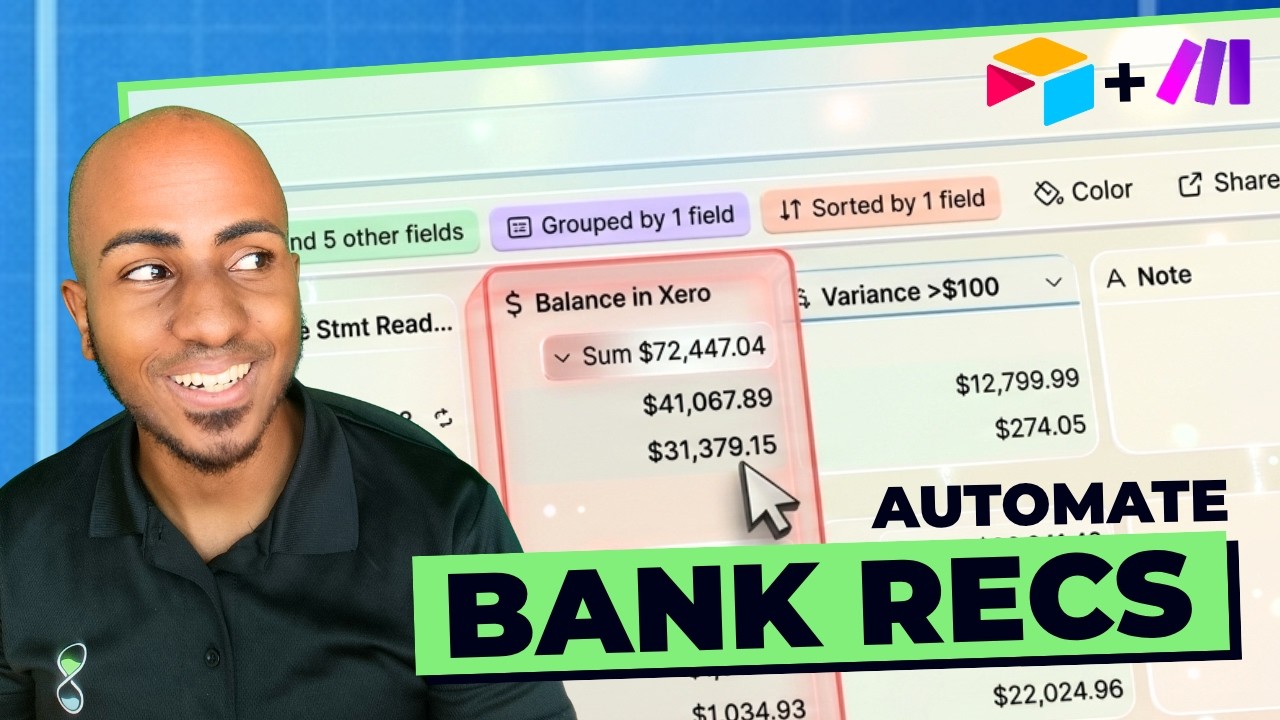
Isaac from Opsia.co builds an automated bank reconciliation system using Airtable, Make.com, and AI. The workflow extracts bank statement data with AI, pulls trial balances from Xero or QuickBooks, flags variances above a set threshold like $100, and emails exceptions weekly to accountants. It turns a task requiring logins to dozens of client files into one dashboard.
Chapters
Hey, this is Isaac from Opsia.co, and in this video, I'll show you an automated bank reconciliation workflow that uses AI and automation so your accountants only need to review exceptions instead of touching every single client file. This is the same workflow that one of our accounting firm clients uses to review 70 client files without a bookkeeper because most of the work is handled by automation, AI, or not technical staff. We built the system using Airtable and Make.com, and it's part of a series of bookkeeping workflows I'm currently recording. Today I'll focus on the bank reconciliation component, and we'll be talking about the transaction coding workflow in a separate video coming up soon. If you're looking forward to that, please comment coding below to make sure I prioritize it. First, I'll show you the solution, a little bit of a demo, then I'll show you how it works with the flowchart, and finally I'll walk you through step by step how you can build this system for yourself. Let's get into it. Okay, so I want to fast forward towards the result and the outcome. This is effectively what happens. Everything is handled by their team and their system. And the weekly email with only the bank accounts that need to be reconciled because the system already looked at the bank statement, already compared that with their balance on their accounting software of choice. In this case, they were using Xero. This can be done for QuickBooks as well. And here you can see that there's only 5. I want to emphasize that this is the big unlock of this workflow. It's that it's exception-only reviews. This particular firm has about 482 accounts across 70 clients. But here on a weekly basis, they might only be getting 5, maybe up to a dozen of accounts that the most senior person actually needs to look at. And just as an example, here you can see that you have the balance that the statement is reading. This is the AI little component. You can see it says number agent. And this is the balancing zero that, as you'll see later, it's also pulled automatically. And here's telling me, hey, the variance between these 2 things It's larger than 100. As a result, I want you to look at it. Now, the beauty is that you can centralize this and now work on this at a level that's working across your entire firm. For example, the discrepancy after I click on that attachment, I cannot open it just for obvious reasons. But if I look at the examples here, it's actually telling me, hey, it's here, it's selling $23,000. It picked up this amount from the balance sheet PDF that we uploaded. Whereas it should have picked this one instead because this is the ending numbers of the account. What can I do? Well, what's driving this number? I mean, getting it—it's a prompt underneath. If I edit this file, you'll notice that it's saying extract the ending balance on this PDF with up to two decimals. If I am a little bit more specific and tell it, "Hey, make sure that the ending balance relates to specifically the account ending in," and then I add. Guess what? I can add a custom field here to say specifically this account number for any of the rows you are analyzing. That should allow me to say, hey, now I can improve the system over time and say, now go ahead and agent check this statement again. And you can see that now it disappeared because now it's saying cool based on that new prompt that you just adjusted. Now this is actually working correctly. So you can imagine, you know, less time wasted between clients, better consistency, because now there's like a centralized system that's governing the process and the workflow for everyone. And the reviewers are spending less time on some of the admin work and more time on judgment-related things. It's also worth knowing that the fact that you built the system doesn't mean it's going to be perfect, but the fact that you can improve it over time continuously and make sure this is visible across the firm, it doesn't have to be perfect to be helpful, as long as you have a way to improve it and tweak it over time. Now, why would you use our table for bank recs as opposed to relying on Xero and the QuickBooks interface? If there would be one word to answer that, it's scale. If you're doing bank reconciliation in Xero or QuickBooks, you have to jump into each client file one by one. You know, you have to log in and then open the next file, check the work, then repeat the process again and again across your entire client base. With Airtable, all that data is coming into one place that doesn't require all the additional gymnastics around access. So you can, instead of managing reconciliations file by file, you can manage the whole system from a single view. That gives you better visibility into everything that's going on. It also gives you an easier way to standardize your process across clients. And it allows you, as you're seeing, automation and AI to be incorporated into the workflow and run across all your clients consistently. So really Airtable makes your bank reconciliation process a scalable workflow as opposed to a task that you have to do client by client. Now let me show you how the workflow actually works. All right, so this workflow that you're seeing here pretty much summarizes how the workflow works. There are some prerequisite steps that need to happen, that need to happen effectively the first time you set this up, which is having a, actually a client list. It's not here, but a client list, setting up a bank master list so you have all your clients, all your banks listed as well. There's a form that you have to create to submit each statement. And then you'll capture as you go the client, the bank account of that client, and what is the related chart of accounts within QuickBooks or Xero so you can later reference it. This is important and you'll notice why as I go. Deeper into this workflow. At the beginning of the month, or as the month in process starts, the admin is going to be collecting the bank statements. It's worth knowing that although there are some ways to get the bank statements automatically, it's such a tough process to automate at this point, just based on the variety of accounts that clients may use. So at least for now, this is a step that we actually recommend leaving manually because of the security associated with it. Technically, agents are to a point that they could do that, but it's a little bit tricky to kind of give them access to that type of accounts with the risk associated with that. So this is something that's happening manually today. If at any point they submit the bank statement through that form, effectively, as you saw, AI is going to extract the ending balance, it's going to extract the statement date, that's going to store that in the database, and now it has the data to go into QuickBooks or Xero, pull the balance, make the calculation, and see if there's any variance. And as you saw, if there's no variance, it just removes it from the view. It marks it as reconciled and you can move on. However, if there is a significant variance, that's where the account will be added to that list that we saw. And once you see that list, every week the accountant's gonna get an email with a link to that view and gonna see a list, only the exceptions accounts that they need to look at. Although the variance, it's, the variance is customizable. This particular firm decided to have it as $100, totally customizable if for you that's gonna be different. And it's worth knowing that separately there's another process that's to monitor bank fee statuses. If a fee breaks at any point, there's an admin that can have it. She has her own workflow to easily follow up with clients to get it reconnected because this can be a regular roadblock to actually not being able to get the data in the first place. And there's some associated workflows and steps there as a result that I'm not going to dive super deep into because they're, they're part of the workflow, but there's almost like a a separate process. That said, let's look at how you would build this for yourself step by step. As I mentioned earlier, you're gonna need to create an Airtable, and there's a couple of different views that you want to make sure you have and some basic fields. So you want to make sure you have a client list with at a minimum the name of the client and the ID of the accounting software that you use, whether that's QuickBooks or Xero or both potentially if you use both. Same thing with banks, just a list of bank accounts The various types of things you do, website and feed status, this is really more helpful for the team to understand which clients have which banks, and it's something that you can clearly document so that when they have to do this manually, they know where to go. And on the bank statements side, this is where you'll have a couple more fields, right? You'll have— make sure you want to link this to the customer, link this to the bank, have an attachment field, which you'll see we'll add up to the form. But also have the account number, the chart of accounts number in QuickBooks or Xero based on the chart of accounts, the statement end date. And as we saw, we want a field for the balance statement, the balance in Xero, and the variance between them. Creating a form, it's super simple, but this is kind of the form we created that as you can see, you can just drag and drop the various fields you need. And in this case, this form has customer, bank statement, Status, banks, the account, the shut-off accounts, which you're going to reference later, and the next statement date that needs to be downloaded, and who added it, just so we can have that in record. But this is what their admin effectively uploads every time there's a, a new bank statement. From there, there's a process to actually make that recurring depending on the recurring nature of the statement that's being downloaded. Worth noting, as you saw in the neat reconciles file, that you can use the bank statement agent and agent field to pull the data from the uploads that you put in. And also worth knowing that on the backend, there is an automation within make.com to pull the balance in Xero. That would be a separate video, but just to give you the context and just so you understand, it's pulling from our table on a regular basis. Because we have the account ID and we have the ID of the client, we can get the trial balance of that client for that statement end date and filter the value of that account as of that date and post that balance back again right here. So that's kind of what that automation is doing essentially. For QuickBooks, it's actually the exact same thing. Because you have the client ID and the account ID, then you could add in the end date. So the statement, you can go in, pull the trial balance for that client, for that account on that date, and you'll be able to pull the balance on that date so you can make that comparison. The last step is creating a simple automation within Airtable itself. Those tend to be a little bit more simple where you would simply say, hey, when a particular— actually, no, at scheduled time. So you would do this, for example, weekly. I want you to find the the records and you would find the records that are on the table that we just talked about. So there's a particular view I want to see, and that view, it's the things that need reconciled. You want to effectively get all those records that are there and send me an email to let me know, or send my accountant, my accountant manager, an email so that she knows what are the accounts that need to be reconciled. And that's pretty much the system, an Airtable base with clients, banks and bank statements, a form to submit them, a series of fields including an AI agent field that's going to be able to read the statement and pull the balance, an automation in Make that pulls the balance from the accounting software to make the comparison, and a view that's going to tell you whether the accounts need reconciled or not. It's going to send a weekly email to the account. That gives you a full picture of how this bank rec workflow works and why it's valuable. But the truth is This is only one of many accounting systems that we've built before. The real leverage comes from what happens before this process, which is getting in AI and automation to handle some aspects of transaction coding, especially the ones that are not easy to categorize with standard bank rules. That's why I break down in the video showing up in the screen right now how to structure a bookkeeping coding workflow, how to guide the AI properly, how to handle the cases where automation alone can really help. As always, leave a comment below if you want me to cover a separate use case. Subscribe for more and stay efficient.
More from Isaac




This Boring AI Automation Could Save Your Accounting Firm 40 hours (But most ignore it)

How to Build AI Systems With Claude (So Your Accounting Firm Runs Without You)





