
How To Use Make.com for Accounting Firms
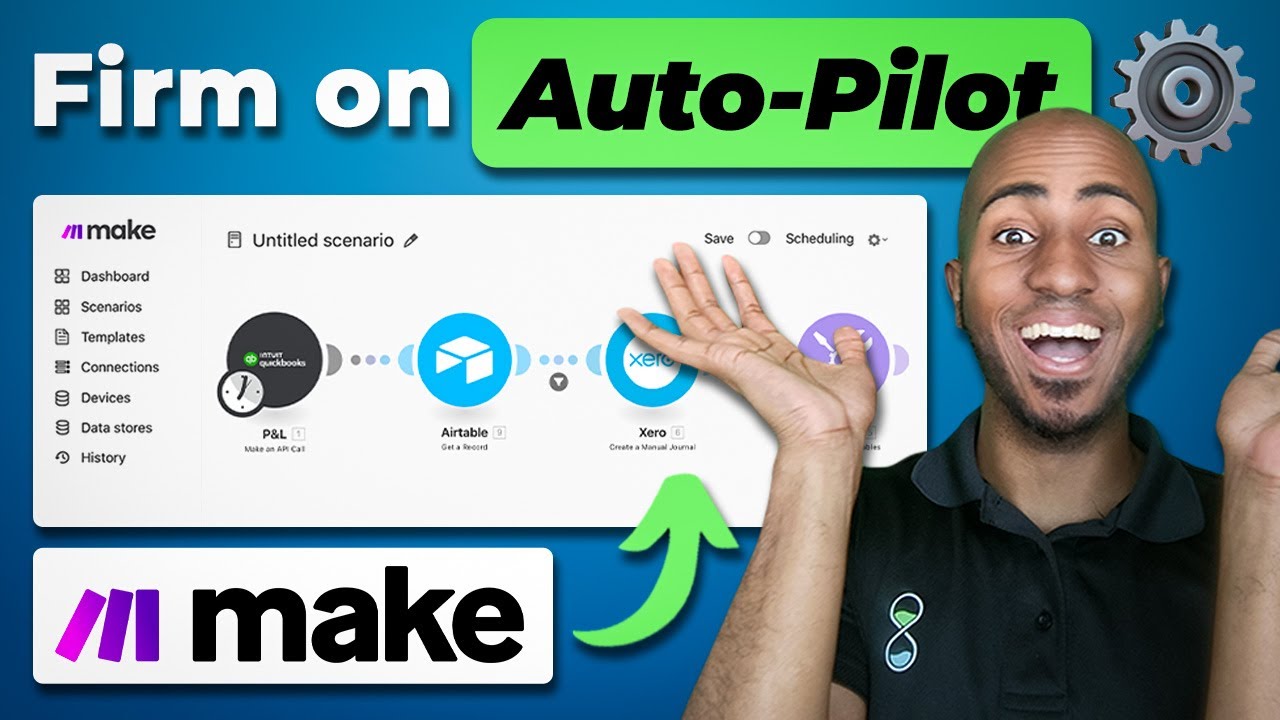
In this video Isaac from Upsell.co walks through ten concrete Make.com automations built for accounting‑firm clients, each addressing a specific pain point. The automations cover AI‑driven transaction coding in Xero, Stripe‑to‑Xero invoice reconciliation with tax‑rate mapping and currency conversion, a two‑part fixed‑assets reconciliation that syncs Xero assets to a database and emails monthly mismatch reports, automated journal‑entry creation from sales‑tax reports via Airtable webhooks, client‑onboarding questionnaire delivery using Zapier and Ignition, centralising completed organizer data into PDFs, Google Drive and Process Street workflows, a vendor‑coding quality‑assurance check that flags multi‑account coding and creates ClickUp tasks, AI‑assisted financial‑statement review that parses Sift reports and generates positive/negative findings tasks in Teamwork, and a weekly financial‑management report that pulls QuickBooks P&L and balance‑sheet data, calculates custom metrics and emails stakeholders. For each use case Isaac explains the client problem, the Make.com workflow (triggers, modules, data transformations), the tools integrated (Xero, Stripe, QuickBooks, ChatGPT, Airtable, Zapier, Ignition, ContentNow, Process Street, ClickUp, Teamwork, Sift), and the business value delivered. The video also points to deeper‑dive tutorials for several automations.
Chapters
Hey, this is Isaac from Upsell.co. In this video, I'm going to walk you through 10 real-world automation solutions that we've delivered for clients, accounting firms specifically, using Make.com based on the challenges they've brought to us. So if you run an accounting firm or work within one, stay tuned to learn the problem they came to us with, an explanation of the Make.com automation that we built to solve it, and how to learn more to apply this for yourself. Let's get into it. So the first automation I have for you, it's AI Coding of uncategorized transactions. This was a UK-based firm that came to us categorizing transactions for dozens of clients. The challenge, though, was that they she serves musicians. These are people that travel all over the world and use different vendors every time. So because vendors were not the same, bank rules were pretty much useless. So we have to build an automation that using AI and using zero and make.com was able to pull uncategorized transactions. We provided a prompt and iterated on it multiple times to see how the accuracy improved for the AI to determine the expense category, the VAT rate, and the payee name, and the country of origin as well. A brief explanation of what this automation looks like while you're looking at it right now. It's really 5 steps, although you see a little bit more just because certain things need multiple modules within Make to make it work. But fundamentally, we're getting all the clients first, in this case from a Google Sheet. From there, we're getting all the accounts and It'll make sense why we're doing that in a second. And we're adding up all of those accounts into one giant block of text that has the account and the account code. In other words, we're pulling the entire chart of accounts to then provide it to ChatGPT, as you say. From there, we're actually getting the bank accounts, all the bank accounts from that client, and getting the reports or the bank statements from those bank accounts so that we can, by going through transaction by transaction, actually get the uncoded ones only. And then we just ask ChatGPT to give us that category, providing it both a prompt, the transaction details, and the chart of accounts that we pulled initially. From there, we tell it to structure the data so that it gives us the payee name, the category, and the code specifically so that we can then create the contact and create the bank transaction. And ultimately, that shows up in the ledger, in the reconcile interface within Xero, so that people can mark it as okay. If the transaction was kind of coded correctly. AI is not perfect for this job, I'd say, but it's gotten good enough and it's getting better every day to the point that it sometimes makes sense to deploy these solutions. For this specific firm where rules weren't as useful, rules can be more reliable, but for this specific firm, it just didn't make sense. I actually created a more detailed video that goes into detail how I built this in case you're curious. So we'll leave that in the link in the descriptions. And please keep in mind that's a similar automation to the bill for QuickBooks Online as an example. If you wanted to follow video on that, feel free to comment QBO in the comments and I'll make sure to make it happen. The second automation I have for you is invoice reconciliation. This was another Canadian firm this time that came to us having to reconcile a lot of transactions for their clients, specifically invoices. What he noticed and what he told us is that the native integration between Stripe and Xero syncs transactions properly, But it does not sync invoices. As a result, he was having to manually reconcile invoices. And with Make.com, we were able to map the different tax rates, convert the currencies needed because it was a multi-currency account, and include all the line items, including separating the fees when applicable. Okay? And this is just an example of what the automation looks like in terms of being able to watch for events when a new invoice comes in, get all the details of that invoice within Xero, make sure to search for all the tax rates so that we can have the equivalent tax rate within Stripe mapped onto Xero. These 2 steps are actually just going through the line items within Stripe and kind of bundling them up so that then we can create the invoice. And depending on whether or not that invoice is in the native currency or not, there could be a currency conversion. Okay, so the 3rd example I have for you is fixed assets reconciliation. The problem we're trying to solve, this particular firm based out of the US wanted to catch discrepancies or differences between her client's fixed assets module in Xero, which is like native function that it has to track assets and what appears on the balance sheet. What she noticed is that although Xero has that native feature, she often found differences on year-end when doing taxes, especially because a lot of the fixed assets only worked on the accrual basis and she had a lot of clients working on the cash basis. So she wanted a system to proactively go in, pull fixed assets, pull what the balance sheet says, and compare on a regular basis to make sure that those things match. And I'm going to walk you through this much more involved automation. It's actually 2 different automations, and I'll walk you through what those look This for automation is essentially the one that's going on a regular basis and pulling all the assets from Xero and putting it into a database that then we can compare with. Won't go into extreme detail here, but as you can see here, we're actually getting all the clients first, and then from there we're getting all the existing assets. That's to avoid duplicates. And within Xero, you can see that we're getting actually the asset types, the registered assets, and the disposed assets. And effectively what we're doing after that is saying, hey, If that asset exists already, which we can see here, there's no need to create it. But if it has changed and it is now disposed, or if the value has changed, go ahead and update it. If it is a new asset, go ahead and create it. And if it's a new asset type, create that as well to make sure that effectively what is in the fixed assets module in Xero and what it is on this database are always in sync. So that's step 1. Step 2, then it's going into that table base, in this case, that database to pull all those fixed assets and also then pull the balance sheet from each client, aggregate those, the right kind of like line items in the balance sheet that should add up to the value of the fixed asset, and see if those 2 numbers are the same. Ultimately, all those 2 automations do, it's send an email on a monthly basis that looks like this. It's an email that says for each client, hey, this is what the client has on fixed assets and this is what it appears on the balance sheet and this is the difference. And by listing those differences, it allows the firm to dive a little deeper To understand what what what were those differences about and troubleshoot accordingly. Just to show you kind of the feedback we got from that particular firm, just to give you a little bit of a better understanding of why it was useful, she said this was a really good test and has uncovered some things that zero doesn't find. For example, client X on the fixed asset report, it uses the cool for the balance sheet, so it shows everything matches up and there are no problems. However, this test This test uncovered that they didn't balance. When you dispose of a fixed asset in Xero, it only does it on the accrual basis. And back in 2020, there was a year in the blah blah blah blah blah blah blah. The point is, I'm glad I can clean these up, and I assume about a third of our clients have this problem. So essentially, you can see how by pulling those datasets and on a monthly basis sending that, we're making sure that those those things match all the time, and then this particular client doesn't find. issues that she has to resolve at year end, but because she's checking on that now on a monthly basis. Let's move on to the next use case, which is automated journal entries. There's so many journal entries that we've worked on over time, and there are so many of that I'm sure many accounting firms are doing manually at the moment that maybe they shouldn't be. Examples might be journal entries for sales tax, for mileage reimbursements, for depreciation, for payroll and payroll allocations. The one I want to share with you specifically on the sales tax side where we simply had a simple form for sales tax reports that should be kind of uploaded into. And then an automation took those sales reports to extract the ending balance and the sales tax line item and then transfer that into Make.com in this case. And we were able to create a manual journal within Xero with that particular journal entry. Essentially, this is a more simple automation, although it's because some of the logic was also in this case within Airtable when that thing was uploaded and then sent, sent into Make via webhook. Webhook is a little bit more of an intermediate to advanced feature that depending on your automation savviness, maybe you're not familiar with. I'm not going to get into details of what that means, but I actually have another video when I dive deeper into this particular use case and build it out. So if you're curious, feel free to check that in the description as well. Cool. Another use case, whenever you get a new Tax client sending a questionnaire, right? I'm sure that you sign clients and sometimes they're just left waiting for next steps. Imagine if you could, the moment the client signs, you send them the questionnaire right away so that they can get started because maybe they have time right there when they sign. They're in their email, they are working on, on that, and you can take advantage of that to make sure they can work on that as quickly as possible. The example I want to share is actually built on Zapier, but very similar things could be built on Make. So you're free to, I like the logic can be applied across, across tools. In this case, we decided to use Zapier because this particular client was using Ignition. Ignition is a proposal software for accounting firms. And you can see that through the process, essentially what ultimately we have is we are creating the client and creating a request for that client within ContentsNow, which is a client or document collection tool. That allows you to collect clients' firm documents without having to chase them. A similar thing can be built, and we've done similar things for other proposal software tools and/or other document collection tools. Like for example, we've done like a nation to Soraban, which is also a kind of document collection tax organizer tool. And depending, like the logic is the same, the process is the same, the tools could be different, but the logic. Still applies. The next use case I have for you is what comes next. Once your, the client completes that questionnaire, completes that organizer, there's a series of things you usually want to do, right? So you want to make sure you centralize that information for your staff to act on. You want to make sure that those are not in your email and that preparers don't have to go to a ton of places to look for information to execute on the work that happens next. So that's what this automation is all about. As you can see, relatively simple. We are taking a from content scenario when all the fields are completed, meaning the client is now officially done. That's where we're going ahead and creating a document that will have all the answers that they provided us. And we'll put that into a neat and beautiful PDF that the preparers will rely on. We'll also be uploading certain files as required and uploading that into, in this case, Google Drive, as well as creating a kind of like a workflow run within Process Street. This could be a job within any of the other project management or practice management tools, and as well emailing the admin who know that this is now ready and emailing the client to confirm their information has been received. The next use case I have for you, it's a bad coding finder. At least that's what our client decided to call it, which is really about how do we make sure that our team is coding vendors in the same accounts and that if there are instances where the vendors are not getting coded into the same account but into multiple accounts, we at least have visibility into that so that we can see if those transactions are coded correctly. So this can often uncover a lot of issues and potential— it's kind of like a quality assurance check that you can do across all your clients. In this case, something we did with the Xero specifically. This is a long automation, so it's kind of broken it down into 2 phases. The first phase is the one you're looking at right now where you are getting the client. And in this particular case, We are just— this is just a module or a step to prepare the dates and such, but we are effectively getting all of their accounts first, and then we are proceeding to get all of their transactions over the last, I think, 6 months. This is probably wrong, but I think we decided to do it over the last 6 months. So what we're doing here, it's a process of getting all the transactions 100 at a time, just because Because it's a large volume of data, actually Xero doesn't give you like, you know, 3,000 transactions in just one step. You have to iterate to get those, although the entire list of transactions, 100 at a time. So that's what this specific part of the automation is doing. The continuation of the automation is then looping through that group of transactions and then aggregating them by contact, meaning I want to make sure that all those transactions now I want to have them by contact, and then I have the contact Along with the unique codes. Then I create a ClickUp task with certain labels that are required. That's kind of not as relevant, but I want to just want to show you what the task looks like. Effectively, the task is created, it's assigned, it has a due date, and on the description, there's just a little checklist with each vendor. And if it was quoted on multiple accounts, it'll have the name of those multiple accounts so that people can very easily see, okay, this is good, this is good, this doesn't matter. Like maybe deposit is meant to be in multiple accounts for the purpose of this, but maybe you should realize, hey, Action is supplies expenses. That's weird. Let's investigate and let's see if that means it's something coded incorrectly in that particular client account. So you can see how this can be very helpful in ensuring that you don't have to go into each individual client account to see which vendors have been coded into multiple accounts. Instead, you're just getting the summary of the things that are already quote unquote wrong for you to investigate further. The next use case I have for you is financial statement review with AI. So this is also another quality assurance automation from a bookkeeping perspective, and it's meant to catch issues that mainly a junior might miss. And this is again, another US firm that worked with us and they have like a 12-point checklist of the things they wanted to look at to ensure that a financial statement was good and ready to go for the client. In this particular instance, they were using Sift. As the tool to create the reports. But what we did is we programmed Sif to actually send the data via email with, in this case, the project code of the client in the title, right? Because that allows us then to connect that email to that specific client. This specific client was using Teamwork, and we wanted to create tasks within that Teamwork project related to the issues that ChatGPT might or might not find. This is what automation looks like. And essentially, you can see that we're watching for emails and we have some filters included within that. But then we're uploading that attachment as a financial statement and we're running that through the assistant. Again, this assistant has a prompt, a mega long prompt with specific things we're looking for, as I'll show you in a second when I show you the result. This, as I mentioned, all the subject lines have a teamwork code within them. So this is just extracting that. It's within brackets. So you're saying, hey, whatever's within brackets, take that. And here what we're doing is actually we are parsing. I'm not expecting you to know what that is, but we're effectively processing the result from the assistant that it's a list of positive and negative things and just making sure we have that in a more structured way to process accordingly. Then you can see that it is creating a task list and it's adding negative— it's adding tasks for each negative finding it finds because that's what the iterator is for, is to run through all the findings one by one. And it is also creating a task list for all the positive findings as well. Ultimately, the output is essentially a teamwork project that looks like this. There's a positive findings task list, and there's a couple other tasks that are of negative, quote unquote, negative findings, or negative relative to what it is expected based on the problem that was provided. For example, accrued retirement, there was no change in that. Flag. Why is that? Retained earnings, there was no change in that. Why? Maybe that's supposed to change on a monthly basis. So if it didn't, we want to investigate. Also, distributions exceeded net income. That's weird. We want to investigate. And there was a missing expense that it was there last month. It was $100 of utilities and is not there this month. Why? And that again allows us to make sure that when we push this to the client and we share the financial statements, they are as accurate as possible. Okay? So that is on that use case. And the last one for you, which is a weekly financial management report. Again, reports sometimes have to be done manually, and you can use tools like Sift that I just mentioned to pull that off. In this case, we decided to use Make to actually get the data from QuickBooks directly and be able to create the reports, calculate the metrics. And the benefit of Make too is that you can often pull data from other sources too, if required. You don't have to rely just on the data that's in QuickBooks, which is most of what those applications, reporting applications do, you have a little bit more flexibility in terms of the metrics you want to calculate and the data sources that you use for it. This was actually more of a demonstration automation, and actually I have a video that dives deeper into it, but just walking through briefly to it, just 4 simple steps. You're getting the P&L from QuickBooks and the balance sheet that has all the P&L and balance sheet data. And then from there you're doing the calculations you want. It might be a simple management report that has like cash balance, revenue, expenses, and gross profit and net earnings every single week. And then you're sending that through to the client or through other recipient in this case. So again, that automation specifically, I dive deeper into how to build it in make.com. So if you click on the video on the screen right now, you should be able to check it out. I encourage you to check that one out to continue learning more about Make if you're curious to see how accounting workflows can be really simplified, streamlined, automated with it. I'll see you on the next one. And until then, stay efficient.
More from Isaac




This Boring AI Automation Could Save Your Accounting Firm 40 hours (But most ignore it)

How to Build AI Systems With Claude (So Your Accounting Firm Runs Without You)





