How I'm Planning a Black Friday Launch for my Systematic You "System Start: Tana Edition" event
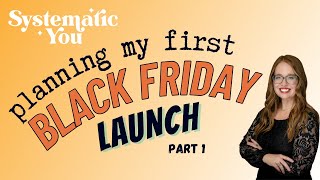
A walkthrough of the sales and onboarding workflow for a Dec. 28 live event launching on Black Friday. The setup uses ThriveCart for checkout, Integrately to route data into Airtable, Fillout for post-purchase forms, and Discord for community access. She chose each tool for cost, security, and the ability to keep everything centralized in Airtable.
Chapters
So one of the things I wish I had when I was first learning how to put together automations to put together things like sales sequences, email sequences, onboarding and off boarding of customers. All of this by the way that I learned when I started my role at the online education company about two years ago and I didn't know how to do any of this before I started. I had a lot of people who helped me along the way and this is before ChatGPT was a thing. So I thought it would be helpful to show how I am building this myself, getting ready for my own launch for my events that I'm going to be hosting on Dec. 28 from 9am to 1pm Eastern. It's a Thursday, the week after Christmas in case you would be interested. It's a four hour session where you will learn how to set up your TANA Personal Knowledge Management Workspace with me and we'll be working together in a small group live in my Discord community and I think it's going to be a lot of fun. I'm super excited about it. But the purpose of this video today is to show you so it's two days before Thanksgiving, so it's three days out from Black Friday and I would actually like to sort of launch. I always hesitate when I say launch because launch means so many things to so many different people. Introduce into the world this program hopefully by tomorrow, but maybe by Wednesday. Anyway, I thought it would be fun to show how I build this and to show you the behind the scenes of how these sorts of things work together, including automations. And like I said, I learned how to do all of these things from people who are really nice and showed me how to do things from trial and error, from a lot of cursing at Zapier. I really struggled with Zapier and you'll notice that I'm not using Zapier for this. So I'll share the different tools I'm using and why. It's actually no knock to Zapier. It's just more than my new budget is actually going to permit for this at this time. So I decided to try another tool so I thought it'd be fun to try something else too. So what you're seeing right now is I'm using Whimsical and Whimsical is my absolute favorite workflowing tool because you can draw. So a couple of quick examples. You can just make some shapes, you know, and draw like the typical shapes you would. But you'll actually see I don't use these Too much. I like to use card stacks. So card stacks are like what you see here with the key. And you'll see a lot of the times I make a key pretty early on because I want to help myself see the steps in my path and what tool I'm thinking about when I'm looking at the steps. So I'm going to start off just kind of first thinking about, well I have this event and the event is going to be sold. So of course I needed a sales page and a checkout situation. Now let's start off with that. So I'm going to call this the sales process. You'll see I change a lot of things as I go through through this, but the sales page itself. So sales page is on ThriveCart. And if you're wondering why am I using ThriveCart? Because ThriveCart, I guess six or seven months ago was recommended to me by a friend and it had a one time buy where you didn't have to pay every single month. And I like One Time Buys. So I picked up ThriveCart. I also picked up ThriveCart Learn, which is their learning management system. I haven't used it yet, but also one time buy so in case I want to use it, it's there. So I'm going to start off using ThriveCart for my sales page and my checkout is also on ThriveCart so I'm going to just leave it with sales page. But I'm going to say sales page and checkout because I want this to be really simple for this first time I haven't done a Black Friday launch for myself in a really long time. So I just want like a one pager sales page that has a checkout. It's going to be really simple. So when people check out, all of the data for the sales purchase is stored in ThriveCart. But I believe in having a standalone student database students record system. This is coming over from years in higher ed so I use airtable for that. So I'm going to have the sales data is received by Integrately, which spoiler alert, that's what I'm using instead of Zapier and I think Integrately, we'll see and sent to airtable. So Integrately again is the automation tool that I'm using for this and then it's going to be going into airtable, receives the sales data. And if you're wondering why am I bothering to do that, I know a lot of folks just use whatever the cart solution is to keep their records here's why I think you need to do more because when you get your data, first of all, you want it to be secure and I trust airtable. There's all kinds of data policies in place for that. Second of all, I like to connect all of my data together. So the purchase data, the post purchase survey data. So you'll see that in a moment. The potentially community interactions, I haven't figured out if I can get any of that data from Discord into Airtable yet. I did that a lot. I do that a lot with another forum platform that I use at the online education company where I work. But we'll see. But the long story short here is I like to get all of the data in one place. So and I don't like to go to a lot of different tools to go find the data. It's really hard to see a picture, an accurate picture of how someone's engaging with your content if you have to go all over the place to get the data. So sometimes there's really no other choice. But I try as much as possible to aggregate the data in one location. So that's why you'll see automation sending everything into airtable. So I have my sales cart, my sales page on my checkout on ThriveCart my sales data is being sent to integrately, um, and then to Air Table. Airtable gets the sales so it's like their sales records and then after that I am going to send them a form, them meaning customers. So I want to have a post purchase form and I'm going to make that form and fill out but the actual fields are going to be in airtable so create backend of post purchase form in Air Table. So the why behind this? First of all, all the data again is going to be kept into airtable and one of the things I like about fill out, which is another tool you'll see me demo in a little bit, is that fill out gives you the ability to essentially have a form that is powered or using airtable fields. So all of the data is going into airtable. The fields on the form are from airtable but the form looks a lot nicer. So that's why I use the fill out forms. And again that was introduced to me by someone else and I really like it. And you also see I use the free version and wherever I can right now since this is something I'm kind of starting up fresh. I've had various side hustles over the years, but one I'm kind of just playing around right now as I as I launch Systematic U into the world is that I'm being super conscious of what I am spending on this. So I'm trying to do free or low cost solutions whenever possible unless it is something that I need to secure my data like airtable for example. So fill out is free in terms of the level I am using for it. It's fine for now. So again I've got my data coming in through ThriveCart over to Airtable then I create my back end of my post purchase form in airtable then I'm actually going to make the form so design the post purchase form in fill out. And again because fill out uses all of the airtable information it's I kind of think of that like a wrapper or a layer for the airtable fields. So after that I need to send customers the form to fill out and I'll explain you know what's involved with this form in just a second. So airtable automation sends fill out form actually I'm just going to call it post purchase Room because that's what it is to customer and I can't wait to show you what these cards actually do because it's way more than just boxes. I'm super excited about that. Okay. One of the things that's frustrating though is I have to open the card if I click away from it to like get back into it again. So this is still airtable however it is an airtable automation so sometimes I it just changed automations to red period. But for now I'm going to stick it actually with the same color as Air table so I can just kind of see. So that's another airtable thing. Now when people buy so the way this is going to work it's not going to be all these steps that they say so they'll buy off the sales page, they'll get a receipt and actually I forgot to note that so Thrive cart sends purchase receipt automatically to customer post purchase. So that's something important to note. So that's another green thing. I don't have to do anything automation but you'll see I'm able to set up some of the branding and style so that it looks nice and I can match my brand so they get that receipt. The sales data goes into Air table because of integrately then my forms, all that will be done will be sent automatically to the customer to fill out based on the fact that essentially when data is received in airtable so send them the form because this will be already ready to go. Now after that I need to have another automation kickoff. So when post purchase form is received, form data enters onboard to Discord view in airtable. So if you haven't used Airtable or you haven't done too much with it airtable, one of the things I really like about it is that you can look at data in a lot of different ways, very similar to some of the other platforms like Notion and so forth, but it's a true database in the sense that you can do all kinds of typical database things with it. And so when I get this form data I'm going to have an airtable view set up so that when a form is submitted now so it's not going to be when a form is submitted because I'm using fill out. So it's probably going to be something along the lines of just when data is created I think because it's just going to be that one particular form in this field that's going to trigger Integrately Again that's my automation tool to send this customer to my Discord server. So let me go ahead and make that particular box before I forget what I just said I would do. So Integrately receives data. I'm going to have to see if this is how it's spelled because if it is, I'm going to have to add it to the database so it knows how to spell, receives data from form and sends customer to my Discord server, assigns the systems system start Tana Edition V1 role and that's as far as I've gotten so far with Discord. We'll see. But so far that's still Integrately because that's what that's done. Okay, so let's zoom out a little bit and take a look at this. So if you're wondering why don't I just go from the sales checkout to Discord? One main reason, not everyone, I don't know about you, but when I buy things, I don't always use the email address that I want to be used in a community area with the email I use to check out or buy. So after having a lot of experience using that both in higher ed and in the startup world, and having folks say, hey, I don't want my email to be that particular email. I found it's just better to give someone a choice up front. So that's why I'm doing that also because this gives me a chance to ask other questions which I typically like to do during an onboarding. So this is the first part. You can kind of see how the flow is working there. And in the next video, I'm going to show you how I actually build this. But this is just kind of the first test to show you how this is starting to come together again. I use Whimsical for this, and you can see that I have the key here, so I'm identifying which tools that I'm using. If you have any questions about this, please feel free to let me know in the comments. Again, I learned by doing and having people helping me out. So let me know if you have questions. Thanks for watching.
More from Monica

Automate Your Business for 2025: Join the Automated AF Accelerator Founders' Cohort!

From Academia to CEO: My Journey from COO at Forte Labs to Running My Own Business


Video Preview: 2 Months on YouTube: What I’ve Learned and What’s Next? #creator #shorts
Overwhelmed by all the videos & books you consume, yet struggling to remember or apply it? 🤯 #shorts